VibeMe AI: Playable Studio
- 258.00
- 4.4
- Installs
- 500.00K
- Price
- Free

Screenshots
Analysis by Reviewed
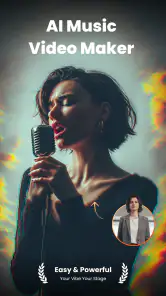
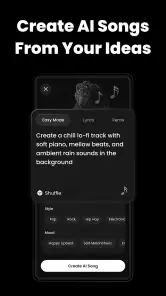
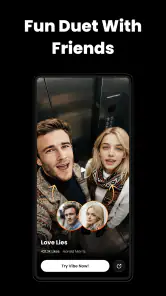
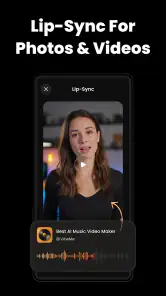
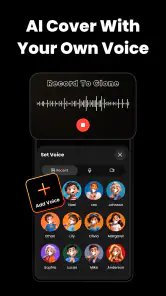
VibeMe AI: Playable Studio is an unusual photography app because it does not treat images as the final product. Instead, it sits at the meeting point of visual creation, AI music, video, and interactive live experiences. I found it most interesting when I stopped thinking of it as a replacement for a standard camera editor and started using it as a playful studio for turning an idea into something people can watch, hear, and interact with.
That distinction matters. If you only want to crop a photo, correct exposure, remove a distraction, or prepare a polished image for a portfolio, a conventional photography editor will probably feel more direct. VibeMe AI is aimed at a different kind of creator: someone who wants to experiment, remix a mood, and make content that feels more like a small audiovisual event than a finished still picture.
The app comes from Giant Global and is free to start, with optional purchases ranging from $0.49 to $199.99 per item. It is listed for Teen users, runs on Android 7.0 and later, and the current release is version 3.0.0. Those details make it broadly accessible, but the purchase range is important: I would approach the app as a creative playground first and decide later whether its paid options are worthwhile for my own workflow.
What makes the creative approach stand out
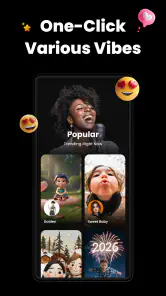
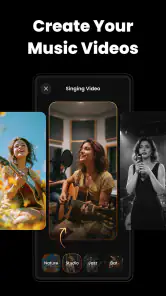
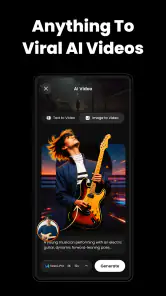
The strongest part of the experience is the way it encourages movement between formats. A normal photo app usually asks me to begin with a picture and finish with a picture. Here, the more productive question is, “What could this become?” A visual idea can lead toward music, a video, or an interactive presentation. That open-ended path is the app’s real identity.
I like this approach for short-form projects. Imagine taking a photograph of a rainy window, building a moody visual around it, adding a sound direction, and shaping the result into something that feels ready to share. The value is not necessarily in producing a technically perfect photograph. It is in helping me develop a recognizable atmosphere without opening several unrelated tools and manually moving between them.
The remixing angle is also more useful than it first sounds. Starting from a blank page can be difficult, especially when I know the feeling I want but cannot decide on a visual style or audio direction. Remixing gives me a way to react. I can look at an existing creative starting point, identify what works, and then push it toward my own idea. That makes the app suitable for quick experiments, mood boards, social posts, and personal projects that do not justify a full production setup.
The key strength is creative continuity: VibeMe AI encourages me to treat image, sound, video, and interaction as parts of one idea rather than separate chores. That is a meaningful difference from a traditional photo editor, even if it also means the app may feel less precise for people who want detailed control over one medium.
A practical workflow for a busy day
A realistic use case is a small creator preparing content for an evening event. I might have a few phone images from the venue, a rough concept for the atmosphere, and very little time to turn those materials into something engaging. Rather than spending an hour polishing one image, I could use the app to explore a visual treatment, connect it with an audio mood, and shape a short experience that gives viewers more than a static announcement.
This workflow is especially useful when the goal is attention rather than archival quality. A café owner could use a visual idea to promote a themed night. A musician could build a companion piece for a new track. A student could make a presentation feel more alive without learning a full editing suite. In each case, the app’s value comes from helping an ordinary image become a starting point for communication.
I would still prepare the source material before opening the app. Clear images with a strong subject are easier to develop than a folder of nearly identical snapshots. I also find it helpful to decide on one emotional direction first: calm, energetic, playful, dramatic, or strange. Without that small decision, an AI-assisted creative tool can become a sequence of random experiments rather than a coherent project.
Another useful habit is to save the strongest version of an idea before trying a more dramatic remix. Creative tools reward curiosity, but excessive experimentation can make it difficult to remember what originally worked. I would treat each promising variation as a branch, not as a replacement for the previous version.
Where it compares well with familiar alternatives
Compared with a standard photo editor, VibeMe AI is less about correcting a photograph and more about extending it. A conventional editor remains the better choice for accurate retouching, careful color work, cropping for a specific layout, or preparing a consistent set of images. Those tools usually make their purpose obvious: adjust the picture, inspect the result, export it.
Compared with a dedicated video editor, this app appears more inviting for someone who wants to discover a direction quickly rather than manage a detailed timeline. A specialist editor is preferable when I need exact cuts, layered audio, controlled transitions, or repeatable production settings. VibeMe AI’s appeal is the creative jump-start, not necessarily the discipline of a long-form editing workflow.
It also differs from a music-making app. A music specialist normally gives me deeper control over instruments, arrangement, recording, and mixing. VibeMe AI makes more sense when sound is part of a broader visual experience. I would choose it to explore how an audio mood supports an image or video, not as my main studio for composing a complex track.
That makes the app a useful companion rather than a universal replacement. It can help me discover the shape of a project, while a more focused tool may be better for the final technical pass. For casual creators, that trade-off is reasonable. For professionals with established workflows, it may be more valuable during brainstorming than during delivery.
The limitation: creative freedom can become friction
The same openness that makes the app appealing can also make it feel unfocused. When an application combines photography, AI music, video, remixing, and live experiences, I have to spend time learning what kind of result it wants me to make. A conventional editor gives me a familiar sequence of actions. VibeMe AI asks me to make more creative decisions before I fully understand the boundaries of the tool.
That can be energizing when I am in an experimental mood, but frustrating when I have a specific output in mind. If I need a finished image in a particular format or a tightly controlled video, I would rather begin with software designed around that exact task. The app’s broad scope may create more possibilities, but it can also add mental overhead.
The in-app purchase range deserves careful attention as well. The free entry point makes it easy to try, but the presence of individual purchases from $0.49 up to $199.99 means I would not assume every creative option is included without checking the purchase screen before committing to a project. For me, the sensible approach is to explore the free experience first, decide whether the workflow genuinely fits, and only then consider spending money.
There is also a practical difference between experimenting for fun and producing dependable work. AI-assisted creation can help me move past a blank page, but I still need to review the result as an editor. Does the mood match the message? Is the visual focus clear? Does the audio support the idea or distract from it? The app may accelerate the first draft, but it does not remove the need for taste and revision.
Who should give it a try
I would recommend VibeMe AI to creators who enjoy trying unusual formats and want one place to explore visual and audio ideas together. It is a natural fit for people making short social content, personal digital projects, experimental photography, event concepts, or playful visual messages. It may also suit beginners who feel intimidated by separate professional tools and would rather start with an idea than learn a complete technical workflow.
It is particularly appealing if you often take photographs but feel that a gallery of still images does not fully express what you had in mind. The app gives those images a chance to become part of a larger experience. That does not guarantee that every result will be strong, but it encourages a more active relationship with the material.
I would be more cautious about recommending it to someone who wants a dependable professional photo editor, a full music workstation, or a precise video production environment. Those users may find the broader creative direction distracting. I would also hesitate if the only goal is quick, conventional image correction. In that situation, a focused editor will usually be faster and easier to predict.
The Teen content rating is worth considering for families and younger creators. I would still encourage parents or guardians to look at how the app is being used, especially because its social and interactive possibilities may make it more open-ended than a simple offline camera utility. The rating gives a basic age context, but personal supervision should match the user’s maturity and the kind of content being created.
How I would use it without wasting time
My preferred method would be to begin with a small, clearly defined project rather than trying every creative direction at once. I would choose three or four source images, write down the intended mood in a sentence, and explore only the variations that support that mood. This keeps the app’s flexibility from turning into an endless scroll through possibilities.
I would also separate discovery from finishing. During the first session, I would focus on finding a strong concept and ignore minor imperfections. In a second pass, I would judge whether the visual, musical, and interactive elements actually belong together. This two-stage approach is useful because an exciting individual effect can still weaken the complete piece.
A less obvious advantage is that the app can help reveal which part of an idea is doing the real work. If a visual remains interesting after the audio is removed, the image may be strong enough to lead the project. If the mood collapses without sound, then the audio relationship is central. Testing those variations helps me understand the project instead of simply accepting the first attractive result.
I would also keep expectations realistic around sharing. A creative experiment can be successful even if it is not polished enough for a campaign or professional presentation. VibeMe AI seems best used as a place to find a concept, make a playful piece, or communicate a mood quickly. When a project becomes important, I would inspect the final output carefully and move to a dedicated tool if exact control becomes necessary.
My verdict on the overall experience
VibeMe AI is most convincing when viewed as an idea generator with audiovisual ambitions. Its photography category does not tell the whole story, because the app is less interested in keeping images still than in helping them lead somewhere else. That gives it a distinctive reason to exist, especially for creators who enjoy remixing and do not want to work inside a single medium.
The audience response is encouraging: it carries a 4.4 average from around 7.6 thousand ratings and has passed 500 thousand installs. I see those figures as signs that the concept has found an audience, though they do not change my main advice: try it for the creative workflow, not simply because it is popular.
As a free app from Giant Global, it is easy to approach without making an immediate commitment. The Teen rating and support for Android 7.0 and later also make it accessible to a wide range of users. Still, the optional purchase range means I would pay attention before unlocking anything expensive, particularly if I am only experimenting.
My final recommendation is clear but specific. Choose VibeMe AI if you want to turn visual ideas into playful, mixed-media experiences. It is a good fit for curiosity, fast concept development, and creators who like to remix rather than follow a rigid production path. Skip it in favor of a dedicated photography, video, or music app when precision, repeatability, and technical control matter more than discovery. For the right user, that creative looseness is not a flaw; it is the reason to install it.
Pros
- Turns text prompts into playable interactive experiences quickly.
- Encourages creativity without requiring advanced game-development skills.
- Useful for prototyping ideas and experimenting with different concepts.
- Playable projects can be tested directly on a mobile device.
- AI-assisted creation can make game design feel more accessible.
Cons
- AI-generated results may need editing to feel polished and coherent.
- Complex gameplay mechanics can be difficult to create reliably.
- Some features or content may require an account or paid access.
- Generated experiences may vary in quality from one prompt to another.
- Performance can depend on your device and internet connection.

- Category
- Photography
- Version
- 3.0.0











