Vaulty : Photo Vault & Hide
- 52.05K
- 4.5
- Installs
- 10.00M
- Price
- Free

Screenshots
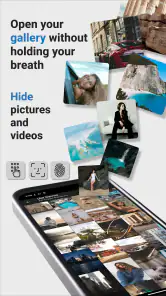
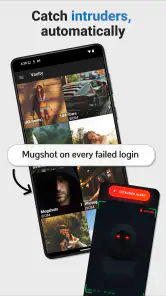
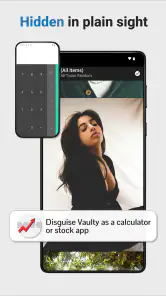
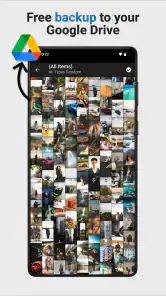
Analysis by Reviewed
I use my phone as a camera, a scrapbook, a work tool, and sometimes a place for images I simply do not want appearing in the normal gallery. That is where Vaulty: Photo Vault & Hide makes sense. It is a free photography app from Squid Tooth LLC designed to keep selected photos and videos away from the everyday gallery view. After spending time with it, I see it less as a full security suite and more as a practical privacy layer for people who want a separate, quieter space for personal media.
The distinction matters. A normal gallery is built for convenience: everything is easy to browse, share, edit, and show. Vaulty takes the opposite approach for chosen files. You decide what should leave the regular gallery, then use the vault when you want to view those items again. That simple change can be useful in ordinary situations, such as keeping private family images separate from work screenshots or avoiding an awkward moment when someone is looking through your camera roll.
How the free app fits into everyday photo privacy
The basic appeal is easy to understand. Instead of moving sensitive images into a confusing folder structure or relying on a gallery’s hidden-album option, I can place them in a dedicated vault. The app’s store summary emphasizes safe, private, and secret storage for photos and video, and that focus is reflected in the way I think about its role: it is for controlling visibility, not for replacing every other photo-management tool on a phone.
Vaulty is listed as a free app, which makes trying the core experience relatively straightforward. It also contains in-app purchases ranging from $0.99 to $99.99 per item, so “free” should be read as free access rather than a promise that every possible option is included without payment. That is an important difference when deciding whether it offers good value. I would begin with the no-cost experience, learn whether its workflow suits me, and only then consider paying for an option that solves a specific problem.
The app has been available since Jul 16, 2010, and its current version is 26.08.27. Those details suggest a long-running product rather than a newly launched experiment, while the version number also reminds me to check the current store page before installing because app behavior can change over time. It supports Android 7.0 and later, and its Everyone content rating makes it broadly approachable for general users.
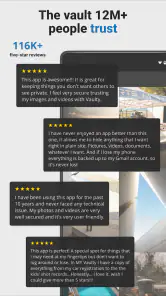
Its popularity is also substantial: Vaulty has passed 10 million installs, with an average rating of 4.5 from around 410 thousand ratings. I do not treat popularity as proof that an app is perfect, but it does make the product easier to take seriously than an obscure vault with little history. The roughly 52 thousand written reviews indicate that many people have had enough experience with it to leave detailed feedback, although individual results can still depend on the phone, operating system, and the way someone manages their files.
The first setup decision is what belongs in the vault
I would not start by importing every image on the phone. A better approach is to decide what problem I am solving. If the concern is that personal photos might appear while showing holiday pictures, I would move only those personal albums. If the concern is work material, I might create a small, clearly defined collection for documents and screenshots. Keeping the vault focused makes it easier to find things later and reduces the chance that I forget what I moved.
This is one of the less obvious trade-offs with any hidden-gallery tool: privacy improves only when the workflow remains understandable. If I move files casually and never review the collection, I can end up with duplicates, missing context, or uncertainty about whether an image is still in the normal gallery. Vaulty can separate media from the main view, but it cannot make disorganized photo habits organized by itself.
A realistic example is a shared phone during a family gathering. I might want to show a set of travel photos to a relative, but my camera roll could also contain private screenshots, scans, or images intended for one person only. Before handing over the phone, I could place those items in the vault and leave the normal gallery ready for casual browsing. That is a small convenience, but it addresses a real source of embarrassment and accidental disclosure.
Where it is more useful than the usual hidden-folder trick
Many phones already offer a hidden album, a locked folder, or a file manager with privacy features. Those built-in options can be the better choice when I want the fewest moving parts and the strongest integration with the device’s own gallery. They may also feel more natural because there is no separate app to remember.
Vaulty’s value is that it is dedicated to this one job. A purpose-built vault can be easier to understand than a general file manager, especially for someone who does not want to learn storage paths, folder names, or file extensions. It also gives the privacy task its own place rather than making it one small function inside a much larger gallery application.
That advantage comes with a cost in convenience. A hidden album inside the phone’s default gallery may work more smoothly with editing, casting, backup, and sharing tools. Once media is placed in a separate vault, I should expect an extra step whenever I want to view, edit, or send it. For me, that friction is acceptable for occasional private material, but it would be annoying if I constantly moved images in and out during a busy workday.
What I would check before trusting it with important memories
I would treat the vault as a viewing and access-control layer, not automatically as a backup. Before moving irreplaceable photos, I would make sure I still have a safe copy elsewhere and would test the complete process with a few unimportant files first. The key questions are practical: can I open the media when needed, can I restore it to the ordinary gallery, and do the files remain understandable if I later change phones?
This caution is not a criticism unique to Vaulty. Any app that changes where photos are stored can create confusion during a phone migration or a cleanup session. The safest workflow is to test import and restore, keep valuable originals backed up through a method I already trust, and avoid deleting the only copy until I know exactly how the vault handles it on my device.
I would also check the app after a major Android update. A long-established application can still encounter changes in storage rules, media access, or manufacturer-specific gallery behavior. If the vault is important to my daily routine, I would open it after an operating-system update and verify that a small sample of stored images and videos is still available.
Privacy is useful, but it is not the same as perfect protection
The word “private” can mean different things. For everyday privacy, hiding personal media from the standard gallery is valuable. It can prevent casual discovery and reduce the risk of someone swiping into an image that was never meant for them. That is the level at which I find Vaulty most convincing.
For highly sensitive material, I would be more demanding. I would want to understand the app’s current locking behavior, recovery process, storage method, and how it behaves when files are shared or backed up. Those details can matter more than the presence of a vault icon. I would not assume that placing a file in a dedicated app automatically protects every copy of that file elsewhere on the phone.
This is also why I would avoid leaving private images in messaging apps, downloads folders, editing apps, or cloud galleries after importing them. A vault cannot hide a duplicate that remains visible in another location. My practical rule would be to check the original gallery and recently deleted areas after moving a test file, then repeat that check whenever I change my photo workflow.
Video support makes the app more practical than a photo-only locker
It is easy to think of a vault as a place for still images, but videos are often the files that create the greatest privacy problem. A short personal clip can appear in a gallery’s automatic memories, a recent-items row, or a sharing picker just as easily as a photo. Vaulty’s focus on both photos and video therefore gives it a broader everyday role.
There is a trade-off, though. Videos can be larger and more demanding to handle than photos, especially on older phones or devices with limited free space. I would avoid importing a huge collection all at once. Moving a small batch, confirming that playback works, and keeping enough storage available is a more sensible routine than treating the vault as an unlimited archive.
I would also consider whether I need frequent editing. If I regularly trim clips, apply filters, or send large videos to other people, a standard gallery or video editor will usually be faster. The vault is strongest when privacy is the priority and editing is occasional, not when it must serve as the main media workspace.
Who is likely to get real value from it
I think Vaulty suits people who share a phone occasionally, keep personal and professional media together, or want a dedicated place for images that should not appear during normal browsing. It can also help someone who finds the built-in file manager too technical but does not want to delete private material from the device.
It is particularly useful for a simple separation workflow: ordinary photos stay in the familiar gallery, while selected photos and videos move to a private collection. That arrangement is easy to explain to yourself and easy to maintain if the collection remains small enough to review.
Parents, couples, freelancers, and travelers may each have different reasons to use it, but the common need is the same: control over accidental visibility. A traveler might hide scans and private documents after using them. A freelancer might separate client reference images from personal photos. Someone with a shared tablet could keep a personal collection away from children’s normal browsing.
I would skip it if I need a complete digital-security system, automatic organization across several devices, or a seamless professional photo workflow. I would also hesitate if I dislike relying on a separate app for access to important files. In those cases, a device-maker’s locked folder, an encrypted storage solution, or a carefully managed cloud service may be a better fit, depending on the exact security requirement.
How the purchase question affects its value
The free entry point is the strongest part of the value proposition because it lets me judge the workflow before spending anything. I do not need to commit to a subscription or purchase simply to discover whether a dedicated vault feels more convenient than the phone’s built-in option. That makes the app easy to recommend as a trial for people with a clear but modest privacy need.
The in-app purchase range is wide, from $0.99 to $99.99 per item. Since the price depends on the particular purchase, I would read the exact screen carefully rather than assuming that every useful capability costs the same. I would pay only for a clearly understood benefit, such as a feature that removes a limitation I have personally encountered. If the free workflow already handles my small private collection, spending more would not automatically improve my experience.
This is where Vaulty’s value differs by user. For someone hiding a handful of personal images, free access may be enough. For someone managing a larger, more regular collection, a paid option could be worthwhile if it reduces friction, but I would compare that cost with built-in privacy tools already available on the phone. The app earns a recommendation for being accessible; it does not earn an automatic recommendation for every optional purchase.
Small habits that make the vault safer and easier to live with
My first tip is to create a naming and review habit before importing anything. I would move a small group, open it inside the vault, then check the normal gallery for leftovers. This catches duplicate files and makes the result predictable. I would repeat the process with a video because video handling can expose problems that a still image does not.
My second tip is to separate privacy from storage management. I would keep a backup of irreplaceable memories outside the vault, but I would not leave an easily visible duplicate on the phone. That means deciding where the trusted backup lives, confirming it is readable, and then cleaning up unnecessary local copies carefully.
My third tip is to test the restore path before an emergency. People often test hiding but never test getting a file back. I would restore one image, confirm that it opens in the normal gallery, and then return it to the vault if appropriate. Knowing this route in advance prevents panic when I need to share an image quickly.
Finally, I would avoid using the vault as a dumping ground. A smaller collection is easier to audit, easier to migrate, and less likely to contain forgotten files. Privacy tools work best when I know what they contain and why each item is there.
My verdict on Vaulty: Photo Vault & Hide
Vaulty: Photo Vault & Hide is a sensible free starting point for people who want selected photos and videos kept apart from the normal gallery. Its dedicated purpose, long availability, broad Android compatibility, and substantial user base make it more reassuring than an untested utility, while its Everyone rating keeps the app approachable for general use.
I like it most for occasional privacy: preparing a phone before sharing it, separating personal images from work material, or keeping private videos out of casual browsing. I like it less as a replacement for backups, a professional media manager, or a guarantee of protection across every copy and service on a device.
My buy-or-skip advice is straightforward. Try the free experience if your need is simple and your phone lacks a comfortable locked-gallery option. Keep your collection organized, test import and restore with nonessential files, and protect important originals separately. Consider an in-app purchase only when its exact benefit solves a problem you already have. Skip the app if you require stronger, fully documented security controls or constant editing and sharing. For everyday gallery privacy, though, it delivers a focused solution without forcing me to redesign the way I use my phone.
Pros
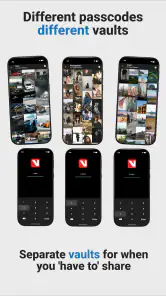
- PIN
- password
- or fingerprint protection keeps private media secure.
- Disguised app icon can help prevent unwanted attention.
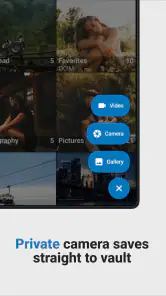
- Supports hiding both photos and videos in one private vault.
- Automatic backup helps protect files if the device is lost or reset.
- Simple import process makes moving media into the vault quick.
Cons
- Some advanced features require a paid subscription.
- Forgotten passwords may make recovery difficult without recovery options.
- Ads can be distracting in the free version.
- Large video collections may use considerable device storage.
- App security depends partly on your phone’s lock and system protection.

- Category
- Photography
- Version
- 26.08.27











