TV Cast for Chromecast
- 884.00
- 4.2
- Installs
- 5.00M
- Price
- Free

Screenshots
Analysis by Reviewed
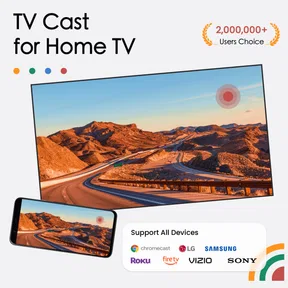
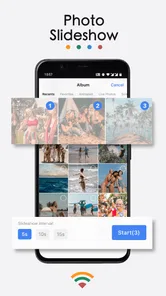
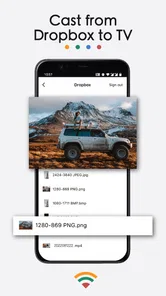
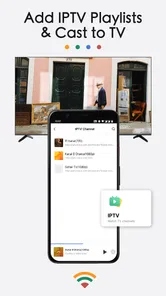
I like tools that solve a specific living-room problem without making me learn a complicated setup. TV Cast for Chromecast is aimed at getting media from a phone onto a television, and its mix of casting and screen mirroring gives it more than one route to the big screen. I would consider it when I want to share a photo, play a video, or browse an IPTV channel from my phone, rather than rely on a television’s built-in apps for everything.
Where it fits in a living room
The key question is not simply whether a phone can connect to a TV; it is what you want to put on the screen and how often you plan to do it. A television’s own apps are usually the least fiddly option for services you watch every week. This app is more appealing for the things that are already on your phone, a web page you want to open from the couch, or a quick photo share that does not justify setting up a separate presentation device.
I find that distinction useful because “casting” can mean different things in ordinary conversation. Sometimes you send a piece of media to the television; sometimes you mirror what is visible on the phone. Those are different workflows, and they do not suit every device combination equally. Before inviting people to watch, I would test which route works with the phone and screen at hand, then leave the content ready to play. That small check can prevent a group from waiting while I work through connection choices.
For anyone who shares a home with people who use different phones, the AirPlay mirroring option is worth understanding as a separate path rather than assuming it behaves exactly like Chromecast casting. It gives the app another kind of screen-sharing use, but the practical choice still depends on the devices being used. I would not buy or change hardware just for this feature without first confirming that the intended setup is compatible.
Getting around and setting up
First things first, setting up TV Cast for Chromecast is a breeze. You don’t need to be a tech wizard to get it up and running. After downloading the app, you just need to make sure your phone and Chromecast are connected to the same Wi-Fi network. Open the app, and voila! You’re ready to cast. The interface is intuitive, making navigation feel like a walk in the park. I was casting my favorite shows in no time.
That straightforward flow matters for people who do not want to dig through television menus or explain several steps to a family member. BoostVision makes this free Tools app, and its 4.2 average from around 53,000 ratings suggests that many users find the basic idea useful. It is rated for Everyone and has passed five million installs. The current version is 2.3.0, with Android 7.0 as the minimum OS requirement; optional in-app purchases range from $3.99 to $29.99 per item.
Readability and choosing a sharing route
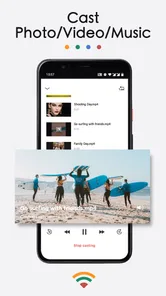
What really sets this app apart are its features. It supports a wide array of video formats, which is a godsend if you're like me and have media files scattered in various formats. Plus, the app doesn’t just stop at videos. You can also cast photos and music, turning your TV into a versatile entertainment hub.
More From Our News Desk

Weather by Xiaomi Review: Clear at a Glance, Less Clear Up Close

X Under Pressure: Can It Recover When Posting Goes Wrong?

Clash of Clans Is Won Between the Battles

Android Auto Makes the Case for Quieter Car Software

MobiOffice: Transforming Mobile Productivity with Seamless Integration

EA SPORTS FC™ Mobile Soccer: Redefining Mobile Sports Gaming
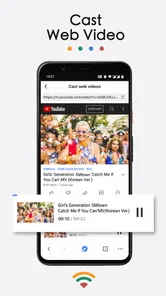
Another cool feature is the ability to bookmark websites. This means you can save your favorite streaming sites directly within the app for quick access. It’s these little touches that make the app incredibly user-friendly.
For a useful habit, I’d bookmark only the sites I actually return to, then keep a separate shortlist of media already saved on my phone. That way, a website is not mistaken for a guaranteed source of playable video: casting can depend on how a page serves its media. If a clip will not load from a site, trying a locally stored file is a sensible alternative. This distinction is especially helpful when you are preparing something to show rather than troubleshooting in front of guests.
Motor and sensory considerations
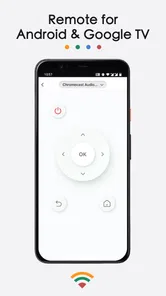
In a practical setting, I can see this working well when friends visit and someone wants to share holiday photos without passing a phone around, or when I want to watch a supported video from the sofa. The phone remains the control point, which can be convenient for someone who already finds a TV remote hard to navigate. On the other hand, it still asks the user to operate a touchscreen, so small controls or repeated tapping may not suit everyone. Screen mirroring through AirPlay is another route for compatible setups, but it is not the same as direct Chromecast casting; I would choose the path that matches the television and phone in front of me.
There is also a situational trade-off: casting is most comfortable when the Wi-Fi connection is stable and the phone is close enough to use without strain. If I were sharing a long video, I would check the connection and open the intended content before settling in. For a one-off photo, mirroring the screen can be more direct; for browsing a saved website or selecting a particular video, casting gives me a more focused workflow. Neither approach removes the need to look at and control the phone.
Situational access and a smoother sharing routine
A realistic example is a family visit where one person has the photos and everyone else is seated across the room. Instead of handing the phone around, I would connect before people arrive, open the album or file I mean to show, and use the television as the shared viewing surface. If the goal is just to show a few pictures, I would keep the session short and avoid navigating through unrelated personal content while mirrored. That is both more considerate and less likely to turn a simple share into a search through the phone.
For a video night, I would do a quick test with a short clip first. That helps distinguish a connection problem from a page or file that simply does not play through the chosen route. If one source proves awkward, switching to a saved media file or the television’s own app may be faster than repeatedly retrying the same page. This is a practical strength of having several sharing approaches, but it also means the user has to decide which approach fits the source.
People who are sensitive to bright screens or sound may also want to prepare the phone before starting: reduce distractions, set a comfortable volume on the television, and avoid leaving the phone screen active longer than needed. These are ordinary device adjustments rather than special functions of the app, but they can make a phone-led viewing session calmer. The app’s value here is that it can bring selected content to a larger screen; it does not replace individual display or hearing preferences.
Performance, reliability, and trade-offs
Performance-wise, I was genuinely impressed. The streams are smooth, with minimal buffering, provided you’ve got a decent internet connection. I’ve faced no issues with lag, which is crucial when you're in the middle of an intense movie scene. The reliability of TV Cast for Chromecast is one of its standout qualities.
However, a minor hiccup is the occasional ad pop-up. While they’re not overly intrusive, they can be a tad annoying when you’re trying to navigate quickly. But hey, it’s a small trade-off for a free app that offers so much.
I would not treat it as a replacement for every native TV app or for a dedicated media player. If a service works better through its own television app, that may be the simpler choice, especially for regular viewing. Likewise, people who need hands-free control, consistently large on-screen controls, or a television workflow that does not depend on a phone may prefer another option. The app’s strengths are flexibility and a phone-led way to share, not removing every access barrier.
Remaining barriers and who should choose another option
The phone is both the advantage and the main limitation. It makes it easy to pick a photo, a site, or a file without navigating a television keyboard, but it also means the user must manage a touchscreen, keep the connection working, and sometimes return to the app to choose what comes next. Anyone who finds touch controls tiring, struggles to see a phone display, or wants a setup that another person can use without help should weigh that friction carefully.
There is also a meaningful difference between occasional sharing and everyday television use. For a quick clip or a few pictures, the extra flexibility can be worthwhile. For a series watched nightly, opening the TV’s native service may take fewer steps and avoid phone dependence. And if the content is protected or served in a way the app cannot handle, changing the casting route may not solve it; using the service’s supported television app is the more sensible fallback.
As a free download, it is easy to try, but I would not assume every useful option is included indefinitely just because installation costs nothing. In-app purchases are available, so I would check what a paid option actually unlocks in the app before deciding whether it is worth paying for. If the basic tasks you need work without an upgrade, there is no reason to buy one simply to make the app feel more complete.
Who will appreciate it
This is a good fit for Chromecast owners who want a single phone-based tool for photos, video, websites, IPTV channels, and, where appropriate, AirPlay mirroring. It is less compelling if all the content you watch is already easy to access through the TV itself, or if you strongly dislike ads interrupting navigation. I would also check the phone and television combination before making it the center of a gathering: matching the connection method to the devices can prevent a last-minute switch between casting and mirroring.
I would especially recommend giving it a try if you often move between local media and web content, or if family members regularly ask you to put something from a phone on the television. It is a less natural fit for someone who wants a hands-free experience, does not want to depend on Wi-Fi, or expects a single app to make every website and video source play reliably. Those are not small edge cases; they affect whether this tool will feel convenient or like one more step.
Inclusive verdict
All in all, TV Cast for Chromecast is a fantastic app that effectively bridges the gap between your smartphone and TV. It’s perfect for those lazy Sunday afternoons when you just want to binge-watch your favorite series on a bigger screen. The ease of use, combined with its robust features, makes it a must-have for Chromecast owners. If you haven’t tried it yet, I highly recommend giving it a go. You might just find it becoming your new favorite way to enjoy content.
My recommendation is strongest for people who already use a Chromecast and want a flexible way to share more than what is open in a television app. I would treat the first session as a small compatibility check: try the exact kind of content you plan to share, learn whether casting or mirroring suits your devices, and note whether ads or phone controls get in the way. That simple trial gives a clearer answer than assuming every use case will behave the same.
On accessibility, I see practical benefits but not a universal solution. A large television can make shared photos and video easier to view, and using a phone instead of a television remote may feel more familiar to some people. Yet the app still relies on a personal screen, touch interaction, and a working network. If those are barriers for you, a native TV app, a simpler remote-based setup, or help from someone else may be the more comfortable choice. For the right household, though, its mix of sharing routes makes everyday screen sharing easier without pretending that one control style fits everyone.
TV Cast for Chromecast Frequently Asked Questions
Can I use TV Cast for Chromecast without a Chromecast device?
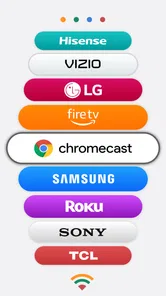
TV Cast for Chromecast is built around sending photos, videos, and IPTV channels to a Chromecast-enabled TV, so a compatible Chromecast setup is central to its casting features. Before downloading, check that your TV has Chromecast built in or that you have a Chromecast device connected to it. The app also supports screen mirroring via AirPlay, which is a separate way to share your screen.
Does TV Cast for Chromecast work on both Android and iOS?
The app is available for Android and iOS devices, so users on either platform can consider it for casting or mirroring. Its casting features are intended for Chromecast-enabled TVs, while screen mirroring is described as working via AirPlay. Your experience therefore depends on having a compatible phone or tablet and the appropriate receiving setup for the feature you want to use.
Who makes TV Cast for Chromecast, and what kind of app is it?
TV Cast for Chromecast is a tools app developed by BoostVision. It is focused on sharing media with a larger display: you can cast photos, videos, and IPTV channels to a Chromecast-enabled TV, or mirror a screen via AirPlay. If you want a straightforward utility for those tasks rather than a standalone streaming library, its purpose is easy to understand before you install it.
Does TV Cast for Chromecast support screen mirroring as well as casting media?
Yes. TV Cast for Chromecast can cast photos, videos, and IPTV channels to a Chromecast-enabled TV, and it also supports screen mirroring via AirPlay. Casting selected media and mirroring a screen are different ways to share content, so choose the option that best fits what you want to view. The app is designed for use with compatible casting or AirPlay setups.
Can I cast photos, videos, and IPTV channels with TV Cast for Chromecast?
Yes. TV Cast for Chromecast is designed to cast photos, videos, and IPTV channels to a TV enabled with Chromecast. The app gives you a way to share these types of content on a larger screen rather than viewing them only on your mobile device. Keep in mind that the available casting experience can depend on the content and the devices you are using.
Pros
- Easy to connect to Chromecast.
- Supports multiple video formats.
- User-friendly interface.
- No ads in premium version.
- Stream videos from web easily.
Cons
- Limited features in free version.
- Occasional connection issues.
- Premium version is pricey.
- No subtitles support.
- Requires strong WiFi signal.









