Remote for Roku: TV Remote
- 6.74K
- 4.1
- Installs
- 10.00M
- Price
- Free
Screenshots
Analysis by Reviewed
Hey there, TV buffs! If you're anything like me, you've probably spent more time searching for the remote than actually using it. It's like they have legs of their own! But fear not, because the Remote for Roku: TV Remote app is here to save the day. This app turns your smartphone into a handy remote control for your Roku device, and let me tell you, it's a total game changer.
Seamless Connection, Every Time
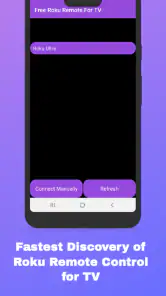
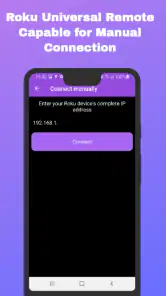
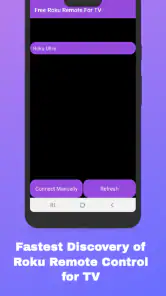
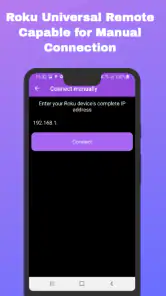
First things first, let's talk about how easy it is to set up. The app connects to your Roku device over your Wi-Fi network, so there's no need for any clunky hardware or confusing setups. Just make sure your phone and Roku are on the same network, and you're good to go. The app automatically detects your Roku device, making the whole process as smooth as butter. I was genuinely surprised at how quickly it connected — within seconds, I was flipping through channels like a pro.
A Remote Control in Your Pocket
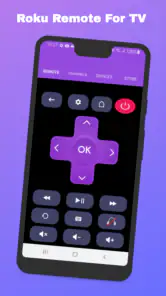
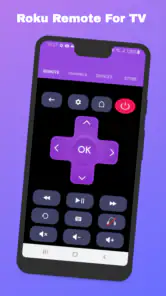
One of the coolest features of the Remote for Roku app is its intuitive design. The interface mimics the physical Roku remote control but with a few extra perks. You can easily switch between channels, adjust the volume, or even open specific apps with just a tap. I found the app's responsiveness to be impressive; there's no noticeable lag, so you're not stuck waiting for commands to catch up.
Voice Search and More
Now, here’s where it gets even better — voice search. You can simply speak into your phone to find your favorite movies or TV shows. This feature is a blessing, especially when you can't quite remember how to spell the name of that obscure indie film you're dying to watch. Plus, the app supports multiple Roku devices, which is perfect for those of us who have turned every room in the house into a mini-theater.
No More Battery Panic
We all know the panic of a remote running out of juice at the worst possible time. With this app, that's a worry of the past. Your phone is always charged, right? So you're always ready to binge-watch without interruptions. It's a small detail, but it's these little conveniences that make life so much easier.
However, if there's one thing I'd love to see improved, it's the occasional hiccup with the app not opening certain channels. But hey, no app is perfect, right? Overall, Remote for Roku: TV Remote is a solid choice for anyone looking to simplify their Roku experience. It's a handy little tool that makes managing your viewing a breeze.
In conclusion, if you're tired of playing hide and seek with your remote control, give this app a try. It's like having a universal remote, but way cooler. Whether you're a tech newbie or a streaming pro, the Remote for Roku app is bound to make your TV time more enjoyable.
Pros
- Seamless connectivity with Roku devices.
- User-friendly interface for easy navigation.
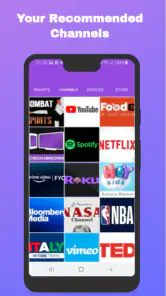
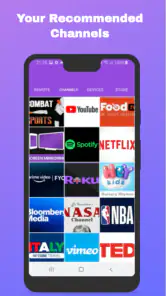
- Quick access to favorite channels.
- Multiple device support for family use.
- Voice command feature enhances usability.
Cons
- Occasional lag in remote response.
- Ads can be intrusive at times.
- Limited features in free version.
- Requires stable Wi-Fi connection.
- Some features need in-app purchases.
- Category
- Tools
- Version
- 1.7.5











