Translate Now: All Languages
- 2.44K
- 3.9
- Installs
- 10.00M
- Price
- Free

Screenshots




Analysis by Reviewed
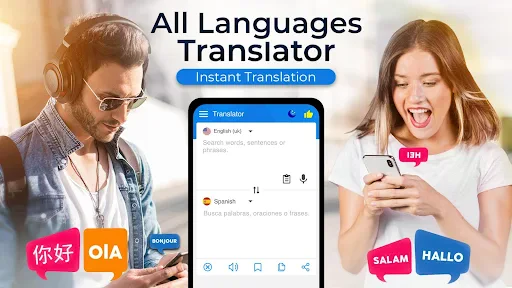
My first week with Translate Now: All Languages would be about removing small language snags: checking a phrase before I say it, understanding a notice, or getting the gist of a menu. The appeal is immediate because one app brings text, voice, and document translation together across more than 100 languages. That breadth is useful when a trip or a workday involves more than one language, though I’d still treat any quick translation as a starting point rather than a perfect substitute for context.
Where it fits into an ordinary day
Imagine arriving at a café, finding a dish you can’t identify, then needing to ask whether it contains an ingredient you avoid. I’d use a written translation to understand the menu, then prepare a short spoken question. For anything affecting health or safety, I’d keep the wording simple and confirm the answer another way if possible; fluent-looking output can still miss nuance. That cautious workflow makes the app more useful, not less: it helps me get to a clearer conversation without pretending that a phone can guarantee one.
At work, the document option may help me understand the broad meaning of a short note before deciding whether it needs a careful human translation. For a quick message, text translation is usually less awkward than trying to dictate in a noisy room. Voice input makes more sense when my hands are occupied or I need to start a conversation. Choosing the right mode for the situation is a small habit that can save retries and reduce the chance of sending speech-recognition mistakes as though they were intended words.
How to make translations more dependable
I’d keep the original sentence short, avoid slang, and include the subject when a pronoun could be unclear. If a result sounds odd, I’d rephrase the source rather than repeatedly sending the same wording. For an important exchange, translating the reply back into my language can expose a mismatch before I act on it. These checks take a little longer, but they’re a sensible trade-off for travel plans, appointments, or work instructions where a small misunderstanding matters.
Compared with switching among separate text, speech, and document tools, having those translation modes in one place can make casual use feel simpler. A dedicated language-learning app is better for building vocabulary and grammar over time, while a human interpreter is the safer choice for legal, medical, or high-stakes discussions. I see this as a practical bridge for everyday communication, not a course, a glossary with every specialist term, or a guarantee that an unfamiliar phrase has only one meaning.
Getting Started with Translate Now
Diving into the app, you’ll first notice its sleek and user-friendly interface. Setting it up is a cinch, just download, install, and you’re good to go. Whether you’re an iOS or Android user, Translate Now: All Languages is at your service. The app supports a ton of languages – over 100, to be precise. So whether you’re looking to translate Spanish, Mandarin, or even Swahili, this app has your back.
Features That Make It Stand Out
One of the standout features is the voice translation. Just hit the microphone button, speak your phrase, and voilà, your words are instantly translated. This is super handy when you’re in a pinch and need to communicate quickly. The camera translation is another cool feature. Simply point your phone’s camera at any text – be it a sign, a menu, or a document – and the app will translate it for you. It’s like magic!
More From Our News Desk

Weather by Xiaomi Review: Clear at a Glance, Less Clear Up Close

X Under Pressure: Can It Recover When Posting Goes Wrong?

Clash of Clans Is Won Between the Battles

Android Auto Makes the Case for Quieter Car Software

MobiOffice: Transforming Mobile Productivity with Seamless Integration

EA SPORTS FC™ Mobile Soccer: Redefining Mobile Sports Gaming
The app also offers a phrasebook feature, which is a lifesaver for frequent travelers. You can save commonly used phrases for quick access, which means you can spend less time fumbling with translations and more time enjoying your trip. And let’s not forget about the offline mode. Yes, you heard that right! Even without an internet connection, the app still works like a charm, making it reliable no matter where you are.
My Personal Take
Using Translate Now feels like having a Swiss Army knife for languages. It’s versatile, reliable, and incredibly handy. I found the voice translation particularly useful when trying to negotiate taxi fares in a language I barely understood. The app’s ability to grasp and accurately translate spoken language is impressive.
However, no app is without its quirks. While the camera translation works well most of the time, there were instances where it struggled with poor lighting or overly stylized fonts. But, honestly, it’s a small price to pay for the convenience it offers.
Will it earn a regular place on my phone?
The answer depends on whether translation is a recurring need or just a holiday novelty. If I travel, communicate with multilingual customers, or regularly read material in another language, I can see myself keeping it ready because switching between text, voice, and document tasks is convenient. If I only need a phrase once in a while, a built-in phone translator may be enough, and another app is one less thing to maintain. The useful test is simple: after the first few days, do I reach for it again without being prompted?
There is also a practical difference between an app being available and being dependable in every setting. Before relying on a translation while offline, I’d check that the specific language and task I need are available under the conditions I’m facing. For camera use, I’d steady the phone, improve the lighting, and capture a clean line of text rather than an entire crowded page. Those small steps help avoid treating a blurry or partial reading as a confident answer.
Translate Now is free to install, but it includes in-app purchases priced from $13.99 to $41.99 per item. I’d check what an upgrade covers and whether I actually need it before paying; occasional travelers may be perfectly content with basic use, while frequent users should judge the value by the tasks they repeat. The app is rated for Everyone, is developed by Next Generation Apps Developers, and its current version is 4.6. It has a 3.9 average from around 94,000 ratings, with over 10 million installs and around 2,400 written reviews. Those figures show that it has reached a broad audience, but they don’t tell me whether a particular translation will be right, so I still verify anything important.
Keeping the habit without adding friction
Maintenance here is less about technical upkeep than remembering how to use the tool well. I’d save only phrases I expect to reuse, such as a polite request or a basic travel question, instead of turning the phrasebook into a cluttered archive. Before a journey, I’d test the languages and translation modes I expect to need while I have a connection. That preparation avoids discovering a limitation at the exact moment I’m trying to ask for help.
The main source of fatigue is overconfidence: a smooth, immediate result can tempt me to stop checking whether the wording fits the situation. Another is trying to use one translation for several purposes—reading a document, learning a language, and handling a sensitive conversation—when each calls for a different level of precision. I’d skip this app as my sole solution if my work depends on legally or medically exact wording, or if my main goal is structured language study. For those needs, a qualified person or a dedicated learning resource is a better match.
In conclusion, if you’re someone who loves to travel or often finds themselves in multilingual environments, Translate Now: All Languages is a must-have. It’s like carrying a personal interpreter wherever you go. So, next time you’re planning a trip or about to dive into a new language, give this app a shot. You might just find it’s the travel companion you never knew you needed!
My long-term verdict
I’d keep it when its mix of translation options solves real, repeated problems, not merely because the first use feels impressive. Its strongest lasting value is convenience across different everyday tasks; its limits matter most when accuracy has serious consequences or when I need to learn rather than translate. Used with short, clear wording and a habit of checking important results, it can earn its space as a handy communication aid. If those needs rarely come up, I’d let a simpler alternative do the job.
A useful routine for mixed-language workdays
For someone handling occasional messages from customers or colleagues, I’d make the app part of a small review routine rather than treating its first output as ready to send. I’d translate the incoming text to understand its gist, identify the one point that needs a reply, and write a plain response with dates, names, and requested actions stated explicitly. That reduces the risk of an ambiguous pronoun or idiom changing the meaning. Before sending anything consequential, I’d check the translated version and, when possible, ask the other person to confirm the key detail.
That workflow also clarifies when the app is not the best fit. If I’m exchanging a long, nuanced document that will be published or used as a formal agreement, a quick translation tool is better for orientation than for final wording. A professional translator can preserve tone and terminology, while a built-in phone tool may be faster for a one-line question that does not justify opening another app. Translate Now’s advantage is having several everyday modes together; it does not remove the need to choose the right level of care.
Choosing the right mode before you start
A small but useful habit is deciding whether I need to read, compose, or speak before opening a translation task. If I’m reading a notice, I want to understand the source accurately; if I’m asking a question, I want an output that is short enough to say naturally. I would not begin with a long paragraph and expect a perfect spoken exchange. Breaking it into one request at a time makes it easier for the other person to answer and easier for me to spot when the translation has gone off course.
For a document, I’d first consider what I need from it. If the goal is only to find out whether a message concerns a meeting or a delivery, a broad reading may be enough. If it contains instructions, amounts, or commitments, I’d mark those details for a separate check instead of assuming the overall translation settles every point. This distinction makes the app more practical because it prevents a quick overview from quietly becoming a substitute for careful reading.
Who is most likely to keep using it?
I think it suits travelers who regularly meet unfamiliar words, people who deal with short multilingual exchanges, and anyone who sometimes needs to understand a document before deciding what to do next. It is especially handy when the same person moves between reading and speaking tasks during a day: a written sign in the morning, a quick question later, and a short note afterward. In those cases, the convenience can outlast the novelty because the need returns in different forms.
By contrast, someone who mainly wants to study a language may find translation too answer-focused. It can help bridge a gap, but looking up a sentence does not teach me why a verb changes or how to build my own phrasing. I’d pair it with a learning resource if study is the goal, or skip it if my phone already handles the rare translations I need. The best reason to keep it is repeated practical use, not the number of tools it gathers under one roof.
What to check before relying on it away from home
Before leaving for a place where connectivity may be unreliable, I’d test the exact language pair and task I expect to use rather than assume every mode behaves identically offline. I’d also prepare a few simple questions in advance and keep their wording direct. That is more dependable than waiting until a stressful moment to discover whether the mode I need is ready. If the phrasebook is part of my routine, I’d keep it selective and current so useful requests are easy to find rather than buried among old entries.
One question many people have is whether a translated sentence can be trusted without checking it. My answer is no when the consequences matter. For a casual greeting or a basic request, a quick result can be a helpful starting point; for medical details, legal wording, money, or safety instructions, I’d confirm with a fluent person or another reliable source. The distinction is not a flaw unique to this app—it is a sensible boundary for machine translation generally.
Keeping the value greater than the upkeep
The app earns a lasting place for me only if it shortens a recurring task without creating a new one. I’d avoid saving every result, keep important phrases easy to locate, and revisit any setup before a trip or busy stretch of multilingual work. If an upgrade is offered, I’d compare its actual usefulness with the way I use the free app rather than pay simply because I have reached a prompt. That pause is particularly worthwhile for occasional users, who may not need paid extras to solve a few short translation problems.
For someone who uses translation every week, a little preparation can make the experience feel much less improvised: decide which situations call for text, which call for voice, and which deserve a human check. For someone who opens the app only on one holiday, the effort of maintaining another tool may not pay back. I find that distinction more useful than calling it essential or unnecessary for everyone. The value depends on how often it saves me time and whether I remember to treat the result with appropriate care.
My long-term verdict
I’d keep it when its mix of translation options solves real, repeated problems, not merely because the first use feels impressive. Its strongest lasting value is convenience across different everyday tasks; its limits matter most when accuracy has serious consequences or when I need to learn rather than translate. Used with short, clear wording and a habit of checking important results, it can earn its space as a handy communication aid. If those needs rarely come up, I’d let a simpler alternative do the job.
Translate Now: All Languages Frequently Asked Questions
Can I use Translate Now: All Languages for work, study, or other business tasks?
Translate Now: All Languages is categorized as a business app, and its text, voice, and document translation options may be useful when communicating across languages for work or study. It can help with everyday tasks such as understanding a message or translating a document. For contracts, academic submissions, or other high-stakes material, review the translation carefully before relying on it.
What languages and types of content can Translate Now: All Languages translate?
The app’s description says it can translate text, voice, and documents into more than 100 languages. That gives you several ways to work with content, whether you want to enter words, speak a phrase, or translate a document. The available language options may depend on the feature you use, so check the app’s language choices for your specific needs.
Is Translate Now: All Languages suitable for everyday conversations and travel?
Translate Now: All Languages is designed to help with communication across languages, making it useful for common travel situations as well as everyday conversations. Its text, voice, and camera translation options cover different ways of sharing information, such as typing a phrase or speaking aloud. For important or sensitive exchanges, it is still wise to check the meaning carefully, since translations can miss context.
What is Translate Now: All Languages and how does it work?
Translate Now: All Languages is a versatile translation app designed to help users communicate across different languages seamlessly. It supports translation in over 100 languages and offers real-time voice translation, text translation, and camera translation features. The app uses advanced machine learning algorithms to provide accurate translations, making it an essential tool for travelers, students, and professionals.
Is Translate Now: All Languages free to use?
Translate Now: All Languages offers a free version with basic features, which is suitable for casual use. However, for more advanced features such as offline translation, unlimited translations, and ad-free experience, users can opt for the premium version. The premium subscription usually comes with a monthly or yearly fee, providing enhanced functionalities and improved user experience. The app is free to download, with in-app purchases ranging from around $14 to $42 per item.
Pros
- Supports over 100 languages for translation.
- User-friendly interface with easy navigation.
- Includes voice translation for convenience.
- Offers offline translation mode.
- Provides text scanning translation feature.
Cons
- Contains ads in the free version.
- Some translations may be inaccurate.
- Offline mode requires large storage space.
- Limited features in free version.
- Requires internet for voice translations.
- Category
- Business
- Version
- 4.6












