Tayasui Sketches
- 1.50K
- 4.1
- Installs
- 5.00M
- Price
- Free

Screenshots


Analysis by Reviewed
If you're anything like me and have a flair for doodling or sketching, you'll find Tayasui Sketches to be an absolute delight. This app has been my go-to digital sketchbook, offering a seamless transition from traditional paper to digital artistry. Let's dive into what makes this app a standout choice for both amateur scribblers and professional artists alike.
Simplicity Meets Versatility
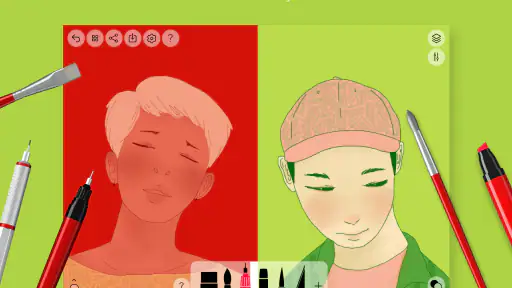
One of the first things you'll notice about Tayasui Sketches is its incredibly user-friendly interface. The design is clean and minimalistic, which makes it easy to navigate even if you're new to digital sketching. But don't let the simplicity fool you; this app is packed with a wide array of tools and features that cater to every artistic need.
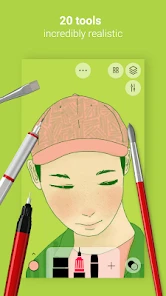
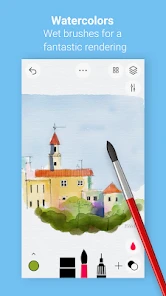
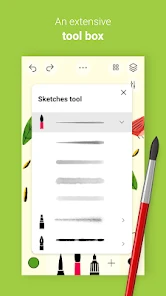
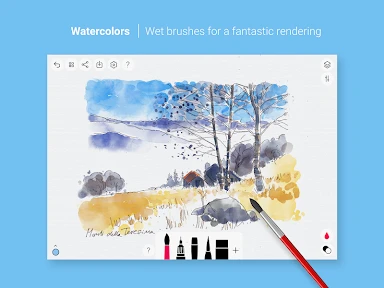
The app offers a variety of brushes that mimic real-life tools, such as pencils, watercolor brushes, and felt pens. Each tool behaves just as it would on paper, allowing for an authentic sketching experience. The watercolor brush, in particular, deserves a special mention. It blends colors beautifully, much like real watercolors, creating stunning effects on your digital canvas.
Customization and Control
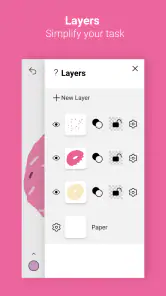
Customization is at the heart of Tayasui Sketches. With the ability to adjust brush sizes, opacity, and colors, you have complete control over your artwork. The app also supports layers, which is a game-changer for anyone looking to add depth and detail to their sketches. You can easily manage your layers, rearrange them, or adjust their opacity, giving you the freedom to experiment without fear of ruining your entire piece.
Another feature that artists will appreciate is the ability to import and export files in various formats. Whether you're transferring your work to another device or sharing it with friends, Tayasui Sketches makes it a breeze.
Seamless Experience Across Devices
Available on both Android and iOS, Tayasui Sketches offers a smooth and consistent experience across devices. The app is optimized for tablets, making it an excellent choice for artists who prefer a larger workspace. However, it works just as well on smartphones, offering convenience for sketching on the go.
The app also supports stylus input, which is a huge plus for precision drawing. Whether you're using an Apple Pencil or a third-party stylus, the responsiveness is spot-on, providing a natural and intuitive drawing experience.
Conclusion: A Must-Have for Artists
In conclusion, Tayasui Sketches is more than just a sketching app; it's a versatile tool that brings your creative visions to life. Its combination of simplicity, powerful features, and cross-device functionality makes it a must-have for anyone passionate about art. If you're looking to elevate your digital sketching game, give Tayasui Sketches a try. You won't be disappointed!
Pros
- User-friendly interface for all ages.
- Variety of brushes for creative expression.
- Supports layers for complex artworks.
- Smooth and responsive drawing experience.
- Offline mode available for on-the-go use.
Cons
- Limited features in free version.
- Occasional lag on older devices.
- No direct social media sharing.
- Brush customization is limited.
- Requires in-app purchases for full access.

- Category
- Art & Design
- Version
- 1.5.41











