SuperImage Pro - AI Enhancer
- 95.00
- 4.7
- Installs
- 5.00K
- Price
- $3.49
Screenshots
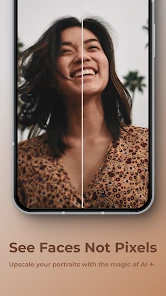
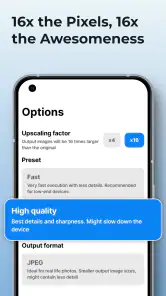
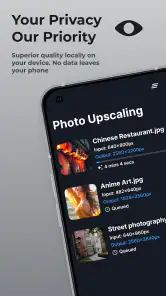
Analysis by Reviewed
I judge an image enhancer by what it does to a photo I might otherwise leave buried in my camera roll. A soft crop, an old scan, or a small picture that looks rough when enlarged is where this kind of tool can help—or make details look unnaturally smooth. SuperImage Pro - AI Enhancer is a paid photography app by Zhenxiang Chen that focuses on improving and enlarging images on your device. I’d consider it when I want a quick restoration-style lift, rather than a full editing suite for carefully adjusting every part of a picture.
Start with the image you want to keep
Before I enhance anything, I make a separate copy of the photo and leave the source untouched. That gives me room to compare the result later and prevents an AI interpretation from becoming the only version I have. It matters most with family portraits, old snapshots and pictures with distinctive details, where a smoother face or altered texture can change the feeling of the image.
I also decide what the enlarged image is for before judging it. A picture meant for a small message preview does not need the same scrutiny as one I plan to crop or display larger. Looking at the result at its intended size helps me distinguish a useful improvement from an effect that only looks impressive when I zoom in.
What image enhancement changes in practice
Upscaling is useful when an image needs to be larger for a particular purpose, but it is not the same as recovering information that was never captured. AI can make edges and textures look clearer, yet fine details may be interpreted rather than faithfully restored. I recommend checking the result at its intended size: a change that looks convincing on a phone can seem artificial when zoomed in or printed.
For an everyday example, imagine finding a small photo of a family gathering that you want to share in a group chat. I’d keep the original, enhance a copy, then compare faces and background details before sending it. If the faces look too polished, the untouched image may actually feel more true to the moment. This side-by-side check is a simple way to avoid treating “sharper” as automatically “better.”
First Impressions and Features
So, let me kick this off by saying that diving into SuperImage Pro - AI Enhancer was like finding a treasure chest of photo-editing wonders. The app promises to use AI to enhance images, and it delivers with a straightforward interface. Right off the bat, the app greets you with an intuitive layout. No need to fumble around; everything is just a tap away.
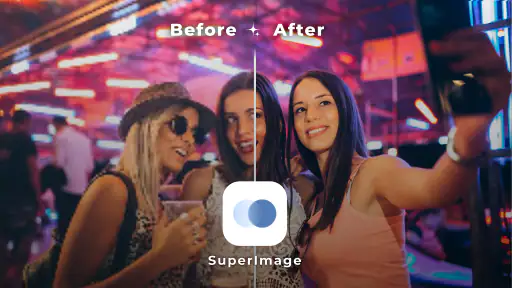
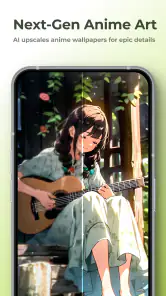
One of the standout features is its ability to enhance image quality without losing the original charm. It’s like giving your photos a much-needed facelift, especially those vintage ones tucked away in your gallery. The AI works like a charm, sharpening details and brightening colors in a way that feels almost magical.
More From Our News Desk

Weather by Xiaomi Review: Clear at a Glance, Less Clear Up Close

X Under Pressure: Can It Recover When Posting Goes Wrong?

Clash of Clans Is Won Between the Battles

Android Auto Makes the Case for Quieter Car Software

MobiOffice: Transforming Mobile Productivity with Seamless Integration

EA SPORTS FC™ Mobile Soccer: Redefining Mobile Sports Gaming
Performance and Usability
For me, the key question is not simply whether the output looks sharper, but whether the time saved is worth handing the main enhancement step to an automated tool. If I am sorting through pictures after a trip, I can use it to test a few weaker images before deciding which deserve more attention. I would not run every picture through the same process just because it is available; a clear original may need no enhancement at all.
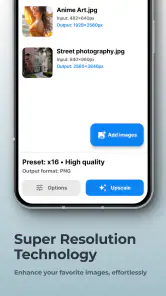
Now, let’s talk about performance. The app is pretty snappy. Even when dealing with high-resolution images, the processing time is remarkably quick. I was impressed with how efficiently it handled batch processing, which is perfect if you're looking to enhance a whole album of memories.
The usability is top-notch. You don't need to be tech-savvy to navigate through the app. Its user-friendly design makes it accessible to everyone, from professionals needing quick edits to casual users wanting to spruce up their photos. Plus, the app doesn’t bombard you with ads, which is a huge relief and makes the experience much smoother.
Choosing the right workflow
I’d use batch processing selectively: it can save time on a set of similarly sized snapshots, but different lighting and subjects may need individual judgment. Start with a few representative images, inspect the output, and only then decide whether to process the rest together. For important pictures, keep the source files untouched so you can compare or try another approach later.
A practical way to make that test useful is to include different kinds of pictures rather than choosing several nearly identical ones. I might try a portrait, a landscape and a low-detail indoor shot, then look at the parts that matter in each: facial features, fine branches or fabric, and smooth areas such as walls or sky. If one type comes out convincingly while another looks processed, I have a better basis for deciding which images belong in a batch.
This is also where the app differs from a conventional photo editor. A manual editor is better when I need to adjust exposure, crop precisely, retouch a small area, or keep a consistent look across a project. An enhancer is more appealing when the main problem is a soft or small image and I want a faster attempt at improving it. If the photo is already clear and properly sized, ordinary editing may give me more control and a more natural result.
Where the focused approach helps—and where it does not
That distinction is useful when I am deciding which tool to open first. If I want to brighten a dim picture, straighten a horizon or remove a distracting object, I would start in a regular editor because those jobs call for deliberate adjustments. If the picture is too small for a particular use, or a little softness is its main weakness, enhancement is the more direct experiment. The two approaches can complement one another, but they solve different problems.
I would also avoid treating an enlarged file as a substitute for a better original. When I still have the source image, I would use that rather than an already enlarged or heavily compressed copy. Each generation of editing can leave less room for a convincing result, and an AI tool cannot reliably restore the exact scene details that were lost before the image reached my phone.
Who will get the most from it
The app makes most sense for people who regularly revisit older digital pictures, prepare small images for sharing, or want to experiment with enlarging a photo without moving to desktop software. It is less suited to anyone who needs dependable restoration of damaged prints, precise retouching, or a guaranteed natural result on every face and texture. I would also skip it if I only edit photos occasionally and am happy with the tools already built into my usual editor.
A particularly good fit is someone who keeps a large collection of small digital images and occasionally wants to make a favorite more presentable. That could mean an old phone picture chosen for a family chat or a compact crop that needs to work better when viewed larger. The app is less compelling for a photographer whose routine depends on controlled color grading, careful masking or repeatable editing across a whole project; a conventional editor gives more room for those decisions.
Before paying, I’d think about how often I genuinely need enhancement rather than general editing. SuperImage Pro costs $3.49, carries an Everyone age rating, and has a 4.7 average from around 3,400 ratings, with over 5,000 installs. It was released on July 22, 2023; version 3.13.3 requires Android 6.0 or later. Those details make it easier to judge whether it fits your device and budget, but the real value depends on whether its focused image-improvement workflow solves a recurring problem for you.
For a first test, I would choose a photo where the original is still available and the intended use is clear. I would compare both versions at the size I actually plan to share, paying particular attention to faces, lettering and fine patterns. If the enhanced copy looks more useful without changing the character of the picture, that is a good sign the app fits my needs. If I find myself correcting the result afterward, the extra step may not be worth it for that image.
My Personal Take
Alright, here comes the personal scoop. After spending some quality time with SuperImage Pro - AI Enhancer, I can confidently say it’s a must-have for anyone passionate about photography or just someone who wants to enhance their digital memories. The app stands out for its impressive AI technology that breathes new life into your photos.
That said, one tiny hiccup is that while the app offers a free version, to unlock its full potential, you’ll want to consider the paid features. But in my humble opinion, if photo enhancement is your thing, it's a worthy investment.
In conclusion, whether you’re a pro photographer or just someone who loves capturing life’s moments, this app is a fantastic tool to have in your arsenal. It’s like having a personal photo studio right in your pocket. So go ahead, give it a whirl, and watch your photos transform into something truly stunning!
My recommendation is to treat it as a focused helper, not a replacement for a careful editor or a way to rescue every poor-quality shot. I’d start with one image I know well, compare the result at normal viewing size, and decide whether the improvement feels believable. If it does, this can be a handy option for occasional enlargements and old digital keepsakes; if I need exact control over color, framing, or retouching, I’d reach for a more traditional editor instead.
A sensible way to decide
The simplest question is whether this is a problem I encounter often enough to justify a dedicated paid app. If I regularly find small images I want to reuse, a focused enhancer can earn a place in my photography toolkit. If most of my pictures are already clear and I mainly want to adjust their appearance, the editing tools I already use are likely to be a better fit.
I would not judge it by one dramatic before-and-after alone. I would try a picture that matters to me, inspect the result at ordinary viewing size, and check that the details still look like the original scene. That keeps expectations realistic and makes it easier to tell whether the app is solving a genuine need rather than simply making an image look different.
My overall view is that SuperImage Pro is most useful when I know exactly why a picture needs enhancement and am willing to review the outcome rather than accept it automatically. It offers a convenient route for testing an enlarged or clearer-looking version, while leaving the final call to me. For occasional, carefully chosen photos, that balance can be worthwhile; for extensive restoration or precise creative work, I would choose a tool built around more hands-on control.
SuperImage Pro - AI Enhancer Frequently Asked Questions
Who develops SuperImage Pro - AI Enhancer, and what kind of app is it?
SuperImage Pro - AI Enhancer is a photography app developed by Zhenxiang Chen. It is intended for enhancing, upscaling, and transforming images on your device. If you are looking for a tool focused on improving photos rather than a general image-sharing or editing community, its purpose is centered on image enhancement.
What should I know about the app before downloading it?
The app is rated for Everyone and is available for a one-time price of $3.49. Its current version is 3.13.3, and it requires Android 6.0 or later. The developer describes it as a way to enhance, upscale, and transform images on your device, so it may appeal to anyone wanting photo improvements without relying on an online service.
What is SuperImage Pro - AI Enhancer used for?
SuperImage Pro - AI Enhancer is a cutting-edge application designed to enhance photo quality using advanced AI algorithms. It is primarily used to upscale images, remove noise, and improve overall image clarity and detail. This makes it ideal for photographers and casual users looking to enhance their images without losing quality.
Is SuperImage Pro - AI Enhancer easy to use for beginners?
Yes, SuperImage Pro - AI Enhancer is user-friendly and suitable for beginners. The app features an intuitive interface with simple navigation, making it easy for users to enhance images with just a few taps. There are also tutorials and guides available within the app to help new users get started quickly and effectively.
Does SuperImage Pro - AI Enhancer support batch processing of images?
Yes, SuperImage Pro - AI Enhancer supports batch processing, allowing users to enhance multiple images simultaneously. This feature is particularly useful for professionals who need to process large volumes of images quickly, saving time and ensuring consistency across all enhanced images.
Pros
- Enhances image quality significantly.
- User-friendly interface and easy to navigate.
- Fast processing with AI technology.
- Supports a wide range of image formats.
- Regular updates with new features.
Cons
- Premium features require a subscription.
- Occasional glitches with large files.
- Limited free version capabilities.
- Requires a stable internet connection.
- Consumes considerable device storage.
- Category
- Photography
- Version
- 3.13.3











