starryai - AI Art Generator
- 4.85K
- 4.3
- Installs
- 5.00M
- Price
- Free
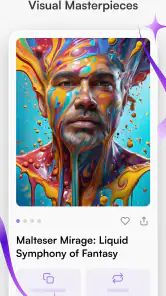
Screenshots
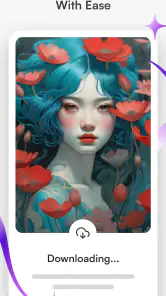
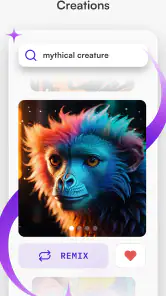
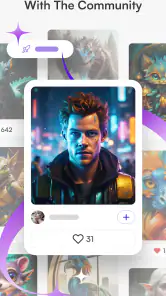
Analysis by Reviewed
When I use an AI art app, I want more than a striking image: I want a way to steer the result without turning a quick experiment into a technical project. starryai - AI Art Generator is aimed at that middle ground, where a short written idea becomes a starting point for a drawing, painting, or picture. I find it most rewarding when I treat each result as a draft to learn from, rather than expecting the first generation to match a fully formed image in my head.
A useful starting point for visual ideas
That draft-first approach matters most when I have an idea but not yet a clear picture of how it should look. I might be planning a handmade card, thinking through a scene for a story, or trying to settle on a visual mood for a personal project. In those moments, a generated image can give me something concrete to accept, reject, or adjust. I would not use it to settle an exact design brief, but it can help me discover which parts of an idea are worth developing.
A practical everyday example is a short break between tasks: I can describe a quiet greenhouse at dusk, then use the result as a reference for a journal page or a sketch later. I would focus on the broad atmosphere rather than demand precise plant species, architecture, or lighting. If exact details matter, I would look for a reference photo or build the image myself in a drawing app. Knowing which kind of answer I need prevents the open-endedness of AI generation from becoming wasted effort.
Unleashing Creativity with AI
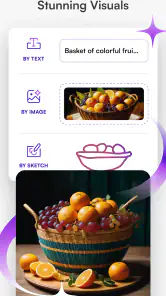
Ever wondered what it would be like to have a personal AI artist at your fingertips? Well, starryai - AI Art Generator might just be the closest thing to that dream. This app is designed to allow users to generate unique pieces of art with the help of artificial intelligence. You simply input your ideas, and voila! The AI works its magic to produce stunning visuals that you can call your own.
Getting Started
Jumping into the app is a breeze. The user interface is sleek and intuitive, making it easy for even the most tech-challenged among us to navigate. Upon opening the app, you're greeted with a straightforward menu that guides you through the process of creating your first masterpiece. Whether you're looking to create something abstract or a piece that's more defined, the app provides a variety of styles and templates to suit your needs.
For a first attempt, I recommend writing a prompt around one clear subject and a few visual choices: what it is, where it is, and the mood or style you want. That gives the generator a more useful direction than a long list of unrelated details. If the result misses, change one part of the wording at a time. This makes it easier to tell whether the subject, setting, or artistic direction is causing the mismatch, and helps turn casual prompting into a repeatable habit.
Features Galore
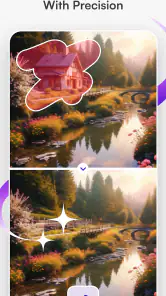
One of the standout features of this app is its customizability. You have the power to tweak and adjust the AI-generated artwork to better fit your vision. Want to add a splash of color or change the overall mood of the piece? No problem! The app offers a multitude of options to ensure that your final product is exactly what you envisioned.
You May Like

Clash of Clans Is Won Between the Battles

Android Auto Makes the Case for Quieter Car Software

MobiOffice: Transforming Mobile Productivity with Seamless Integration

EA SPORTS FC™ Mobile Soccer: Redefining Mobile Sports Gaming

How Microsoft OneDrive Became a Mobile Productivity Giant

How Google Translate Breaks Language Barriers Effortlessly
That flexibility is useful, but it also creates a practical trade-off: more adjustments do not automatically mean a better image. I get more consistent progress by deciding what matters most before making changes. For example, if I need a calm image for a personal mood board, I focus on atmosphere and color rather than trying to perfect every detail. For a character concept, I prioritize a clear silhouette and a readable pose. A small, deliberate edit is often more helpful than repeatedly changing several things at once.
Checking choices before a generation
I treat the available style and generation choices as part of the prompt, not as afterthoughts. Before starting, I check that the choices suit the goal: an exploratory image can benefit from a more expressive direction, while a reference for a practical project needs a clear subject and uncluttered composition. The useful habit is not to assume a previous setup still fits the next idea. A quick review helps me avoid comparing results created under different conditions as if the prompt were the only thing that changed.
For a repeatable experiment, I keep the central subject and setting steady while trying a different mood or visual treatment. Then I can judge whether the change actually helped. When I alter the subject, style, color direction, and setting all at once, a better result may be hard to reproduce because I do not know which decision made the difference. I would rather make fewer, more informative attempts than keep generating without a clear question in mind.
Moreover, the app's AI engine is constantly learning and evolving, which means that the quality and uniqueness of the artwork continue to improve over time. It's like having an artist that grows with you, learning your style and preferences as you create more art.
Community and Sharing
One of the joys of creating art is sharing it with others, and starryai makes this incredibly easy. With built-in options to share your creations directly to social media platforms, you can showcase your artwork to the world with just a few taps. Plus, the app has a thriving community where you can connect with fellow artists, share tips, and draw inspiration from each other's work.
A realistic use for me is making a quick visual reference before a personal project: I might try a few versions of a cozy reading nook, then use the strongest image to guide my own sketch or room-planning ideas. That is a better fit than relying on a generated picture as a precise blueprint. AI images can interpret a prompt in surprising ways, so I check important shapes and details instead of assuming they will be accurate. If I only need a finished, manually editable illustration, a conventional drawing app gives me more direct control over every mark.
Making a series without expecting exact matches
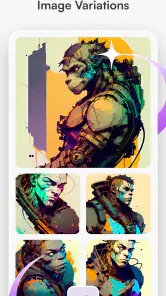
When I want several related images, I reuse the core description and change only the detail that should vary, such as the setting or mood. That gives me a more coherent set of ideas to compare, but I still treat each output as a new interpretation rather than a guaranteed continuation of the last one. This is a helpful distinction for story planning or a mood board: the images can share a direction without serving as perfectly consistent panels or character references.
Once I find an image with a useful composition, I save or share it for reference and do precise finishing in a tool that gives me direct control. That workflow is especially sensible for adding accurate text, aligning repeated elements, or adjusting a small shape that must be exact. The generator is the exploratory stage; a conventional editor is the dependable place for final layout decisions. Separating those jobs is often quicker than trying to make one generated image solve every part of a project.
Why You Should Try It
In a world where creativity knows no bounds, starryai - AI Art Generator is a game-changer. It's perfect for artists looking to explore new avenues and for beginners who want to dip their toes into the world of digital art without feeling overwhelmed. The app is not just a tool; it's an experience that challenges and enhances your creative potential.
It is also worth knowing what kind of commitment you are choosing. The app is free to use, with in-app purchases ranging from about four dollars to three hundred dollars per item, so I would check the purchase details before committing to anything. It is rated for teens, and starryai Inc. develops it. The app first arrived on August 31, 2021, and version 2.21.7 supports devices running Android 8.0 or later. Its 4.3 average comes from around 188,000 ratings, while roughly 5 million or more installs suggest that many people have tried it; those figures speak to reach, not whether its particular look will suit you.
How it fits alongside other art tools
Compared with drawing software, where I place and revise every stroke myself, this is much faster for exploring visual directions but less dependable when I need exact composition or fine control. Compared with searching for stock images, it is more flexible for unusual combinations of ideas, yet a generated result may need several attempts before it feels usable. I would recommend it to curious beginners, writers collecting scene references, and creators who enjoy experimenting. I would skip it if I need predictable production artwork, precise lettering, or a fully editable layer-by-layer illustration; those jobs are better handled with traditional art tools or carefully selected stock assets.
The choice also depends on whether I am trying to make an image or make decisions about an image. For a quick concept, a few generated interpretations can help me decide on a direction before I spend time drawing. For a deliverable that must follow a brand guide or match an existing illustration, direct editing is the safer route. Stock imagery is more useful when I need a specific real-world subject, while this app suits invented combinations that would be difficult to find in a standard image search.
So, if you're ready to embark on a creative journey like no other, give starryai a spin. It's more than just an app; it's your new creative companion, ready to transform your ideas into reality.
My strongest advice is to keep a simple prompt notebook outside the app: save the wording that produced a useful mood or composition, then alter only one element when you want a variation. That habit helps you learn what language steers the results without assuming the app remembers a personal style or will reproduce an image exactly. For everyday use, I can imagine opening it during a lunch break to make a few cover-art concepts for a playlist, choosing one as inspiration rather than treating it as a final commissioned design. If I were sharing work publicly, I would review the image at full size first and make sure the output says what I intend.
Who Gets the Most from It
The best fit is someone who enjoys the gap between an idea and its visual interpretation. I would use it when I have a broad concept—an imaginary landscape, a story character, or a color direction for a craft project—and want several sparks to react to. It is less suitable when a client brief demands exact brand colors, accurate product geometry, or repeatable likeness. In those cases, the time spent refining prompts can be better spent in a design program with direct controls.
Settings and a Repeatable Routine
Before generating, I make the goal explicit: am I exploring a style, testing a composition, or trying to get a usable image? I then keep the prompt focused and make one adjustment per pass. If the app presents style or other generation choices, I check them before starting rather than assuming my previous selection is still right. This simple routine prevents a common frustration—changing several variables together and not knowing which one improved or weakened the result.
For a series of related images, consistency takes care. Reusing the same core description can help keep the subject and mood aligned, but I do not expect identical characters or matching details from one output to the next. I treat each image as a separate interpretation, select the closest one, and do any precise finishing elsewhere. That division of labor is one of the most useful ways to combine an AI generator with a conventional editor.
Where I Draw the Line
The app is at its best for ideation, personal projects, and playful visual experiments; it is not a substitute for an illustrator when accuracy, authorship through hand-drawn decisions, or exact revisions matter. I also would not choose it as my only tool for typography-heavy posters, since generated text can be unreliable in image-making workflows. A practical approach is to create the visual background here and add wording later in a layout or drawing app.
Overall, I see starryai as a convenient creative sketchbook with an unpredictable collaborator inside it. Its value comes from turning a sentence into something I can respond to, not from guaranteeing a polished result on demand. If that exploratory process sounds fun, the free entry point makes it approachable; if you need precise control from the first click, another kind of art app will probably feel more satisfying.
starryai - AI Art Generator Frequently Asked Questions
What should I know about starryai before downloading it?
starryai is an Art & Design app from starryai Inc. that turns written prompts into AI-generated images and photos, including drawings, paintings, and other pictures. It is aimed at people who want to explore visual ideas through text rather than create every detail by hand. The app is free to download, though in-app purchases are available, so consider your intended use before installing.
Does starryai require an internet connection to generate images?
Image creation in starryai relies on AI processing, so you should expect to need an internet connection when generating artwork. A stable connection can make it easier to submit a prompt and receive the result without interruption. If you plan to use the app while traveling or somewhere with limited connectivity, it is sensible to prepare prompts in advance and generate images when you are back online.
Can I create images from my own ideas, or do I need art skills?
You can start with a written description of the subject, style, or theme you have in mind; starryai is designed to turn words into images, so drawing experience is not a prerequisite. Its prompt-based approach can make experimenting feel approachable for beginners, while also giving more experienced creators a way to explore visual concepts. Clear, specific descriptions are a useful starting point.
What kind of images can I make with starryai?
starryai turns words into AI-generated images and photos, including drawings, paintings, and other pictures. You can describe a subject, style, or theme and use the result to explore different creative ideas. It is an art and design app, so it may appeal to people looking for visual inspiration as well as those who simply want to experiment with text-to-image creation.
What is starryai and how does it work?
starryai is an AI-powered art generator that allows users to create unique and stunning digital artworks with the help of artificial intelligence. Simply input your desired style or theme, and the AI will generate artwork based on your specifications. It's perfect for artists, designers, and anyone who wants to explore the creative possibilities of AI technology.
Pros
- User-friendly interface
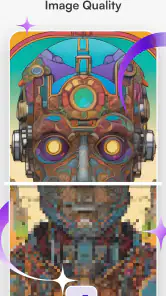
- High-quality AI-generated art
- Variety of artistic styles
- Regular updates
- No prior art skills needed
Cons
- Limited free features
- Requires internet connection
- Occasional slow processing
- In-app purchases for premium features
- Limited offline functionality
- Category
- Art & Design
- Version
- 2.21.7