Star Walk 2 Plus: Sky Map View
- 19.92K
- 4.5
- Installs
- 10.00M
- Price
- Free

Screenshots


Analysis by Reviewed
I’m cautious about calling any sky-mapping app a reliable guide until I’ve thought about what it asks me to do and how I’ll use its results. Star Walk 2 Plus: Sky Map View is an education app from Vito Technology that turns a phone into a visual guide to the sky. Its appeal is easy to understand: rather than guessing which bright point you’re seeing, you can orient the phone and explore the celestial objects in view. The app is free, rated for Everyone, and has a 4.6 average from around 553,000 ratings. That popularity is reassuring as a sign that many people find it useful, but I’d still treat its sky view as a learning aid, not a substitute for checking local observing conditions or an authoritative astronomy source.
Trust begins with knowing what you’re using
The basic idea is approachable even if you’ve never learned the constellations. The map responds to your location and the direction you point your phone, making it easier to connect what appears on screen with the sky above you. That convenience also makes location a data-sensitive moment: before using a location-based view, I’d check the permission prompt and choose the option I’m comfortable with. A sky map can be interesting without turning every casual look upward into a reason to share more than I intend.
I wouldn’t assume anything about data handling from the app’s subject or interface alone. My practical approach is to read the current permission choices on my device, allow only what I need for the session, and revisit those choices if my use changes. If I’d rather not use location, I’d check whether the app’s available controls still let me explore in a way that suits me; I wouldn’t count on a particular alternative without seeing it in the installed version.
Your Pocket-Sized Planetarium
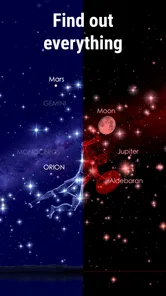
Picture this: you’re chilling in your backyard, or maybe out on a camping trip, and you whip out your phone to unlock the mysteries of the universe. With Star Walk 2 Plus, you’re not just looking at stars; you’re diving deep into constellations, planets, and even satellites. It’s like having a planetarium right in your pocket! The app uses your location to show you a personalized sky map. Just point your device at the sky, and voila! You get a real-time display of the celestial wonders above you.
Features that Shine Bright
The app is packed with features that make star-hunting a breeze. For starters, it offers detailed information on stars, constellations, and planets. You can even track the International Space Station! What’s more, the app boasts augmented reality, letting you overlay the constellations onto your actual view of the sky. It’s like magic, but real! The time travel feature is another cool aspect; you can see how the sky looked in the past or how it will appear in the future. Pretty neat, right?
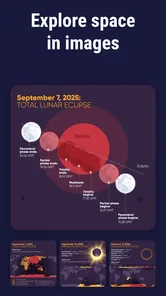
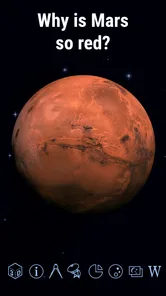
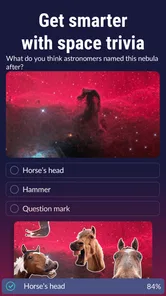
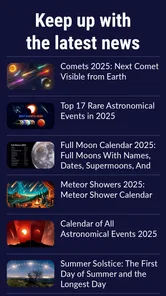
And here’s a fun twist: the app has a “What’s New” section that keeps you updated with astronomical events. Never miss a meteor shower or an eclipse again! Plus, if you’re a visual learner like me, you’ll love the stunning 3D models of nebulae and other celestial bodies. Each tap is a new adventure!
Ways to make a sky-viewing session count
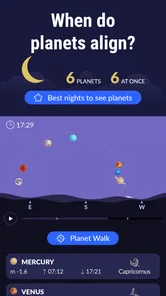
I get the most from a sky map when I use it to answer one question at a time. On a clear evening, I might identify a bright object first, then use the constellation view to find nearby stars; that’s less overwhelming than waving the phone around and trying to absorb every label. If I’m planning to look for the International Space Station, I’d check the app’s event information before heading outside, then use the map to understand where to look. Predictions and visibility still depend on the real sky, so clouds, buildings, and local light can spoil a theoretically good plan.
More From Our News Desk

Weather by Xiaomi Review: Clear at a Glance, Less Clear Up Close

X Under Pressure: Can It Recover When Posting Goes Wrong?

Clash of Clans Is Won Between the Battles

Android Auto Makes the Case for Quieter Car Software

MobiOffice: Transforming Mobile Productivity with Seamless Integration

EA SPORTS FC™ Mobile Soccer: Redefining Mobile Sports Gaming
A useful, less obvious habit is to explore the time controls while indoors before taking the phone outside. Moving the sky to another time can help me understand how a constellation shifts, or why an object I saw earlier is no longer in the same place. I’d also dim the screen and pause between checks: a bright display can make it harder to see faint stars once I look back up. The app can orient me, but it can’t make a washed-out sky clearer.
What it’s like to use—and what to expect
Using the app feels intuitive and straightforward. The interface is sleek and user-friendly, which means you won’t be fumbling around trying to find your way. Even if you’re a newbie to stargazing, the app holds your hand through the cosmos with helpful tips and guides. And let’s not forget the soothing background music that adds an extra layer of zen to your stargazing sessions.
However, a heads-up: while most features are free, some advanced options require a subscription. But honestly, for the wealth of knowledge and the sheer awe it brings, it’s a small price to pay for the universe at your fingertips. The free starting point makes it easy to try the sky-map format before deciding whether deeper access matters to you. There are in-app purchases ranging from $0.99 to $9.99 per item, so I’d check the purchase screen carefully rather than assume every extra is part of the free experience.
Where it fits among astronomy apps
Compared with a basic star chart or a general web search, the appeal here is the combination of a live, phone-oriented sky view with explanations and visual material. A static chart can be easier to read when I want a clean reference, and a dedicated astronomy source is a better choice when I need detailed observing guidance. Star Walk 2 Plus is strongest in the middle: it helps a curious beginner connect a name or constellation to what they can actually see, without requiring them to start with technical charts.
That balance won’t suit everyone. If you want a quiet night outdoors without a screen, or already know the sky and prefer a precise paper chart, the app may add distraction rather than value. It’s also worth remembering that a phone’s orientation and your surroundings affect how useful a pointing view feels. I’d steady the device, give it a moment to settle, and compare the screen with the horizon instead of assuming the first alignment is perfect.
Who I’d recommend it to
I’d suggest trying it if you’re curious about the stars, planning a family sky-watching evening, or looking for a visual way to make astronomy less intimidating. A realistic use is to step outside after dinner, pick one visible planet or constellation, and let the app guide a short conversation rather than turning the outing into a lesson on everything overhead. Its educational focus makes that gentle exploration a natural fit.
If you’re choosing whether to install it, the practical questions are straightforward: do you want a visual guide that uses your location, are you comfortable reviewing the relevant device permissions, and will the free experience cover what you want to explore? The app has over 10 million installs, is currently at version 2.18.4, and requires Android 7.0 or later. I’d check the current in-app choices on my own device before purchasing anything or relying on a particular control; visible choices are more useful than assumptions.
Final Thoughts
So, if you’ve ever wanted to be a backyard astronomer or just impress your friends with your cosmic knowledge, Star Walk 2 Plus: Sky Map View is your go-to app. It’s educational, fun, and endlessly fascinating. Whether you're a seasoned stargazer or just someone who loves a good ol’ starry sky, this app is a must-have. So go on, download it, and let the universe unfold before your eyes!
Star Walk 2 Plus: Sky Map View Frequently Asked Questions
Can Star Walk 2 Plus: Sky Map View help me learn about astronomy before I know the constellations?
Yes. Star Walk 2 Plus: Sky Map View is intended to make the sky easier to explore by connecting what you see overhead with an interactive map and information about celestial objects. You can use it as a starting point for learning about stars, planets, and constellations, rather than needing to recognize them in advance. Its educational focus also makes it useful for casual discovery.
Is Star Walk 2 Plus: Sky Map View free, or do I need to pay before using it?
The app is free to download, so you can get started without an upfront payment. Optional in-app purchases are offered for people who want additional content or features. You can begin with the free experience and decide whether any paid extras are useful to you; purchases are optional rather than a requirement to download the app.
What devices and operating systems can I use Star Walk 2 Plus: Sky Map View on?
Star Walk 2 Plus: Sky Map View is an astronomy app for mobile devices, with support for operating systems starting at version 7.0. Before downloading, check that your device meets this minimum requirement. The app is designed around pointing your phone toward the sky, so using it on a compatible device makes its sky-viewing tools easier to explore.
Who develops Star Walk 2 Plus: Sky Map View, and what is its age rating?
Star Walk 2 Plus: Sky Map View is developed by Vito Technology and is categorized as an education app. Its content rating is Everyone, making it suitable for a broad audience interested in learning about the night sky. It can be used as an introduction to astronomy or as a handy companion when you want to explore celestial objects outdoors.
What is Star Walk 2 Plus: Sky Map View?
Star Walk 2 Plus: Sky Map View is an interactive astronomy guide that allows users to explore the night sky in a detailed and immersive manner. By pointing your device at the sky, you can identify stars, planets, constellations, satellites, and other celestial bodies in real-time. This app is perfect for both amateur stargazers and experienced astronomers looking to enhance their observational experience.
Pros
- Highly detailed night sky map
- Easy-to-use interface
- Real-time star tracking
- Educational content included
- Works offline for convenience
Cons
- Large app size
- Battery drains quickly
- Some features are paid
- Occasional app crashes
- Limited language support













