Spotify: Music & Podcasts
- 496.00
- 3.9
- Installs
- 100.00M
- Price
- Free

Screenshots
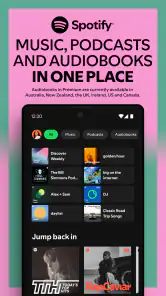

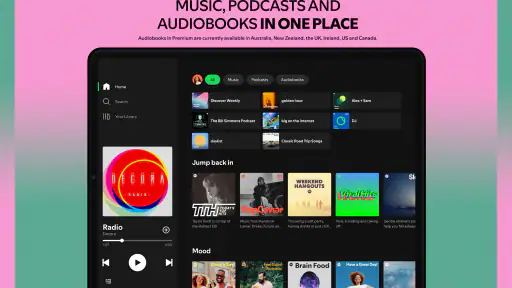
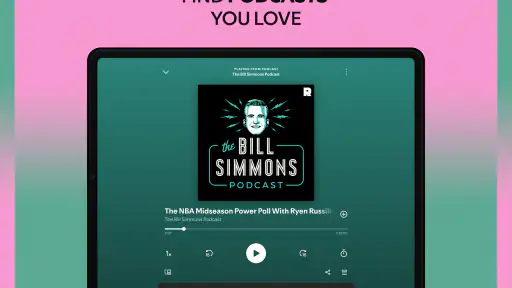
Analysis by Reviewed
When I use Spotify, I think of it less as a place to make music and more as a workspace for shaping what I listen to: I can gather tracks, test a mood, and carry that selection from one part of the day to another. It is a music and audio app from Spotify AB, available free, and its mix of songs, podcasts, playlists, and lyrics gives me several ways to decide what belongs in the queue. Spotify suits listeners who want discovery and everyday playback in one app, though it is not a tool for recording or editing creative work.
Starting with a mood, not a search box
When I do not have a particular artist in mind, I can begin with a broad mood or genre and let recommendations offer a route into unfamiliar music. That makes the app useful when I want background listening but also want a chance of finding something new. The personalized mixes are most helpful when my listening habits are reasonably clear; if I play very different styles for work, exercise, and winding down, I get better results by choosing a playlist for each situation rather than expecting one recommendation stream to understand every mood.
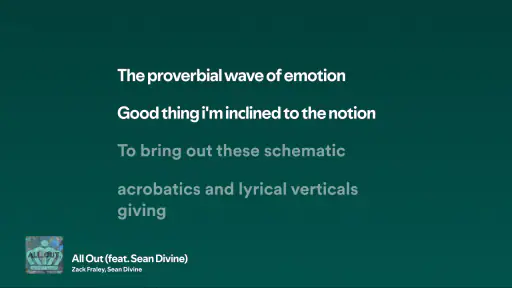
For a more deliberate starting point, I search for a song, artist, album, or podcast and build outward from there. Lyrics can help when I want to follow a track or check a line, while playlists give me a place to collect music around a moment or activity. I would not treat the recommendations as a substitute for choosing for myself, but they are a convenient first draft when the blank-page feeling hits.
The Ultimate Music Experience
First off, let’s talk about the sheer variety of music available on Spotify. I mean, seriously, you can find almost any genre you can think of, from the latest pop hits to obscure indie tracks. It’s like having a global music library right in your pocket.
But it’s not just about the music; Spotify also hosts a wide range of podcasts. Whether you’re into true crime, comedy, or self-help, there’s something for everyone. It’s like your own personal radio station that you can customize to your heart’s content.
Personalized Playlists and Discover Weekly
One of my favorite features has to be the personalized playlists. Spotify has this amazing algorithm that curates playlists based on your listening habits. The Discover Weekly playlist is a gem, introducing me to artists and songs I might never have stumbled across on my own.
Then there’s the Daily Mix, which offers a blend of your favorite tracks and new ones they think you’ll love. It’s like having your own personal DJ who just gets you.
More From Our News Desk

Weather by Xiaomi Review: Clear at a Glance, Less Clear Up Close

X Under Pressure: Can It Recover When Posting Goes Wrong?

Clash of Clans Is Won Between the Battles

Android Auto Makes the Case for Quieter Car Software

MobiOffice: Transforming Mobile Productivity with Seamless Integration

EA SPORTS FC™ Mobile Soccer: Redefining Mobile Sports Gaming
Turning a good find into a listening routine
A small habit makes discovery more useful: when a recommendation catches my attention, I save it to a playlist rather than trusting myself to remember it later. I keep one collection for songs I am still deciding about and another for tracks I already know I want to revisit. That separation stops a promising first listen from getting buried, and it gives me a simple way to notice whether my taste has shifted over time.
There is a trade-off to that convenience. Recommendations are shaped by what I play, so repeatedly choosing familiar background music can make the suggestions feel familiar too. When I want a reset, I deliberately search for a different artist or style instead of letting an autoplay queue make every choice. It is a more active approach, but it gives discovery a better chance of moving beyond my usual rotation.
User Interface and Experience
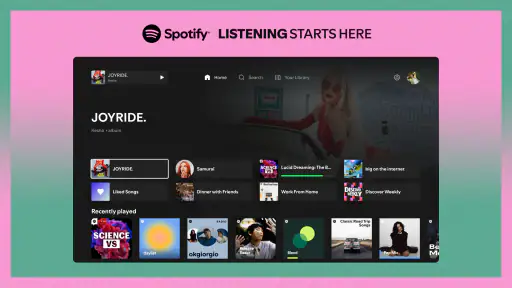
Now, let’s chat about the app’s interface. It’s sleek, intuitive, and user-friendly. Navigating through albums, playlists, and podcasts is a breeze. The search function is robust, allowing you to find songs, artists, and podcasts with ease.
One thing I appreciate is the ability to create and share playlists with friends. It’s a great way to connect over music and discover what others are jamming to. Plus, the collaborative playlist feature is perfect for parties or road trips with friends.
A practical fit for mixed listening
For an ordinary day, I might start with a podcast over breakfast, switch to a familiar playlist on the commute, then search for an album while cooking. Keeping both spoken audio and music in the same app saves me from changing services just because my listening changes. For a shared drive, a collaborative playlist can also spread the choosing around instead of leaving one person in charge of every track.
That said, the best choice depends on what I value most. Compared with a radio-style service, Spotify gives me more direct control over searching and assembling playlists; compared with a library-first music app, its personalized suggestions and social listening are a bigger part of the appeal. If I mainly want to manage files I already own, or need tools to produce, edit, or publish audio, I would choose a service built for that job rather than mistake a streaming app for a creative studio.
Offline Listening and Premium Perks
If you’re worried about data usage, Spotify has got you covered with its offline listening feature. With a Premium subscription, you can download your favorite tracks, albums, and podcasts to listen to without an internet connection. It’s a lifesaver for long flights or commutes where Wi-Fi is spotty.
Speaking of Premium, it’s worth mentioning the perks. Besides offline listening, you get ad-free music, unlimited skips, and high-quality audio streaming. For a true audiophile, these features make a world of difference.
Planning around connection and listening style
If I expect to be offline, I prepare before leaving by saving the audio I want available, then check that it is ready while I still have a connection. Offline listening is tied to Premium, so someone who wants a no-cost way to keep a personal music collection available without internet should compare other options before relying on Spotify for that purpose. The free entry point is useful for trying the app, but the listening experience changes depending on the plan.
Audio quality is another decision rather than an automatic reason to subscribe. Many listeners will care more about finding the right album and having playback fit the day; people with revealing headphones or a strong preference for local files may weigh quality and playback control more heavily. I would test the everyday experience first and decide whether the paid conveniences solve a real problem in my routine.
Social Features and Connectivity
Spotify’s social features are another highlight. You can follow friends and see what they’re listening to in real-time. It adds a fun, interactive element to the app that makes music discovery a shared experience.
Additionally, Spotify Connect lets you play music on different devices, from your phone to your smart speakers, seamlessly. It’s all about creating a connected, immersive listening experience.
Keeping a playlist useful over time
Playlists work best for me when each one has a clear purpose. A collection called “commute” can stay predictable, while one for new finds can remain untidy and exploratory. I avoid trying to make a single playlist serve both jobs: constantly adding unfamiliar tracks to a reliable work or travel mix can change its character just when I want it to be dependable. Naming collections by activity, mood, or stage of discovery makes them easier to return to without needing a complicated system.
There is also value in treating a playlist as a handoff rather than a finished product. For a small gathering, I can start with a few tracks that establish the mood, invite others to contribute through a collaborative list, and then let the group’s choices steer the rest of the evening. For focused work, I do the opposite: I prepare a familiar sequence in advance so I am not searching or skipping every few minutes. Those are simple ways to use the app’s listening tools intentionally, even though it does not provide editing controls for the music itself.
Who will get the most from it
The app makes particular sense for people who move between music and podcasts, like building playlists, and enjoy having recommendations to browse when they are unsure what to play. It is also a good fit for households or groups who use shared listening occasions to trade discoveries. Spotify has a 3.9 average from around 39,000 ratings, and more than 100 million installs; that scale suggests it is a familiar option, but it does not mean every listener will prefer its approach.
I would be less likely to recommend it to someone who wants a strictly owned collection, dislikes algorithm-led discovery, or needs detailed tools for making and distributing audio. The free app is a low-commitment way to explore, while the Teen content rating is worth keeping in mind for families choosing an audio app. On Android, the listed minimum operating system is version 6.0, and the current version is 1.134.2.
Choosing the right listening setup
A useful way to decide whether Spotify fits is to think about what you expect to control. If you want to search for a specific track, switch between music and spoken shows, and keep several activity-based playlists close at hand, the app brings those jobs together. If the priority is a collection of files you personally manage, a local music player may be a better match. If you mostly want a hands-off stream, a radio-focused alternative may feel simpler than managing searches and playlists.
For a listener trying the free option, I would start with a familiar artist, save a few discoveries, and see whether the recommendations become genuinely useful rather than simply more of the same. I would also check how the listening experience fits my connection and daily routine before making any paid plan part of the decision. That small trial answers practical questions better than assuming every feature matters equally to every listener.
Final Thoughts
All in all, Spotify is a powerhouse when it comes to music and podcasts. Its vast library, personalized recommendations, and user-friendly interface make it a must-have app for anyone who loves audio content. Whether you’re a casual listener or a hardcore music fan, Spotify has something to offer. So why not give it a spin and discover your next favorite tune?
My more practical verdict is that it works best when I treat it as a flexible listening companion, not an infallible DJ or a production suite. Start with a few searches, save worthwhile discoveries into clearly named playlists, and see whether the suggestions become more useful as your habits settle in. If you value that mix of personal choice, recommendations, podcasts, and shared listening, it is easy to see the appeal; if offline access, ownership, or creator controls are your priority, compare alternatives before building your routine around it.
Where it fits in a creator’s day
For someone making a video, planning a workout, or preparing a playlist for a small event, Spotify can help with the listening and reference stage: I can explore styles, collect possible tracks, and share a sequence with other people. That is a useful part of a creative workflow, but it should not be confused with choosing licensed audio for a finished project or exporting a mix. I would use it to shape my ideas and then check the requirements of the actual publishing platform before using music in anything I release.
That distinction is why I see the app as a strong discovery and playback tool, not an all-purpose solution for creators. A listener who wants one place to explore songs, keep personal rotations, and put on a podcast will likely find it convenient. Someone whose main goal is to record, edit, distribute, or manage original audio should look for dedicated production and publishing tools instead. The best fit is the person who wants their listening habits organized and easy to share, while remaining comfortable with a streaming-first approach.
Spotify: Music & Podcasts Frequently Asked Questions
Can I use Spotify without creating an account?
Spotify is designed around a personal account, which lets the app keep track of your listening preferences and make it easier to return to playlists and podcasts. Creating an account also helps you use Spotify across supported devices. If you are deciding whether to install it, consider whether you are comfortable setting up an account and managing its privacy choices.
How much space does Spotify take up on my phone?
The amount of storage Spotify uses can change as you use it. The app itself takes space, and saved settings or downloaded audio can add to that over time. If your phone has limited storage, check available space before installing and review the app’s storage use later. Offline downloads are particularly worth considering because audio files are stored on the device.
Can I listen to podcasts as well as music on Spotify?
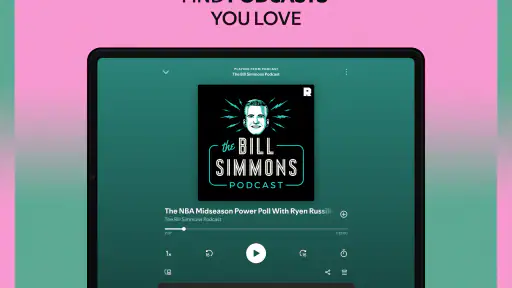
Yes. Spotify brings music and podcasts together in one listening app, so you can switch between songs, playlists, and spoken-audio shows without needing a separate service for each. The store summary also highlights discovering playlists and lyrics. If you mainly want podcasts, it is still useful to explore how the app’s music-focused browsing and listening tools fit your preferences.
Is Spotify suitable for listening while using other apps?
Spotify is intended for ongoing audio listening, which can be convenient when you want music or a podcast playing while you do something else on your phone. Your exact experience can depend on your device settings and how other apps handle audio playback. Before downloading, consider whether background listening is part of your routine and check your phone’s audio and notification controls.
What is Spotify: Music & Podcasts?
Spotify is a music and audio app for listening to music and podcasts, discovering playlists, and following lyrics while you listen. Its focus is on making it easy to find something to play, whether you want to explore new music or return to familiar favorites. The app is developed by Spotify AB and is rated Teen, so listeners and families may want to consider that when choosing an app.
Pros
- Extensive music library with diverse genres.
- High-quality audio streaming available.
- User-friendly interface for easy navigation.
- Personalized playlists and recommendations.
- Offline listening for premium subscribers.
Cons
- Free version includes frequent ads.
- Limited skips on free version playlists.
- High data usage without Wi-Fi.
- Some features locked behind paywall.
- Occasional app crashes reported.
- Category
- Music & Audio
- Version
- 1.134.2













