Snapfish: Prints + Photo Books
- 22.54K
- 4.5
- Installs
- 5.00M
- Price
- Free
Screenshots

Analysis by Reviewed
Ever found yourself scrolling through your endless camera roll, wondering what to do with all those amazing shots? Enter Snapfish: Prints + Photo Books, your new best friend for turning digital memories into tangible keepsakes. I’ve been playing around with this app, and I must say, it’s like having a mini-photo studio right in your pocket!
Bringing Photos to Life
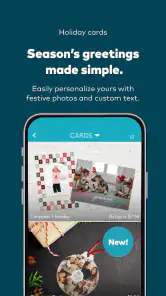
The first thing that struck me about Snapfish is how incredibly easy it is to use. From the moment you open the app, it’s like it knows exactly what you want to do with your photos. Whether it’s creating photo books, printing personalized cards, or designing unique gifts, Snapfish covers it all. The interface is super intuitive, making the whole process feel like a breeze. Even if you’re not tech-savvy, you’ll find yourself navigating through the options with ease.
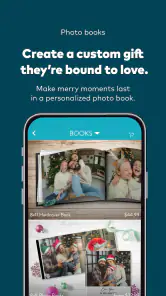
One of the highlights for me was the photo book creation. You get to choose from a variety of templates and layouts, which means you can customize your book to reflect your style. The quality of the prints is top-notch, giving your photos that vibrant look they deserve. Plus, there’s something so special about flipping through a book filled with your personal memories rather than just swiping on a screen!
Creative Possibilities
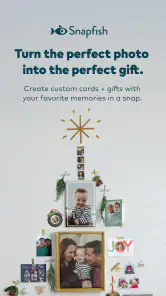
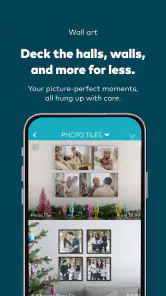
What’s even more fun is the range of products you can create. Have you ever thought about putting your favorite vacation photo on a mug? Or maybe a cute picture of your pet on a pillow? Snapfish lets you do all that and more. The app offers a plethora of options, from canvas prints to calendars and even puzzles. It’s like opening a treasure chest of creative possibilities.
Moreover, the personalization options are endless. You can add text, play around with colors, and even use embellishments to make your creations stand out. The app also frequently updates its offerings, so there’s always something new to try out. And for those who love giving personalized gifts, Snapfish is a goldmine!
Ease of Use and Accessibility are two areas where this app really shines. You can upload photos directly from your phone, social media, or even cloud storage. The integration is seamless, meaning you can pull in your favorite memories from wherever they’re stored with just a few taps.
On the Go, All the Time
One of the coolest features I found is the ability to create and order products straight from the app, no matter where you are. Whether you’re lounging on the couch or waiting in line for coffee, you can make the most of your time by designing something special. The app also saves your projects, so you can always pick up right where you left off.
Overall, if you’re someone who loves capturing moments and turning them into something more, Snapfish: Prints + Photo Books is definitely worth a try. It’s user-friendly, packed with creative features, and delivers high-quality products that you’ll cherish. Plus, it’s a fun way to keep those precious memories alive!
Pros
- Easy to create custom photo books.
- Variety of print sizes available.
- High-quality photo prints.
- User-friendly interface.
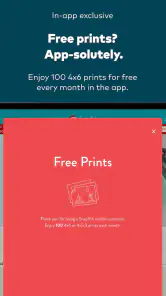
- Frequent discounts and offers.
Cons
- Limited editing tools for photos.
- Shipping can be slow at times.
- App can occasionally crash.
- Limited free storage space.
- Some features require in-app purchases.
- Category
- Photography
- Version
- 16.22.1











