SmugMug - Photography Platform
- 1.66K
- 4.4
- Installs
- 500.00K
- Price
- Free

Screenshots
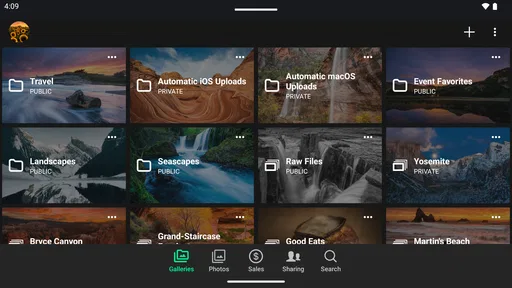
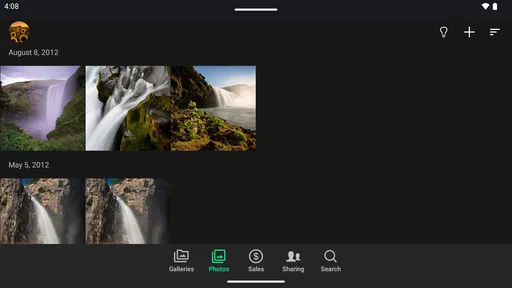

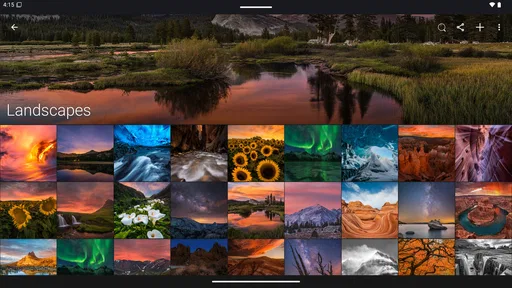
Analysis by Reviewed
I’m careful about where I put personal photographs, especially when they include family, clients, or places I’d rather not share widely. SmugMug is a photography app from SmugMug Inc. that makes most sense to me as a way to view and share a considered collection, rather than as a replacement for every photo tool on my phone. The key question is whether its gallery-focused approach suits the way you want to present your work and manage who sees it.
Sharing is useful, but trust depends on choices
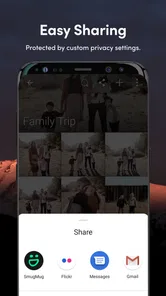
For a working photographer, a gallery can be more presentable than a long stream of camera-roll images: you can give a client or friend a focused set to browse instead of asking them to scroll through unrelated pictures. That separation is practical, but I would still treat each sharing decision deliberately. Before sending a collection, check the audience and any access settings available to you, and avoid assuming that a polished presentation automatically makes images private.
Think through the sensitive moments
Photos can reveal more than their subject: a child’s face, a home interior, a client’s event, or a location may all matter to the people pictured. I’d make a habit of reviewing a gallery before sharing it, removing frames that were included by mistake and confirming that everyone is comfortable with the selection. Password protection and watermarking are mentioned as options in the published article, but neither should be treated as a substitute for careful choices about what to upload and share.
That distinction matters because privacy is a workflow, not a feeling. I’d use a private, deliberate process for client work or family albums and reserve broadly shared galleries for images I’m comfortable circulating. If you need to know exactly how account controls or data practices work before uploading sensitive material, inspect the current settings and policy information in the app and decide whether they meet your needs.
Using SmugMug as a photography workspace
Ever thought about taking your photography game to the next level? Well, let me introduce you to SmugMug, a platform that feels like it was tailor-made for photographers like us. Whether you’re a pro behind the lens or just someone who loves capturing moments, SmugMug might just be your new best friend.
Unleashing Creativity with Customization
One of the first things that caught my eye about SmugMug is its extensive customization options. The platform lets you design your photo galleries with a variety of templates that are as flexible as they are stunning. Imagine having the power to transform your photos into a beautifully curated portfolio that reflects your unique style. I mean, who doesn’t love a personal touch?
Storage and Security – A Photographer’s Dream
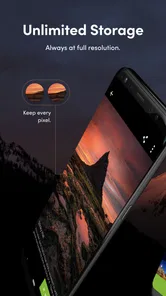
Now, let's talk about storage. Unlimited photo storage? Yes, please! SmugMug offers this incredible feature that ensures your precious memories are safe and sound. Not to mention, the platform takes security seriously, offering password protection and watermarking options to keep your work secure. It feels good knowing that your photos are in safe hands, right?
More From Our News Desk
 MX Player
 and the Small, Private Rituals of Mobile Viewing
A practical video player reveals how mobile viewing has become private, portable, and woven into the spare minutes of ordinary life.

 Piano Fire: Edm Music & Piano
Piano Fire Tested: How Well Does It Recover When a Run Breaks?
A rhythm game lives or dies by recovery as much as reflexes. Piano Fire makes a brisk, colorful loop, but its rough edges matter most after a missed note or interrupted run.

 Ludo King®
Ludo King Turns Quick Matches Into a Lasting Social Ritual
A close look at how quick matches, private rooms and familiar rivalries turn this digital Ludo game into a small, durable social ritual—and where that community has limits.

 YouTube Music
 Turns Video Discovery Into Listening Power
A capable music service with an unusually strong route into discovery, YouTube Music shows how Google can turn a video habit into control over what listeners hear next.

 Netflix
 Is Building a Daily Habit Beyond Its Biggest Shows
A familiar streaming app is gaining new weight as Netflix pushes games, live programming, and discovery into the same daily habit. The growth is real, but so are the limits.

 Ramp Car Games: GT Car Stunts
Ramp Car Games: The Risk-and-Reward of Every Jump
A stunt racer built around one deceptively rich decision: how much speed to carry into a jump, and how much control to keep for the landing.
Latest News



Ease of Use and Accessibility
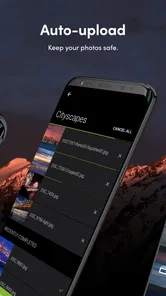
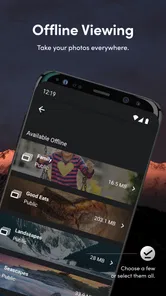
What’s great about SmugMug is how user-friendly it is. Even if you’re not tech-savvy, navigating through the platform is a breeze. The intuitive interface ensures that uploading and organizing your photos is straightforward. Plus, there’s a handy mobile app that allows you to manage your photos on the go. It’s like having a mini photo studio in your pocket!
A useful routine is to sort a shoot into a coherent set before building a gallery, rather than uploading every frame and trying to curate on a small screen later. For example, after photographing a family gathering, I’d choose the strongest images, check for accidental duplicates or unflattering moments, then share only that selection with relatives. The phone is convenient for quick management, while careful portfolio layout and final image selection may be easier when you have time to review the work calmly.
Monetizing Your Passion
For those looking to turn their passion into profit, SmugMug offers a fantastic opportunity. The platform provides tools to sell your photos directly to clients, complete with pricing options and shopping carts. It’s pretty cool to have a virtual storefront to showcase and sell your art, don’t you think?
Who will get the most from it
I’d recommend it most to photographers who want their work presented as organized galleries, especially those sharing selected images with clients or building a portfolio. Its customization and selling tools give it a different emphasis from the usual phone gallery, which is mainly for finding and viewing personal camera-roll pictures. If your priority is quick edits, social posting, or automatic backup with minimal setup, a familiar photo library or editing app may fit better; SmugMug’s appeal is the more intentional presentation and sharing workflow.
A practical trade-off is that a storefront only helps if you’re ready to make choices about which images to offer and how to present them. I’d start with one small, finished collection and test the browsing experience before organizing a large archive around it. That makes it easier to see whether the gallery style works for your audience and whether managing a portfolio from your phone feels comfortable.
Availability and a cautious verdict
As a free photography app, it has an average rating of 4.4 from around 7,400 ratings, with more than 500,000 installs. It is intended for adults aged 18 and over, and the current version is 4.12.7.20251120, for Android 7.0 and later. Those details make it straightforward to check basic compatibility, but they don’t answer whether its account and sharing choices match your own privacy expectations.
My verdict is positive for photographers who value a curated gallery and want to share or sell selected work, but more cautious for anyone looking for a simple, hands-off photo backup or a fast editing tool. I’d try it with a low-sensitivity set first, explore the available controls, and only then decide whether it belongs in a client or family workflow. That small test is a better guide than assuming every photography app handles trust and sharing in the same way.
A sensible first test
If you are deciding whether the gallery approach fits, I would avoid beginning with your entire camera roll. Pick a finished set that already has a clear purpose: a small portfolio selection, a recent trip, or images from a community event. That makes it easier to judge whether the presentation feels more organized than a shared phone album, without creating a big upload and sorting task before you know you like the workflow.
For a photographer who meets clients in person, a focused gallery can also work as a visual conversation starter. Rather than handing over a phone and exposing unrelated personal pictures, you can guide someone through a particular body of work. I’d still check the display on the device the other person is likely to use, because a layout that feels polished to its creator should also be easy for a visitor to browse.
Where the phone fits in a working routine
I see the mobile app as useful for keeping an eye on a collection and handling straightforward management while away from a desk, not necessarily as the best place for every careful decision. A phone screen makes it easy to review a few images during a break, but it can also encourage rushed selections. For a client gallery, I’d do the final pass when I can compare the set as a whole and notice whether the sequence feels consistent.
One small but useful habit is to separate selection from sharing. First decide which frames deserve to be included; then review the finished gallery as if you were the recipient, looking for unintended images or context that changes how a photo reads. Only after that would I choose who should see it. This two-pass routine is more dependable than making edits while sending a link in a hurry.
Choosing between galleries and everyday photo tools
Compared with a standard photo-library app, SmugMug puts more emphasis on presenting a deliberate collection than on being the quickest place to search all the pictures on your device. That distinction matters: a library is usually the natural choice for browsing personal snapshots, while a gallery-based service is more appealing when you want a set to feel selected and distinct. I would not switch tools just for the sake of having another place to store casual photos.
It also serves a different purpose from a dedicated editing app. If your main goal is to correct color, crop a batch, or experiment with visual effects, an editor built around image adjustments is the more direct option. SmugMug makes more sense after you have photographs you are ready to arrange, show, or potentially offer for sale. Keeping those roles separate can prevent frustration: edit where editing is central, and use a gallery when presentation and sharing matter.
Sales need a clear plan
The selling tools may interest photographers who already know what they want to offer, but having a storefront is not the same as having a ready-made business. Before setting up a collection for customers, I’d decide which images belong together, what a buyer should understand from the presentation, and whether the collection is complete enough to represent my work. Starting with a small set makes it easier to notice confusing choices before directing clients to it.
For someone who only wants to pass family pictures around, the commercial side may be unnecessary. In that case, the app’s strongest value is likely the ability to make a shareable selection feel more like a gallery than a casual dump of files. If you do not care about presentation and want the fewest steps possible, your existing sharing method may be more convenient.
Questions worth answering before uploading
A common practical question is whether the app is suitable for sensitive client or family photographs. My answer is conditional: it can be part of a careful sharing routine, but I would first examine the controls currently available in the account and make sure I understand how a gallery is exposed to its intended audience. I would test with images that are not sensitive before relying on any setting for a private delivery.
Another question is whether the app replaces a backup. I would not treat a gallery service as my only copy of important photographs. A curated collection is useful for viewing and sharing, but a separate backup habit protects against relying on a single service or workflow. Likewise, if quick edits are central to your routine, I would keep an editing tool rather than expecting a photography gallery app to do every job.
It is also fair to ask whether you need professional experience to benefit from it. I don’t think so: a hobbyist can use a gallery to present a travel project or a set of portraits more thoughtfully. The key is being willing to choose and organize images. Someone who prefers automatic sorting and never wants to curate may find that extra intention feels like work instead of a benefit.
Who should look elsewhere
I would hesitate to recommend it as the main choice for someone who wants instant social reactions, fast filters, or a completely hands-off way to collect every phone photo. Those needs point toward social or general-purpose photo apps, where the everyday action is posting or browsing rather than shaping a gallery. SmugMug’s more considered approach is a strength only when the user actually wants that extra layer of presentation.
I’d also be cautious if your decision depends on specific privacy assurances or account controls. The right move is to inspect the current choices and policy information yourself, rather than reading a polished gallery as proof of confidentiality. For high-stakes material, choose a workflow whose access rules you understand and can verify before uploading. That is not a knock against the app so much as a sensible standard for any service holding personal photographs.
My cautious recommendation
SmugMug earns a place on my shortlist when the goal is to make a selected body of photography easier to browse, present, and share. It is less compelling as an all-purpose camera-roll manager, editing suite, or automatic archive. That difference is the main decision: if you enjoy choosing the images and shaping how other people encounter them, the gallery model has a clear purpose; if you want everything to happen with minimal attention, another category of app will feel more natural.
I would begin with a modest, low-sensitivity gallery, check the experience from the viewer’s side, and explore the account options before inviting anyone to rely on it. If that trial feels straightforward and the presentation suits your work, then it may be worth building a more regular routine around it. My recommendation is positive but measured: use it for the photographs you mean to show, keep your own backup habits, and make sharing choices with the same care you bring to taking the pictures.
SmugMug - Photography Platform Frequently Asked Questions
Is SmugMug free to download, and does that mean every feature is free?
SmugMug is free to download, so you can install the app without paying for the download itself. That does not necessarily mean every platform feature or service is free to use. If you are considering paid photography tools or plans, check the current options before committing, especially if you plan to use SmugMug for selling work or building a professional portfolio.
What Android version do I need to install SmugMug?
SmugMug requires Android 7.0 or later, so check your device’s software version before downloading. If your phone or tablet meets that requirement, you can install the app and use it to view and share photos. The app is listed as a Photography app, and its Android summary describes it as a way to view and share your photos.
What is SmugMug and how can it benefit photographers?
SmugMug is a comprehensive photography platform designed for photographers of all levels to showcase, share, and sell their work. It offers customizable galleries, secure cloud storage, and e-commerce solutions for selling prints and digital downloads. The platform benefits photographers by providing professional presentation options and the ability to reach a global audience.
Is SmugMug suitable for both amateur and professional photographers?
Yes, SmugMug caters to both amateur and professional photographers. It offers a range of customizable features and pricing plans to suit different needs and budgets. Amateur photographers can enjoy the ease of use and beautiful templates, while professionals can take advantage of advanced customization and selling tools to enhance their business.
What kind of customization options does SmugMug offer?
SmugMug provides extensive customization options that allow photographers to tailor their galleries to reflect their unique brand and style. Users can choose from a variety of templates, adjust layouts, and personalize their site with custom colors, fonts, and logos. This flexibility ensures that each photographer can create a distinctive online presence.
Pros
- High-quality photo storage
- User-friendly interface
- Robust privacy controls
- Customizable photo galleries
- Comprehensive support resources
Cons
- Subscription-based pricing
- Limited editing tools
- No free tier available
- Requires strong internet connection
- Complex navigation for beginners