Shutterfly: Prints Cards Gifts
- 91.53K
- 4.6
- Installs
- 10.00M
- Price
- Free

Screenshots
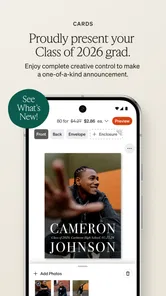

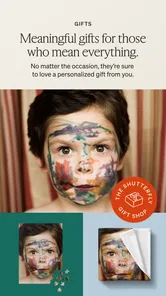
Analysis by Reviewed
Before I would choose Shutterfly: Prints Cards Gifts, I’d ask myself whether I want to make something tangible from my photos or simply improve the pictures on my phone. That distinction matters: this is a photography app for turning selected images into printed keepsakes and personalized items, not a replacement for a camera roll, editing suite, or image-organizing tool.
My decision rule is simple. If I have a clear occasion, a small set of photos, and enough time to review a design before ordering, the app makes sense. If I only need to brighten a picture, make a quick social post, or store a large collection, I would stay with an editor or gallery app and avoid adding a shopping step to the job.
Start with the finished item, not the template
It helps to decide whether the photos are meant to tell a story, mark an occasion, or serve as a practical gift. A short collection from a trip may suit a book better than a single print, while one expressive portrait can carry a card. Choosing the purpose first keeps the project focused and makes it easier to judge whether a layout is helping or distracting.
I’d also check the photos before opening a design. Favorites are not always the best images for printing: a picture that looks crisp as a small phone thumbnail may reveal blur or awkward framing when enlarged. If several shots show the same moment, compare them side by side and keep the one with the clearest expressions and enough space around the subject for cropping.
Where the app earns its place
Compared with the usual alternatives, this app sits between basic photo-printing tools and design software. A straightforward printing service can be preferable if you only want a few uncomplicated prints and do not care about building a larger project. A dedicated design app may offer more room to create from scratch, but it can also mean more decisions and extra work. Shutterfly’s appeal is bringing product selection and personalization together in one mobile workflow.
A practical approach is to make a small project first. Pick a handful of photos with a clear theme, then see how the available layouts handle different orientations and lighting. If you’re making a book, arrange the pictures in story order before adding decorative details. That simple step can make the result feel intentional instead of like a collection of unrelated snapshots.
Who will get the most from it
I’d recommend it to people who enjoy giving photo-based gifts, want cards that feel personal, or like having printed reminders of family trips and everyday moments. It can also help when several people need a thoughtful present and you want one shared image or memory to anchor it. Someone who rarely orders physical products, prefers editing with precise desktop controls, or just needs a fast filter for social posts may find a different kind of app more useful.
More From Our News Desk

 MX Player
 and the Small, Private Rituals of Mobile Viewing
A practical video player reveals how mobile viewing has become private, portable, and woven into the spare minutes of ordinary life.

 Piano Fire: Edm Music & Piano
Piano Fire Tested: How Well Does It Recover When a Run Breaks?
A rhythm game lives or dies by recovery as much as reflexes. Piano Fire makes a brisk, colorful loop, but its rough edges matter most after a missed note or interrupted run.

 Ludo King®
Ludo King Turns Quick Matches Into a Lasting Social Ritual
A close look at how quick matches, private rooms and familiar rivalries turn this digital Ludo game into a small, durable social ritual—and where that community has limits.

 YouTube Music
 Turns Video Discovery Into Listening Power
A capable music service with an unusually strong route into discovery, YouTube Music shows how Google can turn a video habit into control over what listeners hear next.

 Netflix
 Is Building a Daily Habit Beyond Its Biggest Shows
A familiar streaming app is gaining new weight as Netflix pushes games, live programming, and discovery into the same daily habit. The growth is real, but so are the limits.

 Ramp Car Games: GT Car Stunts
Ramp Car Games: The Risk-and-Reward of Every Jump
A stunt racer built around one deceptively rich decision: how much speed to carry into a jump, and how much control to keep for the landing.
Latest News



One everyday example: after a weekend visit with relatives, I’d choose a few candid pictures while the memories are fresh, create a small keepsake, and save the remaining shots for a later card or gift. I would avoid trying to use every photo at once. A tighter selection usually makes a book or personalized item easier to browse and gives each image more room to matter.
What to check before placing an order
Personalization is enjoyable, but it adds choices. Before checkout, I’d confirm the product, layout, spelling, image crop, and delivery details rather than treating the final screen as a formality. The app is free to download, but that does not mean every printed product or order is free; check the current total in the app before committing. If you’re deciding between a card and a larger gift, compare what each format lets you say or show, not only how much space it has.
Shutterfly, Inc develops this photography app. It is rated for Everyone, has a 4.6 average from around 232,000 ratings, and has passed 10 million installs. Version 12.21.0 is listed for devices running Android 8.0 or later. Those figures suggest a well-established service, though they cannot tell you whether its design workflow suits your habits. I’d judge that by trying a small project first rather than planning a large order immediately.
A realistic way to fit it into a busy week
For a birthday coming up, I’d set aside a few minutes to shortlist pictures, then return later to build the item when I can give it proper attention. Separating selection from design is more useful than trying to do everything while waiting in line: it reduces rushed choices and makes it easier to notice duplicate shots. I’d keep a note of the recipient’s preferred names or wording, too, so I’m not guessing at spelling during checkout.
That workflow also helps with shared projects. If relatives send photos from the same gathering, I would first gather the strongest images in one place on my device and decide whose pictures belong in the final selection. The app is most helpful once the material is ready; it is not a substitute for coordinating contributions or resolving which version of a moment everyone wants to use.
Small design choices with a big effect
When a page or product has room for several images, I’d mix wide and close views rather than filling every space with similar portraits. A detail shot—such as a table setting or a view from the trip—can give a photo book rhythm and make the main portraits stand out. I’d keep captions brief as well. A date or place can add context, while a long message may compete with the photos and become hard to read at a glance.
Another useful check is to inspect the edges of each image after choosing a layout. Faces near the border, hands holding an object, or text already present in the original photo can be clipped by a crop. I would not assume that a layout preserves the full frame just because the preview looks attractive. If the crop forces an important detail out, switching to a different arrangement is usually better than shrinking the subject into a busy page.
Choosing between a book, card, or gift
The product should match how the recipient will use it. A card is a natural choice when the message and occasion matter most, while a photo book works better when several moments need space and sequence. A personalized gift can feel more lasting, but the image may need to suit the object’s shape and everyday use. I’d choose one strong photo for a simple design instead of adding extra decoration just because the editor makes it available.
There is also a trade-off between a polished, consistent look and a more personal, imperfect one. Matching colors and layouts can make a collection feel deliberate, but candid photos often carry the warmth that makes a keepsake worth keeping. I’d use embellishments sparingly and let the people, place, or event remain the focus. That approach is especially helpful when the source photos already have different lighting or backgrounds.
Where another kind of app may be better
If my priority were precise retouching, layered graphics, or preparing images for a professional print workflow, I would choose a dedicated editor or desktop design tool first. Those tools are built around image manipulation and fine control; Shutterfly is more appealing when I want to move from selecting photos to choosing a finished product. Likewise, if I only need digital sharing, a messaging or cloud-photo app avoids the extra work of making a physical order.
For a quick batch of standard prints, a simpler print-ordering app may involve fewer design choices. That can be a real advantage when all I want is to put a few snapshots on paper. On the other hand, if the point is to make a card or gift feel personal, the combined product-and-customization workflow here is more relevant than a tool focused only on editing or storage. The better choice depends on the end result, not on which app has the longest feature list.
What the mobile workflow asks of you
Working on a phone is convenient, but it also asks for patience with a smaller screen. I’d review the finished design in a calm moment, ideally with the phone held at a comfortable size rather than rushing through taps. Small text, near-edge details, and subtle crop changes are easier to miss when I’m switching between screens quickly. A final pause before ordering is not wasted time; it is part of making the result feel considered.
The app is free to download, while physical products and orders are a separate purchase decision. I would treat the displayed order total as the practical point to review and compare formats before committing. If a project is a gift with a deadline, I’d also check the delivery details shown during the order rather than assuming that a phone-based checkout guarantees it will arrive by a particular day.
Easy Peasy Photo Printing
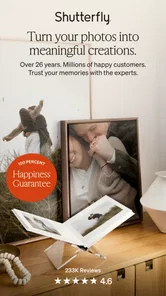
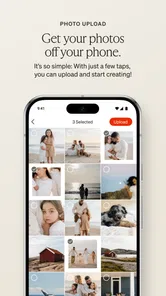
First things first, let's talk about the ease of use. The Shutterfly app makes it incredibly simple to order prints, cards, and gifts right from your smartphone. Whether you're an Android or iOS user, downloading and getting started is a breeze. All you have to do is upload your favorite photos from your phone, social media, or even Google Photos, and you're good to go.
A World of Customization
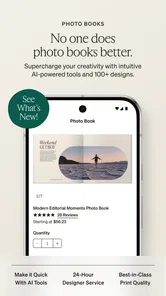
One of my favorite things about this app is the sheer amount of customization options. Want to create a one-of-a-kind photo book for your coffee table? Done. Need some personalized holiday cards to send out to your friends and family? Easy peasy. The app offers a wide range of templates and styles to suit any occasion, and you can tweak them to your heart's content.
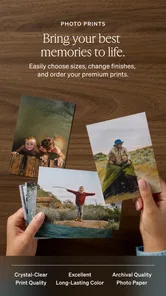
Not only can you add text and embellishments to your photos, but you can also choose from a variety of sizes and finishes. Whether you prefer glossy or matte prints, there's something for everyone. Plus, the app frequently updates with new seasonal designs, so you’ll never run out of inspiration.
Gift Giving Made Simple
If you're anything like me, finding the perfect gift can be a bit of a challenge. But with Shutterfly: Prints Cards Gifts, you can create personalized gifts that your friends and family will actually want to keep. From photo mugs and blankets to custom calendars and phone cases, the possibilities are endless.
I recently ordered a photo puzzle for a friend's birthday, and it was a hit! The quality was top-notch, and it arrived quicker than I expected. Plus, you can add a personal touch with a special message or quote, making your gift even more meaningful.
Convenience at Your Fingertips
Another great feature of the app is the ability to track your orders and get notifications when they're on the way. No more wondering when your prints will arrive! Plus, the app offers exclusive deals and discounts, so you can save some cash while creating your masterpieces.
And if you're worried about quality, don't be. Shutterfly uses high-quality materials and printing techniques to ensure that your photos look their best. And if you're not satisfied, their customer service team is always ready to help.
So, whether you're looking to spruce up your home with some new photo decor or send a heartfelt gift to a loved one, Shutterfly: Prints Cards Gifts has got you covered. It's like having a photo studio in your pocket! Give it a try, and let your creativity shine.
Shutterfly: Prints Cards Gifts Frequently Asked Questions
Can I make a photo book with pictures saved on my phone?
Yes. Shutterfly: Prints Cards Gifts is designed to help users create personalized photo products, including photo books, using pictures from a phone. You can upload photos, choose a design, and customize the project before ordering. If you are planning a larger project, it is helpful to check that the pictures you want to use are available on your device.
Do I need an account to use Shutterfly: Prints Cards Gifts?
The app is made for creating and ordering personalized products, so you should expect to follow its account and order setup steps when you are ready to save a project or make a purchase. Before downloading, consider whether you are comfortable managing your photos and order details in the app. You can explore the available design options before deciding which project to create.
Can I preview my design before placing an order?
Shutterfly’s design process includes previewing projects before ordering, which is useful for checking how your photos and chosen layout come together. Take a moment to review text, image placement, and the overall appearance before completing a purchase. A careful preview can help catch small mistakes while your project is still being edited.
Who develops Shutterfly: Prints Cards Gifts?
Shutterfly: Prints Cards Gifts is developed by Shutterfly, Inc. The app is in the Photography category and focuses on creating custom photo products, including gifts, cards, and photo books. Knowing who publishes an app can be useful when checking that you have found the intended Shutterfly app before installing it.
What does the Everyone content rating mean for Shutterfly: Prints Cards Gifts?
Shutterfly: Prints Cards Gifts has an Everyone age rating, so its content is intended for a general audience. The app focuses on creating photo books, cards, and personalized gifts, making it relevant to people who want to turn their pictures into physical keepsakes. Parents and other users can still review the app’s features and permissions before downloading it.
Pros
- Easy-to-use interface for ordering prints
- Wide range of customizable photo gifts
- High-quality printing and products
- Frequent discounts and special offers
- Fast and reliable shipping options
Cons
- Limited editing tools for photo customization
- Occasional app crashes during checkout
- Shipping fees can be expensive
- Some features require premium subscription
- User interface can feel cluttered at times