Shots - AI Photo & Video Maker
- 690.00
- 4.1
- Installs
- 100.00K
- Price
- Free

Screenshots
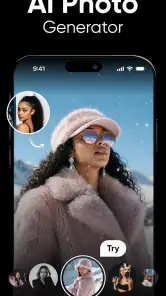
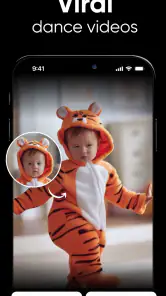
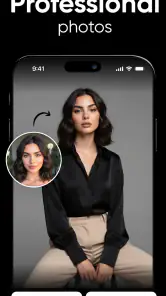
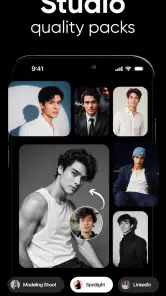
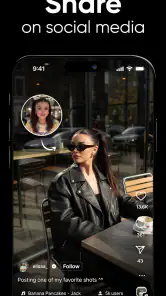
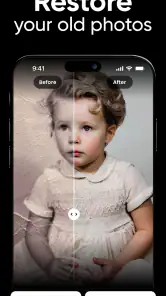
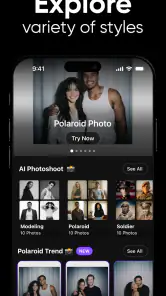
Analysis by Reviewed
Shots - AI Photo & Video Maker caught my attention because it aims at a very specific kind of mobile creativity: turning ordinary photos and short clips into dance-style or viral-looking content without asking me to learn a full editing suite. After spending time with it, I see the appeal immediately. It is approachable, playful, and built for the moment when I want to make something shareable quickly rather than spend an evening arranging a detailed timeline.
That quick payoff is also the central question: does it remain useful after the first burst of novelty? My answer is qualified. Shots works best as an occasional creative shortcut, especially for people who enjoy experimenting with AI-driven visual ideas. It is less convincing as the one photography app I would keep open every day. The difference depends on how often you create social videos, how much control you expect, and whether you are comfortable with a free app that also offers paid items.
What the first week with Shots feels like
The app comes from DeePix AI Apps and sits in the photography category, although its practical role is closer to a lightweight AI video playground. Its store summary presents it as an AI dance and viral video tool, while the short description simply calls it “Shots.” That combination tells me what to expect: the focus is not traditional camera photography, manual retouching, or professional color work. The focus is taking an image or clip and giving it a more animated, attention-grabbing treatment.
During the first few sessions, the strongest feature is the low barrier between having an idea and seeing a result. I do not need to begin with a blank editing timeline or decide which of several advanced controls matters. The experience encourages experimentation. I can try a concept, judge the result, and then decide whether it is worth sharing. That makes the app particularly friendly to someone who usually abandons editing apps because they feel too technical.
The first-week appeal is also social. A simple portrait can become a prompt for a joke, a playful greeting, or a short post that feels more energetic than the original image. If I am making content for friends rather than building a polished portfolio, the speed matters more than perfect precision. Shots understands that a funny or surprising result can be more valuable than a technically flawless one.
Still, I would not confuse ease with consistency. AI transformations can be exciting precisely because they introduce something unexpected, but the same unpredictability can make a result feel wrong. A face, pose, or movement may not match the mood I had in mind. The app is most enjoyable when I treat each attempt as a creative variation, not as a guaranteed production tool.
Who gets the most from the initial novelty
I would recommend the first-week experience to casual creators, social users, and anyone who wants a fast way to test AI video ideas. It is also a reasonable choice for a person who wants to make a birthday greeting, a humorous reaction, or a quick dance-themed clip without learning conventional editing software. The app’s free entry point makes that experimentation easier, although the presence of in-app items means I would still pay attention before committing to anything.
It is less suitable for photographers who want careful control over exposure, cropping, skin texture, or color. It is also not my first choice for a creator whose work depends on repeatable results. If the same input must produce a predictable visual style every time, the playful nature of AI transformation can become a disadvantage rather than a benefit.
The age label is Teen, which is worth keeping in mind for families. I would still review the finished media before sharing it, particularly when an image includes another person. A fun transformation can change the tone of a photo in ways that the original subject might not expect. That is not a reason to avoid the app, but it is a reason to use some judgment instead of treating every generated result as automatically ready for publication.
A practical first-week workflow
My preferred workflow is to start with a small batch of suitable images rather than feeding the app every photo in my gallery. Clear subjects, simple backgrounds, and a visible face usually give me a better basis for judging the result than a crowded group shot. I save the strongest attempt, compare it with the original, and only then decide whether it deserves a caption or a place in a social feed.
This approach avoids a common trap with novelty apps: creating a large pile of nearly identical experiments that I never revisit. I also recommend deciding the purpose first. If I want a joke for a private group chat, I can tolerate a strange result. If I want something public, I inspect the image more carefully for awkward movement, distracting artifacts, or a mismatch between the effect and the person shown.
The best early habit is to judge the idea before judging the effect. Shots can make a weak concept look busier, but it cannot replace a clear reason for making the clip. A simple visual joke with a recognizable subject tends to work better than adding an AI treatment merely because it is available.
Does it earn a place after the novelty fades?
Month-to-month value depends on your creative rhythm
After the first week, the app’s value becomes more personal. People who regularly post short-form content may find a recurring use for it: a quick way to refresh an old portrait, create a themed post, or produce a playful response to a current conversation. For them, Shots can function as a source of prompts. I can open it when I need a starting point and use the transformation as a way to break out of a repetitive posting routine.
For everyone else, the usage pattern is likely to be more occasional. I might use it for a particular event, a friend’s birthday, a group challenge, or a moment when a standard photo feels too ordinary. That does not make it a bad app. It simply means the value is event-based rather than habitual. I would rather see that clearly than pretend every creative tool needs to become a daily destination.
The app has reached a 4.1 average from around four thousand ratings, with roughly six hundred ninety written reviews, and it has passed one hundred thousand installs. Those figures suggest a real audience and enough public feedback to show that the concept connects with many users. They do not change my practical conclusion: popularity can confirm that the idea has appeal, but it cannot guarantee that the app will remain useful for my particular routine.
Its current version is 1.7.6, and the minimum operating system is Android 9. That makes it accessible to a broad range of Android phones, at least from a software-version perspective. In practice, the quality of an AI media workflow can still vary with the phone, the source material, and the time I am willing to spend reviewing results. I would not choose it solely because it runs on an older supported system; I would choose it because its style matches what I want to make.
Three ways I would use it beyond casual testing
My first non-obvious use is as a visual brainstorming tool. When I have a static portrait and no clear idea for a post, I can use an AI dance or movement concept to discover a direction. I may not publish the first output, but it can suggest a pose, caption, or theme for a better-edited video elsewhere. In that role, the app is valuable even when the generated clip is not the final product.
My second use is repurposing older personal media. Instead of scrolling through the same recent camera roll, I can select an older image that already has emotional meaning and give it a new context. This works particularly well for low-pressure occasions such as a reunion message or a private family joke. The trade-off is that not every old image deserves transformation; choosing a strong subject is more important than choosing a large quantity.
My third use is making a rough social draft before opening a more conventional editor. Shots can help me decide whether an idea has enough energy to continue. If the concept looks promising, I can move to a tool with more control for trimming, captions, sound, timing, or branding. This two-step workflow is more realistic than expecting one AI app to handle every stage of content production.
Where the maintenance burden appears
Maintenance is not only about updating the app. It is also about managing creative clutter. AI media tools can encourage me to generate more versions than I need, and that creates a review problem. I have to decide which files are worth keeping, which are merely amusing for a few minutes, and which should be deleted. If I use Shots frequently without a simple naming or cleanup habit, my camera roll can become difficult to navigate.
I also need to maintain a consistent personal standard. The first few results may feel impressive because they are new. A month later, the same type of transformation can start to look repetitive. To keep the app useful, I would rotate the kinds of source images I provide and reserve it for occasions where the effect adds meaning. Using it on every portrait would make the output feel less special and increase the amount of content I need to sort.
The free price lowers the risk of trying it, but the in-app purchase range runs from $0.99 to $79.99 per item. That is a substantial spread, so I would treat paid options as a deliberate decision rather than an automatic part of the workflow. Before paying, I would ask whether the specific effect solves a recurring problem or merely extends the excitement of the first few sessions. For an occasional user, the free experience may be enough; for a frequent creator, the answer depends on how often the extra options genuinely save time.
What causes fatigue over time
The biggest source of fatigue is repetition. Viral-style visual effects can be instantly understandable, but that also means their novelty can disappear quickly. If every result uses the same emotional temperature—energetic, exaggerated, and designed to attract attention—I may eventually want something calmer or more personal. Shots is strongest when I use its style selectively instead of making it responsible for every visual idea.
A second source of fatigue is the gap between an attractive concept and a usable final clip. AI can provide a strong first impression, but I still have to inspect the output. If the movement feels unnatural or the transformation changes the subject’s character, I may spend more time rejecting results than creating them. That is manageable for a joke, but frustrating when I need a dependable post on a schedule.
A third issue is creative control. Traditional editors are slower, but they let me decide exactly where a cut happens, how a transition behaves, and which part of a photo remains untouched. Shots trades that precision for immediacy. I enjoy that trade when I want surprise; I dislike it when I already know what the finished piece should look like.
This is why I would not replace a conventional photo editor or a timeline-based video editor with it. Those alternatives are better for manual corrections, repeatable branding, detailed pacing, and work that needs to survive close inspection. Shots occupies a different space: it is a fast idea generator and a playful finishing option, not a complete production desk.
Questions I would consider before installing
If you are wondering whether it is genuinely free to start, yes, the app is listed as free, while optional purchases are available inside it. I would install it comfortably for testing, but I would not assume that every creative option is included without checking the screen before confirming a purchase. That distinction matters most for younger users or anyone sharing a device.
If you are asking whether it is useful without being a serious social-media creator, I think it can be. The best casual uses are personal messages, playful experiments, and occasional celebrations. The app becomes less worthwhile when you do not enjoy reviewing several variations or when you prefer natural-looking photos with minimal intervention.
If you need professional reliability, I would choose another tool as the main editor. Shots can support the early idea stage, but I would not build a client workflow around an effect whose result may require repeated attempts. A manual editor gives me more control and makes revisions easier, even if the process is less entertaining.
If privacy and audience are important to you, I would be careful about the images I choose. I would avoid uploading sensitive documents, private situations, or photos of people who have not agreed to the transformation. That is sensible behavior with any AI media service, especially one designed to make shareable content quickly.
My long-term verdict
Shots - AI Photo & Video Maker earns a place on my phone when I think of it as a specialized creative spark. It is easy to approach, free to begin, and well suited to turning a familiar image into something more playful. The developer has clearly aimed at the fast-moving space between photography and short video, and the result is more inviting than a conventional editor for quick experimentation.
It does not earn permanent daily status for me. The novelty fades if I repeat the same kind of transformation, and the lack of manual precision becomes noticeable when I want a polished, predictable result. The maintenance work—choosing good source images, reviewing variations, cleaning up unused files, and resisting unnecessary purchases—also grows with frequent use.
My recommendation is therefore straightforward: try it if you enjoy AI dance effects, viral-style clips, or quick visual prompts, and keep it available for moments when a normal photo needs a playful twist. Skip it as your primary editor if you want detailed control, natural retouching, or a dependable professional workflow. Its lasting value comes from selective use, not constant use. When I open it with a clear purpose, it feels creative and efficient; when I open it only because the novelty is still there, it becomes much easier to close and forget.
Pros
- AI tools quickly turn photos into polished social media content.
- Offers templates for reels
- stories
- collages
- and promotional visuals.
- Simple editing workflow suitable for users without design experience.
- Useful effects and transitions can make short videos more engaging.
- Supports fast content creation for multiple social platforms.
Cons
- Some advanced AI features and templates may require a paid subscription.
- Results can vary depending on photo quality and the chosen template.
- Export options may be limited by resolution
- format
- or watermark rules.
- Frequent template updates may require an internet connection and extra storage.
- Creative controls can feel restrictive compared with professional editing apps.

- Category
- Photography
- Version
- 1.7.6











