SHAREit Lite - Fast File Share
- 2.50K
- 4.3
- Installs
- 100.00M
- Price
- Free

Screenshots
Analysis by Reviewed
Ever found yourself in a situation where you needed to send a large file to a friend, but the internet was crawling at a snail's pace? Well, I definitely have, and that's how I stumbled upon SHAREit Lite - a nifty little app that promises lightning-fast file sharing. Let me walk you through my experience with it.
Getting Started with SHAREit Lite
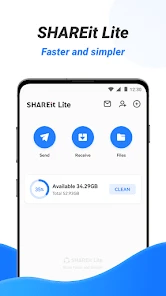
First off, downloading SHAREit Lite was a breeze. It's available on both Android and iOS, so no one gets left out. Once installed, the user interface greeted me with a clean and straightforward design, which I appreciated. No one likes to fumble around with complicated menus, right?
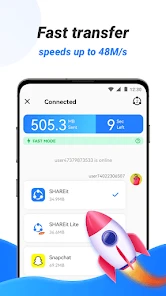
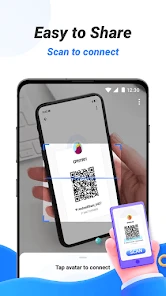
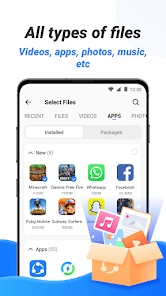
The app focuses on what it does best - sharing files swiftly. It claims to transfer files at speeds 200 times faster than Bluetooth, which sounded like a godsend for my impatient self. There's no need to worry about file size limits, and it covers everything from photos and music to videos and even apps. The process is simple: select the file, choose the recipient, and off it goes!
Performance and Features
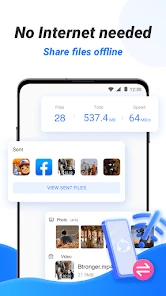
Now, onto the performance. I decided to put the app to the test by transferring a hefty 1GB video file to my friend's device. To my delight, the transaction was completed in just a few minutes, living up to its high-speed claims. What's even better is that it didn’t consume any of my mobile data. Instead, it creates a direct Wi-Fi connection between devices, which is just brilliant!
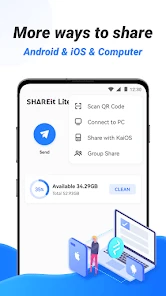
Another feature that surprised me was its ability to share files with multiple devices at once. This came in handy during a group project, where I needed to send documents to several teammates. Plus, it supports a wide range of file formats, so compatibility issues are practically non-existent.
Privacy and Usability
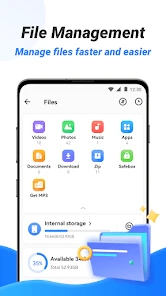
In terms of privacy, SHAREit Lite assures users that it doesn’t store any of the files shared, which is a relief in this age of rampant data breaches. The app also boasts a file manager that helps organize your files, making it easy to locate them post-transfer. This functionality enhances user experience, especially for those of us who have a knack for misplacing files.
Usability-wise, the app runs smoothly without any annoying ads popping up during transfers, which is a major plus in my book. The only hitch I encountered was the occasional drop in connection, but a quick retry usually fixed the issue.
All in all, SHAREit Lite has proven to be a reliable companion for file sharing. Whether you're a student needing to send lecture notes or just someone who loves to share media with friends, this app has got you covered. So, next time you're in a bind with file transfers, give SHAREit Lite a whirl. You might just find it as indispensable as I do.
Pros
- Fast file transfer speeds
- User-friendly interface
- Supports multiple file formats
- Low battery consumption
- Lightweight and efficient
Cons
- Contains ads
- Requires internet for some features
- Limited customization options
- No cloud storage integration
- May have compatibility issues

- Category
- Productivity
- Version
- 3.8.38_ww