Screen Recorder - G1REC
- 2.13K
- 4.3
- Installs
- 10.00M
- Price
- Free

Screenshots

Analysis by Reviewed
I tend to judge a screen recorder less by its feature list than by whether I can start capturing something quickly and end up with a file I can actually use. Screen Recorder - G1REC is aimed at that everyday need: saving on-screen activity, from a game moment to a short walkthrough. Its simple approach is appealing, though the results still depend on the phone, the app being recorded and how demanding the session is.
Quick capture without much setup
The first useful thing about G1REC is the low-friction idea behind it. When I want to show someone how to find a setting, capture a short clip or keep a record of an on-screen process, I don’t want to spend longer arranging a recording than doing the task itself. A straightforward recorder can make that kind of job easier, especially for someone who only records occasionally and doesn’t need a full editing suite.
For a practical workflow, I’d decide what needs to be shown before pressing record: close unrelated screens, line up the page or game, and keep the explanation short. That helps avoid trimming a long, messy capture afterward. If I’m making a tutorial, I’d also test the audio on a brief clip first; a recording that shows the right steps but has unclear narration is less useful than a simpler, well-planned one.
Who will get the most from it
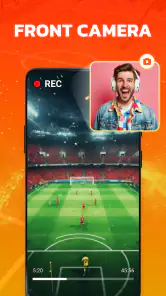
This kind of app makes sense for casual gameplay clips, quick demonstrations, and people who need to explain what appears on their phone. Facecam can be useful when a creator wants their reactions or presence alongside the screen, while microphone capture suits spoken instructions. Those additions are most valuable when they serve a clear purpose; turning everything on for every recording can make a simple clip feel cluttered.
I’d be more cautious if my main goal were polished, long-form video production. A dedicated editor is usually the better place to assemble multiple takes, refine pacing, add titles or make detailed audio adjustments. A screen recorder’s job is to capture the session; it shouldn’t be mistaken for a complete production workflow just because it can record sound and a facecam.
Everyday trade-offs and a useful test
Imagine a friend asks how to change a setting buried in an app. I’d open the relevant screen, make a short test recording, check that the taps and any spoken explanation are understandable, then capture the final walkthrough. That small preview is a worthwhile habit: it can catch an unhelpful orientation or audio choice before I spend time recording the whole explanation.
For gameplay, I’d make the same kind of short test before committing to a longer session. Recording adds work for a phone that is already running a game, so it is sensible to close tasks I don’t need and avoid assuming that every device will handle a long capture equally well. If a game becomes less responsive, I’d prioritize playing smoothly and try a shorter clip or the phone’s built-in recorder instead.
More From Our News Desk

Weather by Xiaomi Review: Clear at a Glance, Less Clear Up Close

X Under Pressure: Can It Recover When Posting Goes Wrong?

Clash of Clans Is Won Between the Battles

Android Auto Makes the Case for Quieter Car Software

MobiOffice: Transforming Mobile Productivity with Seamless Integration

EA SPORTS FC™ Mobile Soccer: Redefining Mobile Sports Gaming
Getting Started with G1REC
First things first, let's talk about getting this app up and running. Downloading and installing Screen Recorder - G1REC was a breeze. The app is available for both Android and iOS, making it accessible for a wide range of users. Once installed, you'll be greeted with a clean and intuitive interface that doesn't overwhelm you with unnecessary options. It's straightforward, which is always a plus in my book.
G1REC is a free video recording app from Eco Mobile Editor, with optional in-app purchases priced from about two dollars to forty-five dollars per item. It has reached over ten million installs and holds an average rating of 4.3 from around 103,000 ratings. That level of adoption suggests it has found an audience, but popularity alone won’t tell me whether it suits a particular phone or recording task. I’d treat the free option as a way to see whether the basic workflow fits before considering any purchase.
User-Friendly Interface
Speaking of the interface, it's worth highlighting just how user-friendly it is. The main screen offers you quick access to all the essential features. Whether you want to start a recording, access your saved videos, or tweak the settings, everything is just a tap away. I appreciated how G1REC managed to keep things simple yet effective.
A clean layout matters most when the recording itself is time-sensitive. If I’m about to demonstrate a sequence of taps, I want to spend attention on the steps rather than hunting around for the recorder controls. I’d still take a moment before a first important capture to locate the saved-video area and check the available settings. A little familiarity up front makes it easier to spot the clip afterward and decide whether it needs a second take.
Feature-Packed Yet Lightweight
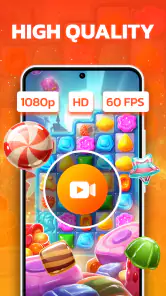
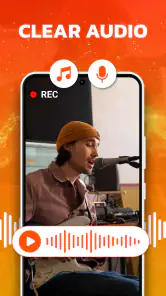
One of the standout features of Screen Recorder - G1REC is its ability to offer a plethora of features without being a resource hog. From recording in high definition to capturing audio from your device's microphone, it covers all the bases. There's even an option to add a face cam, which is perfect for gamers or presenters who want to add a personal touch to their recordings.
- High-Definition Recording
- Audio Capture
- Face Cam Integration
- Easy Sharing Options
These features, combined with its lightweight nature, make it a strong contender in the screen recording arena.
There is a practical trade-off between adding context and keeping a clip easy to watch. A facecam can help a viewer connect a reaction to a game moment, but it can also compete with details on a small display. For a how-to video, I’d use microphone narration only if it clarifies a step; otherwise, a clean capture may be easier to follow. I’d also keep recordings focused rather than treating the recorder as a way to preserve every minute of a session.
Performance and Reliability
Now, let's talk performance. During my time with G1REC, I found it to be incredibly reliable. It didn't crash or lag, even when recording graphically intensive games. The quality of the recordings was top-notch, with no noticeable frame drops or audio sync issues. It's clear that the developers have put a lot of effort into ensuring a smooth user experience.
Those results are encouraging, but I wouldn’t promise the same performance in every demanding situation. A game, recording settings and device workload can all affect how smooth a capture feels. If a long session matters, I’d first record a short sample, play it back, and check both image and sound. That simple check is more dependable than assuming the finished video will be perfect just because the live recording seemed fine.
Recovery is another reason to keep important captures manageable. For a one-off tutorial or a moment that cannot be repeated, I’d verify the clip soon after recording and save or share it where I can find it. For a casual game highlight, a shorter capture is easier to review and less frustrating to redo if anything goes wrong. This isn’t a guarantee against interruptions; it’s a sensible way to reduce the cost of a failed take.
Sharing Your Creations
Once you've captured your masterpiece, sharing it with the world is a piece of cake. Screen Recorder - G1REC offers seamless integration with popular social media platforms, allowing you to upload your videos directly. Alternatively, you can save them locally and share them via email or messaging apps. This flexibility ensures that your content can reach its intended audience without any hassle.
For a clip meant for a friend or a small group, local saving and ordinary messaging may be all I need. For a public post, I’d watch the video once before uploading: confirm that the useful moment starts early, speech is audible, and no unrelated screen is included. That review step is especially worthwhile for instructional recordings, where a mistaken tap or private notification can distract from the explanation.
G1REC is listed for Everyone and requires Android 7.1 or later, so an older or unsupported device may need a different option. It was released on September 18, 2018, and its current version is 3.4.9. Those details make it worth checking compatibility before relying on it for a planned recording. On a newer phone, I’d still compare it with the built-in screen recorder: the system tool may be more convenient for a quick capture, while a separate app can be preferable if its audio and facecam options match what I need.
A small workflow that prevents wasted takes
One habit I find useful is to plan the recording around the viewer, not just the screen. For a settings walkthrough, I’d begin with the page the viewer needs, pause briefly so the context is clear, and then move through the steps at a pace someone can follow. I’d avoid narrating every tap if the visual action is obvious. That keeps the clip shorter and gives me fewer distractions to edit or explain later.
For game clips, I’d decide whether I want a spontaneous highlight or a complete explanation. Those are different jobs: a spontaneous capture benefits from having recording ready before the moment, while a tutorial needs a deliberate opening and a steady sequence. A facecam is more useful for the first when expressions are part of the appeal; a clean screen with concise narration is often easier to understand for the second.
Another small but useful check is to consider the screen’s orientation before recording. If I’m showing a page that is easiest to read vertically, I’d keep the walkthrough in that orientation rather than switching midway. For a game that is played horizontally, I’d prepare the phone and the opening screen in advance. A consistent view makes the saved clip feel intentional and avoids asking viewers to turn their attention back and forth.
Choosing between a separate recorder and the built-in tool
The built-in recorder is the obvious alternative, and for a quick personal capture I’d try it first if it already does what I need. It avoids adding another app to the workflow and may be a natural fit for a short clip that only needs to be saved. G1REC makes more sense when its combination of screen capture, microphone audio and facecam better matches the kind of video I plan to make. The decision is less about which option is universally superior and more about whether I need those extra recording choices.
Compared with a full video editor, G1REC is at the earlier end of the process. It is for getting the screen activity into a recording, not for shaping a finished piece with careful cuts, titles and a detailed sound mix. I’d use a recorder to capture a clean source clip, then move to an editor if the result is meant to feel produced. That division of labor is helpful: trying to force a recorder to do the editor’s job can make the whole process slower.
There is also a practical cost to adding facecam and narration: they create more elements that need checking before sharing. If the clip is only meant to answer a friend’s question, I’d keep it simple and skip anything that doesn’t make the instruction clearer. If the goal is a personality-led gaming post, those elements may be worthwhile, but I’d still check that the gameplay remains visible and the voice is easy to hear.
When I would choose another option
I would look elsewhere if I needed a recorder with guaranteed performance across every game, a detailed post-production workflow, or a capture setup that I had already tested thoroughly for a professional deadline. Any screen recording depends on the phone and the app being recorded, so an important, unrecoverable session deserves a rehearsal rather than blind confidence. If the built-in tool produces smoother results on a particular device, there is no reason to switch simply for the sake of using a separate app.
Storage and attention are also worth considering before a long capture. A short clip is quick to inspect and easy to send; a lengthy recording takes more time to review and can include stretches the viewer does not need. I’d capture only the relevant section whenever possible, particularly for a tutorial. If I do need a longer recording, I’d check that the phone is ready and review the result soon afterward instead of assuming that a complete session automatically makes a useful video.
For younger users or shared devices, the Everyone age rating is reassuring as a content classification, but I’d still use ordinary care when recording screens. Before sharing, I would check for personal information, messages or other material that should not be part of the clip. That final review is not a special editing trick; it is a sensible step whenever a phone screen is being recorded for someone else to see.
Where I’d draw the line
I’d skip G1REC if I needed precise editing controls, a carefully produced multi-scene video, or guaranteed performance during a long, demanding session. In those cases, a dedicated editor or a built-in recorder that is already well matched to the device may be a better starting point. I’d also avoid buying optional items until I had tried the free workflow and knew which limitation I was trying to solve.
For occasional screen captures, short tutorials and gameplay moments, though, the straightforward approach is a real advantage. My practical recommendation is to make a brief test, check the saved result, and then choose the recorder that gives the best balance of convenience and smoothness on your own phone. G1REC is worth trying if its simple capture tools fit that job; I wouldn’t choose it on the assumption that every device or use case will behave identically.
In conclusion, if you're in the market for a reliable and feature-rich screen recording app, Screen Recorder - G1REC should definitely be on your radar. Its combination of user-friendly design, robust features, and reliable performance make it a standout choice in a crowded field. Whether you're a content creator, a gamer, or just someone who loves documenting their mobile experience, this app is worth a try. Happy recording!
Screen Recorder - G1REC Frequently Asked Questions
Can I use Screen Recorder - G1REC to capture tutorials or app demonstrations?
Screen Recorder - G1REC is presented as a tool for capturing gameplay, movies, and other on-screen activity, so it may also suit users who want to record a walkthrough or demonstrate something on their device. Its audio and facecam options can add context to a recording. Think about what you want viewers to see and hear before setting up a session.
Can I record commentary with Screen Recorder - G1REC?
The app’s description highlights recording with audio and facecam, making it relevant for people who want to add spoken commentary or appear alongside their screen capture. These options can be useful for gameplay clips, explanations, and other recordings where a voice or camera view adds context. Check the available recording controls on your device before beginning.
Is Screen Recorder - G1REC suitable for recording gameplay and other on-screen activity?
Its store description presents it as a screen recorder for capturing gameplay, movies, and other on-screen activity, with audio and facecam options. That makes it relevant to users who want to create screen recordings rather than simply play or edit existing videos. Before recording, consider what you want to capture and check the app’s available controls on your device.
What features does Screen Recorder - G1REC offer?
Screen Recorder - G1REC is packed with features that cater to both casual users and professionals. It offers high-quality screen recording with customizable resolution and frame rates, audio recording options, and the ability to include webcam feeds. Users can also edit their recordings using built-in tools, such as trimming and adding annotations. The app supports easy sharing to various platforms, making it a versatile choice for content creators.
Is Screen Recorder - G1REC free to use?
Screen Recorder - G1REC is free to download, and it offers a free version with basic features suitable for most users. However, some optional in-app purchases are available, with prices ranging from around two to 45 dollars per item. This gives users a way to try the app without paying upfront, while keeping in mind that certain purchases may cost extra.
Pros
- High-quality video recording.
- User-friendly interface.
- Supports multiple languages.
- No watermark on recordings.
- Various recording modes available.
Cons
- Consumes significant battery power.
- Limited editing features.
- Requires in-app purchases for some features.
- Might lag on older devices.
- Ads can be intrusive.
- Category
- Video Players & Editors
- Version
- 3.4.9












