Scratch
- 918.00
- 3.8
- Installs
- 1.00M
- Price
- Free

Screenshots
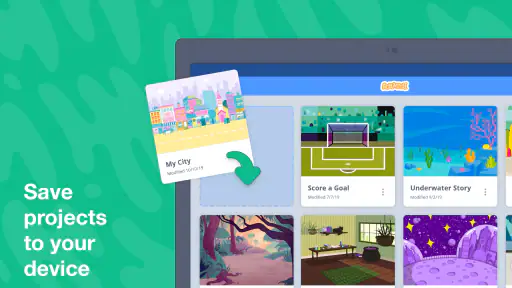
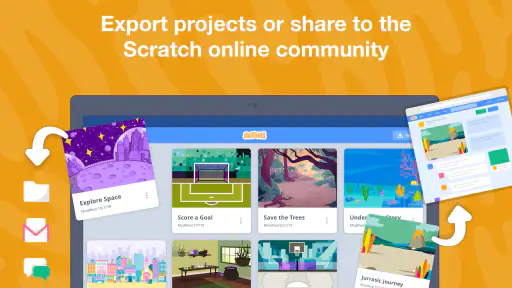
Analysis by Reviewed
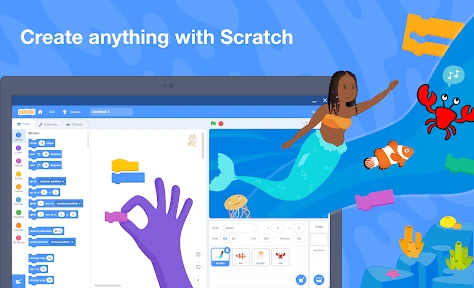
I like Scratch best when I treat it as a small creative workshop rather than a shortcut to a finished game. It lets me build interactive stories, games, and animations by arranging code blocks, then share projects with people around the world. That combination makes it useful for curious beginners, but the experience also depends on what they want to do online and how they use a phone or tablet.
Where a connection changes the experience
Making a project and showing it to other people are different parts of the experience. The creative work is the main attraction, while sharing and exploring a community give it a wider audience. I would plan to have a reliable connection when browsing other people’s work or sharing a finished creation, rather than assuming every part of the app works the same way without one.
That distinction is helpful for families and teachers. A child can focus on shaping an idea first, then make sharing a separate step with an adult’s guidance. For a classroom activity, I would have students decide what they want to make before spending time exploring community projects; it keeps the lesson centered on their own problem-solving instead of turning the session into browsing.
A better fit for short mobile sessions
On a mobile device, I find the block-based approach more inviting than typing code, especially for a first experiment. Still, a small screen can make a project with many blocks harder to inspect and rearrange. A quick animation or a simple interactive scene is a more comfortable phone-sized task than trying to organize a sprawling project all at once.
A practical routine is to begin with one character, one action, and one clear goal. For example, a student waiting after school could make a character move when tapped, then add a short scene or sound if the idea still feels manageable. Keeping the first version small makes it easier to spot what is not working and gives the creator a satisfying result without needing a long uninterrupted session.
Making, learning, and sharing
When you first open Scratch, you’re greeted with a vibrant interface that screams creativity. It’s like stepping into a digital playground where everything is possible. The app is designed to be intuitive, making it accessible even for those who aren’t tech-savvy. All you need is a curious mind and a bit of imagination.
Features That Stand Out
The app offers a block-based coding language, which is fantastic for beginners. You don’t need to worry about syntax errors or complex coding languages. Instead, you can focus on the fun part – creating! Simply drag and drop blocks to piece together your projects. It’s a bit like building with digital LEGO blocks, and who doesn’t love LEGO?
More From Our News Desk

Weather by Xiaomi Review: Clear at a Glance, Less Clear Up Close

X Under Pressure: Can It Recover When Posting Goes Wrong?

Clash of Clans Is Won Between the Battles

Android Auto Makes the Case for Quieter Car Software

MobiOffice: Transforming Mobile Productivity with Seamless Integration

EA SPORTS FC™ Mobile Soccer: Redefining Mobile Sports Gaming
One of my favorite features is the community aspect. It has a massive online community where you can share your projects, get feedback, and even collaborate with others. It's a great way to learn from more experienced users and to showcase your own creations. Plus, the community is generally supportive and welcoming, which is a breath of fresh air.
Learning and Growing
Scratch isn’t just about having fun; it’s also an excellent educational tool. Many schools are now incorporating it into their curriculum as it teaches kids the basics of coding, problem-solving, and logical thinking in a fun and engaging way. As someone who’s always learning, I find this aspect incredibly valuable.
Moreover, there are plenty of tutorials and resources available within the app and online. So, if you ever get stuck, help is just a click away. It’s amazing how much you can learn just by experimenting and playing around with the different features.
Building a project that teaches you something
A useful way to learn is to change one thing at a time. If a character does not move as expected, I would check the sequence of blocks and test the project after each adjustment, rather than rebuilding the whole idea. That turns a confusing result into a small debugging exercise: the creator can see which change affected the outcome and begin to understand how instructions fit together.
This also makes Scratch a good option for a parent or teacher who wants to help without taking over. Ask the learner what they expected to happen, then let them test a possible fix. The block format lowers the barrier to experimentation, but the learning comes from making a prediction and checking it—not simply collecting more blocks or copying a finished project.
When another tool may suit you better
Compared with a text-based coding environment, Scratch is much less demanding at the beginning: there is no need to learn punctuation and syntax before making something move. That is a real advantage for younger learners and anyone who wants visual feedback quickly. The trade-off is that someone ready to practice conventional programming may prefer a text-based tool, where typing and managing code are part of the learning goal.
It is also not the best choice for someone who only wants to play polished games or watch finished animations. Its appeal is creating and experimenting, and the results depend on the user’s patience and ideas. If a learner gets frustrated by planning, testing, and revising, a guided coding lesson may be a gentler starting point; if they enjoy making their own rules, Scratch is a more open-ended place to explore.
Recovering when a session goes wrong
When a project behaves unexpectedly, I would first simplify the scene and test the smallest action that reproduces the problem. If the issue seems tied to a community page or sharing, I would check the connection and try that online step again once it is stable, rather than assuming the project itself is broken. Separating a local creative problem from a network-dependent task makes troubleshooting less frustrating.
For a longer activity, it is sensible to pause at a clear milestone: get the main action working before adding extra characters, scenes, or effects. That gives the learner a manageable point to return to if attention is interrupted. I would also avoid making a shareable version the only copy of an idea; keeping the project goal simple and revisiting it in stages is a more reliable workflow than rushing to publish at the end of a session.
Keeping data use intentional
Because community browsing and sharing involve online activity, I would make those moments purposeful, especially on a limited mobile connection. Decide whether the session is for creating, looking for inspiration, or showing work; switching repeatedly between those activities can consume attention as well as data. A teacher can also choose a project prompt in advance so students spend their time building rather than searching widely.
Scratch is free, is made by the Scratch Foundation, and is rated for everyone. It has an average rating of 3.8 from around 14,000 ratings, with more than 1 million installs. Those figures suggest broad interest, though they do not tell me whether it will suit a particular learner; the important question is whether that person wants to make interactive work rather than simply consume it.
Who I would recommend it to
I would recommend it to beginners, families looking for a creative activity, and teachers introducing ideas like sequence, cause and effect, and debugging. A helpful first challenge is to recreate a familiar moment—a character crossing a scene or reacting to a tap—then invite the learner to change one rule and predict what will happen. That is specific enough to start quickly but open enough to make the result their own.
Scratch is a less natural fit for advanced programmers seeking a professional development workflow, or for people who need a distraction-free activity with no online component. For everyone else, I think its strongest quality is how quickly an idea can become something visible and testable. The connection matters most when exploring or sharing; the creative value comes from building, noticing what happens, and deciding what to change next.
Endless Possibilities
What really sets Scratch apart is the endless possibilities it offers. Whether you want to create a simple animation or develop a complex game, the app provides the tools to bring your vision to life. And because it’s so accessible, people of all ages can join in on the fun. It’s a testament to how technology can be used to foster creativity and innovation.
All in all, Scratch is more than just an app; it’s a gateway to a world of creativity and learning. Whether you're a young student, a teacher, or just someone looking to explore your creative side, this app has something to offer. So why not give it a try and see where your imagination takes you?
Scratch Frequently Asked Questions
Does Scratch require an account, and can I try it before signing up?
Scratch is built around creating projects and, when you choose, sharing them with others. You can explore coding ideas by making stories, games, and animations, while an account is useful for saving projects online and participating in the community. If you are setting it up for a child, it is worth deciding together whether online sharing is part of the experience you want.
Can Scratch projects be used without an internet connection?
Scratch offers an offline editor, so users can create projects without an internet connection. Working offline is helpful when connectivity is limited or when you want to focus on building a project without sharing it. An internet connection is needed for online sharing and collaboration, so the offline experience is best suited to creating and practising privately until you are ready to publish.
Is Scratch appropriate for children, and what does its age rating mean?
Scratch is an education app with an Everyone content rating, and it is designed to make coding concepts approachable through creative projects. Children can build stories, games, and animations while practising logical thinking and experimentation. Parents and educators may still want to guide younger users, especially when projects are shared online, and help them make thoughtful choices about interacting with a community.
What can children learn by using Scratch?
Scratch introduces programming through visual blocks that users arrange to make characters and objects act in particular ways. Creating a project can encourage problem-solving, sequencing, creativity, and persistence as learners test ideas and revise them. It is a friendly way to explore coding fundamentals, though the main emphasis is on making interactive projects rather than learning a text-based programming language.
Who develops Scratch, and is it a paid app?
Scratch is developed by the Scratch Foundation and is free to use. It is an education app focused on helping people make code-based stories, games, and animations, then share their work with others around the world. Its free access makes it easy to try for personal learning or classroom activities without treating payment as a prerequisite for getting started.
Pros
- Highly educational for beginners.
- Simple drag-and-drop interface.
- Large online community support.
- Free to use with no ads.
- Encourages creative thinking.
Cons
- Limited advanced programming features.
- Requires internet for full functionality.
- Not optimized for mobile devices.
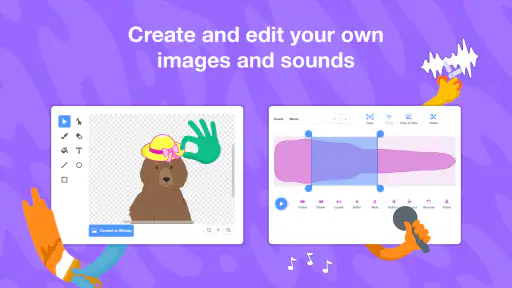
- Limited sound editing features.
- Some features can be slow to load.
- Category
- Education
- Version
- Varies with device