Samsung TV Plus - TV & Movies
- 2.49K
- 3.9
- Installs
- 100.00M
- Price
- Free

Screenshots
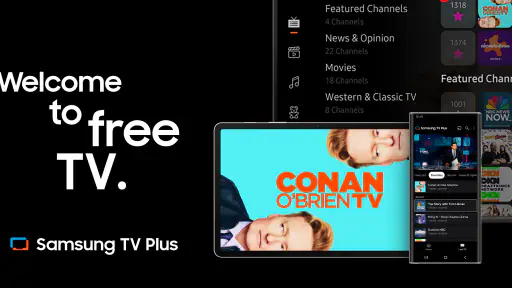

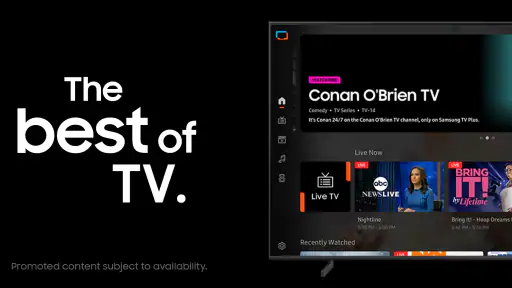
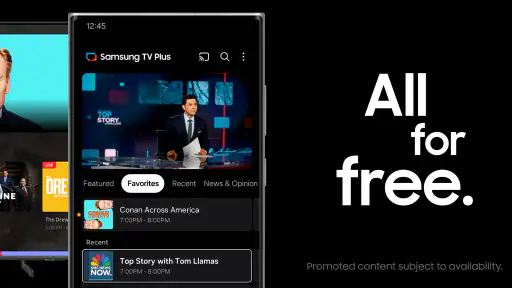
Analysis by Reviewed
I’m most interested in whether a free TV app still earns a place once the first burst of browsing wears off. Samsung TV Plus makes a strong first impression because it puts live channels and on-demand viewing in the same place, with no subscription to weigh against the decision to open it. It’s an entertainment app from Samsung Electronics Co., Ltd., and the appeal is simple: when I don’t have a particular show in mind, I can browse rather than pay for another service just to fill the gap.
That “nothing specific planned” situation is also a useful test of whether the app fits your routine. I’d try it at the time of day when you usually want something on but don’t want to make a whole project of choosing. If you only enjoy watching a named programme or a new release, the free-to-browse approach may not change your habits. If you often want casual viewing, the low-friction option can be more valuable than a long list of titles you have to search.
The first-week appeal: something to put on quickly
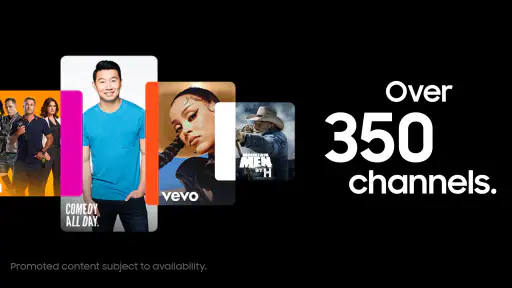
The service offers more than 350 live channels alongside thousands of movies and shows on demand. That mix gives it two useful starting points: I can let a channel provide the next thing to watch, or choose a title when I already have a rough idea of what I want. It suits a spare half-hour, background viewing while making dinner, or a lazy evening when deciding on a film feels like work.
For example, if I finish work and want the news on while I cook, a live channel is an easier choice than searching several subscription libraries. Later, I can browse on-demand titles without treating the evening like a hunt for one specific release. That casual, low-commitment rhythm is where the app makes the most sense.
A small practical tip is to use the live option when you have only a loose mood in mind—news, cooking, or something familiar—and save on-demand browsing for when you can give the screen your attention. It keeps two different kinds of viewing from competing with each other. I also wouldn’t treat every channel as a promise that it will suit me: the value is in having alternatives ready, not in expecting every choice to be a personal match.
Month-to-month value beside other streaming choices
With a 3.9 average from around 25,000 ratings and over 100 million installs, Samsung TV Plus has clearly reached a large audience, though popularity alone doesn’t guarantee it will match your tastes. It’s free, and it’s rated for teens. I see it as a companion to paid streaming services, not a replacement: subscription platforms are usually the better fit when I want a particular series, a carefully curated catalogue, or a planned night of viewing. This app is more useful when I want to browse live TV or find something without adding another bill.
One practical way to get more value from it is to decide what kind of viewing you want before opening the app. If I want background company, I start with live channels; if I want to sit down and watch closely, I look through on-demand choices. That small distinction helps keep casual browsing from turning into a long scroll, and makes the service easier to return to as a habit rather than a novelty.
Compared with a conventional live-TV package, the appeal here is that I can dip in without making it the centre of my television setup. Compared with a subscription streaming library, the trade-off runs the other way: it gives me a relaxed way to stumble across something, but isn’t my first stop for a planned series night. I would keep both kinds of service mentally separate rather than judge this one by whether it can do everything a paid platform does.
That distinction matters for households, too. If different people want different things, an app built around browsing may work as a neutral option for a shared room, especially when nobody has agreed on a title. But if someone in the household needs a particular programme at a particular time, I’d check that their usual service covers that need rather than assume a broad channel lineup will. The app is most dependable as an extra choice, not as the family’s sole viewing plan.
Maintenance, fatigue, and the honest trade-off
There’s little financial maintenance: no subscription to monitor or renewal to remember. The cost is attention. A broad lineup can still leave me unsure what to choose, and the presence of ads means free viewing isn’t the same as uninterrupted viewing. If you’re sensitive to breaks, or you mainly watch a few specific programmes, a paid service with a more focused catalogue may be a better fit.
Maintenance still exists in the everyday sense: you have to decide when this app is useful and when another source is faster. I’d avoid opening it automatically whenever I’m bored, because endless sampling can make a large lineup feel more like clutter than choice. Instead, I’d give it a clear job—background TV during a task, a casual live channel, or a browse when I’m open to surprises. That simple boundary helps preserve the easygoing value that makes it worth keeping.
Ads are part of that bargain, so I’d factor them into the kind of viewing I choose. For a show playing in the background while I tidy up, an interruption may matter less than it would during a film I’m trying to follow closely. If I want a continuous, focused watch, I’m more likely to choose a paid option I already use. The sensible question isn’t whether ads exist, but whether the no-subscription convenience is worth the breaks for the way I watch.
Another source of fatigue is the gap between browsing and finding. A large selection can be enjoyable when I’m curious, but frustrating when I have a precise request and don’t immediately see it. I’d use the app with a flexible expectation: “something to watch” rather than “the exact programme I want.” When I know the title in advance, going straight to a service organized around that title is usually the more efficient move.
People sometimes ask whether a free app can be used for deliberate viewing rather than just background television. I think it can, especially when I’m open to sampling an on-demand film or show, but I wouldn’t build a special evening around a title before checking that it suits the moment. For planned viewing, I prefer a service where I already know what I want to watch; for casual discovery, the mixed live and on-demand format is a better match.
For a realistic weeknight, I might put on a live channel while preparing dinner, then switch to another activity without worrying that I’ve left a paid film half-watched. If I sit down afterward and want a particular kind of programme, I can browse on demand; if nothing catches my eye quickly, I can move on to another service. That ability to leave without feeling I have wasted a subscription is a genuine convenience, and it also keeps expectations in check.
Does it earn a lasting place?
Ever found yourself endlessly scrolling through channels, not knowing what to watch? Welcome to the club! But fear not, fellow TV junkie, because there's a game-changer in town and it goes by the name of Samsung TV Plus. Now, let me take you on a little journey through this app that's been shaking up the world of streaming.
A Dive into the Features
Let's break it down, shall we? The app is downright intuitive. The interface is sleek, easy to navigate, and pretty much idiot-proof, which is a blessing when you're trying to catch the latest episode of your favorite show while juggling a bag of popcorn. You’ll find categories neatly laid out, making it a breeze to switch between live TV and on-demand content.
And here's the kicker: the channel lineup is surprisingly diverse. From international news networks to niche lifestyle channels, there’s something for everyone. Honestly, I was skeptical at first, but after a few days of binge-watching everything from cooking shows to classic movies, I was hooked.
User Experience: Smooth Sailing or Rocky Waters?
In the world of streaming apps, performance is king. Fortunately, Samsung TV Plus delivers a smooth viewing experience. Videos load quickly, and the quality is spot on, even when my internet decided to take a little nap. Plus, the app rarely crashes, which is a huge win in my book.
But, let's be real, it's not all rainbows and unicorns. There are ads, and while they’re not overly intrusive, they do pop up now and then. But hey, it’s a small price to pay for free content, right?
Choosing it for the right kind of evening
I’d recommend it most to people who like television as an easy default rather than a carefully managed queue. It can be useful for a short break, a shared room where nobody can agree on a film, or a task that feels less dull with something playing nearby. The live side can remove the decision entirely, while the on-demand side leaves room to choose without making the app feel like a commitment.
I’d skip it as a main destination if your viewing is built around a few specific shows, if interruptions spoil the experience for you, or if you want a tightly curated set of recommendations. Those are situations where an existing paid service, a broadcaster’s own app, or another more targeted option may suit you better. The point isn’t that one model is universally superior; it’s that this app rewards flexibility more than precision.
If you’re wondering whether it replaces ordinary television, I’d say it can fill some of the same casual role, but I wouldn’t assume it behaves exactly like a traditional channel package or that every viewer will find the same programmes useful. Think of it as a free additional source of entertainment. That framing prevents disappointment and makes it easier to judge its real contribution to your routine.
Final Thoughts: Is It Worth Your Time?
If you're someone who loves variety and doesn't want to commit to yet another monthly subscription, then Samsung TV Plus is definitely worth checking out. It’s a solid choice for those lazy Sunday afternoons or when you're in the mood for something new without the commitment. Sure, it might not replace your existing streaming services, but it’s a fantastic addition to your entertainment arsenal.
So, grab your phone, download the app, and dive into a world of free entertainment. You might just find your next favorite show. And remember, sometimes the best things in life really are free!
My long-term verdict
For me, the lasting value depends on treating this as an easy second screen for discovery, not as the one place that must satisfy every viewing mood. If the live channels regularly fit into your day, the app can become a convenient habit; if you only open it when searching for a specific title, the more targeted catalogues of other services may save time. I’d keep it for spontaneous viewing and skip relying on it for a must-watch schedule.
After the novelty wears off, I’d judge it by a simple routine check: did I actually use it for an unplanned moment this week, and did it save me time or money compared with opening another service? If the answer stays yes, it has earned a modest place alongside my other viewing options. If I’m repeatedly scrolling, getting interrupted when I want focus, or leaving without finding something suitable, there’s no reason to keep it in rotation just because the app is free.
That is why I see its recurring value as practical rather than essential. It asks for little financial commitment, but it still competes for attention with other ways to watch. Keep it when its live channels and on-demand selection make ordinary downtime easier; choose a more focused service when a specific title, uninterrupted viewing, or a carefully planned watchlist matters more. That’s the balance that makes the app worth trying without expecting it to become everyone’s primary screen.
Samsung TV Plus - TV & Movies Frequently Asked Questions
Can Samsung TV Plus be downloaded from the Google Play Store or Apple App Store?
Samsung TV Plus is designed for Samsung devices, including compatible Galaxy phones and tablets as well as Samsung smart TVs. Before looking for a download, check that your device is part of the supported Samsung range; the app is not intended for non-Samsung devices. If it is compatible, use the app store or content hub available on that device to find Samsung TV Plus.
Does Samsung TV Plus require an internet connection, and how does that affect watching?
Yes. Samsung TV Plus streams live channels and on-demand programs, so you need an internet connection to watch. A stable connection helps content play smoothly, whether you are browsing channels or choosing a movie or show. If your connection is unreliable, streaming may be interrupted or take longer to load, so it is worth checking your network before settling in to watch.
Who develops Samsung TV Plus, and what kind of app is it?
Samsung TV Plus is an entertainment app developed by Samsung Electronics Co., Ltd. It brings live television channels and on-demand movies and shows together in one service for compatible Samsung devices. Its appeal is straightforward: open the app, browse what is available, and start streaming without a paid subscription. The experience is centered on Samsung’s device ecosystem.
What devices and operating systems are compatible with Samsung TV Plus?
Samsung TV Plus is intended for Samsung smart TVs and select Samsung Galaxy devices, including compatible smartphones and tablets. It is not available on non-Samsung devices, so check that your device belongs to the supported Samsung range before downloading. The app is an entertainment service, and access depends on using a compatible Samsung device.
Do I need to create an account or provide payment details to start watching?
You can start watching Samsung TV Plus without signing up or logging in, and the service is free to use. There are no subscription fees or additional costs involved. Once you open the app on a compatible device, you can browse its channels and on-demand content. A stable internet connection is needed for smooth streaming.
Pros
- Free access to a wide variety of channels.
- No subscription required for streaming.
- User-friendly interface and easy navigation.
- Available on multiple Samsung devices.
- Regular updates with new content.
Cons
- Limited to Samsung devices only.
- Ads can interrupt viewing experience.
- Requires stable internet connection.
- Content may vary by region.
- No option to download content offline.

- Category
- Entertainment
- Version
- Varies with device