ReShot : AI Photo Generator
- 164.00
- 3.8
- Installs
- 5.00M
- Price
- Free
Screenshots
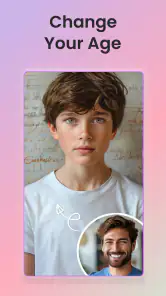
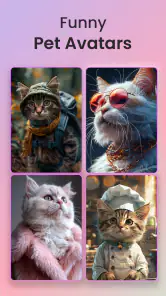
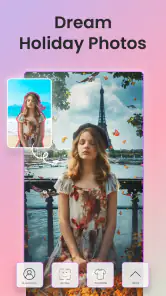
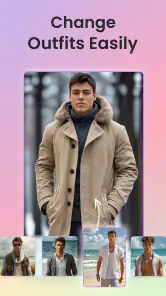
Analysis by Reviewed
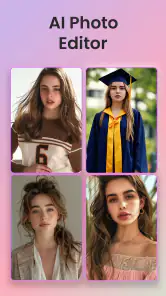
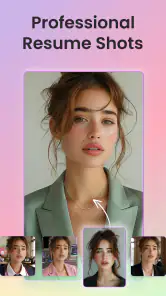
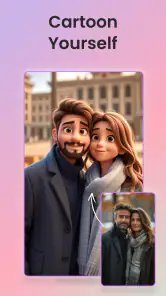
Choosing an AI photo app comes down to what you want to make, how much control you want, and whether a stylized result is more useful to you than a faithful edit. ReShot : AI Photo Generator is an Art & Design app from Vyro AI that is aimed at people who want to give portraits and everyday pictures an AI-made look without learning a complicated editor. Its focus on Ghibli-inspired portraits, AI headshots, and toon-style effects makes it more of a creative transformation tool than a replacement for a conventional photo editor.
I’d start by thinking about the image you want at the end. If you need to crop, straighten, or make careful adjustments while keeping a photo realistic, a standard editing app is likely the better fit. If the goal is a playful portrait or a more imaginative version of a familiar snapshot, ReShot is the kind of app I’d try first. The distinction matters: AI styling can change the character of a face or scene, so it works best when you welcome interpretation rather than expect a precise retouch.
A New Era of Photography
At its core, ReShot : AI Photo Generator is an innovative app that leverages the power of artificial intelligence to transform your ordinary photos into extraordinary works of art. Imagine taking a mundane picture of your morning coffee and turning it into something that looks like it belongs in an art gallery. The app’s AI technology analyzes your images and applies unique filters and effects that enhance their aesthetic appeal.
Getting Started
Jumping into ReShot is as easy as pie. Once you download the app, you're greeted with a user-friendly interface that doesn’t require a degree in computer science to navigate. Simply upload a photo from your gallery or take a new one directly from the app, and let the magic begin. The AI does all the heavy lifting, so you don’t have to worry about adjusting settings or tweaking filters manually.
For a more reliable first result, I’d choose a well-lit photo with one clear subject and a face that is not partly hidden. That gives the transformation a straightforward starting point, especially for a portrait or headshot style. A group photo, strong shadows, or a busy background can make it harder to judge whether an effect has worked, so I’d test those after finding a style I like on a simpler image.
Features That Stand Out
What sets ReShot apart from other photo editing apps is its advanced AI features. The app offers a wide range of styles and filters, from classic art-inspired effects to futuristic digital enhancements. Whether you want to channel your inner Van Gogh or create a cyberpunk masterpiece, ReShot has got you covered. Plus, the app updates regularly with new filters, keeping your creative options fresh and exciting.
The useful trade-off is that the style does much of the creative work for you. That makes it quick to explore a new look, but it also means the result may not preserve every detail exactly as it appeared in the source photo. I’d treat the first generated image as a creative draft, not automatically as the final portrait. Compare it with the original before sharing, particularly if the person needs to be immediately recognizable.
More From Our News Desk

Clash of Clans Is Won Between the Battles

Android Auto Makes the Case for Quieter Car Software

MobiOffice: Transforming Mobile Productivity with Seamless Integration

EA SPORTS FC™ Mobile Soccer: Redefining Mobile Sports Gaming

How Microsoft OneDrive Became a Mobile Productivity Giant

How Google Translate Breaks Language Barriers Effortlessly
Another noteworthy feature is its batch processing capability, which allows you to transform multiple photos at once. This is perfect for those times when you’ve just returned from a trip and want to give all your vacation photos a cohesive, artistic touch.
For a practical batch workflow, I’d group photos that have similar lighting and subjects rather than combining every picture from a trip. A consistent set is more likely to feel intentional when shared together; a landscape, a close-up portrait, and a dim indoor shot may respond differently to the same artistic treatment. If you need each image to look carefully composed, handling them individually is the safer choice.
User Experience
One of the things I love about ReShot is how intuitive it is. The app is designed with the user in mind, ensuring a smooth and enjoyable experience. There’s something incredibly satisfying about watching your images morph into something beautiful right before your eyes. Plus, the app doesn’t bombard you with ads, which is a huge plus in my book.
A realistic use for me would be making a lighthearted profile picture from a clear selfie, then trying a different portrait style for a friend or family group chat. It is also a handy creative option when a plain phone photo feels a little too ordinary for a casual post. I would not use an AI-styled image when the photo needs to document something accurately, such as a product detail or an important real-world condition; the transformation is the point, and that can make fidelity the wrong priority.
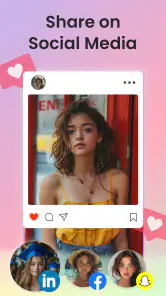
Sharing your creations is a breeze, too. With just a few taps, you can post your newly enhanced photos directly to social media or save them to your device for later. It’s a great way to show off your artistic side and impress your friends with your newfound skills.
Compared with manual editors, ReShot favors speed and a ready-made visual direction over fine control. Compared with apps built mainly around realistic portrait touch-ups, its appeal is the more visibly creative result. That makes it a better match for experimentation and casual sharing than for someone who wants to adjust every detail or keep an image looking untouched. I’d keep the original photo as well, so the stylized version remains an optional interpretation rather than the only copy.
Cost, Compatibility, and What to Expect
ReShot is free to download, with in-app purchases ranging from $3.49 to $24.99 per item. I’d explore the available experience before paying for anything and decide whether I actually use the styles often enough to justify a purchase. If I only want one occasional novelty portrait, a paid option may not be worthwhile; if I regularly make themed images, it may be easier to judge its value after trying the app myself.
The app is rated for Everyone, has an average rating of 3.8 from around 12,000 ratings, and has been installed over 5 million times. It was released on December 27, 2023, and version 1.7.5 requires Android 8.0 or later. Those details make it straightforward to check basic compatibility, but they do not tell me whether a particular style will suit my photos; the best test is still to try a representative image and inspect the result before building a larger project around it.
If you switch from a conventional editor, the main adjustment is deciding what you want the app to do. ReShot is not the tool I’d choose for precise corrections or a consistent, realistic finish. I’d use a regular editor for those jobs and bring ReShot in when I want a distinct AI-generated treatment. Keeping those roles separate avoids expecting one app to handle both careful correction and imaginative restyling equally well.
Choosing the Right Photo and Workflow
One useful way to decide whether the app belongs in your routine is to start with a photo you do not need to rescue. AI styling is a poor substitute for fixing a blurry, badly exposed, or awkwardly framed image, because it changes the look rather than solving every underlying photo problem. I’d first make any basic crop or light adjustment in a familiar editor, save a copy, and then use ReShot to explore a more expressive treatment. That simple order keeps the source intact and makes it easier to tell whether the effect itself is adding something.
For a quick everyday example, imagine taking a bright selfie before meeting friends and wanting a playful image for a group chat. I’d pick a frame with a clear face, try one portrait direction, and compare the result with the original before sending it. If the style changes a small facial detail in a way that feels unlike me, I’d choose another result or leave the photo untouched. For a professional profile, where people expect an accurate and dependable likeness, I’d lean toward a restrained headshot workflow instead of treating an imaginative filter as a substitute for a proper portrait.
There is also a practical distinction between making one standout image and preparing a coordinated set. A stylized picture can work well as a social avatar, invitation image, or personal creative experiment, where a little inconsistency is part of the fun. A set intended to look polished together needs closer checking: I’d compare faces, colors, and backgrounds across the finished images rather than assume a batch will make every shot feel equally cohesive. That extra review matters most when the photos will be used outside a casual post.
When Another Kind of App Makes More Sense
People choosing among photo apps often have three different jobs in mind: correcting a picture, enhancing a portrait, or changing its visual identity. ReShot is most compelling for that last job. A manual editor is the more dependable choice when I need exact crops, controlled color changes, or a natural result; a portrait retouching app is a better fit when the goal is subtle polish. ReShot is the option I’d reach for when I want the image to look intentionally transformed rather than simply improved.
That difference also helps answer whether it can replace an editor. I would not build my whole photo workflow around it if I regularly need precise adjustments, consistent output for a business, or careful correction across many kinds of pictures. Instead, I’d treat it as a specialist in a small creative step: choose a suitable image, try an AI look, then keep or discard the version. That narrow role can be an advantage because it avoids the clutter of trying to use one tool for every possible edit.
Another sensible question is whether a generated portrait will always look like the person in the original. I would not assume that. The point of a strong visual treatment is to reinterpret the source, and a result that feels charming on one face may alter another enough to seem unfamiliar. For a gift or shared portrait, I’d preview it with the person in mind and avoid presenting the output as a faithful record. That expectation makes the app more enjoyable and reduces disappointment when an artistic effect prioritizes style over exact likeness.
Final Thoughts
In a world where image is everything, ReShot offers a refreshing and innovative way to elevate your photos. It’s perfect for anyone looking to add a touch of artistry to their images without the hassle of traditional photo editing. Whether you’re an aspiring artist or just someone who loves to capture everyday moments, ReShot is an app worth trying.
I’d recommend it to curious users who enjoy trying different portrait and cartoon-like looks, and to anyone who wants a fast creative result without learning a detailed editing workflow. I’d skip it if my priority were exact likeness, natural-looking correction, or hands-on control over every adjustment. For those needs, a conventional photo editor or a portrait tool focused on subtle retouching is a more sensible choice.
My practical advice is to begin with one image that has a clear subject, keep the unedited original, and judge the result at the size and in the setting where you plan to use it. A portrait that looks appealing as a small avatar may reveal distracting changes when viewed full size, while a bold treatment that feels too unusual for a work profile could be just right for a personal post. This small check helps me decide whether a style is genuinely useful instead of simply novel.
The app is free to try, but I’d make a purchase decision only after checking that the kinds of results I want are part of the experience I’m actually using. The 164 written reviews offer another perspective alongside the broader rating, though neither can predict how a particular photo will turn out. My own deciding factor would be repeat use: if I keep finding occasions for creative portraits, it earns a place in my toolkit; if I only want one effect once, I’d stick with the free experience and avoid paying just for curiosity.
So, why not give it a shot? You might just find yourself amazed at what you can create with a little help from AI.
ReShot : AI Photo Generator Frequently Asked Questions
Can I use ReShot to create Ghibli-style portraits, AI headshots, and cartoon effects?
ReShot is an art and design app focused on AI-generated photo transformations. Its store summary highlights Ghibli portraits, AI headshots, and toon-up filters, making it useful for people who want to try different visual treatments for their pictures. These options give the app a creative, stylized focus rather than making it a general-purpose photo editor.
What is ReShot: AI Photo Generator and how does it work?
ReShot: AI Photo Generator is an innovative app designed to transform your ordinary photos into stunning works of art using advanced artificial intelligence technology. The app works by analyzing your uploaded photos and applying sophisticated filters and styles to recreate them in unique artistic forms. Users can choose from a variety of styles and effects to enhance their images, making the app perfect for creative expression and social media sharing.
Is ReShot: AI Photo Generator free to use or does it have any in-app purchases?
ReShot: AI Photo Generator offers a free version with basic features that allow users to explore the app's potential. However, to access premium features and a wider selection of artistic styles, users may need to make in-app purchases or subscribe to a premium plan. This allows for an enhanced experience with more customization and artistic options. The app is free to download, with in-app purchases ranging from $3.49 to $24.99 per item.
What devices are compatible with ReShot: AI Photo Generator?
ReShot: AI Photo Generator is available for both Android and iOS devices, ensuring a wide range of compatibility. The app is optimized to run smoothly on most smartphones and tablets, providing users with a seamless experience. It is recommended to have the latest version of the operating system for the best performance and access to the latest features. On Android, it requires version 8.0 or later.
How can I ensure my photos remain private when using ReShot: AI Photo Generator?
ReShot: AI Photo Generator takes user privacy seriously by implementing strict data security measures. The app ensures that any photos uploaded are processed securely and are not stored permanently on their servers. Users can also review the app’s privacy policy to understand how their data is handled and what measures are in place to protect their privacy.
Pros
- Easy to use interface
- High-quality image output
- Fast processing speed
- Offers multiple style options
- Regular updates with new features
Cons
- Requires internet connection
- Limited free features
- Occasional bugs
- Subscription can be pricey
- High battery usage

- Category
- Art & Design
- Version
- 1.7.5











