Quizlet: Study with Flashcards
- 58.14K
- 4.7
- Installs
- 50.00M
- Price
- Free

Screenshots
Analysis by Reviewed
I find Quizlet most useful when I need to turn a subject into a repeatable study routine rather than simply reread notes. It is an education app from Quizlet Inc., built around flashcards and practice, and its appeal is straightforward: make or find a set, then use short sessions to check what you actually remember. Quizlet: Study with Flashcards suits students and curious learners who like active recall, though it works best when you bring good material and a little discipline of your own.
A study workflow that rewards small sessions
A practical way to use it is to create a set while reviewing class notes, keeping each card focused on one term, date, formula, or idea. Then return to that set for a few minutes between other tasks. For example, before a biology quiz, I might make cards from the concepts I keep mixing up, study them on the bus, and revisit the difficult ones later that evening. That is more useful than trying to squeeze an entire chapter into one giant card set.
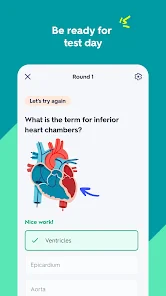
The app’s interactive practice tests can also help shift a session beyond flipping cards. I would use them after a first pass through a topic, when I want to check whether I can retrieve information in a different format rather than recognize a familiar answer. The AI tools may be convenient when you need help getting started, but I would still review generated study material carefully: a polished-looking prompt or card is not a substitute for checking it against your course notes.
Make each card do one job
A useful card is not just a smaller version of a page of notes. I try to make the prompt specific enough that I know what kind of answer I am expected to retrieve. A vague prompt such as “the nervous system” can invite a long, unfocused response; a question about the function of one named structure gives me a clearer test. If I repeatedly miss a card, I first check whether I have forgotten the fact or whether the wording itself is confusing.
There is also a trade-off between speed and quality when building a set. Copying several paragraphs into cards feels productive in the moment, but it can leave me with prompts that are hard to answer and harder to review. Breaking the material into small questions takes longer at the start, yet makes a short session easier to finish and reveals which details genuinely need more attention. I would rather begin with a handful of well-formed cards than import an entire chapter and avoid opening it.
Where it fits among study alternatives
Compared with paper cards, Quizlet is easier to carry and makes it simple to keep a collection of topics together. Paper still has an advantage if writing answers by hand helps you concentrate, or if you want a screen-free session. Compared with a plain notes app, flashcards encourage you to test memory instead of scanning a page. But neither format automatically teaches a difficult idea: when a subject needs diagrams, extended explanations, or worked examples, I would use a textbook or class notes alongside the cards.
Shared sets can save preparation time, especially for familiar school subjects, but I would treat them as a starting point rather than assume every card is accurate or arranged the way I need. A useful habit is to edit a borrowed set into my own wording and remove cards that test trivia instead of the learning goal. That small bit of work makes review more relevant and helps expose gaps in the source material.
More From Our News Desk

Weather by Xiaomi Review: Clear at a Glance, Less Clear Up Close

X Under Pressure: Can It Recover When Posting Goes Wrong?

Clash of Clans Is Won Between the Battles

Android Auto Makes the Case for Quieter Car Software

MobiOffice: Transforming Mobile Productivity with Seamless Integration

EA SPORTS FC™ Mobile Soccer: Redefining Mobile Sports Gaming
Choosing between a shared set and your own
For a common topic, a ready-made set can be a helpful way to begin studying without spending the whole evening preparing materials. The important step is a quick quality check before trusting it: scan for definitions that do not match the way your class explains them, repeated cards, and questions that test details your course does not emphasize. I would not assume that a set is reliable simply because it looks complete or has been shared by other learners.
Making my own set is the better choice when a teacher uses particular terminology, when the exam focuses on a specific reading, or when I know which ideas I personally confuse. A mixed approach often makes sense: start with an existing set to see the shape of a topic, then rewrite the cards that matter most in my own language. That avoids needless setup while still making the final review fit the way I need to learn.
How Quizlet works in a real study routine
So, what makes Quizlet worth considering? For me, its strongest point is the way it turns spare minutes into a chance to retrieve information instead of merely rereading it. The AI tools may help a learner get a first draft of study material together, but I would not treat personalization as a substitute for choosing the right questions. Imagine preparing for a history exam: I would use cards to check names, dates, and short cause-and-effect relationships, then turn to full notes and practice questions to work through the broader story.
User-Friendly Design
One of the first things I noticed about Quizlet is its intuitive design. The interface is clean, straightforward, and easy to navigate. Whether you're a tech newbie or a seasoned app user, you'll find it simple to create, share, and study your flashcards. Plus, the app is packed with features like images and audio to enrich your study sessions.
Learning on the Go
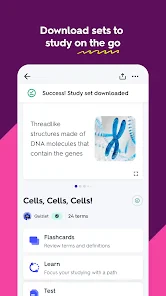
In our busy lives, finding time to study can be a challenge. Thankfully, Quizlet has a solution for that. The app allows you to study anytime, anywhere. Whether you're commuting, waiting for an appointment, or just lounging at home, you can whip out your phone and get a quick study session in. The convenience factor is off the charts!
That convenience works best when I decide in advance what a short session is for. On a commute, for example, I might review one vocabulary unit rather than browse through every subject I have saved. When I get an answer wrong, I make a note of the underlying confusion and come back to it later at a desk if it needs a longer explanation. This keeps a quick phone session from pretending to be a complete substitute for focused study.
For a smoother routine, I would keep separate sets for separate goals rather than mixing every subject into one collection. A language learner, for instance, can group vocabulary by unit and add a short example to make a word easier to recall in context. For a course with lots of similar definitions, writing a brief contrast on the back of a card can be more revealing than memorizing two isolated entries. These choices take a little setup, but they make each later review more purposeful.
Community and Collaboration
Another cool aspect of Quizlet is its vast community. You can connect with millions of other learners, share your flashcards, and even collaborate on study sets. It's like being part of a massive study group that's available 24/7. The social learning aspect can be a real motivator, pushing you to keep up with your peers.
Working with other learners
A shared set is most useful when a group agrees on what the cards are meant to cover. If everyone adds material without checking the result, the set can become a pile of overlapping prompts with inconsistent wording. I would ask one person to review the final version and make sure the questions reflect the class material, then use it as a common starting point rather than a definitive answer key. This kind of light editing can save time later, when the group needs to focus on learning rather than sorting out mismatched definitions.
Collaboration is not automatically the right approach for every subject or study habit. Some learners remember more effectively when they write and organize material alone, and a shared collection can be distracting if it keeps changing or grows beyond the exam’s scope. I would use group-made cards for facts everyone needs to know, while keeping personal cards for weak spots and questions that require more explanation.
Who will get the most from it
Quizlet is a strong fit for learners who have terms, facts, vocabulary, or short explanations to remember and who benefit from returning to material in small bursts. It can also help a study group coordinate around a shared set, provided someone checks the content and agrees on what belongs in it. I would be less enthusiastic about recommending it as the main tool for a subject where success depends on building an argument, interpreting a long text, or solving multi-step problems. In those cases, cards can support the basics, but practice with full questions matters more.
It is especially useful for students who already have notes or a syllabus and need a practical way to turn selected points into self-testing. It can also suit independent learners picking up vocabulary or revisiting terminology for work, as long as they can judge whether the material they are studying is accurate. Someone who wants a complete course, step-by-step teaching, or detailed feedback on complex answers should look elsewhere for that core instruction and use cards only as a supplement.
Where the routine can go wrong
The main weakness is not that flashcards are ineffective; it is that they can make shallow study feel more complete than it is. Recognizing a familiar answer is easier than explaining an idea from scratch, and short prompts do not always reveal whether I understand how concepts connect. I try to avoid counting a fast run through a set as proof that I can handle an exam question. For anything involving reasoning, I follow card review with a written explanation, a worked problem, or a discussion of the topic.
There is also a screen-time cost to studying on a phone. Notifications and the temptation to switch apps can break concentration, even when the study tool itself is simple to use. I find it helps to set a modest goal before opening the app and stop when that goal is met, rather than letting a study session turn into aimless tapping. If a learner knows that a phone reliably distracts them, paper cards or a notebook may be the more effective option despite being less convenient to carry.
It is free to download, and its average rating is 4.7 from around 854,000 ratings, with over 50 million installs. The app is rated for Everyone and was released on August 20, 2013; version 10.15.3 supports Android 8.0 and later. Optional in-app purchases range from $1.99 to $44.99 per item, so I would check what a paid option includes before building a routine around a feature I might not want to pay for. The free starting point makes it easy to try, while those purchases are worth weighing against how often you expect to study.
Because the app has a free starting point and optional purchases, I would try the kind of study routine I actually expect to use before deciding whether to pay for anything. A learner who only needs occasional vocabulary review may have different needs from someone who studies with it every day. In either case, I would check the specific paid feature and its value to my routine rather than assume that paying is necessary to get started or that every tool is included at no cost.
If you prefer handwritten revision, need long-form explanations, or find phone study too distracting, paper cards, a notebook, or a focused textbook session may suit you better. Quizlet also depends on the quality of the cards: shared material can be uneven, and creating a useful set takes more thought than copying every line of notes. I see it as a flexible study companion, not a replacement for understanding the subject or checking reliable course materials.
My recommendation
Overall, Quizlet: AI-powered Flashcards is a useful choice for anyone who wants a repeatable way to test short pieces of knowledge and can take responsibility for the material they study. Its combination of flashcards, practice, and AI tools can make it easier to get a study session moving, while shared sets may help learners avoid starting from an empty page. I would recommend it to students who want a portable review aid, especially when they pair it with notes, examples, and proper practice questions. If you need deep instruction, prefer a screen-free approach, or are studying a subject built around extended reasoning, another tool should lead and Quizlet should stay in a supporting role.
Quizlet: Study with Flashcards Frequently Asked Questions
Is Quizlet free to download, and are there optional purchases?
Quizlet is free to download, so you can try the app without paying upfront. It also offers in-app purchases, with prices ranging from $1.99 to $44.99 per item. If you are comparing options before installing, keep in mind that the free download and optional purchases are separate: the app’s available study tools and purchase choices may affect which experience you choose.
What can I study with Quizlet?
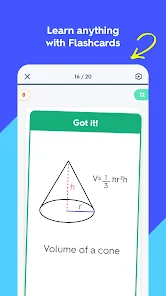
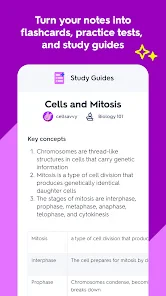
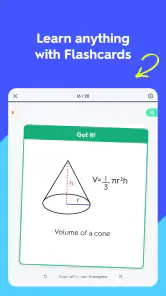
Quizlet is an education app built around flashcards, interactive practice tests, and AI tools. These formats can help you review terms, check what you remember, and revisit material while studying. You can use study sets created by other users or make and share sets for your own needs, which makes the app adaptable to a range of subjects and learning goals.
What devices and operating systems can I use Quizlet on?
Quizlet is an education app for studying with flashcards, interactive practice tests, and AI tools. The current version is 10.15.3 and requires iOS or Android 8.0 or later. It is also designed for use across smartphones, tablets, and computers, so you can move between devices while keeping your study materials accessible.
Is Quizlet suitable for younger students?
Quizlet is rated Everyone, making it suitable for a broad audience, including students. Its flashcards, quizzes, and interactive practice tools can support learning across different subjects and study levels. As with any learning app, parents and teachers can help younger users choose appropriate study materials, especially when they are browsing sets created and shared by other users.
What is Quizlet and how does it utilize AI?
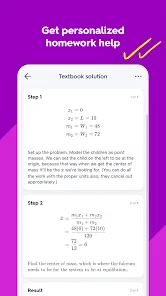
Quizlet is an educational app designed to help students learn and retain information through flashcards, games, and quizzes. The AI-powered feature personalizes the learning experience by adapting to individual study habits and progress, providing customized suggestions to optimize learning outcomes. This technology ensures that users focus on areas needing improvement, making study sessions more effective and efficient.
Pros
- AI-generated study guides simplify learning.
- Interactive flashcards boost memory retention.
- Wide range of subjects available for all ages.
- User-friendly interface enhances accessibility.
- Offline mode allows studying without internet.
Cons
- Limited features in the free version.
- Ads may interrupt the study experience.
- Some AI features require a premium plan.
- Occasional app crashes reported by users.
- Content accuracy varies with user-generated sets.
- Category
- Education
- Version
- 10.15.3












