ProCCD - Digital Film Camera
- 347.00
- 4.9
- Installs
- 10.00M
- Price
- Free

Screenshots
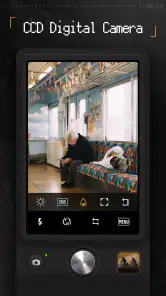
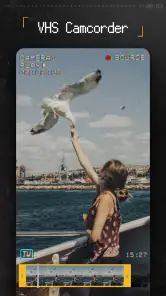
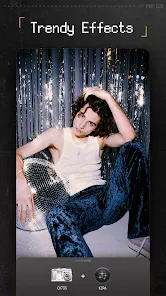
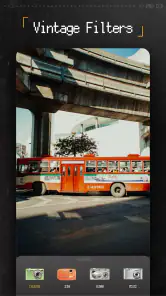
Analysis by Reviewed
I like ProCCD - Digital Film Camera most when I treat it as a creative camera rather than a replacement for every camera app on my phone. Its appeal is the chance to choose a retro look while taking a photo, instead of trying to rescue an ordinary shot later. That makes it especially enjoyable for casual portraits, street scenes, and everyday details. The trade-off is that a stylized result is the point: if you want neutral color and dependable editing flexibility, your phone’s standard camera or a conventional photo editor may suit you better.
Where the retro approach earns its place
ProCCD is a photography app from cerdillac, and its focus is easy to understand once you start framing pictures: it leans into the character of older digital and film-inspired cameras. Rather than offering only a clean, realistic image, it encourages you to make a visual choice before the moment passes. That can make a quick snapshot feel more intentional, especially when the lighting and subject already suit a nostalgic look.
A useful way to work with that style is to take a few test frames of the same subject before settling on a look. A filter that flatters a sunlit wall may make a dim indoor portrait feel muddy, while grain or a light-leak effect can add atmosphere but also compete with fine details. I’d keep the strongest effects for scenes where mood matters more than faithful color, and use a lighter touch when faces or small text need to remain clear.
That distinction also helps answer a practical question: is it mainly for editing existing pictures, or for taking new ones? Its identity is that of a camera experience, so I’d reach for it when I want the chosen treatment to shape the shot from the start. For a photo already in my gallery that needs cropping, cleanup, or a precise correction, a dedicated editor is often the more direct tool. I wouldn’t assume a retro camera app is the best place for every stage of a photo workflow.
A small everyday workflow that works
Picture a walk home when the late light is falling across shop windows. I’d open the app, choose a restrained look, and take a few frames of reflections or signs before the light changes. Later, I’d compare the results on a larger screen and keep the image where the effect supports the subject instead of burying it. This is a simple way to avoid collecting a whole camera roll of dramatic treatments that seemed exciting in the moment but feel too heavy afterward.
It also helps to think about where a picture will be seen. A grainy, faded image can read beautifully in a social post or a personal mood board, yet the same treatment may be unhelpful for a document, a product listing, or a photo someone needs to inspect closely. If you are photographing something important, take a neutral picture with your regular camera as well. That small habit gives you a usable record even if the stylized version is the one you prefer creatively.
Who should choose it—and who might not
If you enjoy the look of old compact cameras, want quick creative choices, or like making ordinary outings feel a little more personal, this is an easy app to try. It is free to install, carries a Teen content rating, and has an average rating of 4.9 from around 126,000 ratings, with over 10 million installs. It was released on July 8, 2022, and version 3.9.3 supports Android 7.0 and later. Optional in-app purchases range from $0.29 to $17.99 per item, so I’d explore the free experience first and decide whether any paid additions are worthwhile for your own use.
More From Our News Desk

Weather by Xiaomi Review: Clear at a Glance, Less Clear Up Close

X Under Pressure: Can It Recover When Posting Goes Wrong?

Clash of Clans Is Won Between the Battles

Android Auto Makes the Case for Quieter Car Software

MobiOffice: Transforming Mobile Productivity with Seamless Integration

EA SPORTS FC™ Mobile Soccer: Redefining Mobile Sports Gaming
On the other hand, I would skip it if your priority is accurate color, extensive retouching, or a fast, minimal camera interface with no stylistic decisions. Compared with a phone’s built-in camera, ProCCD gives the act of shooting more personality, but it may be less suitable when consistency and speed matter most. Compared with a full photo editor, it favors a distinctive camera look over detailed post-processing. Those are different jobs, and it makes more sense to keep both kinds of tools available than to expect one app to do everything.
Bringing the Retro Vibe Back
Remember the days when you had to wait to develop your film to see how your photos turned out? Well, ProCCD brings back that thrill with its impressive range of vintage filters and effects. When I first fired up the app, I was greeted by a user-friendly interface that made me feel like I was holding a classic camera in my hands. The developers have done a stellar job replicating the look and feel of vintage cameras, which is sure to hit a sweet spot with anyone who has a soft spot for retro vibes.
Features that Stand Out
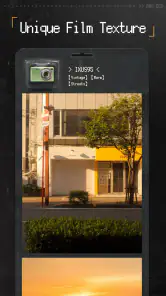
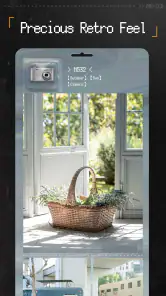
One of the standout features of ProCCD is its extensive collection of film filters. From Kodak to Fuji, it seems like they’ve covered all the bases. I was particularly impressed with how authentic the filters felt. It's like traveling back in time with every click. And it's not just about nostalgia – these filters can turn an ordinary photo into something truly special.
Aside from filters, the app also offers manual controls, giving you the freedom to tweak settings like ISO, exposure, and focus, just like on a real film camera. It’s perfect for those who want to have more control over their shots. Plus, the light leaks and grain effects add an extra layer of authenticity that's hard to resist.
User Experience
I have to say, using ProCCD feels like a blend of art and technology. The app runs smoothly without any annoying lags, which is a huge plus when you're trying to capture the perfect moment. Navigating through its features is a breeze, thanks to the intuitive layout. Whether you're a beginner or a seasoned photographer, getting around the app is straightforward, which I really appreciate.
Practical expectations before you shoot
The main question I’d ask before making it my everyday camera is whether I want the effect baked into the moment or prefer to keep an untouched original for later. When I’m experimenting, I’d take one frame with the chosen treatment and another with the regular camera. That gives me a safety net for scenes where exposure shifts quickly, and it lets me decide later whether the retro finish genuinely helps. For a deliberate creative session, though, committing to the app’s look can be part of the fun.
Manual controls are useful when the automatic result doesn’t match the mood I have in mind, but they also ask for a little patience. I’d adjust one setting at a time, starting with exposure, then check whether the subject still reads clearly before adding more texture. Grain and light leaks can make a plain scene feel lived-in, but stacking effects indiscriminately can obscure faces or make a busy background harder to read. The best result is often the one where the effect is noticeable without becoming the subject itself.
For someone new to photography, the controls can be a gentle reason to pay attention to how a picture is made. For a quick, unrepeatable moment, however, I’d keep the workflow simple and avoid tuning several settings while the scene disappears. If you mainly want a polished, natural-looking image with minimal decisions, your default camera is likely the more dependable choice. This app is most rewarding when there’s time to play and the scene can tolerate a little visual experimentation.
Choosing the right camera for the moment
A useful distinction is whether I’m documenting something or interpreting it. If I’m recording a receipt, a recipe written on a board, or a detail I may need to read later, I want sharp, neutral color and an image that is easy to inspect. A retro treatment can soften edges or alter tones, so I’d use the regular camera for those practical records. If I’m collecting impressions—a rainy pavement, a friend’s jacket in evening light, a row of old storefronts—the app’s stylized approach can turn the picture into more than a straightforward record.
That choice also affects how I handle a series. When I want a set of pictures to feel connected, I’d stick with one treatment for the whole outing rather than changing the look from frame to frame. Consistency makes a small collection feel intentional, even when the subjects differ. If I’m just exploring, switching looks is part of the appeal; if I’m making a sequence for a journal or a social post, restraint usually gives the results a clearer visual identity.
Another practical tip is to judge the preview in the actual light where you’re shooting, not only by the first impression of the filter. A screen indoors can make a look seem more subtle than it appears outdoors, and a strong effect may be difficult to assess while moving quickly. I’d pause for a second, check whether the subject remains legible, and take a second version if I’m unsure. That small pause is more useful than trying to fix an overly processed image later.
How it fits beside other photography apps
The usual alternatives solve different problems. A built-in phone camera is the sensible default for speed, dependable everyday records, and scenes where I don’t want a particular color treatment to dictate the result. A general-purpose editor is better when I already have a picture and need careful cropping, selective corrections, or cleanup. ProCCD makes the most sense between those choices: I open it when I want the camera experience itself to guide the mood, rather than simply capture a neutral file or polish one afterward.
That focus is both its strength and its boundary. It gives a casual shoot a clear point of view without asking me to build a look from scratch, but it is not the tool I’d choose for every subject or a detailed editing session. If you’re comparing it with a filter-focused editor, think about when you prefer to make the creative decision. Choosing the look as you shoot can be more immediate and fun; editing after the fact offers more room to compare and revise. Neither workflow is automatically better, and keeping both options available avoids forcing one style onto every picture.
It is also worth considering how often you enjoy taking photos just for the process. Someone who mainly snaps a picture to send information may find the extra creative choice unnecessary. Someone who likes composing a frame, testing a mood, and selecting the image that feels right will get more out of it. I’d recommend treating it as a companion camera rather than a permanent replacement: keep it ready for the scenes that benefit from character, and use the standard camera when reliability is the priority.
What I’d check before paying for extras
The app is free to install, while optional purchases are listed at $0.29 to $17.99 per item. I’d begin by using the free experience on the kinds of scenes I actually photograph, rather than buying anything because a collection looks appealing in theory. A useful test is to take the same subject in bright outdoor light, soft indoor light, and shade. If I keep returning to a particular look and can explain what it adds, a paid extra may make sense; if I’m still unsure what I’d use, there is no reason to rush the decision.
I’d also avoid assuming that paying will solve a mismatch in style. If the main issue is that I want natural color or detailed retouching, spending on more retro options would not change the app’s basic purpose. Purchases are more relevant when the camera’s approach already suits me and I want to extend the choices I use. That’s a straightforward way to decide without turning a free creative tool into an impulse purchase.
My verdict
With 10 million or more installs, ProCCD clearly has a broad audience for its particular blend of camera controls and retro styling. I can see why it appeals, but I wouldn’t recommend it as a universal upgrade over a phone’s camera. I’d keep it for days when I want pictures with a deliberate throwback character, and switch back to a standard camera or editor when accuracy, speed, or careful corrections matter more. For that specific creative purpose, it’s a worthwhile free starting point, provided you treat its strongest effects as choices rather than automatic improvements.
Final Thoughts
In a world flooded with countless photography apps, ProCCD - Digital Film Camera manages to carve a niche for itself. Its ability to mix modern convenience with vintage charm is what sets it apart. Whether you're looking to add a touch of nostalgia to your photos or simply want to experiment with film-like effects, this app is a must-try. I found myself going back to it more often than I thought, and I bet you will too. So, go ahead and give it a shot – capture those moments with a retro twist!
ProCCD - Digital Film Camera Frequently Asked Questions
Will ProCCD work on my phone’s operating system?
Before downloading, check that your device runs a compatible operating system. ProCCD’s minimum requirement is Android 7.0, so older Android versions may not be supported. If you use an iPhone or iPad, check the app’s compatibility details in the relevant store before installing. Keeping your device’s system software up to date can also help with compatibility.
Does ProCCD need an internet connection to take photos?
ProCCD is a photography app for creating images with vintage-inspired effects. Whether you need an internet connection can depend on the feature you are using, so it is worth checking how the app behaves with your chosen tools before relying on it offline. If you plan to use it while travelling or away from Wi-Fi, install it beforehand and try the camera features in the conditions you expect to encounter.
Can I use ProCCD to edit photos I already have?
ProCCD is centered on digital-camera-style photography and retro visual effects, including analog film, Polaroid-inspired, and Y2K looks. If you want to apply a particular effect to an existing image, check the app’s available import and editing options after installation. Its style is best suited to people who want a distinctive vintage character rather than only basic adjustments to a photo.
Is ProCCD suitable for sharing photos on social media?
ProCCD can help you create photos with a recognizable retro look, which may suit social posts when you want something more stylized than a standard camera image. The app is focused on photography and vintage effects, so you can explore those aesthetics before sharing your work through the services you normally use. Your preferred image style and sharing workflow will determine how well it fits.
How much do ProCCD’s optional purchases cost?
ProCCD is free to download, with optional in-app purchases ranging from $0.29 to $17.99 per item. You can start with the free experience and decide whether any paid options are worthwhile for your photography. Before confirming a purchase, review the price shown in the app and make sure it suits your budget; the paid options are not required simply to download ProCCD.
Pros
- High-quality digital film emulation
- User-friendly interface
- Multiple lens options
- Real-time filter preview
- Customizable settings
Cons
- Battery consumption is high
- Limited free features
- Occasional app crashes
- Somewhat steep learning curve
- Requires frequent updates
- Category
- Photography
- Version
- 3.9.3












