Private Photo Vault - Keepsafe
- 219.07K
- 4.7
- Installs
- 50.00M
- Price
- Free

Screenshots
Analysis by Reviewed
I find a private media vault most useful when it becomes part of a simple, repeatable routine rather than a place I remember only after taking a sensitive photo. Private Photo Vault - Keepsafe is a photography app from Keepsafe, built around keeping selected pictures and videos behind an extra privacy step. Its appeal is straightforward: I can separate items I do not want sitting in my regular camera roll without changing how I use my phone for everyday photography.
A practical routine for adding and finding media
My preferred workflow is to review the camera roll at a calm moment, move only the images I genuinely want private, and sort them into clearly named albums. That last step matters more than it sounds: a vault full of unsorted screenshots, personal documents, and family pictures can become harder to use than the camera roll it was meant to tidy up. I would keep the collection selective and use album names that make sense to me without revealing more than necessary on screen.
For an ordinary example, I might take pictures of paperwork while handling an appointment, then move those images into a dedicated album once I am home. I would check that they appear in the vault before deciding what to do with the originals in my main gallery. That small verification habit helps avoid the mistake of assuming a file has moved when it has not. It also makes the app useful for more than intimate photos: private reference images can be easier to keep separate from holiday pictures and everyday snapshots.
I would make this a short, repeatable check rather than trying to sort every image immediately after taking it. When I am in a hurry, it is easy to forget what I meant to move or to create albums that overlap. A single review later gives me a chance to decide whether an image belongs in the vault, should stay in the camera roll, or can simply be deleted. Keeping that choice deliberate is more useful than treating the app as a second gallery for everything.
Settings and habits worth thinking through
Before relying on any vault, I would check which access methods are available on my device and choose one I can use reliably. A privacy barrier is only helpful if I remember how to unlock it, so I would avoid a PIN that is easy for someone nearby to guess while still choosing something I can recall. If the app offers a disguised icon or break-in alerts in my setup, I would treat those as extra discretion rather than a substitute for a strong device lock and sensible phone-sharing habits.
I would also make a deliberate decision about backup and synchronization before storing anything irreplaceable. Cloud access can be convenient when using more than one device, but it changes the workflow: I need to understand which items I expect to be available elsewhere and keep account access secure. For highly sensitive material, I would not assume that a vault alone answers every privacy question; the phone’s lock screen, account security, and who can use the device all matter too.
One useful habit is to test the whole process with a harmless image before moving anything important. I would add it, find it in its album, close the app, and confirm I can return to it using the access method I chose. If I plan to use another device, I would check the account and synchronization workflow before depending on it there. This small rehearsal helps reveal practical snags early, without turning a private collection into a test case.
More From Our News Desk

Weather by Xiaomi Review: Clear at a Glance, Less Clear Up Close

X Under Pressure: Can It Recover When Posting Goes Wrong?

Clash of Clans Is Won Between the Battles

Android Auto Makes the Case for Quieter Car Software

MobiOffice: Transforming Mobile Productivity with Seamless Integration

EA SPORTS FC™ Mobile Soccer: Redefining Mobile Sports Gaming
I would also review the purchase screen before enabling anything that requires payment. The app is free to start, while optional in-app purchases can range from $0.99 to $299.99 per item. That wide span is a reason to pause and read what a particular option provides rather than assuming every extra is necessary. If my goal is simply to keep a small, selected album separate, I would first see whether the free setup already fits that routine.
Where it fits among photo privacy options
At a 4.7 average from around 2.1 million ratings, Keepsafe has clearly attracted a large audience, and it has been available since 2011. The app is free to start, rated for Everyone, and its current version is 14.7.0 for Android devices running version 5.1 or later. In-app purchases range from $0.99 to $299.99 per item, so I would check the purchase screen carefully before paying for anything and decide whether the free experience already covers my needs.
Compared with simply hiding pictures in a phone’s built-in gallery, a dedicated vault can offer a more focused place to organize private media and use app-level access controls. The trade-off is another app and another routine to maintain. Compared with moving files into general-purpose cloud storage, Keepsafe is aimed more directly at private photos and videos, while a broader file service may be preferable if I need to manage many kinds of documents in one place. It is also not the right fit if my main goal is editing, sharing publicly, or browsing a large photo library as quickly as I can in the standard gallery.
The right comparison depends on what problem I am trying to solve. A phone’s built-in hidden album may be enough if I only want a quick way to keep selected pictures out of the main view and prefer not to manage a separate app. Keepsafe makes more sense when I want a distinct place to arrange a small collection and accept the extra step of opening it. For documents that need to be sorted alongside scans and other files, general file storage may be more convenient; for routine photo editing, the regular gallery or an editor is the better tool.
There is also a practical difference between hiding an image and controlling who can use the phone. A vault can add a boundary around a chosen set of media, but it does not stop someone from using an already-unlocked device for other purposes. I would think of it as one layer in a privacy routine, not a replacement for a device passcode, careful sharing, or a backup plan. That distinction matters most in households where a phone is regularly handed to someone else.
Why Choose Keepsafe?
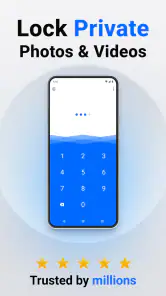
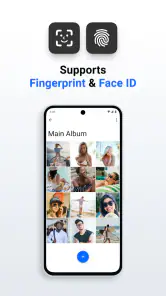
Imagine having a collection of photos that you want to keep away from prying eyes. That's where Keepsafe comes into play. This app acts like a vault, allowing you to protect your photos and videos with a PIN or a fingerprint. How cool is that? Plus, it offers a sleek interface that's not only user-friendly but also aesthetically pleasing.
Features That Stand Out
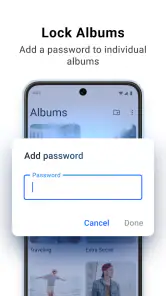
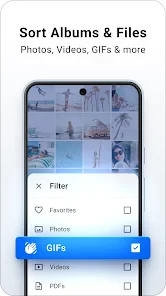
One of the features that caught my attention is the app's ability to create albums within your vault. You can organize your photos just like you would in a traditional photo album, making it super easy to find what you're looking for. And if you're worried about accidentally deleting something, the app has a trash recovery feature. So, no more heart-stopping moments when you think you've lost a cherished memory!
Another highlight is the app's private cloud storage. This means you can keep your files backed up and accessible from multiple devices. I found this particularly useful when switching between my phone and tablet. The synchronization was seamless, and I never had to worry about losing any data.
Albums are most helpful when they reflect how I will search later, not just how I feel while sorting. For example, separating paperwork from personal snapshots makes it easier to find a reference image without scrolling through unrelated media. I would keep names short and neutral, especially if the screen might be visible to someone nearby. The less I have to remember about where I filed something, the more likely I am to keep the collection useful.
A Few Nifty Extras
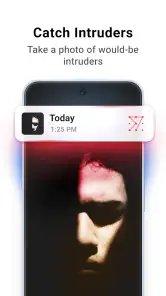
Keepsafe also offers break-in alerts. If someone tries to access your vault with an incorrect PIN, the app snaps a photo of the intruder. It’s like having a little detective in your pocket! Furthermore, the app supports GIFs, which is a fun bonus for those who love animated photos.
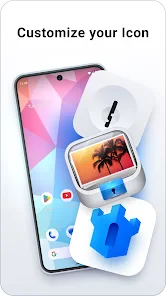
For those who want a little more discretion, Keepsafe has a disguised icon feature. You can change the app's icon so it looks like a different app. This adds an extra layer of privacy, ensuring that only you know where your precious files are stored.
These extras are best treated as situational. A break-in alert is relevant if someone tries the vault access screen, but it cannot tell me whether another person has handled my unlocked phone or viewed something elsewhere. GIF support is convenient when I want to keep an animated image with related pictures instead of leaving it in the general gallery. The disguised icon can make the app less obvious at a glance, though I would not rely on an icon change to protect the contents themselves.
Using the extras without relying on them too much
I see break-in alerts and a disguised icon as optional layers, not guarantees that nobody will discover what is on the phone. Alerts are most useful when someone actually attempts access, while an altered icon may make the app less obvious at a glance; neither replaces a secure device lock or careful control of who handles the phone. I would test the access routine and keep recovery details in mind before moving a large collection, rather than making the vault the only copy of important memories.
The same caution applies to recovery and cloud access. A trash feature can be reassuring after an accidental deletion, but I would not treat it as a permanent archive. Likewise, synchronization is convenient for someone who uses a phone and tablet, yet it makes account protection part of the privacy setup. I would periodically check that the albums I care about are still accessible on the device I use most.
If I use the vault across devices, I would keep the workflow consistent: add media from the device where I took it, then confirm it appears where I expect before relying on it. That check is especially sensible after changing phones or adjusting account access. It is a little less immediate than keeping everything in one camera roll, but the trade-off is easier to accept when the collection is intentionally small and organized.
A separate question is what to do with the original file after moving it. I would verify the vault copy first, then decide whether I want the same image to remain visible in the phone’s regular gallery. Keeping duplicates can be useful as a fallback, but it can also defeat the purpose of separating a private picture. The choice depends on how much I value an extra copy versus a cleaner camera roll, so I would make it consciously rather than assuming the transfer handled both sides.
Who will get the most from it
This is a good match for people who want a separate, organized space for selected personal photos, GIFs, and videos, and who are willing to build the habit of moving items into it. It may also suit someone who shares a device occasionally and wants a second access step for a particular collection. I would skip it if I rarely need to hide or separate media, dislike maintaining another app, or need a full-featured photo editor rather than a privacy-focused organizer.
For someone deciding whether to install it, the useful question is not whether every photo belongs in a vault, but whether a smaller set would be easier to manage there. Keepsafe has over 50 million installs, which signals broad adoption, but the right choice still depends on how much convenience you are willing to trade for separation. If you do try it, start with a few nonessential files, learn the album and access workflow, and only then decide whether it deserves your more important media.
A realistic routine might be to photograph a form before an appointment, keep the image in the vault while it is useful, and remove it once the information is no longer needed. That gives the app a clear purpose without turning it into a permanent dumping ground. Someone who often needs to show pictures to friends may find the extra unlocking and sorting inconvenient; someone who keeps personal references separate from casual photos may find those steps worthwhile.
I would also skip a dedicated vault if I need seamless access from many tools or want one searchable library for every kind of file. The more places an image needs to appear, the more coordination the vault adds. On the other hand, if the aim is simply to keep a modest set of media apart from casual browsing, a focused photo app can be easier to understand than a broad cloud folder full of unrelated material.
Final Thoughts
In a world where privacy is becoming increasingly important, Private Photo Vault - Keepsafe offers a secure and reliable solution for safeguarding your personal photos and videos. It combines ease of use with robust security features, making it a must-have app for anyone looking to keep their media private. Whether you're a privacy enthusiast or just someone who wants to keep their memories safe, Keepsafe is definitely worth checking out. Trust me, you won't be disappointed!
My more measured recommendation is to treat it as a tidy, app-level boundary for selected media rather than a complete privacy system. Its albums, recovery option, cloud access, and extra discretion tools can support a careful routine, but they work best when I know what I am storing, how I will retrieve it, and whether I need another copy. The app’s large audience—over 50 million installs—makes it a familiar option in this space, yet popularity does not remove the need to choose settings thoughtfully.
For someone willing to spend a moment sorting and checking files, Keepsafe can make private photos feel less mixed into everyday camera-roll browsing. For someone who wants everything automatic, dislikes account-based workflows, or rarely separates images at all, the regular gallery may be simpler. I would start small, establish a clear habit, and keep the app only if that extra separation genuinely makes my day-to-day photo library easier to manage.
Private Photo Vault - Keepsafe Frequently Asked Questions
Can I hide photos without changing how I use my regular gallery?
Private Photo Vault - Keepsafe is built around keeping selected media in a private vault or secure folder, rather than treating every photo on your device as private. That makes it a useful option if you want to separate certain pictures from your everyday browsing. Before moving important files, take a moment to understand how the app’s import and organization options fit your usual photo workflow.
Is Private Photo Vault - Keepsafe available for both Android and iPhone?
Private Photo Vault - Keepsafe is available to Android and iOS users. If you plan to move between platforms, check the app store for the device you intend to use and confirm that the version suits your operating system. The Android release supports version 5.1 or later. Compatibility can vary by platform, so it is worth checking before downloading rather than assuming every device can run the same release.
Is Private Photo Vault - Keepsafe free to download, and are there optional purchases?
Private Photo Vault - Keepsafe is a free photography app from Keepsafe, so you can try its core purpose—keeping selected photos private—without paying to download it. The app also offers in-app purchases, with prices ranging from $0.99 to $299.99 per item. Before buying anything, check the purchase details in the app so you understand what an option includes and whether it suits your needs.
What is Private Photo Vault - Keepsafe and how does it work?
Private Photo Vault - Keepsafe is a privacy-focused application designed to secure your photos and videos on your device. It functions by allowing users to create a PIN or password-protected "vault" where they can store sensitive media files. This ensures that only authorized users can access the content, providing an additional layer of security beyond the standard device lock screen.
How secure is Private Photo Vault - Keepsafe for protecting my personal media?
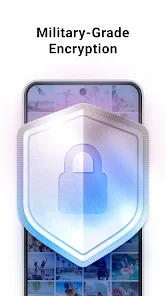
Private Photo Vault - Keepsafe employs advanced encryption methods to protect your photos and videos, ensuring that they remain private and secure. The app allows you to set a PIN, password, or fingerprint authentication to access your vault. Additionally, it offers features like break-in alerts, which notify you if someone tries to access the app with the wrong credentials, adding an extra level of security.
Pros
- Easy-to-use interface for all users.
- Strong encryption keeps photos secure.
- Supports multiple file formats.
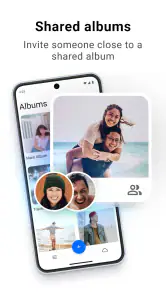
- Allows sharing without compromising privacy.
- Backup options for data safety.
Cons
- Limited features in free version.
- Ads can be intrusive at times.
- Requires internet for cloud backup.
- May consume more battery power.
- No option for multi-device sync.
- Category
- Photography
- Version
- 14.7.0











