Presets for Lightroom — FLTR
- 929.00
- 4.6
- Installs
- 10.00M
- Price
- Free

Screenshots
Analysis by Reviewed
Presets for Lightroom — FLTR is like having a magic wand for photo editing, right in your pocket. If you're someone who loves snapping photos and making them look Insta-perfect, this app is a game-changer. Let me walk you through my experience with it.
Instant Photo Transformation
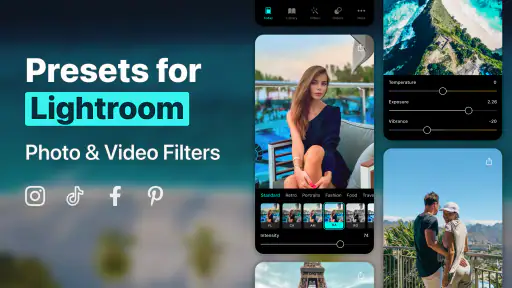
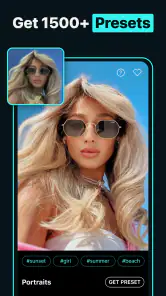
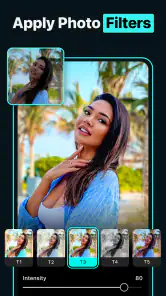
So, I downloaded Presets for Lightroom — FLTR on a whim, hoping to elevate my photography game without spending hours tweaking settings. And boy, was I in for a treat! The app is packed with a plethora of presets that instantly transform your photos from "meh" to "wow." Whether you're into moody tones or bright, airy looks, there's something for everyone. I was particularly impressed with how easy it was to apply these presets. Just a tap, and your photo goes from ordinary to extraordinary.
User-Friendly Interface
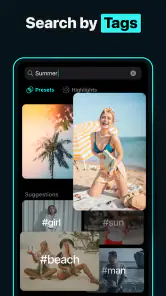
Now, let's talk about the user interface. I'm not exactly a tech wizard, so I really appreciate when an app is straightforward and easy to navigate. FLTR nailed it with their simple layout. Everything is pretty intuitive — you select a photo, choose a preset, and voilà! Plus, there’s a handy search feature that helps you find the perfect preset tailored to your specific style or mood. I spent a good chunk of time just playing around with different looks, and it was a blast.
Customization Galore
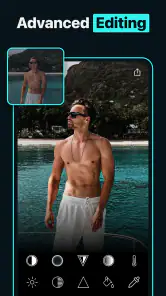
One of the coolest features of FLTR is the ability to tweak presets to your liking. Once you apply a preset, you can adjust various settings like exposure, contrast, and saturation to get the perfect look. It’s like having a mini photo studio in your hands! I loved how this allowed me to put a personal spin on each image, making them truly unique. This level of customization ensures that your photos don’t just look like everyone else's on social media.
Community and Inspiration
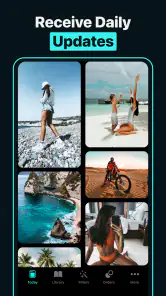
Another aspect I really enjoyed is the community vibe the app fosters. There’s a section where users can share their edited photos and presets. Browsing through these is not only inspiring but also gives you a sense of what’s trending. Plus, you can even download presets shared by other users, which means the possibilities are endless. It’s like having a global team of photographers right at your fingertips.
All in all, Presets for Lightroom — FLTR is a must-have for anyone serious about upping their photo editing game. It's user-friendly, packed with features, and offers a ton of creativity at your fingertips. Whether you’re a seasoned pro or just starting out, this app is sure to become a staple in your editing toolkit. So go ahead, give your photos the makeover they deserve!
Pros
- Easy to use for beginners.
- Wide variety of presets.
- Enhances photo quality instantly.
- Regularly updated with new presets.
- Compatible with various devices.
Cons
- Limited free version features.
- Requires in-app purchases.
- May slow down older devices.
- Occasional app crashes.
- Presets need customization.

- Category
- Photography
- Version
- 4.19.0











