PlutoTV: Live TV & Free Movies
- 116.85K
- 3.7
- Installs
- 100.00M
- Price
- Free

Screenshots

Analysis by Reviewed
I tend to reach for Pluto TV when I want something to watch but don’t have a particular title in mind. Its mix of live channels and on-demand entertainment suits casual viewing better than a service built around choosing one film or series and following it closely. I wouldn’t treat it as a replacement for every streaming subscription, but as a free option for filling an unplanned evening, it has a clear appeal.
A different kind of streaming routine
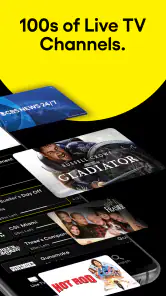
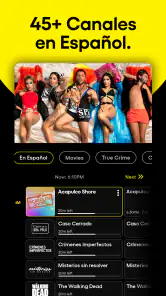
The live-channel format is the main distinction I notice. Instead of spending the first part of a viewing session comparing covers and deciding what to start, I can browse channels and let a program catch my attention. That works well when I want background television while cooking or winding down. The trade-off is less control: a channel’s schedule determines what is on, so it is not the best route when I have a specific episode or film in mind.
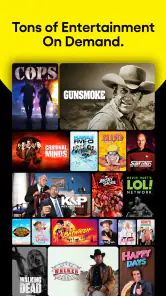
The on-demand area answers that second need, though I find the two modes serve different moods. I use live TV for low-effort browsing and on-demand when I’m ready to choose something. A practical tip is to decide which kind of watching I want before opening the app; otherwise, the channel guide and library can turn a quick break into a long browsing session. Saving channels I return to also helps me get past that choice fatigue.
Who will get the most from it
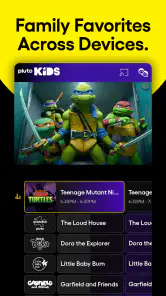
I’d recommend it to people who want free viewing without starting another paid subscription, especially anyone comfortable with commercial breaks and a mix of familiar and less predictable programming. It can also be useful in a shared household: one person can put on a live channel for casual company while someone else can explore the on-demand selection when they want to choose more deliberately.
It is less suitable for viewers who expect a particular new release, want uninterrupted playback, or prefer to watch a series in a carefully controlled order. For those habits, a paid on-demand service or a purchased rental may be the better fit. Pluto TV’s strength is offering an easy way to sample what is available, not guaranteeing that every exact title or viewing preference will be covered.
Discovering a World of Free Content
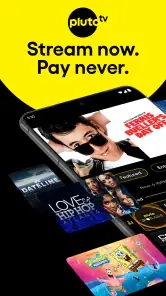
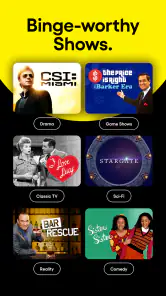
When I first opened Pluto TV: Watch Free Movies/TV, I was greeted with a user-friendly interface that made navigation a breeze. The app offers a plethora of channels spanning a variety of genres. Whether you're into classic films, reality TV, or the latest news, Pluto TV has got you covered. I was particularly impressed by the diverse range of content without any subscription fees. It's like cable TV, but without the hefty price tag!
Streaming Experience
Now, let's talk about the streaming quality. The app provides a seamless viewing experience with minimal buffering, which is a huge plus in my book. I streamed a couple of movies and was pleasantly surprised by the high-definition quality. However, it’s worth noting that the content is ad-supported, so expect some commercial breaks. But hey, that's a small price to pay for free content, right?
More From Our News Desk

Weather by Xiaomi Review: Clear at a Glance, Less Clear Up Close

X Under Pressure: Can It Recover When Posting Goes Wrong?

Clash of Clans Is Won Between the Battles

Android Auto Makes the Case for Quieter Car Software

MobiOffice: Transforming Mobile Productivity with Seamless Integration

EA SPORTS FC™ Mobile Soccer: Redefining Mobile Sports Gaming
That free model is also why I think of this as a companion rather than a one-for-one substitute for subscription platforms. When a film is available on demand, I can settle in and choose it; when I want a specific title that isn’t there, I need another option. The ads are part of the viewing bargain, so I wouldn’t pick Pluto TV for a short, uninterrupted watch where every minute matters. For a longer, relaxed session, the breaks are easier to accept.
Personalization and Features
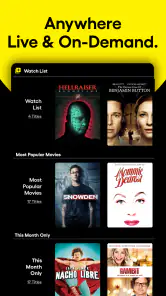
One of the features that stood out to me was the personalization options. Pluto TV allows you to customize your viewing experience by saving your favorite channels and shows for easy access. It’s like having your own personalized TV guide. Additionally, the app's search functionality is top-notch, making it easy to find specific shows or channels.
I get the most from those tools when I use them as shortcuts rather than expecting them to solve every discovery problem. If I already know a channel I enjoy, saving it makes repeat visits simpler; if I’m browsing for an exact title, search is a sensible first step. When neither turns up what I want, switching to channel surfing or another service is more efficient than repeatedly searching the same library.
For an everyday example, I might open the app after dinner while deciding what to watch, save a channel that suits the mood, and leave the live guide on while I tidy up. If something catches my attention, I can keep watching; if I want a more deliberate choice, I can move to on-demand. That flexible, low-commitment routine is more convincing to me than treating the app as a place where every session needs a plan.
Pluto TV is an entertainment app from Pluto, Inc., and it’s free to use. It has a Teen content rating, an average rating of 3.7 from around 776,000 ratings, and more than 100 million installs. Those figures suggest broad reach, but they don’t guarantee that its particular mix of channels and ad-supported viewing will suit everyone. It has been available since March 31, 2014, and supports Android 5.0 and later; I’d still check that my device and app installation are current before relying on it for a watch.
What to expect over time
The known release date tells me the service has been around for years, but it doesn’t by itself establish what has changed in recent versions or how a new update will affect a particular viewer. I’d judge the current experience by the basics that matter day to day: whether the guide is easy to scan, whether saved choices remain useful, and whether playback works reliably on my device. A version number or a long history alone would not answer those questions.
For existing users, the sensible approach is to keep favorite channels as a starting point while staying open to browsing when the mood changes. I would also avoid assuming that a title I watched before will always remain available in the same place; with a varied catalog, it’s better to search again when I’m ready to watch. These small habits make the service easier to use without depending on any particular catalog change.
The app’s broader limitation is the same one that defines its appeal: free, ad-supported viewing asks me to trade some control and uninterrupted time for a no-subscription option. If I care most about a precise watchlist, a particular release, or a tightly ordered series marathon, another service may suit me better. If I want a channel to put on or a free library to browse, this is a useful option to keep at hand.
Choosing it for the right kind of evening
I find the clearest way to decide whether this belongs in my rotation is to ask what I want from the next hour. If I’m looking for a specific film to discuss with friends, I would check a service with a more predictable, title-led catalog first. If I’m home alone, folding laundry, or sharing the room with people who aren’t ready to agree on one thing, Pluto TV’s live format makes less commitment feel like a benefit rather than a compromise.
That distinction also matters when using the app on a television versus a phone. On a larger screen, a live channel can act like familiar background TV, while a phone session is more likely to be a short browse or a deliberate search. I’d avoid opening the guide on a brief break if I’m prone to channel-hopping: the choice is easy to keep extending, and the app is better at offering another possibility than helping me stop browsing.
How it compares with other ways to watch
Compared with subscription streaming, the most important difference is not simply the bill; it is the viewing contract. A paid on-demand service is usually the more comfortable choice when I want to select a particular title, continue a series in order, or settle into a planned movie night. Here, the live channels make discovery feel closer to turning on television, while the on-demand library gives me some choice without making every session a search-first experience.
Compared with free video platforms built around individual clips or creator uploads, Pluto TV feels more like scheduled programming. I can leave a channel running rather than choose each next item, which is useful when I want company in the room. The downside is that I’m accepting the channel’s timing and commercial breaks. If I want to pause a watchlist-driven session and resume exactly where I left off, a dedicated on-demand alternative is likely to feel more natural.
For households trying to keep entertainment spending down, I’d treat it as one option in a small mix rather than the entire plan. It can cover casual channel surfing and some browsing, while rentals or paid services can fill the specific-title gap when that matters. That division keeps expectations realistic: free access is valuable, but it does not mean every desired show will be available whenever I want it.
Small habits that make browsing easier
I’d use saved channels as a short personal starting point, not as a substitute for exploring. A few familiar choices make it faster to return to something that works for breakfast or background viewing, while occasional browsing helps avoid turning the favorites area into the only place I look. When I have a title in mind, I’d search once; if it doesn’t lead me to a suitable option, I’d switch to the guide or another service rather than spend the whole session repeating the same query.
Another useful habit is to match the app to the room and the people in it. If others are watching with me, a live channel can provide a shared starting point without asking everyone to pick a film. If I’m watching alone and want a story with a beginning and end, I’d go straight to on-demand and check whether the selection suits me before settling in. That quick choice between browsing and choosing is a small step, but it prevents the two parts of the app from feeling like one endless menu.
People often wonder whether free access means they can watch without interruptions. I wouldn’t expect that: the ad-supported model includes commercial breaks, so it’s not the app I’d choose when uninterrupted playback is essential. Another reasonable question is whether a particular title will be there when I look. I treat availability as something to check at the moment, rather than assuming a remembered title remains in the same place.
Where expectations should stay modest
The audience numbers and long availability suggest that plenty of people have tried the service, but popularity is not a guarantee of personal fit. Its average rating is 3.7, and I read that as a reminder that free access alone does not remove the everyday trade-offs: some viewers will value casual discovery, while others will be frustrated by ads, schedules, or the need to look elsewhere for a specific program. I’d judge it by whether its format matches my habits, not by its reach.
There is also a difference between a service having been around for years and knowing exactly how it has evolved. Its release date is established, but I wouldn’t infer a particular recent redesign, channel addition, or improvement from that history. For someone already using it, updates are best assessed through the things that affect their routine: whether navigation remains comfortable, saved choices are still convenient, and the app behaves reliably on their own device.
If someone asks whether I would recommend it to a friend, my answer depends on what they watch. I’d point a casual viewer who enjoys browsing, tolerates ads, and wants a no-cost option toward it. I’d steer a viewer who needs a specific new release, uninterrupted playback, or a carefully ordered binge toward a different service. That is not a knock on Pluto TV; it is simply the distinction between a channel-led free app and a tightly controlled on-demand library.
Final Thoughts
In conclusion, if you're looking for a budget-friendly way to enjoy a wide array of entertainment, Pluto TV: Watch Free Movies/TV is definitely worth checking out. With its extensive channel lineup, high-quality streaming, and user-friendly interface, it offers an impressive viewing experience without the commitment of a monthly fee. Sure, the ads can be a bit disruptive, but for the price of free, it’s a trade-off I'm more than willing to make. So grab your popcorn, settle into your favorite spot on the couch, and let Pluto TV take you on a journey through the world of free entertainment!
PlutoTV: Live TV & Free Movies Frequently Asked Questions
Can Pluto TV be downloaded for free, and what is its age rating?
Pluto TV is free to download and use, making it an accessible option if you want to explore movies, series, and other entertainment without a subscription. Its content rating is Teen, so it may not be suitable for every younger viewer. Parents and caregivers should consider that rating and review the programming together with children.
Will Pluto TV work well on a phone or tablet?
Pluto TV is designed for mobile viewing, so a phone or tablet can be a convenient way to watch live channels or choose a movie or series. The experience depends on whether the app is available for your device and whether your operating system meets its requirements. Check your device’s app store before downloading to make sure it is compatible.
Does Pluto TV need an internet connection to stream?
Pluto TV is a streaming entertainment app, so you should plan to have an internet connection when you want to watch its channels or on-demand selections. Streaming over a mobile connection may use data, while a Wi-Fi connection can be a practical choice if you want to manage mobile data use. Your viewing experience can also depend on connection quality.
Can I watch Pluto TV on a television, or is it only for mobile devices?
Pluto TV is an app for watching entertainment, and it may be available on devices beyond phones and tablets depending on the platform and region. If you want to watch on a television, check the app store or app section on your particular device to see whether Pluto TV is offered there. Availability can differ across devices.
Does Pluto TV have parental controls or a way to restrict what children watch?
Pluto TV carries a Teen content rating, and its programming includes a range of entertainment, movies, and series. If children will use the app, it is worth checking the viewing options on your device and supervising what they choose. Previewing channels and titles can help families decide what is appropriate, rather than assuming every program is suitable for younger viewers.
Pros
- Free access to popular TV shows and movies.
- No subscription or sign-up required.
- User-friendly interface and easy navigation.
- Offers live TV streaming for various channels.
- Regularly updates content library.
Cons
- Ads can be frequent and disruptive.
- Limited availability of newer releases.
- No option to download content for offline.
- Some channels may experience buffering.
- Content varies by region.
- Category
- Entertainment
- Version
- Varies with device











