Pixelcut AI Photo Editor
- 1.79K
- 4.3
- Installs
- 10.00M
- Price
- Free

Screenshots







Analysis by Reviewed
Have you ever wished editing photos could be as easy as snapping them? Well, let me introduce you to Pixelcut AI Photo Editor, the app that's about to become your new best friend in the world of mobile photography! I stumbled upon this gem while searching for a tool that could give my pictures that professional touch without all the hassle, and boy, did it deliver!
Getting Started with Pixelcut
From the moment you fire up the Pixelcut AI Photo Editor, you're greeted with an intuitive interface that's as welcoming as it is functional. No more endless scrolling through menus to find what you need. Everything is right there at your fingertips, which is a refreshing change for someone like me who’s not exactly tech-savvy.
One of the first things I noticed was how seamless it is to import photos. Whether you’re pulling from your gallery or snapping a quick pic with your camera, the process is as smooth as butter. And the best part? The app's AI kicks in almost immediately, suggesting edits that are spot on more often than not.
Features That Stand Out
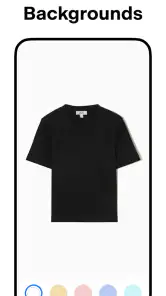
Now, let's talk features—because this app is packed with them. The AI background remover is a game-changer. Honestly, it feels like magic when you see it in action. Say goodbye to tedious manual erasing; this tool does it with a precision that’s nothing short of impressive.
Then there’s the suite of filters and adjustments. Whether you’re looking to enhance colors, play with lighting, or just add a funky effect, Pixelcut has you covered. I spent a good chunk of time just playing around with these options, and each tweak made my photos look like they were straight out of a magazine shoot.
Why You’ll Love It
What really sets Pixelcut apart, though, is how user-friendly it is. You don't need to spend hours watching tutorials or reading guides. The app's design is intuitive, and the tools are easy to learn yet powerful enough to satisfy even the pickiest of photo editors.
Plus, the real-time editing is a breeze. Changes happen instantly, so you can see exactly what your tweaks look like without having to wait for the app to catch up. It's this kind of responsiveness that makes editing on a mobile device not just possible, but actually enjoyable.
Final Thoughts
If you’re on the hunt for a photo editing app that combines power, ease of use, and a dash of AI magic, then Pixelcut AI Photo Editor is definitely worth checking out. It’s become my go-to app for everything from quick fixes to serious retouching. Give it a try, and I bet you'll find yourself wondering how you ever managed without it.
Pros
- User-friendly interface
- High-quality editing tools
- Supports various file formats
- Fast processing speed
- Regular updates
Cons
- Limited free features
- Occasional app crashes
- Requires internet connection
- High battery usage
- Subscription-based model

- Category
- Art & Design
- Version
- 0.9.32











