PicMonkey Photo Editor
- 1.54K
- 4.2
- Installs
- 1.00M
- Price
- Free

Screenshots
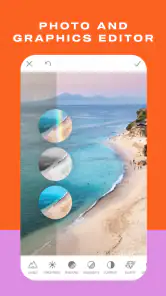


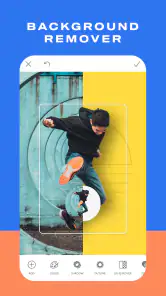

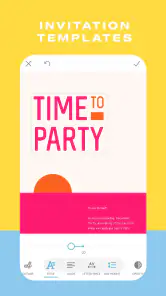


Analysis by Reviewed
I spent time with PicMonkey Photo Editor as a practical mobile design tool rather than treating it as just another filter app. It sits in the photography category, but its real appeal is broader: I used it for quick image adjustments, social graphics, cards, collages, logos, stickers, and flyers. That range makes it more interesting than a basic camera editor, although it also means the experience is not aimed at people who only want fast, one-tap photo enhancement.
PicMonkey Photo Editor is developed by Shutterstock Inc. and is free to install, with optional in-app purchases ranging from $0.99 to $120.00 per item. It is rated for Everyone, runs on Android 8.0 and later, and the current version is 1.20.12. The app has built a sizeable audience, with over a million installs, a 4.2 average from around twelve thousand ratings, and roughly fifteen hundred written reviews. Those figures suggest a well-established product, but they do not remove the need to check what you are comfortable sharing or paying for before settling into a regular workflow.
What using PicMonkey feels like in everyday work
The first thing I noticed is that this is designed around making something presentable quickly. Instead of forcing me to move between a photo editor, a collage maker, and a simple graphic-design app, it brings those jobs into one place. I could start with a picture, adjust its appearance, add text, arrange several images, or turn a blank project into a small visual for a personal or practical purpose.
That flexibility is useful when the task is more specific than “make this photo brighter.” For example, I can imagine using it to prepare a birthday card from several phone pictures, create a simple announcement for a community group, or make a product image with a clean label for a small online seller. The app is most convincing when the goal is a finished visual that looks intentional, not when the goal is deep technical control over every pixel.
Compared with a traditional mobile photo editor, its design-oriented tools are the main distinction. A conventional editor may offer more precise adjustments, camera controls, or advanced retouching. PicMonkey’s advantage is the path from image to shareable composition. Compared with a template-heavy design service, it feels more connected to personal photo editing. The trade-off is that users who want a highly specialized tool may find the all-in-one approach less focused.
A useful workflow for personal projects
My preferred way to approach the app is to decide the final purpose before touching effects. If I am making a card, I choose the main image first, leave enough empty space for text, and then keep the type treatment simple. If I am building a collage, I select images with a similar subject or color mood before arranging them. This prevents the common problem of adding too many stickers, fonts, or decorative elements simply because they are available.
That planning matters more here than it does in a basic filter app. PicMonkey can help create a polished result, but it cannot decide which message deserves attention. A good image with restrained editing usually works better than a crowded design filled with every available option.
One practical tip is to make a duplicate of an important source image before experimenting. Creative editing often involves trying several crops, overlays, and text placements, and preserving the original gives me freedom to change direction without worrying about losing the starting point. I also found it sensible to review the finished image at its intended size. Small text that looks fine while editing may become difficult to read when viewed on a phone.
Where the editing tools are genuinely helpful
The strongest use case is quick visual communication. A plain photograph can become a more useful announcement once it has a readable title and a clear focal point. A group of vacation pictures can become a compact collage instead of a long sequence of separate posts. A simple logo concept can be drafted on a phone when I need to test an idea away from a computer.
The app also suits people who are not comfortable with complicated design software. I do not need to understand layers, masks, or professional color workflows to begin making something attractive. That lower barrier is valuable for students, families, small clubs, and casual creators who need a result rather than a lesson in graphic design.
Still, “easy to start” should not be confused with “unlimited.” If I were preparing print artwork that required exact dimensions, carefully managed color, or highly controlled typography, I would prefer a desktop design application. PicMonkey is better for fast, flexible visual work than for a demanding production pipeline.
Trust begins with knowing what I am choosing
Because the app can be used for personal photos, family moments, and images connected to small businesses, trust is not only about whether the editing looks good. I pay attention to the choices presented during setup, sign-in, editing, saving, and sharing. I do not treat a free download as a reason to accept every prompt automatically.
My practical approach is simple: I read permission requests when they appear, allow access only when it matches the task, and avoid granting broader access just to get through the first screen faster. If I only want to work with selected pictures, I prefer a limited photo choice where the operating system offers one. If the app asks me to create or use an account for a particular function, I decide whether that function is worth the extra commitment rather than assuming registration is harmless.
This is especially important for anyone editing private family images, identity documents, school work, or unpublished business material. I would not upload sensitive content casually. Before using such images, I would review the app’s current privacy information and the account controls available in the version installed on my device. Those details can change, so a careful user should make the decision from the current screens and policy information, not from an old recommendation.
Data-sensitive moments deserve extra attention
The most sensitive point is not necessarily applying a filter. It is what happens when a photo leaves the device, when a project is saved to an account, or when a finished design is shared through another service. I separate those moments in my mind. Editing a picture, storing a project, and publishing a picture are different choices, and I do not assume that one automatically explains the others.
For private work, I would avoid using recognizable faces, confidential paperwork, or customer material until I understand the current storage and deletion options. I would also check whether an account has a way to remove projects, manage connected access, or close the account. If I stop using the service, I want to know what action is available rather than leaving old work behind indefinitely by accident.
Another sensible habit is to inspect the sharing destination before confirming. A design made for one person can easily become visible to a larger audience if I choose the wrong destination or audience setting. PicMonkey can help me prepare the image, but the final privacy decision may happen in the operating system’s share sheet or in the receiving platform. I treat that last step as part of the editing workflow, not as an afterthought.
Account controls and paid choices
The free entry point makes it easy to test whether the editing style suits me, but the presence of in-app purchases means I would explore the interface before starting a serious project. I want to know which tools, assets, or export-related actions are available without payment and which ones may lead to a purchase screen. I also prefer to confirm the total cost through the store’s purchase controls before approving anything.
This is not a criticism unique to PicMonkey; it is simply good practice for a creative app with optional paid content. A project can become frustrating if I build a design around an element that later turns out to require payment. I reduce that risk by experimenting with the free workflow first and keeping a backup version before making changes that depend on a particular asset.
Families should pay attention to purchase protection on the device, especially because the app is rated for Everyone and may be used by younger people. The age rating describes suitability, not a promise that every editing choice or payment decision will be handled automatically. I would use the device’s purchase authentication and discuss paid content with anyone else using the phone.
Three less obvious ways I would use it
First, I would use the app as a visual planning board for a small event. I could combine a reference photo, a short title, a date, and a few decorative elements into one image to test the look of an invitation before sending it. The benefit is not merely decoration; it lets me notice whether the message is readable and whether the image hierarchy makes sense.
Second, I would create a reusable visual style for a small personal project. Rather than redesigning every image from scratch, I could keep the same general placement for a title, the same restrained color approach, and a consistent treatment of photos. Even without a formal brand system, that repetition can make a series of posts feel connected. The limitation is that consistency still depends on my discipline; the app cannot replace a clear style decision.
Third, I would use collage work to compare options before choosing a final picture. For a room makeover, outfit selection, travel plan, or handmade product, placing several candidates together can reveal differences that are hard to judge from separate thumbnails. This is a more thoughtful use than simply filling a grid with unrelated images, because the collage becomes a decision tool rather than just a decorative result.
What may frustrate experienced editors
PicMonkey’s broad feature set can create visual noise. When I want to make one small correction, the surrounding design options may tempt me into changing more than necessary. Beginners may enjoy that freedom, while experienced editors may prefer a cleaner path to precise adjustments.
I also would not choose it as my main tool for professional retouching, detailed compositing, or complex typography. A phone screen is convenient, but it is not ideal for judging fine alignment or subtle tonal changes. For those jobs, a desktop application with stronger precision and file-management controls is the safer choice.
Another trade-off is the need to think about project organization. Once an app supports photos, cards, collages, logos, stickers, and flyers, it becomes easy to create many variations. I would name or save finished work carefully where the app allows it, and I would keep important final files in a separate location. Creative convenience should not become dependence on a single editing workspace.
Who should install it, and who should skip it
I would recommend this app to someone who regularly turns phone photos into shareable designs. It is a good match for casual creators, parents making family cards, students preparing simple visual material, and small sellers who need attractive images without learning professional software. It is also useful for anyone who likes experimenting with collages and stickers but wants more structure than a basic gallery editor provides.
I would be more cautious about recommending it to a photographer who wants manual camera control, advanced raw processing, or highly exact color work. I would also point a professional designer toward a more specialized tool for demanding client projects. If privacy is the deciding factor, I would first inspect the current permissions, account settings, storage behavior, and deletion choices on the device before importing sensitive material.
For a realistic everyday example, imagine that I need a last-minute notice for a neighborhood book exchange. I can choose a clear background photo, add a short heading, arrange the essential details with enough spacing, and export or share the result from the phone. That is where PicMonkey earns its place: it shortens the distance between an idea and a usable visual. If the notice later becomes a printed poster with strict specifications, I would move the work to a more exact design environment.
My cautious verdict after using it
PicMonkey Photo Editor is a capable middle ground between a straightforward photo filter and a full design suite. I like it most when I need to combine images and visual elements quickly, especially for personal communication or lightweight promotional work. Its free starting point makes trying the workflow easy, while the optional purchases mean I would check the available choices before investing time in a project.
The trust question is best handled through active user control. I would review permissions instead of accepting them automatically, keep private material out until I understand the current data and account choices, protect purchases, and check the audience before sharing. Those habits do not make the app less useful; they make its convenience safer to manage.
After considering its strengths and limits, I would recommend giving it a careful trial if your goal is attractive, quick mobile design rather than professional-grade image production. The best reason to use it is the practical bridge between a personal photo and a finished visual. Just keep your expectations realistic, protect sensitive images, and choose a more specialized alternative when precision, privacy requirements, or advanced file control matter more than speed.
Pros
- Wide range of templates for social posts
- flyers
- and invitations.
- Easy background removal and object cleanup tools.
- Text editing offers many fonts
- styles
- and customization options.
- Cloud storage helps access projects across supported devices.
- Useful collage layouts for combining multiple photos quickly.
Cons
- Many premium effects and templates require a paid subscription.
- Some advanced editing tools can feel slow on older phones.
- Export options may be limited depending on the selected project.
- The interface can feel crowded when browsing numerous design tools.
- An account may be required to save projects and use cloud features.

- Category
- Photography
- Version
- 1.20.12











