Pencil Sketch Photo Editor
- 1.17K
- 4.3
- Installs
- 5.00M
- Price
- Free

Screenshots
Analysis by Reviewed
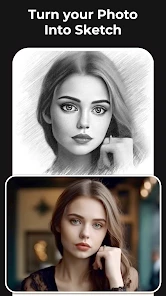
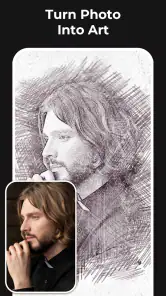
Ever wondered how your favorite photos would look as a sketch? Well, with Pencil Sketch Photo Editor, you can transform your regular snapshots into stunning sketches in a matter of seconds. Let me take you through my journey using this app and why I think it’s worth giving a try.
Unleashing Your Inner Artist
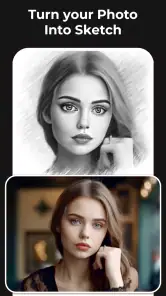
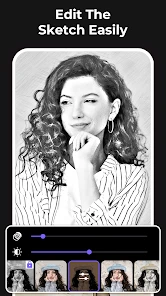
When I first downloaded the Pencil Sketch Photo Editor, I was a tad skeptical. I mean, how good could an app be at creating detailed sketches? But boy, was I in for a surprise! As soon as I uploaded my first photo, the app worked its magic. The interface is super user-friendly, and it guides you through the process like a breeze. You just pick a photo from your gallery, and the app offers several sketch styles to choose from. Whether you want a simple pencil sketch or something more intricate, it’s all there at your fingertips.
Features That Stand Out
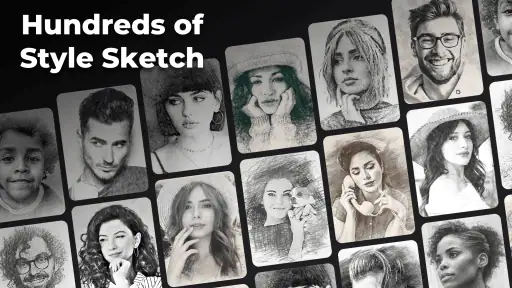
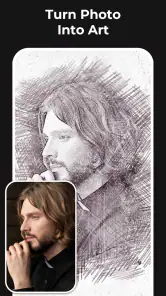
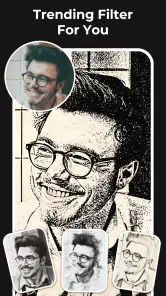
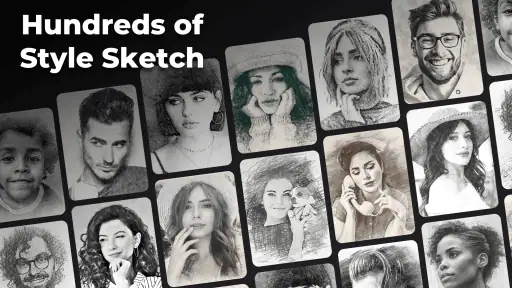
One thing I absolutely love about this app is its variety of sketch effects. It doesn't just stop at pencil sketches; you can also dabble with color sketches, doodle effects, and even oil painting effects. The options are plentiful, and it’s like having a mini art studio in your pocket. Plus, the app allows you to adjust the intensity of the effects, so you have complete control over how subtle or bold you want your sketch to appear.
Another cool feature is the ability to share your creations directly from the app. Once you’re happy with your masterpiece, you can instantly share it on social media or send it to your friends. This feature is perfect for those quick, "Hey, look what I made!" moments.
Why You'll Love It
Aside from the obvious fun factor, Pencil Sketch Photo Editor is perfect for those who love experimenting with their photos. It's also great for creating personalized gifts. Imagine gifting someone a hand-drawn portrait of themselves! It's these little touches that make the app a keeper in my book.
Also, let’s not forget about the app’s intuitive interface. Even if you’re not tech-savvy, navigating through the different options is a piece of cake. The app doesn't bombard you with ads either, which is a huge plus in my experience.
Final Thoughts
In a world where apps come and go, finding one that sticks is a rare gem. Pencil Sketch Photo Editor is one of those gems. It’s fun, easy to use, and brings out the creativity in anyone who uses it. Whether you’re looking to spice up your social media profile or just want to play around with your photos, this app is definitely worth a shot.
So, next time you’re in the mood to unleash your inner Picasso, give Pencil Sketch Photo Editor a whirl. You might just find yourself hooked!
Pros
- Intuitive user interface
- Wide range of sketch effects
- High-quality output images
- Fast processing speed
- Works offline
Cons
- Contains ads
- Limited free features
- Occasional crashes
- Requires in-app purchases
- Large file size

- Category
- Photography
- Version
- 2.1.2











