Blend Photos - Photo Blender
- 1.30K
- 4.7
- Installs
- 10.00M
- Price
- Free

Screenshots
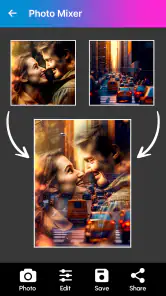
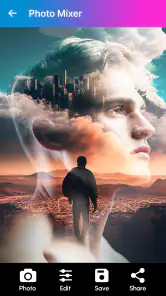
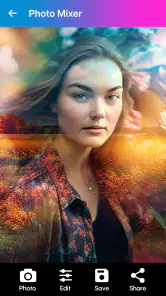
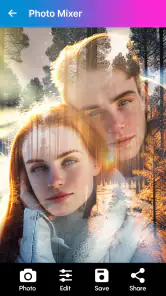
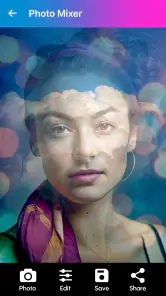
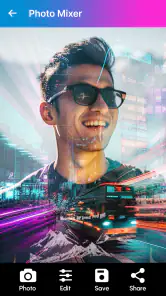
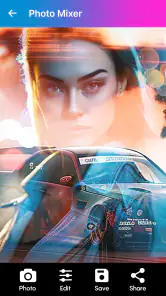
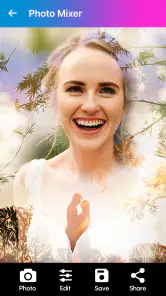
Analysis by Reviewed
Have you ever wanted to create stunning, artistic images with just a few taps on your phone? Well, let me introduce you to an app that might just be your new creative outlet: Blend Photos - Photo Blender. As someone who loves experimenting with photo editing, I was pretty excited to dive into this app and see what it has to offer.
Getting Started with Blend Photos
Opening up Blend Photos - Photo Blender for the first time, you're greeted with a clean and intuitive interface. It’s one of those apps where you don’t need a manual to find your way around. You simply choose two photos from your gallery, and the app does the magic of blending them together. The process is smooth, and within seconds, you have an image that looks like it was edited by a pro.
The Art of Blending
What I really love about this app is its simplicity. You can create double exposure effects that are usually only possible with advanced editing software. It feels like having a mini photo studio in your pocket. And the best part? You don't need any prior experience in photo editing. The app provides various blend modes and opacity controls, allowing you to customize the final look of your images to your heart's content.
The blend modes are diverse, ranging from overlay to multiply, giving each image a unique outcome. You can play around with these modes to see which one fits your artistic vision. It’s like a playground for your creativity, and honestly, it can get a bit addictive!
Features That Stand Out
Aside from the basic blending, Blend Photos offers a suite of additional editing tools. You can adjust brightness, contrast, and even add filters to enhance your images further. These features ensure that you have complete control over the final product. The app also supports high-resolution exports, which is perfect if you’re planning to print your creations or share them on social media in all their glory.
Another feature worth mentioning is the app's ability to let you blend not just photos but also text. Imagine creating a motivational post with an inspirational quote beautifully blended into a serene background. It’s a feature that adds another layer of creativity to the app.
Why You Should Try It
If you’re someone who enjoys exploring new ways to express yourself through photography, Blend Photos - Photo Blender is definitely worth checking out. It’s user-friendly, packed with features, and most importantly, it makes photo editing fun and accessible to everyone. Whether you’re a seasoned photographer or a casual user, this app has something to offer.
In conclusion, Blend Photos is more than just a photo editing app; it’s a tool that unleashes your creativity and transforms ordinary photos into extraordinary works of art. So, if you’re ready to take your photo editing game to the next level, give it a try. You might just find yourself hooked!
Pros
- Easy to blend multiple images.
- Intuitive user interface.
- High-quality output.
- Various blending modes.
- Fast image processing.
Cons
- Contains ads.
- Limited free version features.
- Occasional app crashes.
- Requires internet for some features.
- Large file size.

- Category
- Photography
- Version
- 5.7.1











