PDF Reader: Edit & Convert PDF
- 3.51K
- 3.8
- Installs
- 10.00M
- Price
- Free

Screenshots

Analysis by Reviewed
When a form arrives in my inbox just before I need to leave, I want to open it, understand what needs attention, and get it back out without turning the task into a desktop project. PDF Reader: Edit & Convert PDF is aimed at that sort of document juggling: it combines reading with editing and signing, so I can keep several common PDF jobs in one mobile workflow. It is a free business app from Kdan Mobile Software Ltd., and its broad appeal is reflected in over 10 million installs. The audience rating is Everyone, though the editing and conversion tools make it especially relevant to students, freelancers, and people handling everyday office paperwork.
Starting with the file you already have
My first practical question is usually not how many tools an app has, but how easily I can get to the document. PDF Reader is most useful when the file is already on my device or otherwise accessible through my usual file-handling routine. Once it is open, I can read through it, mark a section that needs attention, or prepare to sign. That makes the app a sensible option for reviewing a course handout, checking an invoice, or dealing with a form while away from a computer.
A useful habit is to make a quick pass through the document before editing: check the page order, identify the fields or passages that matter, and decide whether the task is annotation, signing, or changing the file format. This reduces the chance of making a rushed edit in the wrong place. I would still keep a clean copy of an important original before making changes, especially when the document is a contract, application, or record that may need to be revisited unchanged.
Transform Your Document Experience
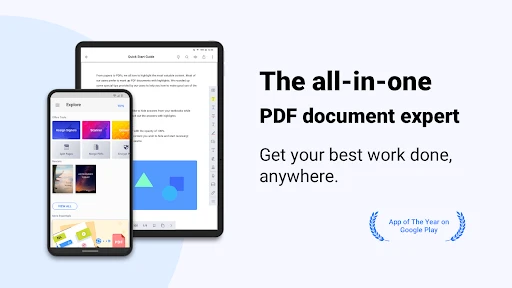
First off, let me tell you, the PDF Reader: Edit & Convert PDF is not just your average PDF viewer. It’s a powerhouse of features that allows you to not only read PDFs but also edit and convert them seamlessly. Imagine merging several documents into one, or converting that bulky PDF into a more manageable file format. This app makes it all possible with just a few taps.
User-Friendly Interface
Now, I’m someone who appreciates a clean, intuitive interface, and this app delivers exactly that. Navigating through your files feels like a breeze, thanks to its neatly organized folders and quick access tools. You don’t need a tech degree to figure out how to annotate or sign a document. Everything is laid out in a user-friendly manner, making document management less of a chore and more of a streamlined process.
Editing on the Go
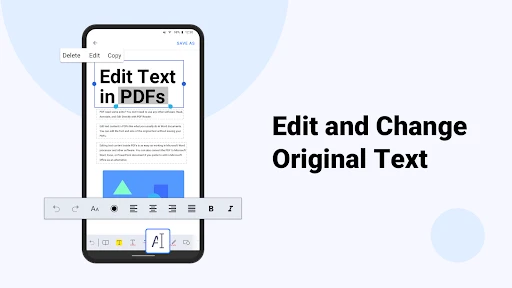
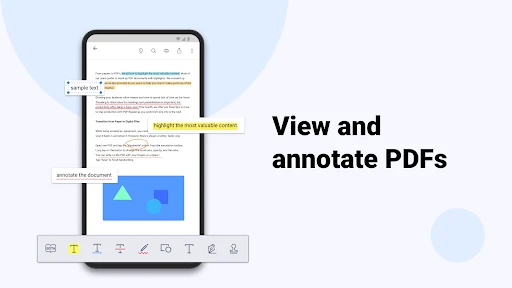
One of the standout features is the ability to edit PDFs on the go. Whether it’s adding notes, highlighting important sections, or even inserting images, this app has got your back. The editing tools are robust yet easy to use, providing a perfect balance for both casual users and professionals. Plus, it supports a variety of file formats, so you’re not just limited to PDFs.
Seamless Conversion
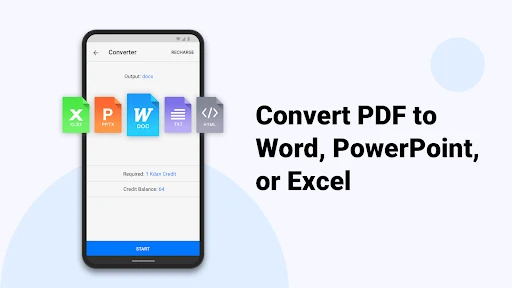
Conversion is another strong suit of this app. It allows you to convert PDFs to Word, Excel, and other formats with precision. This feature is a lifesaver, especially when you need to make quick edits in Word or pull data into Excel. The conversion quality is impressive, maintaining the original formatting without any hiccups.
More From Our News Desk

Weather by Xiaomi Review: Clear at a Glance, Less Clear Up Close

X Under Pressure: Can It Recover When Posting Goes Wrong?

Clash of Clans Is Won Between the Battles

Android Auto Makes the Case for Quieter Car Software

MobiOffice: Transforming Mobile Productivity with Seamless Integration

EA SPORTS FC™ Mobile Soccer: Redefining Mobile Sports Gaming
From review to handoff
A realistic use for the combination of tools is receiving a multi-page form, reading it on the way to an appointment, highlighting the passages you need to check, and signing it once you are comfortable with the details. If a colleague needs to work with the contents rather than simply read them, conversion can offer a more editable starting point. I would treat that converted file as a draft, though: tables, spacing, and page breaks can shift when document formats change, so I’d inspect the result before sending it on.
For a bundle of related PDFs, merging can also help make one file easier to share or review. I’d check the order of the pages before handing it off; a single combined document is only helpful if its sections still make sense to the next person. Annotation is better suited to comments and visual cues than to rewriting a complicated source document. For substantial revisions, I would use the original authoring file or a dedicated editor instead.
How it fits beside other options
Compared with the basic PDF viewers already found on many phones, this app is more appealing when reading is only the first step and I also need to mark, sign, combine, or convert a document. A built-in viewer may be quicker for opening a file once, while a desktop PDF editor is a better fit for intricate layouts or long editing sessions. PDF Reader sits between those choices: convenient for routine work on a mobile device, but not a substitute for careful desktop review when a document’s formatting or legal wording is critical.
The app has a 3.8 average from around 126,000 ratings, alongside about 3,500 written reviews. That gives me a reason to approach it as a widely used utility rather than assume every workflow will feel perfect. The current version is 3.45.0; the app is free to start, with in-app purchases ranging from $0.99 to $69.99 per item. I’d try the tasks I actually need before paying for anything, and check the purchase details in the app so I know what is included for my intended use.
Where I would slow down
Mobile editing has practical limits: a small screen can make precise placement and page-by-page comparison tiring, and converting a complex PDF is not the same as recovering its original editable layout. I would also avoid treating a quick signature or annotation as proof that every field is complete; a final read-through matters, particularly before sending official paperwork. If you mainly read PDFs and never edit them, a simpler viewer may be less distracting. If you routinely need advanced page design or exact formatting, a computer-based editor is likely the better tool.
Overall, I’d recommend this app to someone who regularly handles forms, study material, or work documents away from a desk and wants reading, marking, signing, and conversion close together. It is less compelling for people who only open the occasional PDF or need fine-grained professional layout control. Its strongest case is the everyday handoff: inspect a document, make a modest change, and prepare it for someone else. Used with a careful check of converted files and a saved original, it can make that routine feel much more manageable.
A practical routine for recurring paperwork
For repeated tasks, I find it helpful to decide on a simple sequence before opening the file: read first, annotate second, make any necessary edits, then review the finished document from the beginning. That order matters because editing while still trying to understand a form can lead to missed instructions or changes in the wrong place. If I am dealing with a recurring invoice or class handout, I can use the same mental checklist each time without assuming that every document needs conversion or signing.
There is also a useful distinction between a document meant for my own reference and one I am preparing for someone else. Private study notes can be marked freely for my later use, while comments on a client-facing or administrative file should be intentional and easy for the recipient to interpret. Before sending, I would look at the pages as the other person will see them, rather than relying on the editing view alone. That small pause is a practical safeguard when a phone screen encourages quick decisions.
When a phone is the right tool
The app makes the most sense when the task is bounded: review a few pages, highlight a clause, add a note, sign a straightforward form, or make a file easier to pass along. A student can mark reading material between classes; a freelancer can review a document before a meeting; someone managing household paperwork can prepare a form without waiting to reach a laptop. In each case, the benefit is less about replacing a full office setup and more about finishing a modest document task at the moment it comes up.
I would not choose a phone-first workflow for a large batch of records that needs careful naming, comparison, and quality control. A computer makes it easier to keep multiple versions visible and judge subtle layout differences. The same applies when a PDF contains dense tables or a form with many small fields: even a capable mobile editor cannot make a small display comfortable for extended precision work. The better choice depends on the document and the consequence of getting a detail wrong, not simply on which app has more tools.
Keeping changes clear for the next person
A handoff is successful only when the recipient can tell what the file represents. If I have annotated a draft, I would make clear that the marks are comments rather than final changes. If I have converted a PDF so someone else can edit it, I would treat that as a working copy and preserve the source separately. When merging documents, I would give the combined file a quick page-by-page check so that an attachment or supporting page has not ended up in an awkward position.
These habits also help avoid a common mobile trap: ending up with several nearly identical files and no obvious indication of which one is ready to share. I try to distinguish the untouched source from the version I have marked or signed, and I avoid sending a draft simply because it is the most recent file in view. PDF Reader brings several actions together, but the user still has to make the handoff understandable. That is a small responsibility, yet it matters more than a fast tap when a document is going to a colleague, school, or service provider.
Who will get the most from it
I would put this app on the shortlist for someone who regularly receives PDFs and needs to do more than read them, especially if those tasks happen away from a desk. The combination is useful for people who want a single mobile place to inspect a document, add visual notes, sign it, and prepare a more editable version when needed. Its free starting point makes it reasonable to try on a real, low-stakes document before deciding whether paid features suit a regular workflow.
On the other hand, someone who only opens an occasional attachment may be happier with the PDF viewer already built into their phone. A user who needs meticulous page design, complex form construction, or dependable layout preservation should work from a computer and the original authoring file where possible. I also would not treat conversion as a shortcut to perfect editing: it can be a practical bridge to Word or Excel, but the converted document deserves a careful inspection before it becomes the version everyone relies on.
For my everyday use, the main question is whether the convenience of handling several routine PDF jobs in one place outweighs the extra care required on a small screen. When the answer is yes, PDF Reader can shorten the distance between receiving a file and returning a useful response. When the document is high stakes, visually complex, or intended for extensive revision, I would switch to a desktop workflow rather than force the mobile one to do more than it comfortably can.
PDF Reader: Edit & Convert PDF Frequently Asked Questions
Can I use PDF Reader: Edit & Convert PDF to sign a document before sending it?
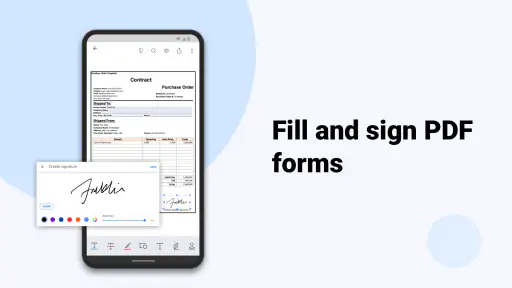
Yes. Signing PDFs is part of the app’s document-focused offering, alongside reading and editing. This can be useful when you need to complete a form or add a signature without switching to a separate PDF tool. Before relying on it for an important document, make sure the signing workflow suits the way you prepare and share your files.
Can PDF Reader: Edit & Convert PDF handle different kinds of PDF tasks in one app?
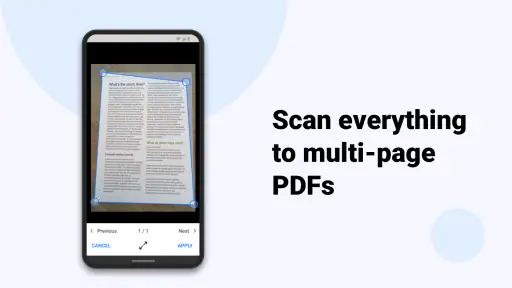
The app is presented as an all-in-one document tool for reading, editing, and signing PDFs. Its features also include annotation, conversion, merging documents, and extracting pages, which can cover several common PDF workflows in one place. If you regularly work with PDFs, consider whether those tools match the tasks you need to do before downloading.
Is PDF Reader: Edit & Convert PDF free to download, and are there optional purchases?
PDF Reader: Edit & Convert PDF is free to download, so you can try it without paying upfront. The app also offers in-app purchases, with individual items ranging from $0.99 to $69.99. Check the available purchase options in the app before buying, and consider which tools you need so you can decide whether the free experience is enough for your PDF tasks.
Who develops PDF Reader: Edit & Convert PDF, and what is it designed for?
PDF Reader: Edit & Convert PDF is developed by Kdan Mobile Software Ltd. and is a business-oriented document app for reading, editing, and signing PDFs. Its all-in-one approach may suit people who regularly handle forms, reports, or other PDF files and want document tools in one place. The app is rated for Everyone, making it broadly accessible to users.
What features does PDF Reader: Edit & Convert PDF offer?
PDF Reader: Edit & Convert PDF provides a comprehensive suite of tools for managing PDF documents. Users can view, edit, annotate, and convert PDF files to various formats. The app supports text editing, adding images, and even inserting signatures. Additionally, it enables users to merge multiple PDFs and extract specific pages, making it a versatile tool for both personal and professional use.
Pros
- User-friendly interface simplifies navigation.
- Supports a wide range of file formats.
- Fast and efficient PDF conversion.
- Includes robust editing tools.
- Allows easy file sharing and collaboration.
Cons
- Limited free version features.
- Occasional ads can interrupt workflow.
- Requires subscription for premium tools.
- Some features need internet access.
- May have compatibility issues on older devices.
- Category
- Business
- Version
- 3.45.0











