PDF Pro-View PDF
- 48.00
- 3.5
- Installs
- 1.00M
- Price
- Free
Screenshots
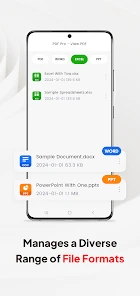
Analysis by Reviewed
I often need to open a document on my phone at an inconvenient moment: between errands, before a meeting, or while someone is waiting for a form. That makes speed and a clear path to the file more important to me than a long menu of tools. PDF Pro-View PDF is a free business app from Earn Up Team, built around handling PDF documents on a mobile device. It has an average rating of 3.5 from around 2,400 ratings and over 1 million installs, so there’s a sizeable audience for this kind of everyday document utility.
What I’d use it for day to day
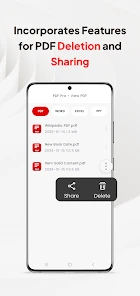
A realistic use is opening a work attachment, checking the details, and sharing the file onward without switching between several apps. If you regularly keep PDFs on your phone, having one place to view and manage them can make small tasks less fiddly. I’d also consider it for students reviewing handouts or anyone who needs to consult a form while away from a computer. The practical benefit is convenience; it is not a replacement for a full desktop document workflow.
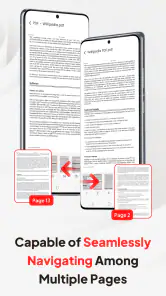
Before relying on any mobile PDF app for an important task, I’d try it with the kinds of files I actually handle. A short, text-heavy document is a different test from a long report full of pages and graphics. Check that the text is readable at your preferred zoom, that moving between pages feels comfortable, and that sharing the file sends the copy you intend. That quick trial helps reveal whether the app fits your routine before a deadline makes the choice for you.
A small workflow that saves avoidable mistakes
When I receive several attachments with similar names, I would not open one and immediately forward it. I’d first compare the file details and contents, then share only after checking that it is the right version. This is a useful habit with any PDF tool, but it matters especially on a phone, where file names and previews may be harder to distinguish than on a large screen. Keeping a clear naming routine for downloads can make later searches less frustrating, too.
For study notes or review comments, I’d separate reading from editing: first skim the document to understand its structure, then return to the sections that need attention. That reduces unnecessary marks and makes a shared copy easier for someone else to follow. A mobile viewer is most helpful when the task is bounded—check a few details, add a concise note, or pass along a document—not when I need to revise every page at length.
First Impressions and User Interface
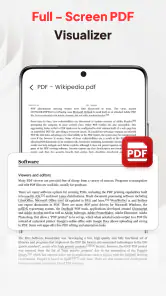
Right off the bat, PDF Pro-View PDF greets you with a clean and intuitive interface. The design is minimalistic, which I really appreciate because, let's be honest, no one wants to spend ages trying to figure out where everything is. Every button and feature is neatly laid out, making it super easy for even the least tech-savvy among us to navigate.
Features That Stand Out
The app is packed with all the necessary features you’d expect from a top-tier PDF viewer. You can read, annotate, and even sign documents directly from your phone. The annotation tools are surprisingly robust, offering a variety of options like highlighting, underlining, and adding comments. I found this particularly useful for those long reports where I need to mark up important sections.
More From Our News Desk

Clash of Clans Is Won Between the Battles

Android Auto Makes the Case for Quieter Car Software

MobiOffice: Transforming Mobile Productivity with Seamless Integration

EA SPORTS FC™ Mobile Soccer: Redefining Mobile Sports Gaming

How Microsoft OneDrive Became a Mobile Productivity Giant

How Google Translate Breaks Language Barriers Effortlessly
Another feature that caught my attention is the app’s ability to convert PDFs into other formats. Whether you need a Word document or an Excel sheet, PDF Pro-View PDF has got you covered. The conversion process is quick and seamless, saving you the headache of using third-party software.
When conversion is convenient—and when to check the result
Conversion can be a practical shortcut when I need to reuse text or tables rather than retype them, but I would treat the converted file as a draft, not a finished document. Page breaks, spacing, and table layouts can shift when a PDF becomes an editable format. I’d compare the new file with the original before sending it onward, especially if it contains figures or information arranged in columns. For a simple text document, the time saved may be worthwhile; for a carefully formatted report, rebuilding or editing on a computer may be safer.
Signing on a phone is similarly best suited to straightforward tasks. Before adding a signature, I’d make sure I am working on the intended document and that the recipient accepts a mobile-signed copy. If a form requires a specific signing process or exact placement, I would follow those instructions rather than assume a general PDF feature is enough. That distinction helps avoid treating convenience as a substitute for the requirements of a particular organization.
Performance and Usability
When I’m reading on a phone, the small screen is often the real bottleneck, not just the app. For a long document, I prefer to skim headings first, then use highlights or comments sparingly so my marked-up copy remains easy to review. When sharing a file, I’d pause to check the selected document and destination; that simple habit reduces the chance of sending an outdated copy or the wrong attachment.
Performance-wise, the app runs smoothly without any noticeable lag. Even when opening large files, the load time is impressively short. This is a godsend for anyone who, like me, despises waiting around for things to load. The app also supports cloud storage integration, so you can easily access your documents from services like Google Drive and Dropbox.
Handling heavier document sessions
A quick glance at a few pages is different from spending an hour reviewing a lengthy file. In a longer session, I’d break the work into chunks, take a moment to rest my eyes, and avoid marking every line simply because the tools are available. Dense pages with small text can make navigation feel laborious even when the app itself responds promptly. Zooming in may improve readability, but it also means more scrolling, so a tablet or computer can be the better choice for sustained review.
If I were preparing to travel or work somewhere with unreliable connectivity, I’d make sure the documents I need are available on the device before leaving. Cloud access can be convenient for retrieving a file, but it is wise not to depend on reaching an online account at the exact moment a form is needed. I’d also keep an untouched original when converting or annotating important paperwork, so there is a clean copy to return to if the working version becomes confusing.
Reliability, alternatives, and fit
For a quick review or a marked-up document, a dedicated PDF app can be more comfortable than opening a file in a general file manager, especially when you want reading and annotation tools together. On the other hand, if your work depends on precise layout edits, complex form handling, or a polished desktop-style workflow, I’d choose a fuller document editor instead of expecting a phone viewer to do everything. I’d treat conversion as a convenience and check the resulting file before using it for a formal submission, since formatting can matter as much as the text.
On a busy day, I might open a supplier form while commuting, scan the key fields, add a brief note for myself, and share it with a colleague once I’m sure it is the right version. That kind of short, practical task suits a mobile PDF tool. For sensitive paperwork, I’d also review the app’s current privacy and file-handling details before putting confidential documents into any service; a password on a file is useful only if it matches the protection the document actually needs.
Choosing it over a built-in viewer
If I only open a PDF now and then, the viewer already included with my phone may be enough. A separate app becomes more appealing when I want to return to documents regularly, annotate them, or manage and share them from one place. The trade-off is another app to keep installed and learn. I would compare the everyday steps, not just the feature names: how quickly I can locate a file, whether the reading controls suit me, and how easily I can get the intended copy to another person.
For collaborative work, a dedicated cloud document service may be preferable if several people need to edit the same file or track changes together. A mobile PDF app is more naturally suited to individual reading and simple hand-offs. That difference matters for teams: sending a marked-up document can be enough for a quick review, while ongoing feedback may become messy if everyone circulates separate versions. In that case, I’d use a shared workflow designed for collaboration and keep this kind of app for viewing or one-off tasks.
Device expectations and limitations
The app is rated for Everyone and supports Android 7.0 or later, which makes it an option for a range of older Android devices as well as newer ones. It is free, and its current version is 3.1.7. I would still keep some storage available for the documents I need and close unrelated apps if a particularly large file feels sluggish; that is sensible phone housekeeping rather than a guarantee of performance. If your device is very constrained or your PDFs are image-heavy, test one representative file first and avoid assuming every document will feel equally quick.
PDF Pro-View PDF is not necessarily the right pick if you only open a PDF once in a while and your phone’s built-in viewer already handles that comfortably. It makes more sense when you want a regular mobile place to read, organize, and pass documents along. With 48 reviews alongside its broader rating count, I’d weigh the app’s usefulness against my own workflow rather than treating its popularity as proof that it suits every reader.
Privacy habits for work and personal files
Even when an app offers protection for sensitive documents, I would not make a phone viewer the whole security plan. I’d use a strong device lock, avoid leaving confidential files open where someone else can see them, and check that I am sharing only the intended document. For particularly sensitive records, I’d first consider the rules of my workplace or the organization that issued the file. A convenient tool is only appropriate when its handling fits the importance and sensitivity of the paperwork.
Before installing any document app, I also think about whether I need a separate tool at all. If the files are mostly public handouts, convenience may be the deciding factor. If they include private financial or work information, I would take more time to review the app’s current handling details and my own storage and sharing habits. That is a practical decision rather than a reason to assume every PDF requires the same level of protection.
Who will get the most from it
I see the strongest fit for someone who receives PDFs often but usually needs to read, annotate, sign, convert, or pass them along rather than perform detailed desktop editing. A student checking course material between classes, a freelancer reviewing a client document on the move, or an office worker confirming a form before a meeting could all benefit from having a familiar mobile workflow. The free price lowers the barrier to trying it, while the Everyone content rating makes its audience broad.
I would skip it if my main task were rebuilding page layouts, managing a large shared archive, or making extensive revisions that are easier with a keyboard and bigger display. I’d also stay with a built-in viewer if my needs were occasional and already handled well. The average rating of 3.5 is a reminder to judge it by personal fit rather than assuming that a sizable install base means it will suit every device and routine.
Security and Privacy
In today’s digital age, security is a top priority, and PDF Pro-View PDF doesn’t disappoint. The app offers password protection for sensitive files, ensuring your documents remain private. I also appreciate the fact that it doesn’t bombard you with ads or unnecessary permissions, which is a huge plus in my book.
Overall, I found PDF Pro-View PDF to be an excellent tool for managing documents on the go. It’s reliable, easy to use, and packed with features that cater to both casual users and professionals alike. If you’re in the market for a solid PDF viewer, this app is definitely worth checking out.
My performance verdict
My takeaway is to judge it by the ordinary jobs it needs to handle: opening the files you receive, reading them comfortably, and getting the right copy to the right person. Its business focus and mobile convenience make it worth considering for frequent PDF users, while people who need advanced editing or a computer-sized workspace should look elsewhere. I’d start with a non-sensitive sample document, try the routine I expect to use most, and then decide whether it earns a place in my daily toolkit.
PDF Pro-View PDF Frequently Asked Questions
What is PDF Pro-View PDF and what features does it offer?
PDF Pro-View PDF is a versatile app designed for viewing, editing, and managing PDF documents on your mobile device. It offers features such as annotation tools, text editing, form filling, and the ability to sign documents. Users can also merge or split PDFs, convert various file formats to PDF, and share documents easily. Its user-friendly interface ensures that even newcomers can handle their documents efficiently.
Who develops PDF Pro-View PDF, and what kind of app is it?
PDF Pro-View PDF is a business app developed by Earn Up Team. It is designed around working with PDF files, making it relevant for people who need to view, manage, and share documents from a mobile device. The app is free to download, and its content rating is Everyone, so its intended audience is broad.
Is PDF Pro-View PDF available for both Android and iOS devices?
Yes, PDF Pro-View PDF is available for download on both Android and iOS platforms. You can find it on the Google Play Store for Android devices and the Apple App Store for iOS devices. Ensure your device meets the minimum operating system requirements for optimal performance and access to all features.
Does PDF Pro-View PDF support cloud storage integration?
Absolutely, PDF Pro-View PDF supports integration with various cloud storage services such as Google Drive, Dropbox, and OneDrive. This feature allows you to seamlessly access, edit, and save your documents directly from and to your preferred cloud storage without the need to download them onto your device, saving space and time.
Is there a cost associated with using PDF Pro-View PDF?
PDF Pro-View PDF offers both a free version and a premium version. The free version provides basic features suitable for casual users, while the premium version unlocks advanced features like unlimited document edits, enhanced security options, and priority customer support. Users can choose a subscription plan that fits their needs and budget.
Pros
- User-friendly interface
- Supports multiple file formats
- Advanced editing features
- Fast document loading
- Secure file encryption
Cons
- Limited free version features
- Occasional app crashes
- Ads in free version
- Requires internet for full features
- No night mode available

- Category
- Business
- Version
- 3.1.7











