OpenDocument Reader Pro
- 27.00
- 4.4
- Installs
- 5.00K
- Price
- $2.99
Screenshots
Analysis by Reviewed
I would choose a mobile document app by asking one practical question first: do I mainly need to open files from different office formats, or do I need a full desktop-style editing suite? That distinction matters more than a long feature list. OpenDocument Reader Pro is aimed at the first job, with editing available too, so it makes most sense when an ODT, ODS, or ODP file lands on your phone and you want to inspect it without switching devices.
Start with the job you need done
Before choosing any document app, I would think about what “working with a file” usually means for me. Reading a report, checking a table, and correcting a typo are very different jobs from rebuilding a spreadsheet, preparing a polished presentation, or collaborating through a long chain of revisions. A phone can be a useful place to deal with the first group, but it is a cramped and less forgiving place for the second.
That makes this app a more natural choice for people whose documents arrive in mixed formats than for people who want one tool to create everything from scratch. If your day often includes files made with OpenDocument software, support for ODT, ODS, and ODP is particularly relevant. If almost everything you receive is already in PDF, DOCX, or another format handled by the office app you use now, the benefit of adding a separate reader may be smaller.
I would also ask how often I need to edit while away from a computer. If the answer is “occasionally, and usually just a small correction,” a mobile editor can save time. If I expect to revise lengthy reports or make precise spreadsheet changes most days, I would judge it against a fuller office suite instead. The right decision is less about the number of supported formats and more about whether the app’s role matches the work I actually do.
A useful fit for mixed-format work
In ordinary use, the appeal is having OpenDocument files alongside familiar formats such as DOCX, DOC, CSV, and PDF in one place. I can see it helping someone who receives a spreadsheet from one colleague, a report from another, and a PDF form from an organization that uses a different workflow. Rather than asking each sender to convert a file, I can try opening it directly and decide whether a quick change is practical on mobile.
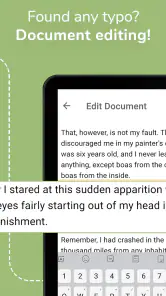
A realistic example is checking a meeting agenda on the way to work, then correcting a line in an ODT document before sharing it back. For a spreadsheet, I would use the phone for a small correction or a quick look at information, not for rebuilding a complex workbook. The less obvious benefit is avoiding format conversion as the first step: keeping the original file can reduce the risk of losing layout or details through an unnecessary export-and-reimport cycle.
Where it sits among the alternatives
Compared with using a separate viewer for each file type, a reader that handles several formats can simplify a mixed inbox. Compared with a larger office suite, though, a focused document app may feel less suitable for long writing sessions, intricate spreadsheet work, or presentation design. I would keep a desktop editor for those tasks and use this app as a convenient mobile companion, rather than expecting a phone to replace a full work setup.
More From Our News Desk

Weather by Xiaomi Review: Clear at a Glance, Less Clear Up Close

X Under Pressure: Can It Recover When Posting Goes Wrong?

Clash of Clans Is Won Between the Battles

Android Auto Makes the Case for Quieter Car Software

MobiOffice: Transforming Mobile Productivity with Seamless Integration

EA SPORTS FC™ Mobile Soccer: Redefining Mobile Sports Gaming
There is also a useful distinction between opening a file and preserving every detail exactly as its creator intended. If a document has elaborate formatting, unusual fonts, or complicated spreadsheet formulas, I would inspect the result carefully before editing or sending it onward. A sensible workflow is to keep an untouched copy, make only the changes needed on the phone, then reopen the saved version before relying on it. That small check is especially worthwhile for a document someone else will print or use as an official record.
Seamless Document Handling
First off, let me tell you about the biggest perk of OpenDocument Reader Pro - its ability to handle multiple document formats with ease. Whether it's a Word doc, an Excel sheet, or an OpenDocument file, this app has got you covered. I threw a bunch of different files at it, and it handled them like a pro. No more worrying about compatibility issues!
Making mixed files easier to manage
One practical advantage of using a single reader for several file types is that it can reduce the small decisions that interrupt a task. When an attachment arrives, I do not first have to guess which specialist app might accept it. I can try it here, inspect the contents, and decide whether it is ready to read, needs a modest change, or should wait for a computer. That is useful when the sender’s choice of format is outside my control.
Still, I would treat compatibility as a starting point, not a guarantee that every document will look or behave identically to its source. Opening a file successfully does not mean a complex layout, embedded object, or formula will be represented exactly as intended. For anything important, I would check the areas that matter rather than assuming the whole document has survived untouched. That habit is more valuable than trying to judge fidelity from the file extension alone.
User-Friendly Interface
Now, let's talk about the interface. It's clean, intuitive, and dare I say, almost fun to use. The developers have nailed it with a design that's straightforward and gets you to your documents without any fuss. I didn't have to spend ages trying to figure out what button to press or how to access a feature. Everything is right where you expect it to be.
Performance and Speed
Okay, let's get real for a second. We all hate it when apps lag, right? Well, with this app, speed is no issue. Documents open swiftly, and navigating through them is smooth as butter. Whether you're scrolling through a massive PDF or editing a spreadsheet, the performance is top-notch. I was genuinely impressed by how quick it is.
What I would check before relying on an edit
For routine reading, a quick scan may be enough. Before returning an edited file, I would be more deliberate: check the title or identifying details, review the part I changed, and make sure I am sharing the edited copy rather than the untouched original. This is especially helpful when several versions of a document have similar names or when the file has moved between messages and storage locations.
For spreadsheet work, I would keep the scope narrow on a phone. A single value or straightforward correction is easier to verify than a change that affects several calculations. If a figure feeds into other cells, I would compare the result with the source or reopen the sheet in the tool used to create it. The app can make a quick intervention possible, but it cannot remove the need to understand what the edit affects.
Accessibility Features
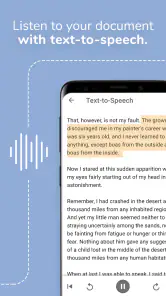
Another thing that stood out to me is the accessibility features. The app supports voice commands and offers a range of options for those with visual impairments. It's clear the developers have put thought into making it usable for everyone, and that's something I can really get behind.
Customizability and Extras
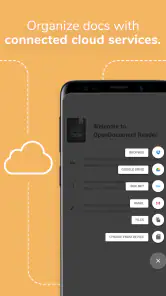
If you're someone who loves to tinker and customize, this app gives you plenty of options. From changing themes to adjusting font sizes, you can tailor the app to suit your needs. Plus, it offers cloud integration, so you can easily sync your documents across devices. I found this feature particularly handy for accessing my files on the go.
Who should pay, and who should pass?
This is a paid business app from Stefl und Taschauer OG, priced at $2.99, with an Everyone age rating. It has a 4.4 average from around 700 ratings, and over 5,000 installs. It was released in November 2020. Those figures suggest that it has found an audience, but they are not a substitute for checking whether its editing depth matches your own work.
For someone who regularly receives ODT or ODS files and needs to read or make modest edits while away from a computer, paying once for a dedicated option may be worthwhile. If you mostly handle documents in a single format, already rely on a preferred office suite, or need advanced layout and spreadsheet tools, I would compare that existing workflow before adding another app. The cost of switching is not just the purchase: it is learning where files are opened from and making sure saved edits return to the right place.
When another kind of tool is a better fit
I would lean toward a full office suite if the phone is where I do most of my writing, spreadsheet construction, or presentation work. Those tasks tend to benefit from broader creation and revision tools, and a dedicated document reader should not be mistaken for a replacement just because it can open familiar formats. A desktop editor is still the better choice when exact layout control or complex calculations matter.
At the other end, if I only need to read fixed documents and never make changes, a basic PDF reader may be enough for that narrow routine. The trade-off is that a PDF-focused tool is less useful when the incoming file is an editable OpenDocument document or a spreadsheet. I would choose based on the formats people actually send me, rather than installing overlapping tools in anticipation of every possible attachment.
There is also a difference between a personal workflow and a managed workplace one. Someone handling private notes or ordinary documents may be comfortable choosing a convenient app independently. In a job where files must follow a specific approval, storage, or sharing process, I would use the organization’s required tools and check its rules first. Convenience is not a good reason to move sensitive work outside an approved process.
A careful mobile workflow
When a document arrives, I would first open it and check that the pages, tables, and important figures look right. For an ODS sheet, a quick mobile edit is best kept to a contained change; if the task involves several linked formulas or careful formatting, I would wait until I have a larger screen. Before sending anything back, I would review the saved copy, especially if the recipient needs the document in its original format. This is a practical way to use mobile editing without treating it as risk-free.
One point worth considering is where your files live. The app’s cloud integration can suit a person who already moves documents between devices, but it is still sensible to confirm that the file you opened and the copy you edited are the ones you intended to use. For private work, I would also follow the storage and sharing practices required by my workplace rather than assuming that any document app automatically fits every organization’s rules.
Questions to settle before making it your regular reader
Would I use it for a document that needs a polished final layout? I would use it to inspect the file or make a contained correction, but I would verify the finished result in the tool intended for final production. That is a safer approach for documents with tables, page breaks, or formatting that must print consistently.
Would I use it for a spreadsheet on the move? Yes, when I need to read information or make a limited change I can check. I would save more complicated formula work for a larger screen and the spreadsheet workflow I normally trust. The practical dividing line is not whether the file opens, but whether I can confidently verify the effect of my edit.
Does it make sense if I already have an office suite? It can, if OpenDocument files are a recurring obstacle or if I want a focused way to handle mixed attachments on a phone. If my current suite already opens the files I receive and supports the edits I need, adding another app may create more file-location choices than it removes.
Is it suitable for work documents? That depends on the rules around those documents. I would check workplace requirements for storage and sharing before using any mobile reader for sensitive or controlled material. For ordinary personal files, the decision can be based more simply on format support and the amount of editing I expect to do.
My recommendation
In conclusion, if you're in the market for a reliable document reader that handles a variety of formats with ease, OpenDocument Reader Pro should be on your radar. It's efficient, user-friendly, and packed with features that make managing documents a breeze. Give it a try, and you might just wonder how you ever managed without it!
My recommendation is more specific: I would choose it for a phone-centered workflow where OpenDocument compatibility is the deciding need and edits are occasional rather than elaborate. It can also be a sensible fallback when a file arrives in an unfamiliar office format and waiting for a computer is inconvenient. If your priority is advanced creation, detailed collaboration, or strict control over a company document pipeline, a broader suite or your organization’s approved tool is the safer fit. For quick access across varied files, though, this app offers a focused way to keep work moving.
For a practical test, I would start with copies of the kinds of files I receive most often: one OpenDocument text file, one spreadsheet, and a PDF or CSV if those show up in my normal work. I would see whether each opens in a readable state, try only a harmless edit, then check what happens to the saved copy. That small trial gives a better answer than relying on broad claims about compatibility, and it helps me spot whether this app fits my own file habits.
Overall, I see its strongest role as a bridge between receiving a document and getting back to a computer or a more powerful editor. That is a modest role, but a genuinely useful one when the right file arrives at the wrong time. I would recommend it to people who regularly encounter OpenDocument formats on mobile and value a straightforward way to inspect them; I would skip it if my existing tools already cover those needs or if I expect extensive editing from a phone.
OpenDocument Reader Pro Frequently Asked Questions
Can OpenDocument Reader Pro open formats beyond OpenDocument files?
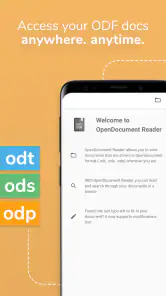
Yes. OpenDocument Reader Pro is presented as a document app for opening more than ODF files: it can read and edit ODT, ODS, ODP, DOCX, DOC, CSV, and PDF documents, along with other files. That makes it useful if your work includes a mix of office documents and PDFs, rather than only files created in OpenDocument formats.
Who is OpenDocument Reader Pro intended for?
OpenDocument Reader Pro is a business app for people who need to work with office documents on a mobile device. It may suit users who regularly receive OpenDocument files as well as those handling Word documents, spreadsheets, presentations, CSV files, or PDFs. Its focus is practical document access and editing, so it is most relevant when you want to manage these files away from a computer.
What is OpenDocument Reader Pro?
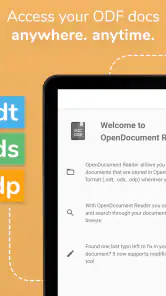
OpenDocument Reader Pro is an advanced mobile application designed to help users view, edit, and manage OpenDocument files seamlessly on their Android or iOS devices. It supports various formats like .odt, .ods, and .odp, making it a versatile tool for those who frequently work with OpenDocument files. It is also described as supporting formats such as DOCX, DOC, CSV, and PDF, so its use is not limited to OpenDocument files.
Is OpenDocument Reader Pro compatible with all types of OpenDocument files?
Yes, OpenDocument Reader Pro is compatible with a wide range of OpenDocument formats, including text documents (.odt), spreadsheets (.ods), and presentations (.odp). This compatibility ensures that users can easily open and edit files created with OpenOffice, LibreOffice, and other software that support OpenDocument formats.
What are the key features of OpenDocument Reader Pro?
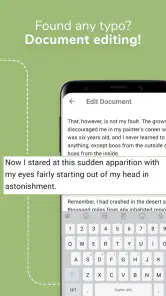
OpenDocument Reader Pro offers a variety of features including file viewing, editing, and sharing capabilities. Users can also benefit from features like document search, text formatting, and the ability to add annotations. The app provides a user-friendly interface, making it easy to navigate and manage documents on mobile devices.
Pros
- Supports various file formats.
- User-friendly interface.
- Quick file opening.
- Offline access available.
- Regular updates improve stability.
Cons
- Occasional ad pop-ups.
- Limited free version features.
- Some files load slowly.
- Premium subscription required for advanced features.
- May crash on older devices.
- Category
- Business
- Version
- Varies with device











