Open Camera
- 7.62K
- 4.1
- Installs
- 100.00M
- Price
- Free

Screenshots
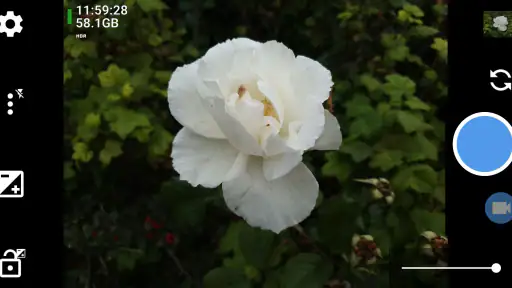
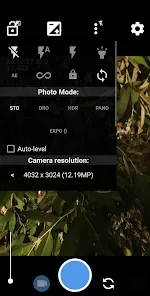
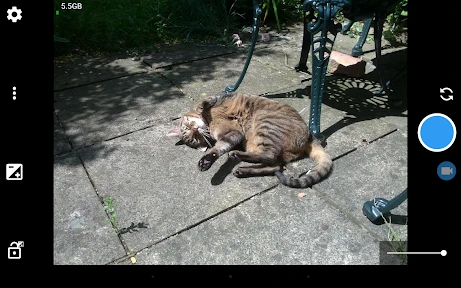
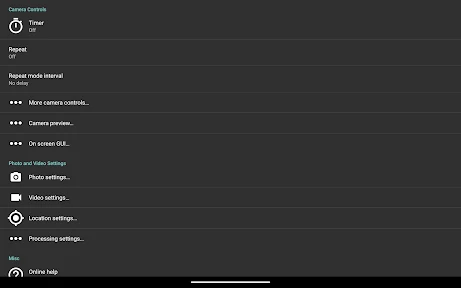
Analysis by Reviewed
When I need to take a quick photo, I don’t always want to dig through menus—but when a scene calls for more care, I like having room to adjust how the camera behaves. That balance is what makes Open Camera appealing to me: it’s a free photography app by Mark Harman that puts manual controls within reach without asking you to buy into a separate camera system. It has a 4.1 average from around 284,000 ratings and more than 100 million installs, so it has clearly found a broad audience, though popularity alone doesn’t make its interface right for everyone.
Getting Up Close with Open Camera
Open Camera might not come with the glossy finish of some paid apps, but what it lacks in polish, it more than makes up for in sheer functionality. Right off the bat, the interface might look a bit basic, but don't let that fool you. It's like stepping into a simple car that somehow has the engine of a race car under the hood. This app is packed with features that are usually found in high-end DSLRs.
Once you open the app, you're greeted with an array of icons. It might seem overwhelming at first, but take a deep breath. Each icon is a gateway to a world of photographic possibilities. From adjusting ISO and white balance to setting a timer or even controlling the exposure, it's all there. The developers have kept it ad-free, which is a huge plus in my book. Nothing kills the creative vibe like a pop-up ad, right?
What to Learn Before a Moment Matters
I would not make my first attempt at a new setting during a once-only moment. I’d try it on an ordinary subject first: photograph the same object with the automatic result, then change one control and compare. Keeping the test to one change makes it easier to see what ISO, exposure, or white balance is actually doing, rather than guessing which of several adjustments caused the difference.
That approach also helps answer a practical question: do you need to configure the app every time? Not necessarily. If you mostly take casual pictures, the automatic approach can remain your default, and you can reach for manual options only when a scene calls for them. The useful habit is knowing where your preferred controls are before you need them, not keeping every setting in motion.
Speed Expectations and Busy Sessions
For a fast-moving subject, I would value a camera that is ready to capture more than a long list of adjustments. Open Camera’s appeal is the control it gives you, but those controls are most comfortable when you can pause and compose. If children, pets, or a passing moment are the priority, I’d keep the setup simple and avoid changing several options while the scene is unfolding.
During a longer photo or video session, I’d also pay attention to the phone itself. Previewing and recording are more demanding than taking an occasional still, and the experience can vary between devices. I can’t treat one handset’s responsiveness as a guarantee for another. If the app begins to feel sluggish, I’d stop changing settings, close other camera-related tasks if needed, and make a short test before continuing with footage I care about.
More From Our News Desk

Weather by Xiaomi Review: Clear at a Glance, Less Clear Up Close

X Under Pressure: Can It Recover When Posting Goes Wrong?

Clash of Clans Is Won Between the Battles

Android Auto Makes the Case for Quieter Car Software

MobiOffice: Transforming Mobile Productivity with Seamless Integration

EA SPORTS FC™ Mobile Soccer: Redefining Mobile Sports Gaming
Features That Make You Go Wow
This app is a playground for anyone who loves tweaking settings to get that perfect shot. One of the standout features is the auto-stabilizer. Say goodbye to blurry shots, especially when you're working with less-than-steady hands. It's like having an invisible tripod with you all the time.
Another cool feature is the Noise Reduction mode, which works wonders in low-light situations. Whether you're at a dimly lit concert or capturing the night sky, this feature ensures that your photos come out crisp and clear. And let's not forget the HDR mode that lets you capture scenes with a broad range of light and dark areas without losing detail.
Choosing the Right Moment for Its Controls
The extra controls are most useful when the scene gives you time to use them. For a family snapshot or a fleeting expression, I’d leave the camera settings alone and prioritize getting the shot. For a still subject, I might adjust exposure or white balance first, then take a couple of frames to see which result feels right. That small pause is a better use of the app than changing settings simply because they are available.
One practical habit is to learn the controls you reach for most and ignore the rest until you need them. ISO and exposure adjustments can help when a bright window or dim room confuses an automatic result; white balance is worth checking when indoor lighting makes colors look off. I wouldn’t expect any setting to rescue every difficult scene, though. A steady hand, decent light, and a moment to review the image still matter.
For everyday use, think of a weekend market: quick pictures while walking, followed by a more deliberate shot of a stall or a detail you want to remember. The automatic approach is sensible for the moving moments; the manual options become useful when you can stop and compose. This is also where Open Camera differs from a typical phone camera app: the default camera is usually the quicker choice for effortless point-and-shoot use, while this one makes more sense if you want direct access to adjustments.
Small Workflows That Make the Controls Useful
For a document or a sign, I’d first frame it squarely and take a plain test shot before experimenting. If the paper looks washed out beside a bright window, exposure adjustment is a more focused first step than changing several controls at once. For a meal or a craft project under indoor lights, I’d check white balance and compare the result with the automatic image. These are modest jobs, but they make clear whether the extra control is helping rather than simply adding choices.
HDR and noise reduction are also best treated as tools for particular scenes, not settings to turn on automatically for every picture. HDR can be worth trying when a frame contains both bright and dark areas, while noise reduction is more relevant when light is limited. I’d take a test and inspect it before relying on either for a moment that cannot be repeated. That small check is especially useful when the subject is moving or the lighting is changing.
Video, Compatibility, and Everyday Trade-Offs
There's something incredibly satisfying about using Open Camera. It's like having a mini photo studio in your pocket. For those who love making videos, the app also offers a range of settings to tweak your recordings, including the ability to change frame rates and bitrates. Plus, the app supports external microphones, which is a game-changer for vloggers and filmmakers on-the-go.
If you record a short clip, it’s worth checking the framing and sound before committing to a longer take. An external microphone can be useful for a spoken video, but it also adds gear to connect and keep track of; for an informal clip, the phone’s built-in setup may be simpler. Likewise, changing recording settings gives you control, but it can make file size and playback compatibility worth considering. I’d test a short sample on the device and in the app where you plan to share it before recording something important.
Open Camera is free, rated for Everyone, and has a current version of 1.55; it runs on Android 5.0 and later. Its open-source approach is a meaningful distinction from many camera apps, but the straightforward interface and range of options can feel less polished than the camera app that came with your phone. The project has around 7,600 reviews, and that scale of feedback reflects a long-running tool, not a guarantee that every feature behaves identically across devices.
That device variation matters when judging speed and reliability. A camera app depends on the phone’s hardware and software, so I wouldn’t assume that every setting or mode will feel equally responsive on every handset. If the preview feels slow or an option behaves unexpectedly, I’d first try a basic photo, then test the specific control again in good light. For a time-sensitive moment, switching back to the built-in camera is a sensible fallback; Open Camera is better approached as an option to configure and learn, not a promise of identical performance everywhere.
Reliability, Recovery, and Device Fit
I’d separate a camera app feeling dependable from every advanced mode working the same way on every phone. A useful way to check your setup is to take a basic still, try the control you expect to use, and play back a brief video before planning a longer recording. If something looks wrong, return to a simple setting and test again rather than changing several options at once. This gives you a clear fallback and helps identify whether the issue is tied to a particular mode.
For important footage, I’d build in a little margin: check available space, make a short sample, and confirm that it plays back as expected before recording at length. These are sensible camera habits, not a claim that the app will recover every interrupted capture. If a recording is crucial and you cannot test beforehand, the familiar stock camera may be the lower-friction choice.
Open Camera’s minimum operating system is Android 5.0, so it is aimed at Android devices rather than iPhones. Meeting that minimum does not mean every handset offers the same camera controls or response. Phone makers expose different capabilities to apps, and the practical result can be a different experience from one model to another. I’d regard compatibility as something to test on the phone I actually plan to use, particularly if manual controls or video settings are the reason for installing it.
Who Will Get the Most from It
I’d recommend it to curious phone photographers who enjoy experimenting, people who want more say over exposure and color, and video makers who value adjustable recording controls. It can also suit someone who wants a capable camera app without paying for one. On the other hand, if you mainly want a spotless interface that makes every decision for you, or you rarely move beyond quick snapshots, the stock camera may be more comfortable. A more polished third-party camera app could also be a better fit if interface simplicity matters more to you than having a broad set of controls.
There is a modest learning curve, and that is the main cost of its flexibility. The app’s 100 million-plus installs and 4.1 average rating suggest wide use, but neither tells you whether its controls match your habits. I’d spend a few minutes learning the settings I actually need, rather than trying to master every icon at once. That makes the app easier to use when a good photo opportunity appears.
Choosing Between This and the Usual Camera
The built-in camera is often the better choice when speed, familiar behavior, or a heavily guided interface matters most. It may suit someone who wants to open the phone, point, and take a picture without deciding how the image should be exposed. Open Camera makes more sense when I want to intervene directly, compare settings, or adjust video recording rather than accept whatever the default app chooses.
Compared with a paid camera app, the appeal here is not a promise of a more elegant experience; it is access to a flexible tool without a purchase. A paid alternative may be preferable if its interface feels clearer to you or if it fits a particular workflow better. I’d judge the choice by a real test: can I find the controls I need quickly, and do I prefer the resulting image or clip? If not, there is no reason to switch merely because one app has more options.
Why It's Worth Your Time
There's something incredibly satisfying about using Open Camera. It's like having a mini photo studio in your pocket. For those who love making videos, the app also offers a range of settings to tweak your recordings, including the ability to change frame rates and bitrates. Plus, the app supports external microphones, which is a game-changer for vloggers and filmmakers on-the-go.
Despite being free, the app doesn’t skimp on quality or features. It's regularly updated with improvements and new functionalities, thanks to its open-source nature. This means that a community of developers is always working to make it better, and you get to reap the benefits.
In conclusion, if you're serious about photography, or even if you're just looking to up your Instagram game, Open Camera is worth a shot. It's a powerful tool that's both accessible and easy to use. So why not give it a whirl? You might just find that it's the missing piece in your photography puzzle. Happy shooting!
Open Camera Frequently Asked Questions
Is Open Camera available for iPhone or only for Android?
Open Camera is an Android photography app, so it is intended for use on Android devices rather than iPhones. If you use an iPhone, you will need to look for a camera app designed for iOS. Android users should also check that their device meets the app’s minimum operating system requirement before downloading.
What should I check before installing Open Camera on my phone?
Before installing, check that your phone runs Android 5.0 or later and that the camera features you want to use are supported by your device. Open Camera brings controls and settings together in a camera app, but some functions can depend on the phone’s hardware. The app is free and has an Everyone content rating.
Does Open Camera require an internet connection to take photos or record video?
Open Camera is a camera app for capturing photos and videos on your Android device, so using its camera controls does not depend on browsing or streaming online. You can open the app and take pictures or record clips with the phone’s camera. The app is open source, and its core purpose is to provide camera tools directly on the device.
What is Open Camera and what features does it offer?
Open Camera is a fully-featured camera application for Android devices, aimed at both amateur and professional photographers. It offers a plethora of features including auto-stabilization, manual controls for focus and exposure, support for external microphones, and a timer. Additionally, it provides customizable settings for photo and video quality, making it a versatile tool for capturing high-quality images and videos.
Is Open Camera free to use or does it require any in-app purchases?
Open Camera is completely free to download and use, with no hidden fees or in-app purchases. It is an open-source application, which means it is developed and maintained by a community of developers who ensure it remains accessible to everyone. Users can enjoy all its features without any cost, making it an excellent choice for those seeking a powerful camera app without spending money.
Pros
- Free and open-source app
- Customizable user interface
- Supports external microphones
- Remote control options
- Frequent updates and support
Cons
- Complex settings for new users
- Limited editing features
- Occasional bugs with updates
- No built-in tutorials
- Requires Android 5.0+
- Category
- Photography
- Version
- 1.55











