OnePay – Mobile Banking
- 16.32K
- 4.7
- Installs
- 5.00M
- Price
- Free

Screenshots
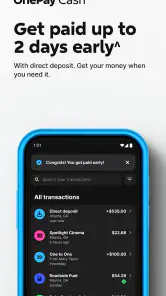
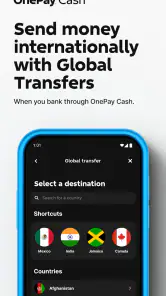
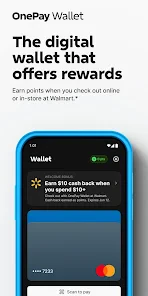
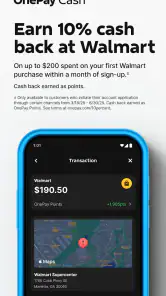
Analysis by Reviewed
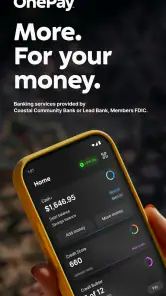
Have you ever felt overwhelmed by traditional banking systems, or perhaps just weary of all those unnecessary trips to the bank? Well, let me introduce you to a game-changer in the financial world – One — Mobile Banking. This app is like having a mini bank in your pocket, with all the conveniences that digital technology can offer.
Banking Made Easy
What sets One — Mobile Banking apart from the usual banking apps is its user-friendly interface and streamlined services. From the moment you open the app, you're greeted with a clean and intuitive design that makes navigating through your finances a breeze. Whether you're checking your balance, transferring funds, or paying bills, everything is just a tap away.
No More Hidden Fees
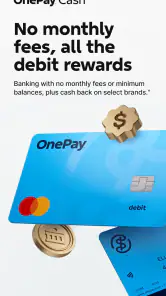
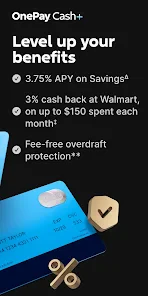
One of the standout features of this app is its transparency. Unlike many banks that sneak in hidden fees, One — Mobile Banking prides itself on being straightforward. You’ll know exactly what you’re paying for and when. It’s refreshing to see an app that values honesty and strives to keep its users informed and empowered.
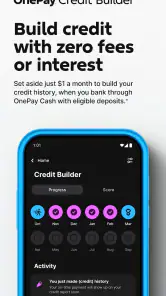
Additionally, the app offers a unique feature where you can set up "pockets" for your savings. Think of them as virtual piggy banks where you can allocate funds for different purposes like "Vacation" or "Emergency Funds." It’s a nifty way to manage your money and ensure you’re always prepared for life’s little surprises.
Security You Can Trust
In a world where digital security is paramount, One — Mobile Banking goes above and beyond to protect your financial data. The app employs top-notch encryption and multi-factor authentication to ensure your information is safe from prying eyes. You can bank with peace of mind knowing that your personal details are secured.
Another impressive feature is its real-time notifications. Every transaction you make is immediately logged, and you’ll receive instant alerts. This not only helps in tracking your spending but also acts as a safeguard against unauthorized transactions.
Final Thoughts
In conclusion, if you’re looking for a hassle-free banking experience, One — Mobile Banking is definitely worth trying out. Its combination of transparency, security, and ease of use makes it a standout choice in the crowded world of mobile banking apps. Plus, with features like customizable pockets and real-time notifications, it’s designed to fit seamlessly into your lifestyle. So why not give it a shot? You might just find that managing your finances has never been this easy or enjoyable. Happy banking!
Pros
- Instant account setup
- No monthly fees
- User-friendly interface
- Wide ATM network
- Real-time notifications
Cons
- Limited customer support
- No physical branches
- Mobile app only
- Limited financial products
- Requires stable internet

- Category
- Finance
- Version
- 5.39.0











