Night Camera Mode: Video Photo
- 550.00
- 4.6
- Installs
- 1.00M
- Price
- Free
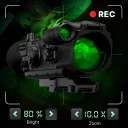
Screenshots
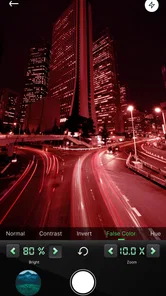
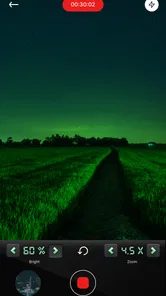
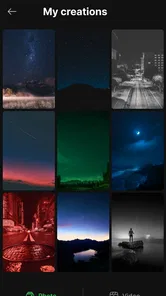
Analysis by Reviewed
I often reach for a night camera app when a dimly lit moment is worth keeping but my usual phone-camera shot looks muddy. Night Camera Mode: Video Photo is aimed at that simple problem: it gives you a way to work with low-light scenes without carrying extra camera gear. I’d treat it as a practical tool to try, not a guarantee that every dark scene will turn into a crisp photo.
A shared phone, one useful camera option
On a household phone that different people use, the app’s appeal is straightforward: someone can open it when the room is dim, the evening walk is underway, or a family gathering moves outdoors after sunset. It is a photography app from SABAN, and its focus is narrower than a general camera’s: getting more usable pictures in nighttime conditions. The app is free, so it is easy to consider as an extra camera option rather than a replacement for the phone’s built-in camera.
A realistic use is a quick picture of a birthday cake before the candles go out. I would steady the phone, frame the subject, and take a moment to check the result rather than firing off a burst while people are moving. That small pause matters: low light makes movement harder to capture cleanly, and no camera setting can make a moving subject hold still. For a shared device, it also helps to agree on where photos should be saved and who will review them, especially if several people take pictures on the same phone.
Setup, control, and household expectations
The original article’s discussion of manual ISO and exposure controls points to a useful trade-off: automatic shooting is convenient, while adjusting settings can help when a scene is unusually dark or bright. I would change one control at a time and take a test shot, rather than making several adjustments and losing track of what improved the image. A steadier phone can also help; resting it on a table or railing is a simple way to reduce blur in a still scene.
For video, I would keep expectations measured. The published description of stabilization and low-light recording sounds appealing, but dim scenes and moving subjects remain demanding for phone cameras. Before relying on a clip for an important moment, make a short test recording and check both the framing and the result. If dependable action footage is the priority, a well-lit setting or the standard camera app may be the safer choice.
Who will get the most from it
This is most interesting to people who regularly take evening photos and are willing to compare a few results with their phone’s default camera. It may also suit someone who wants manual adjustments without learning a dedicated camera system. It is less compelling if you mostly take pictures in daylight, want a one-tap result every time, or need consistently sharp images of children, pets, or sports moving in poor light. In those cases, better lighting, a steadier position, or the phone’s familiar camera may matter more than switching apps.
Unlike the standard camera app, a specialist night camera puts low-light shooting at the center of the experience; unlike a full editing app, its purpose is to help at capture time rather than polish every picture afterward. I would keep both options available and choose based on the scene. A quick comparison in the same spot can show whether this app produces a result you prefer on your particular phone.
More From Our News Desk
 MX Player
 and the Small, Private Rituals of Mobile Viewing
A practical video player reveals how mobile viewing has become private, portable, and woven into the spare minutes of ordinary life.

 Piano Fire: Edm Music & Piano
Piano Fire Tested: How Well Does It Recover When a Run Breaks?
A rhythm game lives or dies by recovery as much as reflexes. Piano Fire makes a brisk, colorful loop, but its rough edges matter most after a missed note or interrupted run.

 Ludo King®
Ludo King Turns Quick Matches Into a Lasting Social Ritual
A close look at how quick matches, private rooms and familiar rivalries turn this digital Ludo game into a small, durable social ritual—and where that community has limits.

 YouTube Music
 Turns Video Discovery Into Listening Power
A capable music service with an unusually strong route into discovery, YouTube Music shows how Google can turn a video habit into control over what listeners hear next.

 Netflix
 Is Building a Daily Habit Beyond Its Biggest Shows
A familiar streaming app is gaining new weight as Netflix pushes games, live programming, and discovery into the same daily habit. The growth is real, but so are the limits.

 Ramp Car Games: GT Car Stunts
Ramp Car Games: The Risk-and-Reward of Every Jump
A stunt racer built around one deceptively rich decision: how much speed to carry into a jump, and how much control to keep for the landing.
Latest News



Unleashing the Night
Let's be honest, capturing photos at night can be a nightmare with standard phone cameras. They usually struggle with low light, and the results can be pretty disappointing. But with Night Camera Mode: Video Photo, it's a game-changer. The app is engineered to enhance your camera’s ability to capture light, producing images that are brighter and clearer, almost as if the sun never set!
Features That Shine
What makes this app stand out are its robust features designed specifically for night photography. One of my favorites is the manual control option. It lets you tweak the ISO and exposure settings to get that perfect shot. It's like having a DSLR in your pocket. The app also includes a noise reduction feature that smooths out those pesky grains that often ruin night photos.
And it's not just about stills. The video mode is equally impressive, offering stabilized, high-quality recordings even in dimly lit environments. Whether you're filming a spontaneous night out or capturing a serene evening landscape, this app ensures your videos are just as captivating as your photos.
User Experience
One thing I absolutely love about the app is its user-friendly interface. Even if you're not tech-savvy, you can easily navigate through the options and start shooting like a pro in no time. The layout is intuitive, with all the essential controls right at your fingertips. Plus, the app runs smoothly without any annoying lags, which is a huge plus in my book.
Choosing it for a shared household phone
The app has an Everyone age rating, and its audience rating averages 4.5 from around 9,200 ratings; it has also passed one million installs. Those figures make it a familiar option, but I would still show younger users how to frame a shot and review it before sharing. A camera app can capture private moments as easily as ordinary scenes, so basic household expectations about asking before photographing people are more useful than assuming an age label settles every question.
There is no need to create a complicated routine: agree on who can use the shared phone, where finished pictures belong, and whether anyone should ask before posting them elsewhere. The app is free, and the current version is 1.2.8; it was released on June 21, 2023, and requires Android 9 or later. That makes the device’s operating system a practical first check before trying it. The developer is SABAN, and the app has around 380 written reviews.
How I would judge a night shot
When comparing results, I would photograph the same still subject from the same position with the default camera and this app, then inspect the images at full size. Look for detail in shadows, noise in darker areas, and whether bright lamps have become washed out. A preview that looks brighter is not automatically better if it hides texture or changes the mood of the scene. This comparison is a useful way to decide whether the app’s processing suits your phone and taste.
For a landscape or a building, a brief pause to steady the phone gives the camera a better chance than tapping the shutter while walking. For people, I would favor a brighter spot and a quick shot over a long attempt to rescue a very dark scene. These are small practical choices, but they often matter more than fine-tuning several controls at once.
Making a shared camera routine work
A useful household habit is to decide whether the phone is being used for a quick record or for a photo someone plans to keep. For a casual snapshot, I would leave the controls alone and avoid delaying the moment while everyone waits for adjustments. If the scene is still—a table decoration, a view from a window, or a pet curled up asleep—I would take a second to stabilize the phone and experiment with exposure. The distinction keeps a specialist camera from turning every family picture into a small technical project.
After a shared evening, it can help to review pictures together and remove near-duplicates or accidental shots from the phone’s ordinary photo collection. That is not a special app function; it is simply a sensible step when several people use one device. It also gives younger users a chance to learn that a brighter frame is not always a more faithful one, and that people in a photo should be comfortable with how it is used.
Where the specialist approach helps—and where it doesn’t
Compared with relying on the built-in camera, a dedicated night option is worth testing when the default result repeatedly looks too dark or when you want to take a more deliberate role in exposure. Compared with editing a photo afterward, capture-time adjustments can be useful when you are still at the scene and can change your position or steady the phone. Neither approach is universally better: the familiar camera is usually quicker, while editing gives you more time to decide how an image should look.
There is also a practical trade-off in choosing a specialist app on a phone used by multiple people. A person who understands exposure may appreciate having extra control, while another household member may prefer the phone’s usual camera because its routine is already familiar. I would show anyone sharing the device how to return to a simple automatic approach after experimenting, rather than expecting every user to remember a previous person’s settings.
For a short night walk, I would decide before leaving whether I want still photos, video, or both, then test the chosen mode on an unimportant scene. A quick check can reveal whether the framing feels comfortable and whether the image looks acceptable on that phone. It is a better plan than discovering a confusing setup at the moment a street performer, illuminated shopfront, or passing family member appears.
Final Thoughts
If you're someone who loves capturing life after dark, Night Camera Mode: Video Photo is a must-have in your app arsenal. It’s perfect for night owls, travelers, or anyone who wants to elevate their night photography game without investing in expensive gear. This app has truly revolutionized the way I take photos at night, and I bet it will do the same for you. So, next time you’re out under the stars, give it a try and see the difference for yourself!
My household verdict is more measured: I would keep it as an optional camera for shared evening use, while leaving the built-in camera available for quick daylight shots and familiar workflows. The strongest reason to try it is the chance to shape a low-light photo with manual controls; the main reason to skip it is expecting software alone to freeze movement or make every dark scene clean. Take a few test shots, compare them on your own phone, and keep the app only if its results suit the way your household actually takes pictures.
Night Camera Mode: Video Photo Frequently Asked Questions
Is Night Camera Mode: Video Photo free to download, and what should I expect from the app?
Night Camera Mode: Video Photo is free to download and is a photography app for capturing pictures at night. Its short store description is “Night Camera,” and its central appeal is the promise of more beautiful night-time pictures. It is rated for Everyone, so it is presented for a broad audience. Before installing, consider whether a dedicated low-light camera app suits the way you take photos.
What is Night Camera Mode: Video Photo and how does it work?
Night Camera Mode: Video Photo is an app designed to enhance the quality of photos and videos taken in low-light conditions. Leveraging advanced algorithms and AI technology, the app adjusts exposure and reduces noise to deliver clearer and brighter images. It’s perfect for night photography or dimly lit settings, making your photos more vibrant and detailed without the need for additional lighting equipment.
Is Night Camera Mode: Video Photo compatible with all smartphones?
The app is compatible with most modern Android and iOS devices. However, for optimal performance, it's recommended to use it on smartphones with better camera sensors and processors. Users should check the app's specific compatibility requirements on the app store listing to ensure their device supports all features effectively before downloading.
Are there any costs associated with using Night Camera Mode: Video Photo?
Night Camera Mode: Video Photo is free to download. It is developed by SABAN, and the current version is 1.2.8. You can consider it if you want to try a night photography app without an upfront download price; review the options shown in your app store before installing so you know what the download and app experience involves.
What are the key features of Night Camera Mode: Video Photo?
Key features of Night Camera Mode: Video Photo include advanced low-light capture technology, adjustable exposure settings, noise reduction, and real-time enhancements. It may also offer manual controls for more experienced photographers, such as ISO and shutter speed adjustments. The app aims to provide users with a comprehensive toolkit for capturing high-quality night-time images and videos.
Pros
- Excellent low-light performance
- User-friendly interface
- High-quality video output
- Wide range of camera settings
- Fast and responsive
Cons
- Battery drains quickly
- Limited customization options
- Occasional app crashes
- Ads can be intrusive
- Requires high-end device for best results