NetBenefits - Fidelity at Work
- 7.54K
- 4.5
- Installs
- 1.00M
- Price
- Free

Screenshots

Analysis by Reviewed
Have you ever stumbled upon an app that made managing your financial future feel like a breeze? That's exactly what the NetBenefits - Fidelity at Work app aims to do. I recently took it for a spin, and let me tell you, it's like having a personal financial assistant right in your pocket. If you're juggling multiple accounts or trying to keep tabs on your retirement savings, this app is definitely worth a look.
Getting Started with Ease
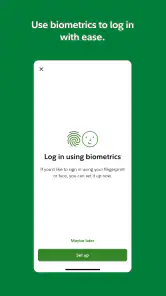
First off, let's talk about the setup. Downloading and installing the NetBenefits - Fidelity at Work app is as straightforward as it gets. Once you've got it on your device, the login process is pretty seamless. If you already have a Fidelity account, you’re halfway there. Just punch in your credentials, and you're in. If you're new to Fidelity, setting up an account is a piece of cake, and the app guides you through every step.
Features That Make It Stand Out
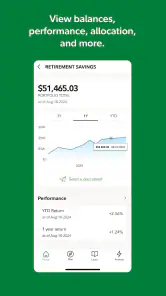
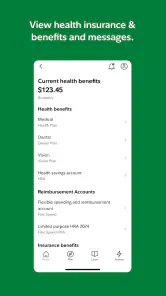
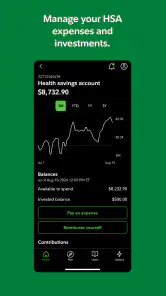
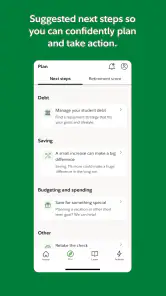
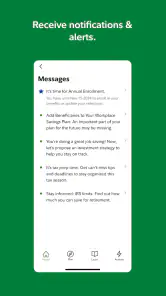
Now, onto the good stuff—the features. One thing that really caught my eye was the app's dashboard. It's incredibly intuitive, offering a snapshot of your financial health at a glance. Whether you want to check your 401(k) balance, review recent transactions, or get an overview of your investment performance, it's all there under one roof. The app also provides personalized insights and alerts, which is a huge plus if you're like me and tend to overlook those important financial milestones.
Another feature worth mentioning is the educational resources. The app offers a ton of articles and videos that explain financial concepts in simple terms. Whether you're a financial newbie or a seasoned investor, there's always something new to learn. Plus, the app frequently updates its content, so you're always getting the latest advice and strategies.
User Experience and Navigation
In terms of user experience, the app is quite user-friendly. The navigation is smooth, and I didn't encounter any annoying glitches or crashes during my time with it. The design is clean and modern, which makes it easy on the eyes. One small gripe I had was with the loading times. Occasionally, it took a few extra seconds to load certain sections, but it's nothing that would deter me from using the app.
The Verdict
So, what's my final take on the NetBenefits - Fidelity at Work app? It's a solid choice for anyone looking to manage their finances more effectively. With its comprehensive features, intuitive interface, and reliable performance, it’s a tool that can genuinely help you stay on top of your financial game. Whether you're planning for retirement or just trying to keep track of where your money is going, this app has got you covered.
If you're already a Fidelity user, integrating the app into your daily routine will feel like a natural extension of your existing financial management tools. And if you're new to Fidelity, it might just be the nudge you need to start taking control of your financial future. So why not give it a try? Your future self will thank you!
Pros
- User-friendly interface for easy navigation.
- Comprehensive financial tools and resources.
- Secure multi-factor authentication.
- Real-time account updates and alerts.
- Personalized retirement planning assistance.
Cons
- Limited support for non-Fidelity accounts.
- Occasional app crashes reported by users.
- Complex features may overwhelm beginners.
- Requires frequent updates for optimal use.
- Some features need a stable internet connection.

- Category
- Finance
- Version
- 4.28.0











