Fidelity Investments
- 54.15K
- 4.6
- Installs
- 5.00M
- Price
- Free

Screenshots

Analysis by Reviewed
When it comes to managing your investments on the go, Fidelity Investments is a go-to app that has been winning over both experienced investors and newbies alike. As someone who’s always on the lookout for efficient and user-friendly financial tools, I decided to give the Fidelity Investments app a spin, and here’s my two cents on it.
A Seamless Onboarding Experience
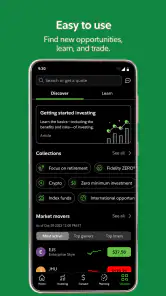
The first thing that struck me about the app was its seamless onboarding process. From downloading the app to setting up my account, everything was as smooth as butter. The app guides you through each step with clear instructions, making it a breeze even for those who aren't particularly tech-savvy. Plus, the app's clean and intuitive interface is a breath of fresh air compared to some of the cluttered alternatives out there.
Feature-Rich Yet Intuitive
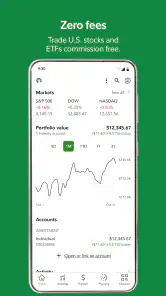
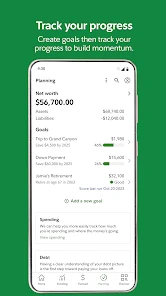
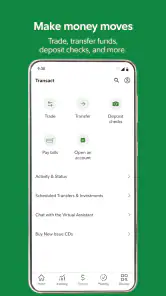
One of the standout features of the Fidelity Investments app is its rich array of tools. Whether you’re looking to track your portfolio, research stocks, or trade on the go, this app has got you covered. The real-time quotes, detailed analytics, and comprehensive market news help you stay on top of your investments without any hassle. I was particularly impressed by the custom alerts feature, which keeps you updated on market changes that matter to you. It’s like having a personal financial assistant in your pocket!
Security That Gives Peace of Mind
In the world of financial apps, security is paramount, and Fidelity Investments doesn’t skimp on this front. The app employs top-notch security measures to ensure your data and transactions are protected. From fingerprint login to encryption technologies, it’s clear that they prioritize user security, which is a massive plus in my book.
Moreover, the customer service is pretty stellar. I had a couple of queries about some features, and the support team was quick to respond and super helpful. It’s always reassuring when you know help is just a call or chat away.
Room for Improvement
No app is perfect, and while Fidelity Investments has a lot going for it, there are a few areas that could use a little polish. For instance, while the app is generally fast, there are times when it can be a tad slow, especially during market peaks. Additionally, I noticed that the app could benefit from more educational resources for beginners who might need a little extra guidance navigating the world of investments.
All in all, the Fidelity Investments app is a solid choice for anyone looking to manage their investments efficiently on their smartphone. With its user-friendly design, robust features, and strong security measures, it’s definitely worth checking out if you’re serious about keeping your financial health in check.
Pros
- Intuitive user interface
- Comprehensive financial tools
- Real-time market updates
- Advanced research resources
- Secure transactions
Cons
- Limited cryptocurrency options
- Occasional app crashes
- Complex navigation for beginners
- High account minimums
- Limited customer support hours

- Category
- Finance
- Version
- 4.22











