My Bible - Verse+Audio
- 5.14K
- 4.8
- Installs
- 10.00M
- Price
- Free

Screenshots




Analysis by Reviewed
I tend to get the most from a Bible app when I decide what I want it to do before opening it: read a passage, listen while busy, or keep a verse for later. That simple choice suits My Bible - Verse+Audio, a free Books & Reference app from JATHLEHEM LIMITED. It is aimed at everyone, and its mix of reading, audio, and daily verses makes it approachable whether you already have a steady routine or are trying to build one.
A routine that works in ordinary life
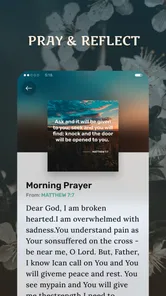
For a practical start, I’d choose a short passage, read it without rushing, and save only the lines I genuinely want to revisit. On a busy morning, a daily verse can serve as a brief prompt; later, bookmarks and notes can help turn that moment into a personal thread rather than a one-off notification. The useful habit is to return to a saved passage with a question in mind, such as what stood out or what I want to remember. That gives the app a role beyond simply displaying text.
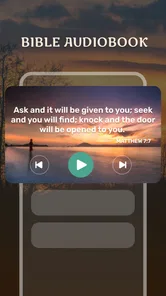
Audio also makes the routine more flexible. I can listen while doing a familiar household task or travelling, then switch back to reading when I want to examine a verse closely. I wouldn’t treat listening and reading as interchangeable: audio is convenient for keeping a passage in mind, while text is easier when I want to compare wording or make a note. Offline access is especially practical when I expect to be without a reliable connection, so I’d check that the material I plan to use is available before heading out rather than assuming every situation will work the same way.
Settings and small habits worth checking
The daily reminder is most helpful when it arrives at a time I can actually pause. If a notification lands during a commute or a crowded stretch of work, it can become something I dismiss automatically. I’d choose a calmer point in the day, or turn the reminder off if it starts to feel like noise. The goal is a repeatable cue, not another obligation.
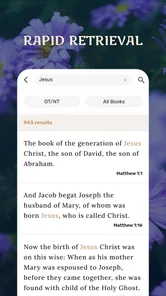
Search is useful for finding a passage when I remember a phrase but not its location. For a more thoughtful session, I’d use search to locate the passage, read around it, and then bookmark or annotate only what I expect to revisit. That keeps saved items useful instead of turning them into an unmanageable pile. When switching Bible versions, I’d also make a point of checking which version I’m reading before sharing a quotation or comparing notes with someone using another edition.
Where it fits among Bible apps
Compared with a printed Bible, this app is easier to carry, search, and listen to, but a phone can bring notifications and other distractions into a quiet reading moment. Compared with a Bible app focused on study tools, its appeal here is the straightforward combination of scripture access, audio, personal notes, and a daily prompt. Readers who want a highly structured study program, detailed scholarly resources, or a screen-free experience may be better served by a specialist resource or a physical Bible.
The app has a 4.8 average from around 40,000 ratings, with over 10 million installs, so it has reached a broad audience. It is free to download, with optional in-app purchases ranging from $4.99 to $19.99 per item. I’d start with the free experience and decide whether any paid option fits my habits before spending. It runs on Android 6.0 and later, and version 1.0.75 is the current version. Those details make it easy to judge basic compatibility, though I’d still check the purchase screen carefully so I understand what an optional item includes.
More From Our News Desk

Weather by Xiaomi Review: Clear at a Glance, Less Clear Up Close

X Under Pressure: Can It Recover When Posting Goes Wrong?

Clash of Clans Is Won Between the Battles

Android Auto Makes the Case for Quieter Car Software

MobiOffice: Transforming Mobile Productivity with Seamless Integration

EA SPORTS FC™ Mobile Soccer: Redefining Mobile Sports Gaming
Immersive and Intuitive Interface
First off, let’s talk about the interface. The app greets you with a clean, user-friendly design that’s easy on the eyes. Nothing too flashy or distracting here, just a straightforward layout that lets you dive right into the Word. Navigating through the app feels like a breeze, making it accessible even if you aren’t the most tech-savvy person out there. You can easily switch between different versions of the Bible, and the search functionality is quite robust, helping you find your favorite verses in no time.
Listen Your Way to Enlightenment
One of the standout features of My Bible - Verse+Audio is the audio component. Sometimes, reading isn’t an option, but listening? That’s a whole different ball game. The app offers audio versions of the Bible, so you can listen while commuting, doing chores, or just relaxing. The narrations are clear and soothing, making it a pleasant experience to immerse yourself in the scriptures. Plus, having the option to listen rather than read can be a game-changer for those who prefer auditory learning or simply need a break from screens.
One practical way to use audio without losing your place is to listen to a passage first, then open the text afterward and mark just one line that deserves a closer look. If you’re following along with another person, agree on the Bible version before discussing a verse; otherwise, small wording differences can distract from the conversation. I also find audio less suitable when I need to move back and forth between lines or study a difficult passage, so switching to the text is a sensible part of the workflow, not a failure of the audio feature.
Personalized Spiritual Journey
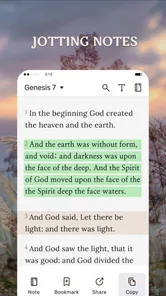
What I really appreciate about this app is how it personalizes your spiritual journey. You can bookmark your favorite verses, make notes, and even highlight passages that speak to you. It’s like having a personal Bible study tool right in your pocket. Another neat feature is the daily verse notification. It’s a small nudge that could make a big difference, reminding you to pause and reflect amid the hustle and bustle of daily life.
For anyone sharing a phone or simply wanting a private reflective routine, I’d be deliberate about what I write in notes and what I choose to share. A bookmark is a quick pointer; a note is better for capturing why a passage mattered at a particular moment. Keeping those uses distinct makes it easier to return later and understand the thought behind a saved verse. The app is most rewarding for readers who like that personal layer, but someone who only wants an occasional lookup may find a browser search or a printed reference quicker.
There’s also a community aspect to the app. You can share verses and insights with friends or family, sparking discussions and deeper understanding. It’s a wonderful way to connect with others over shared beliefs and interpretations.
In practice, I’d share a verse with a short explanation of why it caught my attention, rather than sending a quotation without context. That leaves room for conversation instead of implying that everyone will read the passage in exactly the same way. For a group already studying together, the app can make it easy to bring a passage into the discussion; for someone seeking a formal lesson plan or guided course, sharing alone won’t provide that structure.
Making a habit that lasts
A realistic weekday routine might be to read the daily verse during breakfast, save it only if it connects with something I’m thinking about, and return to the surrounding passage later. If the morning is rushed, I can listen at another convenient time rather than trying to force a full reading session into a few spare minutes. This flexibility is useful, but I’d avoid treating a streak or a notification as the measure of whether the habit is worthwhile. The app works better as a prompt for reflection than as a task manager.
One small but valuable practice is to give each saved item a reason for being there. I might bookmark a passage I want to find again, but use a note to record a question or a connection that would otherwise fade from memory. Periodically revisiting those saved passages can reveal which ones still matter and which were only relevant in the moment. This keeps personal organization manageable without needing to turn every reading into a detailed study project.
Choosing it for the right reasons
I’d recommend this app to someone who wants scripture close at hand, values audio as an alternative to reading, and likes keeping a few meaningful verses organized. It can suit a new reader who wants a low-pressure starting point, as well as a regular reader who needs a portable companion between longer study sessions. The combination is particularly handy when a printed Bible is inconvenient, or when a person wants to move between listening and reading without changing tools.
It is less suited to a reader whose main goal is close textual research. Search and version switching can help with everyday lookup and comparison, but they are not a substitute for a study-focused resource with extensive reference material. Likewise, if phone use tends to interrupt quiet time, paper may be a better fit even though it lacks convenient search and audio. I’d choose based on the kind of attention I want, not simply on how many features an app can place on a screen.
For a group discussion, the app is most useful as a shared starting point rather than an authority that settles interpretation. I’d confirm the passage and version before a meeting, then bring a short note about what I want to ask. That makes the phone a practical reference without allowing the act of searching or sharing to replace the conversation itself. When the group needs a planned curriculum or deeper background, a dedicated study guide is likely to do more.
Final Thoughts
In a world where we often find ourselves overwhelmed with information, My Bible - Verse+Audio offers a peaceful refuge. It’s a handy tool for anyone looking to integrate more spirituality into their daily routine. Whether you’re on a spiritual quest or simply looking for a little inspiration, this app provides a seamless blend of technology and faith. So, give it a go, and you might just find it becoming a staple on your smartphone.
My overall recommendation is to begin modestly: set a reminder only if it helps, choose one passage to read or hear, and use bookmarks or notes with a clear purpose. That gives you a fair sense of whether the app supports your routine without turning faith into a checklist. Released on October 12, 2023, it has a substantial audience, reflected in around 4,900 written reviews as well as its rating. I’d recommend it most to people who want accessible Bible reading with audio and lightweight personal organization; those who need advanced study references or prefer paper should choose a tool that puts those needs first.
My Bible - Verse+Audio Frequently Asked Questions
Can I listen to Bible audio while doing other things?
Audio is part of My Bible - Verse+Audio, making it an option for people who prefer listening to scripture as well as reading it. You may find this useful during a quiet moment or when reading on screen is inconvenient. The app also offers offline access, so you can use downloaded audio without relying on an internet connection.
Who develops My Bible - Verse+Audio?
My Bible - Verse+Audio is developed by JATHLEHEM LIMITED. It is a Books & Reference app focused on Bible reading and daily verses, with audio and offline access among its described features. If you are choosing an app for personal reading or study, the developer name and the app’s straightforward scripture-centered purpose may help you decide whether it fits what you are looking for.
Can I use My Bible - Verse+Audio without creating an account?
My Bible - Verse+Audio is a Bible-reading app with offline access and daily verses, so it can suit readers who want to open the app and spend time with scripture. Before downloading, consider whether you prefer to keep your reading simple or use the app’s wider study features. The app is free to install, and optional in-app purchases are available.
What features does My Bible - Verse+Audio offer?
My Bible - Verse+Audio offers a comprehensive suite of features designed to enhance your study of the Bible. These include daily Bible verses, audio readings, multiple translations, offline access, and a progress tracker. The app also provides a range of devotionals and study plans to guide your spiritual journey, making it a versatile tool for both new and seasoned readers.
Is My Bible - Verse+Audio available offline?
Yes, My Bible - Verse+Audio is designed to be accessible even when you're offline. You can download your preferred Bible translations and audio content for offline use. This feature ensures you can continue your studies without interruption, whether you’re traveling, in a remote area, or simply prefer to save on data usage.
Pros
- Extensive library of Bible versions.
- Includes audio for immersive learning.
- Customizable reading plans.
- Offline access available.
- User-friendly interface.
Cons
- Ads present in free version.
- Audio requires internet connection.
- Limited free features.
- Occasional app glitches.
- No direct customer support.













