mLite - GPS Location Tracker
- 735.00
- 3.3
- Installs
- 10.00M
- Price
- Free

Screenshots

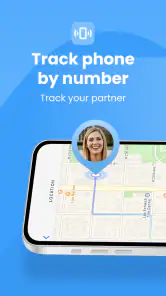
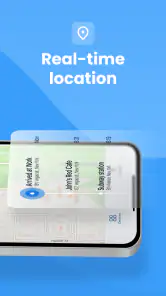
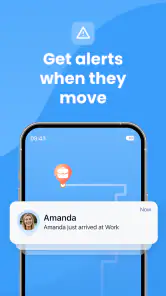
Analysis by Reviewed
I treat a family location app as a practical coordination tool, not a substitute for checking in or making safety decisions. With that in mind, mLite - GPS Location Tracker is aimed at households that want to see shared locations and receive alerts, especially when a child is travelling between familiar places. Its value depends on everyone involved setting it up willingly and keeping their phones ready to share a location.
Where setup and everyday use can get stuck
The invitation step is simple, but it also creates a common point of friction: adding a person does not mean their location will appear until they accept and complete their side of the setup. I would check that each family member understands the invitation and has opened the app before relying on the map. If someone is missing, confirming that basic step is more useful than repeatedly refreshing the screen.
Location tools can also feel less immediate when a phone has a weak signal, is indoors, or is not available to send a fresh position. That is why I would treat a displayed location as helpful context rather than a guaranteed live account of someone’s movements. For an urgent situation, I would still call or message the person and use local emergency services when appropriate.
Small setup checks that make alerts more useful
Before relying on a school or home zone, I would make sure the map area is drawn around the place that matters rather than around a nearby road or the edge of a large property. A zone that is too tight may produce alerts that are confusing in ordinary travel; one that is too broad may tell you little. Start with the places you genuinely need to coordinate around, then adjust based on how useful the notifications are.
I would also agree as a family on what an alert means and who is expected to respond. A notification that someone has arrived can reassure a parent, but it should not become an expectation that a child must explain every movement. The app works best when location sharing is discussed openly and used for a clear purpose, rather than as a silent monitoring habit.
Getting Started with mLite
First off, setting up mLite was a breeze. I was a bit skeptical about how user-friendly it would be, but I was pleasantly surprised. Once you download the app, it guides you through a simple setup process. You just need to create an account, and then you can start adding your family members or friends.
Adding someone is as easy as pie. The app sends them an invite, and once they accept, you’re good to go. The interface is clean and intuitive, which is something I always appreciate. You don’t want to be fumbling around trying to find features, and thankfully, mLite keeps everything straightforward.
More From Our News Desk

Weather by Xiaomi Review: Clear at a Glance, Less Clear Up Close

X Under Pressure: Can It Recover When Posting Goes Wrong?

Clash of Clans Is Won Between the Battles

Android Auto Makes the Case for Quieter Car Software

MobiOffice: Transforming Mobile Productivity with Seamless Integration

EA SPORTS FC™ Mobile Soccer: Redefining Mobile Sports Gaming
Features That Stand Out
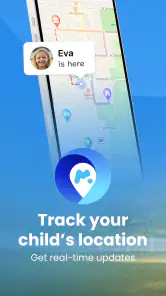
One of the features I really liked is the real-time location tracking. You can see exactly where your family members are at any given moment. It’s updated continuously, so there’s no lag. This is particularly handy if you’re trying to coordinate meet-ups or just want to ensure someone’s safe.
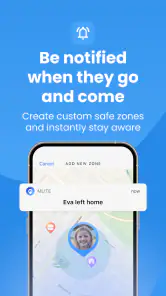
There’s also a geofencing feature. This lets you set up specific zones on the map. If a family member enters or exits these zones, you get an instant notification. I set one up for my kid’s school and another for home, and it’s been super reassuring to get those alerts.
Another cool feature is the SOS button. If someone in your circle is in trouble, they can press the button, and you’ll get an immediate alert with their location. It’s one of those things you hope you never need, but it’s great to have, just in case.
Making location sharing work for a real family
A realistic use is a child taking the usual trip home from school while a parent is tied up at work. An arrival alert can answer the basic question without requiring a string of calls. For a meet-up, the shared map may help family members choose a practical meeting point. I would still keep a backup plan for missed alerts: agree that the child should call or message if plans change, and that the adult will do the same if the map appears stale.
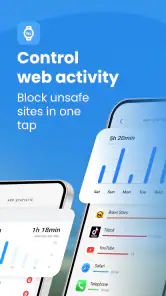
That workflow is also a useful way to decide whether mLite suits your household. It is a better fit for families who share a few predictable locations and want a convenient check-in aid. If your main need is simply occasional location sharing between adults, the built-in location-sharing option on a phone may be enough and involve fewer steps. If you want broad device restrictions or detailed screen-time controls, compare dedicated parental-control tools instead; location tracking alone is not the same as managing how a device is used.
Privacy and Security
Let’s talk privacy because I know that’s a biggie for everyone these days. mLite is pretty solid in this department. The app requires consent from both parties to share locations, and you can easily turn off location sharing if you need some privacy. Plus, all the data is encrypted, so you don’t have to worry about it falling into the wrong hands.
When a location or notification seems wrong
If a person is not appearing where expected, I would first check whether they accepted the invitation and whether location sharing is still enabled. Then I would ask them to open the app and confirm their phone has a usable connection. These are straightforward checks, but they help separate a setup issue from a temporary problem with the phone or its surroundings.
If an arrival notification does not come through, avoid assuming that the person did not reach the destination. Check the map, contact them directly, and review whether the zone is positioned sensibly. Buildings, weak connectivity, and a phone that is unavailable can all affect what a location service can report. The safest habit is to use alerts as prompts to check in, not as proof that everything is fine.
My Experience So Far
Using mLite has been a positive experience for me. I’ve found it reliable, and the notifications are timely and accurate. The app runs smoothly on my phone without draining the battery, which is a big win in my book. There’s nothing worse than an app that hogs all your power.
I also appreciate the little extras, like the location history feature. It’s kind of fun to look back and see all the places we’ve been. It’s like having a little travel diary built into the app.
Who should choose it, and what to expect
mLite is a free lifestyle app from IPL GROUP PTY LTD, rated for Everyone, and it has an average rating of 3.3 from around 12,000 ratings. It has been installed over 10 million times, so it is a well-used option, though that reach does not guarantee it will suit every family. It was released in 2016, and version 3.14.0 requires Android 8.0 or later. Optional in-app purchases range from $0.99 to $199.99 per item, so I would check the purchase details in the app before spending anything.
The app is worth considering if your family wants a shared location view, zone alerts, and an SOS option in one place. I would skip it if everyone is uncomfortable with ongoing location sharing, if you need extensive device controls, or if your household already has a simpler tool that handles occasional check-ins. Before installing, it is sensible to confirm that the Android version on the devices you plan to use meets the minimum requirement.
What I would check before making it part of the routine
I would start with one family member and one familiar route rather than inviting everyone and immediately depending on several alerts. That small trial helps expose practical snags—an invitation left unopened, an unclear zone, or a person who does not understand what the notification is for—while the stakes are low. Once the basic routine is clear, add other people only if they have a genuine reason to share their location.
It is also worth deciding how much attention the app should demand. A map can invite repeated checking, but that does not necessarily make anyone safer or better coordinated. I would use it to answer a specific question, such as whether someone has reached a regular destination, then put the phone away. If the family finds itself watching every movement, the arrangement needs a conversation and possibly a narrower purpose.
Choosing between a tracker and simpler options
Compared with a phone’s built-in location-sharing tools, mLite is more centered on a family routine of shared visibility, zones, and alerts. That bundle can be convenient when several people want the same kind of check-in and a parent values a place-based notification. The trade-off is another app for each participant to install, understand, and keep ready. For a one-off meeting between adults, a temporary share or direct message may be less effort.
Compared with a broader parental-control suite, mLite is a narrower choice: its appeal here is location coordination, not a promise to manage every part of a child’s phone use. I would choose based on the problem I actually need to solve. A parent who wants to know whether a child arrived at school may appreciate the focused workflow; a parent mainly concerned with app limits or device routines should look at tools built for those tasks instead of expecting a location tracker to fill the gap.
When the phone is the weak link
Sometimes the app is functioning as expected while the phone cannot provide a useful update. A device left behind, powered off, disconnected, or in a difficult reception spot cannot reliably tell the map where its owner is. If the displayed position seems old, I would ask the person to check in through an ordinary call or message rather than treating the screen as a verdict about where they are.
That distinction matters most when plans change. If a child takes a different route, stays late, or goes somewhere other than the usual destination, the family’s agreed communication plan should take priority over a geofence. The app can help notice that a routine may have changed, but a calm conversation is what establishes the reason. I would never use a missed alert alone to accuse someone of ignoring a rule or to assume an emergency.
Keeping privacy practical, not abstract
Location sharing is easiest to live with when everyone knows who can see it and why it is being used. Before turning it into a household habit, I would explain the purpose in plain language and make space for questions, especially with older children and teenagers. A shared agreement about when to check the map and when to contact each other can protect trust better than quietly adding more places or expanding the routine without discussion.
I would also keep the circle purposeful. Adding friends or relatives simply because invitations are available can make the map busier without improving coordination. For a household, a short list of people who actually need to share locations is usually easier to understand and maintain. If a participant no longer wants to share, treat that as a reason to revisit the arrangement, not as a technical fault to work around.
Final Thoughts
All in all, mLite - GPS Location Tracker has delivered on its promises. It’s given me a sense of security and has been a great tool for keeping up with my family’s whereabouts. If you’re looking for a reliable, easy-to-use location tracker, I’d say give mLite a shot. It’s brought a bit more peace of mind into my life, and I’m all for that.
My practical advice is to set it up together, test the places and alerts that matter, and agree on what to do if a phone cannot be reached. Used that way, it can reduce routine uncertainty without replacing conversation or common sense. For families who want that balance, it is a useful option; for anyone expecting location sharing to function as a complete safety system, it is not enough on its own.
mLite - GPS Location Tracker Frequently Asked Questions
Is mLite suitable for parents looking for a family safety app?
mLite is a lifestyle app focused on parental control and live GPS location sharing, with a summary centered on helping families find and secure their children. It may be useful when family members want to share locations as part of their safety routine. Before downloading, consider whether everyone who will use location sharing understands how it works and agrees to take part.
What is mLite - GPS Location Tracker, and how does it work?
mLite - GPS Location Tracker is a mobile application designed to help users keep track of the real-time location of family members or friends. By installing the app on both the user and the target device, it provides accurate GPS tracking, allowing users to monitor movements and receive updates. This is particularly useful for ensuring safety and staying connected with loved ones.
Is mLite - GPS Location Tracker compatible with all devices?
mLite is compatible with both Android and iOS devices. However, it is essential to check the specific system requirements on the app’s download page to ensure compatibility. Users must ensure that both their device and the device they wish to track are supported by the app for optimal functionality. The minimum operating system requirement is version 8.0, so checking each device before installing can help avoid compatibility issues.
How does mLite ensure user privacy and data security?
mLite takes user privacy seriously by implementing strong encryption protocols to protect location data. The app requires explicit consent from the device owner before tracking can begin, ensuring ethical use. Additionally, mLite adheres to privacy laws and guidelines, providing users with control over their data through customizable privacy settings. Because location sharing involves sensitive information, discuss its use with family members and review the app’s privacy settings before relying on it.
What features does mLite offer beyond location tracking?
In addition to real-time GPS location tracking, mLite offers features such as geofencing, which alerts users when a tracked device enters or leaves a predetermined area. The app may also provide location history, emergency alerts, and contact monitoring, depending on the subscription level, making it a comprehensive tool for family safety.
Pros
- User-friendly interface for easy navigation.
- Real-time location updates for accuracy.
- Low battery consumption with GPS mode.
- Customizable alerts for specific locations.
- Cross-platform support for Android and iOS.
Cons
- Limited free features
- subscription required.
- Privacy concerns with constant tracking.
- Occasional GPS signal loss in remote areas.
- Requires internet for full functionality.
- Can drain battery in continuous use mode.
- Category
- Lifestyle
- Version
- 3.14.0











