Metronome Beats
- 8.75K
- 4.8
- Installs
- 10.00M
- Price
- Free

Screenshots
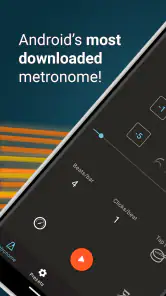
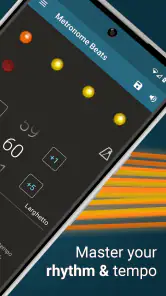
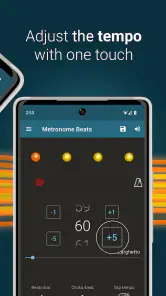
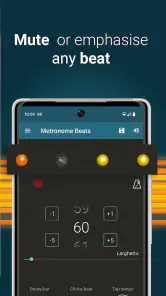
Analysis by Reviewed
When I’m choosing a metronome, speed is not just about how quickly I can open it and set a number. I also want to get from an idea to a useful practice pulse without breaking concentration. Metronome Beats is a music and audio app from Stonekick that keeps that job straightforward, while adding tools for musicians who want more than a basic click. I see its strongest appeal in focused practice: it can help you settle on a tempo, stay with it, and work through rhythmic details without turning a short session into a setup project.
A quick start, with a little room to explore
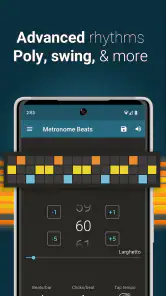
The first useful test is whether an app gets out of the way when all I want is a steady beat. Here, the visual beat indicators give me another way to follow the pulse, and time-signature and subdivision controls let me tailor the click to the passage I am working on. That matters when the goal is not simply to play faster, but to hear where beats sit inside a bar and practise placing notes consistently.
The tap-tempo tool is particularly handy when I already have a pace in my ear. I can tap along rather than trying to estimate a number or adjust a control repeatedly. In a rehearsal break, for example, I can tap the feel of a song and use the resulting tempo as a starting point for practice. I would still listen and adjust if the band’s interpretation needs it: a tapped pulse is a useful estimate, not a substitute for deciding how the music should feel.
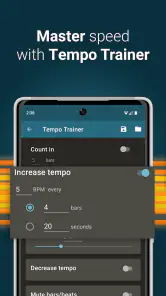
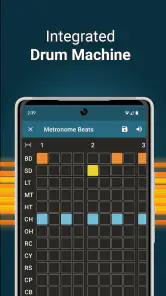
The app’s store description also points to a drum machine and a tempo trainer, which broaden its use beyond a plain click. Those are practical additions for someone who wants to practise against a more musical-feeling pulse or work deliberately with tempo. They do not make a phone metronome equivalent to a full backing-track setup, though. If I need a complete arrangement, detailed recording tools, or a band’s actual parts, I would reach for the appropriate music app or equipment instead.
Useful in real practice, not just for checking a number
A realistic routine might be a short guitar or piano session after work. I can begin with the tempo I am comfortable playing, use the click while repeating a difficult bar, and pay attention to whether the subdivision stays even. Once the passage feels settled, I can raise the challenge in small steps rather than rushing immediately to performance speed. A tempo trainer is relevant here because it gives structure to that kind of gradual work; the point is to build control, not merely to make the number climb.
For a drummer, a steady pulse can help expose whether a fill is pulling the beat forward or dragging behind it. For a singer, the visual cue may be easier to glance at than a click is to hear while concentrating on phrasing. For a student practising scales, subdivisions can make an otherwise simple exercise more exacting. These uses depend on what the musician is practising: the same setting that helps one passage may distract from another, so I would keep the arrangement simple until the basic timing is secure.
One non-obvious way to use tap tempo is to compare the feel of a passage at different moments rather than treating the first tap as definitive. Tap a few times while listening, notice whether your estimate stays consistent, then use the metronome to practise the pulse you intend to keep. If the taps vary, that can be a clue that the performance itself has flexible timing or that the beat is not as settled as it seemed. I find that more useful than blindly locking every song to a single number.
More From Our News Desk

Weather by Xiaomi Review: Clear at a Glance, Less Clear Up Close

X Under Pressure: Can It Recover When Posting Goes Wrong?

Clash of Clans Is Won Between the Battles

Android Auto Makes the Case for Quieter Car Software

MobiOffice: Transforming Mobile Productivity with Seamless Integration

EA SPORTS FC™ Mobile Soccer: Redefining Mobile Sports Gaming
Another practical trade-off is visual versus audible guidance. A visual beat indicator can help when I am learning where a beat falls, but watching a screen can pull attention away from the instrument, sheet music, or conductor. I would use the display to establish the pattern, then look away and see whether I can maintain the pulse by listening. That turns a convenience into a test of internal timing rather than a cue I depend on continuously.
How it compares with simpler alternatives
A physical metronome has the advantage of being a separate object: I can leave it beside an instrument without using my phone screen, and it does not compete with notifications or other phone tasks. A basic metronome app, on the other hand, may be enough for someone who only wants a click at a chosen pace. Metronome Beats sits between those approaches. It keeps the convenience of a phone tool while offering controls such as subdivisions, time signatures, tap tempo, and the additional practice-oriented options described for the app.
That extra flexibility is valuable if I regularly switch between different rhythmic tasks. It can be unnecessary if my only requirement is to set one pulse and play. More controls can also mean a brief learning curve: a beginner may need to experiment with the difference between a time signature and a subdivision before the settings make sense. I would start with a plain beat, then change one setting at a time so it is clear what each adjustment does.
Compared with a full music workstation or a dedicated drum machine, a metronome remains a narrower tool. Its job is to support timing and practice, not replace arranging, recording, or a complete performance rig. That boundary is useful to keep in mind: the app is most convincing when I use it to solve a specific rhythm problem, rather than expecting it to be the centre of every musical session.
Keeping Practice Steady
From the get-go, Metronome Beats greets you with a clean and intuitive interface. You know how some apps try to dazzle you with flashy graphics and end up feeling cluttered? Not this one. It’s like walking into a well-organized studio, everything is right where you expect it to be. The app offers a wide range of tempo settings, which is perfect because let's face it, not all of us play at the same speed. Whether you’re practicing your classical scales or gearing up for a rock gig, setting the tempo is a breeze.
Features That Keep You in Sync
Now, let’s dive into what really makes this app tick. One of my favorite features has to be the visual beat indicators. It’s like having a mini conductor right on your phone, keeping you in check with every beat. If you’re like me, sometimes you just need that visual cue to stay on track. Plus, the app allows you to customize the time signature and subdivisions, which is a lifesaver when you’re working on complex pieces.
And can we talk about the tempo tap feature? It’s a game-changer. You simply tap along to the beat you’re aiming for and the app calculates the tempo for you. No more guessing or fiddling with sliders. I find this especially handy during jam sessions when you need to quickly find the right pace.
Performance and Usability
In terms of performance, Metronome Beats runs smoothly without any hiccups. It’s like that reliable friend who’s always there when you need them. The app doesn’t drain your battery despite running in the background, which is great because the last thing you want is your phone dying mid-practice.
Usability-wise, the app scores high. It’s straightforward enough for beginners to pick up and use, yet it offers enough depth for more experienced users. I appreciate how the developers have balanced simplicity with functionality, making it accessible for everyone.
What to expect from a long session
Perceived speed and stability matter most when I am practising repeatedly, not when I am merely opening the app once. The metronome’s role is to provide a consistent reference while I concentrate on playing. I would treat any phone-based tool as one part of a practice setup, though: keep the phone where its sound is easy to follow, and avoid relying on a tiny visual cue if the instrument or room makes it hard to see the screen.
The drum machine and tempo trainer may be especially useful during a longer session because they give me options beyond repeating the same bare click. I would use those tools with a clear purpose rather than switching settings constantly. For instance, I might practise a passage with a straightforward pulse first, then use a more engaging rhythmic backing when the notes are secure. That order keeps the exercise focused and makes it easier to tell whether a change in feel is helping or simply making the task more entertaining.
For reliability, I value predictability more than a long list of controls. The original app experience feels direct, and the controls described here suit the ordinary pattern of setting a beat and practising. Still, a musician preparing for a performance should not make a phone app the only timing plan for a critical situation. Rehearsing with the same arrangement and device you expect to use is sensible, and a separate metronome may be preferable if you need your phone free for another role.
Device fit, cost, and who should choose it
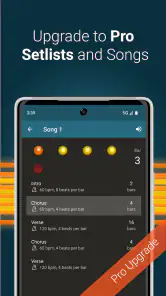
Metronome Beats is free, with in-app purchases listed at $9.99 per item. It is rated for Everyone, and the current version is 6.13.0, with Android 5.0 as the minimum operating-system requirement. Those details make it straightforward to assess whether an Android device is compatible, while the price structure is worth checking in the app if you are deciding whether any paid option is relevant to your use. I would not assume that every extra is needed: first see whether the free experience covers the way you practise.
The app has an average rating of 4.8 from around 178,000 ratings, and it has passed 10 million installs. It has been available since December 21, 2011, which gives it a long history as a practical music tool. Those figures can help a new user understand that it is widely used, but they do not tell me whether its controls suit a particular instrument or practice style. A quick hands-on test with your own routine is still the best way to judge that.
I would recommend it to beginners who want a clear way to practise steadily, and to experienced players who value tap tempo and rhythmic customization without opening a larger music-production setup. It is less suitable for someone who wants a metronome to replace a full drum arrangement, or for a player who finds phone screens distracting and prefers a dedicated physical device. If you mainly need a simple click, a more minimal option could feel quicker; if you want a richer practice companion in one app, this one has a stronger case.
Final Thoughts
All in all, Metronome Beats has earned a spot on my list of must-have apps for musicians. It’s practical, easy to use, and most importantly, it keeps you in rhythm. Whether you’re using it for practice or live performances, it’s a tool that can adapt to your musical needs. So why not give it a try and see how it syncs with your style?
In a world where timing is everything, having a reliable metronome app like this is invaluable. So, next time you’re gearing up for a practice session or a gig, remember to bring along Metronome Beats and keep your music in perfect time.
Metronome Beats Frequently Asked Questions
Is Metronome Beats available for iPhone and iPad?
Metronome Beats is listed as an Android app, so it is not presented as an iPhone or iPad download here. If you use an Apple device, check the relevant app store for an iOS version before planning to rely on it. Android users should also confirm their device meets the app’s minimum operating-system requirement before installing.
Who makes Metronome Beats, and what kind of app is it?
Metronome Beats is made by Stonekick and belongs to the Music & Audio category. Its focus is keeping time for musical practice, with the store summary also highlighting a drum machine and tempo trainer. That makes it worth considering for instrumentalists who want a metronome app alongside additional rhythm-practice tools.
What devices can run Metronome Beats?
Metronome Beats is an app for Android, and its minimum operating-system requirement is Android 5.0. Before downloading, check that your device meets this requirement so the app can install and run as expected. It is listed for all ages, making it an option for musicians of different ages who want a metronome for practice.
What is Metronome Beats app used for?
Metronome Beats is a versatile app designed for musicians and anyone who needs to keep time accurately. It provides a reliable metronome function that helps users maintain a steady tempo during practice sessions or live performances. The app is useful for a wide variety of musical activities, including rehearsals, teaching, and playing an instrument.
Does Metronome Beats include a drum machine and tempo trainer?
Yes, the app’s store summary specifically highlights both a drum machine and a tempo trainer. These tools can complement the core metronome when you want more variety in your practice routine or a way to work on timing. Their mention is useful when comparing music-practice apps, though the metronome remains the central purpose of Metronome Beats.
Pros
- User-friendly interface for beginners.
- Customizable beat settings.
- Visual and audio feedback.
- Works offline
- no internet needed.
- Accurate tempo tracking.
Cons
- Ads in free version can be disruptive.
- Limited features without premium upgrade.
- Occasional app freezes.
- Sound options are limited.
- No option for dark mode.
- Category
- Music & Audio
- Version
- 6.13.0












