LinkedIn Learning
- 2.26K
- 4.8
- Installs
- 10.00M
- Price
- Free

Screenshots

Analysis by Reviewed
I judge a learning app less by the size of its course catalog than by whether it helps me choose a sensible next step and make time to follow through. LinkedIn Learning is aimed at people who want practical lessons across work-related and creative subjects, rather than a formal classroom or a single-purpose tutorial tool. LinkedIn develops it, and its Education focus is clear: the courses are intended to help learners build skills they can use in their jobs or personal projects.
Start with a goal, not a long course list
Before browsing, I’d decide what I want to be able to do afterward: understand a spreadsheet workflow, improve a presentation, or get a first foothold in a creative skill. That simple choice makes recommendations more useful and helps prevent the familiar trap of saving many courses without finishing any. The app is free to install, though in-app purchases range from $29.99 to $239.99 per item, so I’d check the purchase details before committing to a paid learning plan.
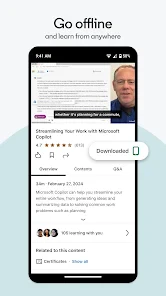
This is best suited to self-directed learners who can fit short study sessions into ordinary days. For example, I might choose one course for a skill I need at work, watch a lesson during a lunch break, and jot down one idea to try in my next project. Downloading videos for offline viewing can help when a commute has unreliable internet, while bookmarks make it easier to return to a useful course instead of searching for it again.
Discovering New Skills
LinkedIn Learning offers a treasure trove of courses that span across various fields. Whether you’re into tech, business, or creative arts, there’s something in it for everyone. I remember scrolling through the app, and being absolutely gobsmacked by the sheer variety available. It’s like having Netflix, but for educational content. You can dive into a world of coding, learn the nuances of photography, or even master the art of negotiation. The possibilities are endless, and the best part? You can do it all at your own pace.
User-Friendly Interface
The app’s interface is as smooth as butter. Navigating through courses is a breeze, and everything is neatly organized. It’s designed to ensure that you spend more time learning and less time figuring out how to use the app. You can bookmark courses, download videos for offline viewing, and even take quizzes to test your knowledge. The seamless experience makes learning not just effective but also enjoyable.
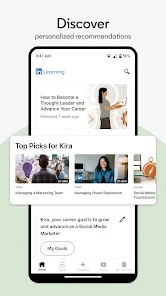
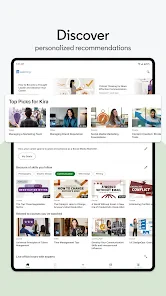
One feature that I found particularly nifty is the personalized course recommendations. Based on your interests and career goals, the app suggests courses that are most relevant to you. It’s like having a personal career coach guiding you on what to learn next.
Quality Content from Experts
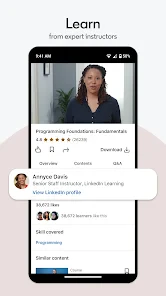
Quality is where the app truly shines. The courses are crafted by industry experts, ensuring that you’re not just learning, but learning from the best. I took a course on digital marketing, and the insights offered were genuinely eye-opening. The instructors are engaging, the content is up-to-date, and the practical tips provided are immensely valuable.
More From Our News Desk

Weather by Xiaomi Review: Clear at a Glance, Less Clear Up Close

X Under Pressure: Can It Recover When Posting Goes Wrong?

Clash of Clans Is Won Between the Battles

Android Auto Makes the Case for Quieter Car Software

MobiOffice: Transforming Mobile Productivity with Seamless Integration

EA SPORTS FC™ Mobile Soccer: Redefining Mobile Sports Gaming
Moreover, the app keeps introducing new courses, so there’s always something fresh to learn. It’s like being part of an ever-evolving learning network that keeps you ahead of the curve.
Choosing between learning options
Compared with searching for separate video tutorials, the advantage here is having courses arranged as a learning path, with quizzes that can prompt me to check what I actually retained. That structure is useful when I want a guided introduction rather than a collection of unrelated tips. On the other hand, a quick tutorial can be a better choice when I only need one narrow answer, and a formal class may suit someone who needs instructor feedback, deadlines, or a qualification. I wouldn’t treat a video course as a substitute for hands-on practice: after a lesson, applying the idea to a real task is what makes it stick.
For a more deliberate routine, I’d bookmark a course before starting, download relevant lessons when offline access matters, and use a quiz as a checkpoint rather than proof of mastery. If recommendations keep steering me toward topics I already know, I’d search for a specific skill instead of browsing the feed. This makes the app more useful as a focused study tool and less like an endless catalog.
Where the trade-offs matter
The flexible, video-led format is convenient, but it also asks me to supply my own discipline. It is easy to watch passively, and a quiz cannot replace feedback on a presentation, design, or piece of code. People who learn best by discussion, supervised practice, or a fixed syllabus may be better served by a class or a specialist platform built around that format. I’d also avoid starting several courses at once; choosing one practical goal makes it easier to tell whether the lessons are helping.
The app is free, but that does not mean every learning choice has no cost: purchases are available within it, so I’d review what a particular course or plan requires before proceeding. It is rated for Everyone, has a 4.8 average from around 172,000 ratings, and has been installed over 10 million times. Those figures suggest broad appeal, but they don’t tell me whether a course matches my level; I’d still inspect its subject and intended outcome before investing time or money.
Making a course useful in everyday life
A realistic way to use the app is to connect lessons to a task already on my calendar. If I have to present a project later in the week, I could look for a course that addresses presentation skills, watch a relevant lesson, and then revise my own slides while the advice is fresh. That final step matters more than finishing a video playlist: it tests whether the instruction survives contact with the work I actually need to do.
I’d also keep a small learning note outside the video itself: one idea to try, one term I need to look up, and one question that remains. This gives a short viewing session a clear result and makes it easier to resume after a busy day. When a course covers several topics, I’d avoid treating every lesson as equally urgent. I’d pick the part that connects to my immediate goal and return to the rest only if it proves useful.
Choosing a learning format that fits
For broad professional or creative learning, this app occupies a useful middle ground between scattered free tutorials and structured instruction with live teaching. A search engine or creator’s video can be faster when I need a single answer, while a book may be better when I want sustained reading and room to work through ideas at my own pace. A class is the stronger choice when discussion, correction, or an externally set schedule is what keeps me moving.
The trade-off is that convenience can make it tempting to confuse watching with learning. I wouldn’t choose a course just because its topic sounds impressive; I’d look for a direct connection between the lessons and a task I can practice. That is especially important for skills where quality depends on doing, such as editing, presenting, or building something. The videos can help me get oriented, but I still need to make and review my own work.
Planning before paying or switching
If I were comparing this with another learning service, I’d first identify what I’m trying to replace. Someone moving from short online tutorials may value the more organized course format; someone leaving a class may miss instructor feedback and scheduled accountability. Before paying, I’d check the purchase details shown for the learning option I intend to use and make sure the subject, level, and teaching style suit my goal. The listed in-app purchase range is broad enough that I would not assume every course or plan carries the same cost.
Switching tools also has a practical cost: I may need to rebuild a study routine, find equivalent lessons, and decide what to do with courses I had already saved elsewhere. I’d make the change only when the new format solves a real problem, such as making it easier to follow a topic from one lesson to the next. If I mainly need occasional answers, keeping a search-based approach may be simpler than adopting a full course library.
Wrapping It Up
In a world where continuous learning is key to staying relevant, the app serves as a vital tool for personal and professional growth. It’s convenient, it’s comprehensive, and most importantly, it’s incredibly rewarding. So, if you’re looking to upskill, or maybe just explore a new hobby, give this app a whirl. You might just find it to be the perfect companion on your learning journey.
So, what are you waiting for? Dive into a world of learning and unlock a wealth of knowledge just waiting to be discovered!
Who I’d recommend it to
I’d recommend it to someone who likes learning independently, wants to explore business, technology, or creative subjects, and is willing to turn lessons into practice. It can also suit a curious beginner who wants a guided starting point without enrolling in a scheduled class. I’d be more cautious if I needed a credential, detailed personal feedback, or a tightly enforced study routine; those needs call for a different kind of learning experience.
The current version is 2.221.21, and it supports devices running iOS 9 or later. The app was released on September 22, 2016, and its catalog has continued to develop since then. My practical recommendation is to pick one concrete skill, try a relevant course, and decide from the actual lessons whether the teaching style works for you. That small trial is a better guide than choosing by catalog size alone.
LinkedIn Learning Frequently Asked Questions
What kind of courses can I explore in LinkedIn Learning?
LinkedIn Learning focuses on building business, technology, and creative skills through courses taught by industry experts. That makes it a useful option if you want to develop a professional skill or explore a subject in one of those areas. Before downloading, think about what you hope to learn and whether the app’s focus matches your interests.
Do I need a LinkedIn account to use the app?
The published course-access guidance says you need a LinkedIn account to log in and explore LinkedIn Learning courses. If you already use LinkedIn, that account is the starting point for accessing the learning platform. The app is designed to connect learning with your LinkedIn profile, so consider whether you are comfortable using your account as part of that experience.
When was LinkedIn Learning released, and how current is the app?
LinkedIn Learning was released on September 22, 2016, and its current version is 2.221.21. The release date shows that the app has been available for years, while the version identifies the current app build. If you are considering downloading it, check that your device meets the operating-system requirement and keep the app updated through your device’s app store.
What devices and operating systems can I use LinkedIn Learning on?
LinkedIn Learning is an education app from LinkedIn, and its mobile app supports devices running iOS 9 or later. That makes it worth checking your device’s operating system before downloading, especially if you use an older phone or tablet. The app is intended for learning on the go, while your LinkedIn account provides access to its course content.
Is LinkedIn Learning free to download, and what does it cost to use?
The app is free to download, but accessing its full learning library requires a subscription. LinkedIn Learning offers in-app purchases, with listed options ranging from $29.99 to $239.99 per item. Before subscribing, consider whether you expect to use enough courses to make the cost worthwhile, and review the purchase details shown in the app.
Pros
- Vast library of courses.
- High-quality video content.
- Accessible on all devices.
- Regularly updated content.
- Skill assessments available.
Cons
- Subscription required.
- Limited free content.
- Internet needed for streaming.
- Overwhelming course options.
- No formal accreditation.
- Category
- Education
- Version
- 2.221.21












