Lingual Coach: Learn with AI
- 275.00
- 4.4
- Installs
- 10.00M
- Price
- Free

Screenshots





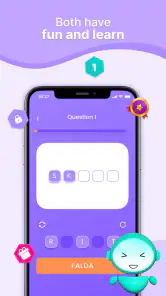


Analysis by Reviewed
I’d consider Lingual Coach: Learn with AI when I want language practice that fits into the gaps in an ordinary day, rather than a course that demands a long, quiet study block. Its emphasis on interactive exercises and speaking gives it a different feel from simply reviewing word lists. That convenience is appealing, though it also means I’d think about where and when I can use it before making it the centre of a study plan.
Network-dependent moments
For a language app built around interactive practice and AI, a reliable internet connection is part of the experience I would plan around. I’d open a lesson when I have a steady signal rather than assume every activity will work in a tunnel, on a flight, or in a patchy café. That matters most when I want to speak aloud and get feedback: the value of that exercise is the response, not simply repeating a phrase without knowing how it landed.
My practical tip is to treat uncertain connectivity as a reason to keep a session modest. Start a short activity while the connection is stable, and avoid beginning a longer practice stretch just before you expect to lose signal. If the app is slow to respond, I’d pause and try again when the connection improves instead of tapping repeatedly; that keeps a small network delay from turning into a frustrating lesson.
Getting Started: The Basics
When you first open the app, you’re greeted with a sleek interface that’s both inviting and intuitive. No fuss, no muss. I love how Lingual Coach: Learn with AI makes you feel like you're embarking on a fun journey rather than a tedious task. The app offers a plethora of languages to choose from, so whether you're into French, Mandarin, or even Swahili, they've got you covered.
Features That Stand Out
One thing that caught my attention is the use of AI to tailor lessons to your learning pace and style. It’s like the app knows you better than you know yourself. The interactive exercises are designed to keep you engaged, and trust me, you won’t find any boring drills here. Instead, the app uses real-world conversations to help you learn, which I think is a game-changer.
The speech recognition feature is another highlight. You can practice speaking and get instant feedback. It's like having a personal coach correcting your pronunciation in real-time. I found myself repeating phrases just to see how well I could nail them, and it’s surprisingly addictive!
Mobile contexts: choosing the right moment
The bite-sized format makes this a better fit for spare moments than for a long, uninterrupted study block. I’d use a quiet part of a commute, a lunch break, or the few minutes before an appointment for one focused exercise. Speaking practice is less suited to a crowded bus or shared office, so I’d save those activities for somewhere I can talk without feeling self-conscious. That small distinction makes it easier to build a routine without turning every idle moment into a lesson.
More From Our News Desk

Weather by Xiaomi Review: Clear at a Glance, Less Clear Up Close

X Under Pressure: Can It Recover When Posting Goes Wrong?

Clash of Clans Is Won Between the Battles

Android Auto Makes the Case for Quieter Car Software

MobiOffice: Transforming Mobile Productivity with Seamless Integration

EA SPORTS FC™ Mobile Soccer: Redefining Mobile Sports Gaming
For a realistic routine, I’d choose one language and a small daily window, then use a short session to revisit phrases I have recently struggled to say. The useful trade-off is convenience: short practice is easier to maintain, but it should not be mistaken for a complete study plan. If I were preparing for an exam or needed careful grammar explanations, I’d pair the app with a textbook, class, or reference source rather than expect conversational exercises alone to cover everything.
The Learning Experience
Now, let’s talk about the actual learning experience. The app’s lessons are bite-sized, making it easy to squeeze in a quick session during a coffee break or commute. It’s all about making learning convenient and part of your daily routine.
Plus, the app sends you little reminders and motivational nudges to keep you on track. It's like having a cheerleader in your pocket, always encouraging you to keep going, which honestly makes a world of difference when you’re trying to stick to a new habit.
Failure and recovery: don’t let a delay derail practice
If a lesson stalls or feedback does not arrive promptly, I would first check whether my connection is stable, then return to the exercise when it is. I would not treat a delayed response as a verdict on my pronunciation. For speaking practice, a calm retry is more useful than rushing through several attempts while distracted by a weak signal. This is especially relevant when moving between Wi-Fi and mobile data: choosing a moment when the connection is settled can make the feedback loop feel less interrupted.
A practical recovery habit is to remember what you were trying to practise before switching away or restarting an activity. I’d make a quick mental note of the phrase or sound I wanted to work on, then resume with that specific goal once the app responds normally. That helps turn a broken session into a shorter but purposeful one, rather than spending the next few minutes tapping around without a clear target.
Data-conscious use
Data-conscious learners may also prefer to use the app when connected to Wi-Fi, particularly if they plan to spend longer on interactive activities. I would keep mobile sessions short when data use matters and avoid leaving the app open when I am not actively studying. Those are simple habits rather than guarantees about how much data any lesson uses, but they help make the routine more deliberate.
I’d also separate the decision to practise from the decision to speak. If I have only a brief moment and limited data, I would choose a short activity rather than start a session I cannot comfortably finish. If I have a stable connection and a private place, that is a better time for pronunciation work where I can listen, repeat, and pay attention to the response. This kind of planning is less about micromanaging every minute and more about giving each session the conditions it needs to be useful.
Who will get the most from it
I think this app is best for beginners and casual learners who want a friendly way to practice common conversational language and speaking, especially if they benefit from a nudge to return each day. It may also suit someone who has studied before but feels rusty and wants a low-pressure way to get phrases back into active use. For a learner who wants a formal curriculum, detailed grammar progression, or a classroom-style course, a structured course or tutor may be a better main resource. I’d use this as a practice companion, not assume it replaces every other way of learning.
Compared with flashcard apps, the conversational and spoken activities can make practice feel closer to using language aloud than reviewing isolated word pairs. Compared with a live tutor, the convenience is appealing, but a tutor can respond to goals and misunderstandings in a more personal way. The best choice depends on what is holding you back: if it is finding a moment to practise, this app’s short sessions may help; if it is getting nuanced explanations, human instruction or a more structured course is likely to serve you better.
A useful way to judge whether it suits you is to set a small, practical target before you begin: for example, becoming less hesitant with everyday phrases, rather than expecting quick fluency. After a few sessions, ask whether you are actually speaking more willingly and whether the feedback helps you notice what to try again. If the answer is yes, the app is doing a useful job even if you still need other resources for grammar, reading, or a broader curriculum. If you mainly want to memorise vocabulary quietly, a flashcard tool may be a more direct fit.
Lingual Coach is a free education app from Goldlab Pro, with optional in-app purchases priced from $3.75 to $29.99 per item. It is rated for Everyone and has an average rating of 4.4 from around 29,000 ratings, with over 10 million installs. Version 4.1 supports Android 6.0 and later. Those details make it easy to see that it has attracted a sizeable audience, but popularity alone is not a reason to choose it; the deciding factor for me would be whether its conversational practice matches the way I like to learn.
What to expect from the free starting point
Because the app is free to download and includes optional purchases, I’d begin by trying its practice style before deciding whether any paid option is worthwhile. The key question is not simply whether more material is available, but whether the activities help with the particular obstacle you face: getting started, speaking aloud, or maintaining a regular habit. I would avoid paying just because I felt I ought to progress faster; first I’d see whether the free experience is comfortable and useful enough to return to.
That approach also makes it easier to compare fairly with alternatives. A conventional course is often a better choice when you want an ordered path through grammar and reading, while a tutor is stronger when you need tailored explanations or conversation shaped around a specific goal. This app’s appeal is the low-friction practice between those options. It can make a spare ten minutes more active, but it is not a substitute for every kind of instruction or for real conversation with another person.
Connectivity verdict
My overall view is that a dependable connection makes the app’s interactive side more practical, especially when I want speaking feedback rather than quiet review. I would not build a routine that depends on using it in places where reception regularly drops. Instead, I’d attach it to a reliable moment—at home, during a stable break, or wherever I can speak comfortably—and keep a backup learning activity, such as reviewing notes, for times when that setup is not available.
Ending Thoughts
After spending some quality time with Lingual Coach: Learn with AI, I can say it’s a must-have for anyone serious about learning a new language. The combination of AI-driven lessons and interactive features makes it stand out in a sea of language apps.
If you're looking to not just learn but truly understand and speak a new language, give this app a go. It's like having a personal, adaptable language coach that fits in your pocket. So, whether you’re preparing for a trip abroad, looking to boost your career, or just want to impress your friends, this app has got your back.
My recommendation comes with one qualification: I would not rely on it as my only resource for high-stakes language goals, and I would plan speaking sessions around a dependable connection. For building a manageable practice habit and getting more comfortable saying phrases aloud, though, it has a clear role. If that is what you need, it is worth trying and judging by how naturally it fits into your day.
Happy learning!
Lingual Coach: Learn with AI Frequently Asked Questions
What should I know about Lingual Coach before downloading it?
Lingual Coach is an education app for people interested in learning languages through an approach described as fun and engaging. It is made by Goldlab Pro and is available for free, with optional in-app purchases. Before installing, consider whether its language-learning style and available purchase options suit your goals. Checking the app’s current details on your device’s app store can help you decide whether it is a good fit.
Is Lingual Coach a well-established app?
Lingual Coach has been installed more than 10 million times, giving prospective learners a sense of its reach. That popularity can be useful context, but it does not tell you whether the app’s teaching style will suit you personally. Think about the languages and learning habits you want to focus on, and use the app’s description and available user feedback to decide whether it fits your needs.
Is Lingual Coach free to download, and are there optional purchases?
Lingual Coach is a free education app, so you can download it without paying upfront. It also offers in-app purchases, with prices ranging from about $3.75 to $29.99 per item. These purchases are optional; check the choices shown in the app before buying so you can decide whether any paid offering suits your learning needs.
Will Lingual Coach work on my device, and is it suitable for all ages?
Lingual Coach requires Android 6.0 or later, so check your device’s operating system before downloading. It is marked as suitable for everyone, making it broadly accessible across age groups. The app is developed by Goldlab Pro and is an education app focused on learning languages. As with any learning tool, younger users may benefit from guidance when choosing lessons and using in-app purchase options.
What is Lingual Coach, and how does it utilize AI for language learning?
Lingual Coach is an innovative language learning app that leverages artificial intelligence to provide personalized learning experiences. It adapts to individual learning speeds and styles, offering tailored lessons and interactive exercises. The AI analyzes user progress, suggesting areas for improvement and providing feedback, making language acquisition more efficient and engaging.
Pros
- AI-driven personalized learning paths.
- Supports multiple languages and dialects.
- Interactive voice recognition feature.
- Gamified experience enhances engagement.
- Frequent updates with new content.
Cons
- Requires internet connection to function.
- Limited offline content availability.
- Subscription needed for full access.
- Occasional AI misinterpretations.
- Might be overwhelming for beginners.
- Category
- Education
- Version
- 4.1












