Librera PRO - Book reader
- 402.00
- 4.5
- Installs
- 50.00K
- Price
- $5.99
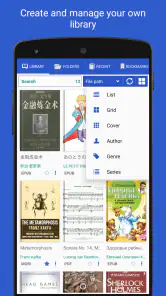
Screenshots
Analysis by Reviewed
Before settling on a mobile reader, I’d ask a practical question: do I mostly read books tied to one shop, or do I already have a mixed pile of documents? Librera PRO - Book reader is built for the second situation. It’s a paid Books & Reference app from Librera, and I find its strongest case is bringing different reading material into one place rather than steering me toward a particular catalogue. That makes it worth considering if you switch between novels, reference files, and documents, but less compelling if you only want a straightforward shop-and-read experience.
Where setup can get fiddly
The first hurdle with a format-friendly reader is usually finding the files, not opening them. If a book doesn’t appear in the library, I’d first check whether it is saved locally and whether I’m browsing the right folder. This simple check can save time before changing reader settings or importing the same file repeatedly. Once a title is visible, trying a short section is a sensible way to see whether its layout suits the screen.
That flexibility is useful, but it also means the app may feel busier than a basic reader. Someone who only wants to buy a novel, tap it, and continue reading may prefer a retailer’s app, where the catalogue and reading library are tightly connected. I see Librera PRO as a better fit when I already have documents to read and want more control over how they appear.
Small checks that help the reading flow
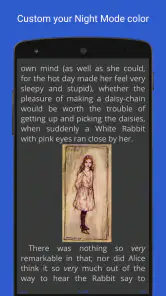
For a comfortable session, I’d adjust the text size and display style using a familiar passage rather than making several changes at once. That makes it easier to tell which setting actually helped. Night reading is another good time to test the screen appearance before settling in, especially if the default look feels too bright or the page seems crowded.
When a document looks wrong, I wouldn’t immediately assume the app is broken. A fixed-layout page and a flowing text book naturally behave differently: one may need zooming and movement around the page, while the other is easier to reshape for a small display. Choosing a format that matches the material can make a bigger difference than repeated tweaks.
Recovering when something feels off
If a book seems to lose its place, I’d use a bookmark as a practical fallback before leaving a long reading session. It also helps when I switch between unrelated files and want a clear point to return to. For speech or translation, I’d test a short passage first; that gives me a quick sense of whether the result is useful for the particular text and language, without committing to an entire chapter.
Reading mixed files in one place
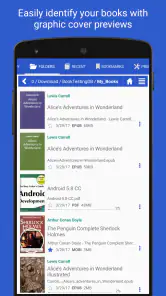
What makes Librera PRO stand out to me is its range of supported formats. It handles EPUB, PDF, MOBI, DJVU, and FB2, among others, so I can use it for both flowing books and documents with more fixed page layouts. I found that range handy when moving between different kinds of reading material. The important trade-off is that broad support doesn’t make every file behave the same way: a document’s layout still shapes how comfortable it is to read on a phone.
More From Our News Desk

Clash of Clans Is Won Between the Battles

Android Auto Makes the Case for Quieter Car Software

MobiOffice: Transforming Mobile Productivity with Seamless Integration

EA SPORTS FC™ Mobile Soccer: Redefining Mobile Sports Gaming

How Microsoft OneDrive Became a Mobile Productivity Giant

How Google Translate Breaks Language Barriers Effortlessly
User-Friendly Interface
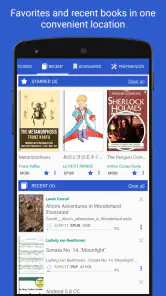
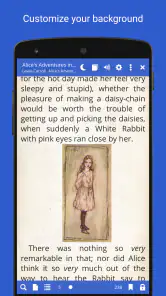
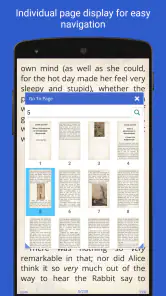
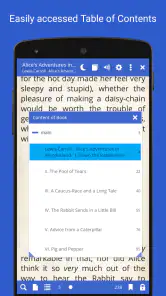
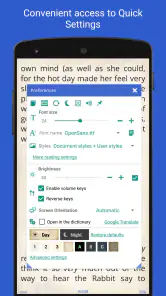
One of the first things you'll notice is the app’s intuitive and clean interface. Navigating through your library is as simple as flicking through a magazine. The customization options are also a big win. Whether you’re into night mode reading, adjusting text size, or changing font styles, Librera PRO has got your back. I found these features particularly useful for late-night reading sessions.
My advice is to make one display change at a time and judge it in the same paragraph. If I change the size, style, and appearance together, it becomes hard to know which adjustment actually improved the page. A short test also helps reveal whether the book itself reflows comfortably or whether its original design limits what the reader can change.
Features Galore
Now, let's talk about features. Oh boy, does this app pack a punch! From text-to-speech capabilities to bookmarking your favorite passages, it's like having a personal assistant for your reading needs. And if you’re someone who reads in different languages, the app’s translation feature is a game-changer. I gave it a spin with some French novels, and it worked like a charm!
For occasional listening or translation, I’d treat these as useful ways to sample a passage, not as guaranteed substitutes for reading every file in the same way. A quick test can tell me whether the voice or translated wording is clear enough for the material at hand. If it sounds or reads oddly, I’d check another section before changing my whole workflow; formatting and the language of a particular passage can affect the result.
Another feature worth mentioning is the cloud sync option. You can save your reading progress across devices, which is perfect for those of us who switch between a phone and a tablet. I can’t tell you how much I appreciate this feature when I’m on the go!
To make that handoff useful, I’d keep the same book accessible on both devices and avoid assuming that syncing a position also organizes the underlying files. A simple routine is to finish a session with a bookmark, then check the next device with the same title open. That gives me a clear recovery point if the reading position doesn’t carry over as expected.
Seamless Performance
Performance-wise, the app is a smooth operator. I didn’t experience any lag or crashes, which is a huge plus. The developers have clearly put in the work to ensure that the user experience is seamless, and it shows. Whether you’re flipping pages in a large PDF file or quickly searching for a specific book, everything just works.
Large or complicated documents are also where I’d be patient about diagnosing a problem. I’d reopen the same section, check whether the issue repeats, and compare it with a simpler file before concluding that the reader itself is at fault. That small comparison helps separate a document-specific layout problem from a broader reading issue without immediately changing several settings.
How it fits into an everyday routine
A practical use for this kind of reader is keeping a novel, a work document, and a reference text together instead of opening a different app for each. For example, I might read a few pages of an EPUB on the commute, then open a PDF manual later when I need to check a diagram. The trade-off is that PDFs can be less comfortable on a phone because the page may not adapt like flowing text. For dense documents, I’d use a larger screen when possible; for ordinary prose, adjusting the text display is usually the more comfortable route.
That commute example is also a good way to decide whether the app fits your habits: try one file you read for pleasure and one you consult for a practical task. If both are easy to find and the controls feel manageable, consolidating them may save small bits of friction throughout the week. If you mostly read a single purchased ebook and rarely open personal documents, the broader file handling may not change your routine enough to justify another app.
Compared with the usual alternatives, Librera PRO’s appeal is breadth and flexibility, not a built-in bookshop experience. Retailer-linked readers can be simpler if most of my books come from one store, while a basic document viewer may be enough for occasional PDFs. I’d choose this app when the library is mixed and I want one reader for several kinds of files. Its 4.5 average from around 5,800 ratings and over 50,000 installs suggest it has found an audience, though popularity alone can’t decide whether its options suit my habits.
When syncing or playback needs a check
If reading progress doesn’t appear on another device, I’d first make sure I’m using the cloud sync workflow consistently and that the file is available where I’m trying to open it. A synced position is most useful when both devices can access the same book; it does not remove the need to keep the document itself organized. Likewise, if text-to-speech or translation gives an awkward result, I’d test another passage and consider whether the source formatting or language is making that particular section difficult to process.
If a file will not open or appears incomplete, I’d start with the file itself: confirm that I’m opening the intended copy and try another known document. If only one title behaves strangely, that points me toward checking that specific file and its layout before resetting reading preferences. If several unrelated files show the same problem, then checking the app’s current setup and reopening it is a more sensible next step than repeatedly importing the same material.
Who will get the most from it
I’d recommend it to readers who keep personal ebooks alongside reference documents, or who move between formats often enough that separate apps become annoying. It also suits someone who likes adjusting text presentation and is willing to spend a little time learning the controls. The strongest benefit is not simply having many options; it is being able to settle into a consistent reading routine even when the material changes from one session to the next.
I’d steer a reader elsewhere if the priority is the simplest possible interface, a tightly integrated store, or a dedicated viewer for occasional PDFs. A shop-focused app can make purchasing and organizing that shop’s books more direct. A basic document viewer may be easier for someone who only needs to inspect a file now and then. Librera’s extra flexibility earns its keep when I actually use it; otherwise, more controls can feel like clutter rather than a benefit.
The app is not the right choice for everyone. A reader who wants a minimal screen, an integrated store, or a single-purpose PDF viewer may find a simpler alternative less distracting. Its many reading tools are most valuable when I actually use different formats or want to adjust presentation; otherwise, the extra choice can feel like overhead. At $5.99, I’d weigh that convenience against how often I read my own files rather than assume a broad feature set is automatically worth paying for.
Compatibility and a sensible first test
For Android users, the age rating is Everyone, the current version is 9.1.29, and the minimum operating system is 7.0. The app has been around since September 6, 2012, which makes it a longstanding option for mobile reading. I’d treat those details as a quick compatibility check before installing, especially on an older device, and then start with one familiar file to decide whether the interface and reading controls feel right.
The price is easier to judge after a small trial of your own library: open a flowing ebook, a document you consult regularly, and, if relevant, a passage you might listen to or translate. That gives a more useful answer than browsing a long feature list because it tests the tasks you actually care about. The Everyone age rating is also straightforward for households considering a reading app, while the Android version requirement is worth checking before making it part of a device routine.
In conclusion, Librera PRO - Book reader has genuinely elevated my mobile reading experience. It’s perfect for anyone looking to consolidate their reading apps into one powerhouse of a tool. If you’re serious about reading on your device, give this app a shot. Trust me, once you try it, you'll wonder how you ever read without it!
Librera PRO - Book reader Frequently Asked Questions
Is Librera PRO free to download, and what should I know before buying it?
Librera PRO is a paid book-reading app priced at $5.99. It is aimed at readers who want one app for a wide range of mobile reading, rather than a single book or subscription service. Before purchasing, consider whether its format support and reading tools fit the way you organize and read your books. The app is rated for Everyone.
Will Librera PRO work on my Android device?
Librera PRO requires Android 7.0 or later, so check your device’s operating system before downloading. It is a Books & Reference app developed by Librera, with 50K+ installs and an average rating of 4.5 from 5.8K ratings. If your device meets the minimum requirement, you can consider whether its reading features suit your needs.
What file formats does Librera PRO support for reading?
Librera PRO is a versatile book reader that supports a wide range of file formats, including PDF, EPUB, MOBI, DJVU, TXT, and many others. This flexibility allows users to open almost any type of document or eBook, making it a comprehensive tool for reading enthusiasts who have diverse collections of reading materials.
Can I customize the reading experience on Librera PRO?
Yes, Librera PRO offers extensive customization options to enhance your reading experience. You can adjust font size, style, and color, change the background color, and even set up night mode for comfortable reading in low light conditions. Additionally, you can customize page-turning animations and layouts to suit your preferences.
Is it possible to use Librera PRO offline?
Absolutely, Librera PRO can be used offline without any issues. Once you've downloaded the books to your device, you can read them anytime without needing an internet connection. This makes it ideal for users who travel frequently or have limited access to Wi-Fi, ensuring you never miss out on your reading time.
Pros
- Supports various file formats.
- Customizable reading modes.
- Offline reading available.
- User-friendly interface.
- No ads in the pro version.
Cons
- Limited cloud integration.
- Occasional bugs in PDF rendering.
- Advanced features behind paywall.
- Interface feels outdated.
- Limited annotation tools.
- Category
- Books & Reference
- Version
- 9.1.29