Khan Academy Kids
- 6.21K
- 4.6
- Installs
- 5.00M
- Price
- Free

Screenshots

Analysis by Reviewed
I would judge any learning app for a young child by whether it can hold attention without turning every spare minute into a battle, and whether an adult can guide the experience without doing all the work. Khan Academy Kids is aimed at ages 2–8, so it spans a big range: what feels inviting to a preschooler may be too basic for an older child. I’d start by choosing an activity together and watching how your child responds, rather than treating it as a complete learning plan from day one.
A good fit for short, shared sessions
The app makes the most sense as a flexible part of the day, not a substitute for a teacher, books, or hands-on play. For example, during a quiet stretch before dinner, a parent could let a child choose a reading or math activity, then ask them to explain what they just tried. That small conversation helps turn tapping through a screen into a chance to practice language and reasoning.
It can also be useful when siblings are at different early-learning stages: the broad age range gives a family room to explore, though each child will still need an adult to help pick suitable activities. If your child gets frustrated, I’d switch to a story or another kind of task rather than pushing through. A cheerful interface can invite a child in, but it cannot make every activity the right difficulty or mood for every moment.
How it compares with other learning choices
Compared with a basic alphabet or number game, this app brings reading and math together with other learning areas, so it may suit families who want variety in one place. A dedicated phonics app may be a better match if your only goal is focused practice with letter sounds; a printed book or a parent-led game is better when you want a break from screens or a more personal back-and-forth. I see Khan Academy Kids as one useful option in that mix, rather than the one tool every child needs.
One practical tip is to let your child make a choice between two activities instead of handing over the device with no direction. That keeps the session manageable and gives you a quick way to notice what holds their interest. Another is to sit nearby at first: you can help with navigation, notice when a task is too easy or hard, and decide when it is time to stop. Those small choices matter more than trying to maximize screen time.
What to notice in the first week
I would treat the first few visits as a chance to learn how your child responds, not as a test of how much they can complete. Notice whether they can start an activity with a little help, whether the instructions make sense to them, and whether they stay interested long enough to explore the idea. If they keep tapping without understanding what is happening, pause and talk through the task together rather than assuming more practice will solve it.
A useful way to make the app less passive is to connect a screen activity to something nearby. If a child has just worked with counting, you might count toys while putting them away; after a reading activity, ask them to retell a small part in their own words. The point is not to turn every session into homework. It is to give a young learner a chance to use an idea away from the screen and to help you see what actually stuck.
More From Our News Desk

Clash of Clans Is Won Between the Battles

Android Auto Makes the Case for Quieter Car Software

MobiOffice: Transforming Mobile Productivity with Seamless Integration

EA SPORTS FC™ Mobile Soccer: Redefining Mobile Sports Gaming

How Microsoft OneDrive Became a Mobile Productivity Giant

How Google Translate Breaks Language Barriers Effortlessly
Choosing for different ages and temperaments
The wide age range is convenient for a household, but it also means that a single recommendation cannot suit every child who falls within it. A younger child may need you to explain where to tap and stay close throughout. A child nearer the older end may want more independence and could lose interest if the activity feels too simple. I would judge fit by the child’s response to specific activities rather than by age alone.
Temperament matters too. A child who enjoys trying things independently may take to a guided digital activity, while one who learns best by talking, moving, or handling objects may need an adult to bring the lesson into the room. If frustration builds quickly, stop or switch activities; persistence is useful, but it should not become a struggle over the device. The app is most helpful when it supports curiosity rather than competing with a child’s natural pace.
Who Said Learning Couldn't Be Fun?
When I first downloaded Khan Academy Kids, I was a bit skeptical. "Another educational app?" I thought. But boy, was I wrong! This app is a treasure trove of interactive learning experiences for children aged 2-8 years. It covers everything from math and reading to writing and social-emotional learning, all while keeping the little ones engaged and entertained.
Designed With Kiddos in Mind
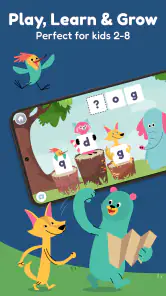
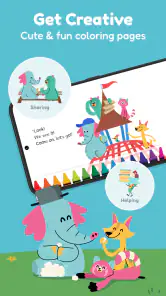
The interface is super kid-friendly, with vibrant colors and adorable characters that guide the children through their learning journey. It's like having a personal tutor who’s also a cartoon character! The app is not just about learning; it’s about making learning fun. I’ve seen my little ones giggling at the antics of the animal characters while solving puzzles and learning new words.
What really sets this app apart is the personalized learning path it offers. The app adapts to your child's level, ensuring they are always challenged but never overwhelmed. Plus, the rewards system, where kids earn badges and stickers, is a genius move to keep them motivated. Who knew earning a virtual sticker could bring so much joy?
Getting value from its variety
When a child moves quickly between different kinds of activities, I would use that flexibility deliberately rather than trying to make one long session cover everything. A short reading activity can be followed by a different task if attention starts to wander, then the device can be put away while the child talks about what they enjoyed. This makes variety a practical tool for pacing, not a reason to keep extending screen time.
It also helps to notice which parts of the experience attract your child: the characters, a particular subject, or the feeling of finishing a task. That observation can guide your next choice without turning the session into a rigid schedule. If a child is drawn mostly to rewards, I would gently redirect attention toward describing the activity itself. A sticker can be satisfying, but the more useful sign is whether the child can explain or apply an idea.
Parental Peace of Mind
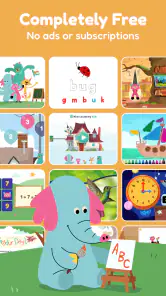
As a parent, one of my favorite things about Khan Academy Kids is the peace of mind it provides. The app is completely free, with no ads or subscriptions, which is a huge relief. You don’t have to worry about them clicking on something they shouldn’t or being bombarded with ads. It’s all about pure, uninterrupted learning.
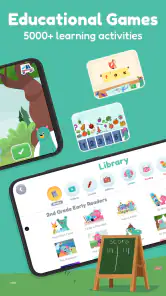
Moreover, the app includes a robust library of books and activities. I’ve found it perfect for bedtime stories and even for those "I’m bored" moments during the day. The variety ensures that there’s always something new to explore, keeping the content fresh and exciting.
When a different resource is the better choice
If the immediate goal is narrow—say, practicing one particular skill in a deliberate, adult-led way—a focused learning resource or direct time with a caregiver may be easier to tailor. This app’s broad mix is a strength for exploration, but breadth is not the same as a custom lesson plan. A teacher’s guidance, a library book, or a simple conversation can respond to a child’s question in a way a preset activity cannot.
I would also skip using it as the main answer to a child who is asking for company or movement. A screen can occupy a moment, but it cannot replace a shared game, outdoor activity, or the reassurance of an available adult. For families trying to reduce device use, a printed story or hands-on counting game is a more direct fit. The best choice depends on whether the need is independent exploration, focused practice, or human interaction.
The Verdict
In conclusion, if you’re looking for an educational app that’s both effective and fun, Khan Academy Kids is a must-have. It’s engaging, comprehensive, and best of all, it’s free! It’s been a joy watching my kids learn and grow with this app, and I can’t recommend it enough. So, go ahead, give it a try, and watch your little ones embark on an exciting learning adventure!
Before you install
Khan Academy is the developer behind this free education app. It has a 4.6 average from around 53,000 ratings, with more than 5 million installs, and is rated for everyone. The current version is 8.1.1 and requires Android 6.0 or later. It was released on July 10, 2018, so it has been available long enough to become a familiar choice for many families.
For parents wondering whether it costs anything, the app is free. That makes it easy to try alongside a child’s existing routine without committing to a paid learning service. The trade-off is that a free app still needs a parent’s judgment: decide how long a session should last, and remember that digital rewards are not a replacement for encouragement from you.
Making the routine work
For a toddler, I’d keep the first visit short and stay close enough to help with choosing and navigating activities. An older child may be ready to explore more independently, but it is still useful to check in and ask what they found interesting. If the app becomes a default response to every moment of boredom, it can crowd out drawing, conversation, or outdoor play; I’d treat it as one option, not the whole routine.
Families switching from another early-learning app do not need to discard their current approach immediately. Try this one for a few sessions and notice whether your child returns willingly, understands what to do, and can describe something they learned. If they prefer structured, adult-led lessons or need a narrowly targeted skill program, another resource may fit better. My recommendation is strongest for families seeking a free, varied starting point for playful learning, with an adult nearby to keep the experience balanced.
A realistic way to switch
If you already use another app, I would not move every learning activity over in one go. Keep the familiar routine for a while and offer this one as a choice on a different day, then compare how your child engages with each. You are looking for practical signs—less help needed to begin, a calmer response when an activity ends, or more interest in talking about what they did—not simply which screen keeps them occupied longest.
There is little reason to make switching a project for the child. Let them explore a small selection with you, and keep using books, conversation, and play as before. If the new routine adds friction or creates arguments about stopping, that is useful information: the app may work better in shorter sessions or may not suit your family’s current needs. A good learning tool should fit around the day rather than reorganize it.
My recommendation in practice
I would recommend giving it a try if you want a free, varied starting point for early learning and can be present to help a young child choose and pace activities. It is especially sensible for families who want reading and math in the same place, or who need a flexible option for a brief quiet moment. The positive rating and broad adoption make it a familiar choice, but neither should replace watching how your own child responds.
I would be more cautious if your child needs a tightly sequenced program, prefers lessons led directly by an adult, or is already spending more screen time than your family wants. In those situations, a targeted resource, a teacher’s recommendations, or offline activities may be a better match. My clearest advice is to try a short shared session, set a stopping point before you begin, and decide based on your child’s engagement and the conversation that follows—not on how many activities they finish.
Khan Academy Kids Frequently Asked Questions
What is Khan Academy Kids, and what can children learn with it?
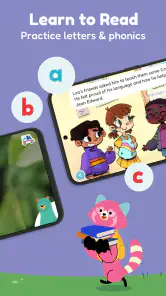
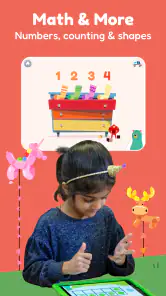
Khan Academy Kids is an education app for early learning, with activities for children ages 2 to 8. Its educational games introduce reading, math, and more, while its broader learning content includes language, writing, social-emotional development, problem-solving, and motor development. It is designed to bring several areas of early learning together in one child-focused app.
Is Khan Academy Kids appropriate for preschoolers and children who are just beginning to learn?
Khan Academy Kids is designed for young learners from ages 2 to 8. The app provides a curriculum that covers a range of topics suitable for preschoolers, kindergarteners, and first graders. It offers interactive activities that adapt to the learning pace of each child, ensuring an engaging and educational experience tailored specifically for early childhood development.
What devices can run Khan Academy Kids?
Khan Academy Kids is an education app for early learners, and it is available for Android and iOS devices. On Android, the listed minimum operating-system requirement is version 6.0, so it is worth checking your device settings before installing. The app is free, and its child-focused activities are intended for use on a compatible phone or tablet.
What age group is Khan Academy Kids suitable for?
Khan Academy Kids is designed for young learners from ages 2 to 8. The app provides a curriculum that covers a range of topics suitable for preschoolers, kindergarteners, and first graders. It offers interactive activities that adapt to the learning pace of each child, ensuring an engaging and educational experience tailored specifically for early childhood development.
Is Khan Academy Kids free to use?
Yes, Khan Academy Kids is completely free to use. The app provides access to a wealth of educational content without any subscription fees or in-app purchases. It aims to make quality education accessible to all children regardless of their socio-economic background, aligning with Khan Academy's mission to provide free world-class education for anyone, anywhere.
Pros
- Free access to all features and content.
- Ad-free environment for uninterrupted learning.
- Engaging and colorful interface for kids.
- Wide range of subjects and activities covered.
- Regular updates with new content.
Cons
- Requires internet connection for full access.
- Limited offline content availability.
- No live teacher assistance available.
- Some content may be too easy for older kids.
- Limited language options besides English.
- Category
- Education
- Version
- 8.1.1












