Job Search by ZipRecruiter
- 137.18K
- 4.9
- Installs
- 10.00M
- Price
- Free

Screenshots


Analysis by Reviewed
Hey there, job seekers and career changers! Today, we're diving into the world of job hunting with an app that's making waves in the employment market — Job Search by ZipRecruiter. If you're tired of the endless scroll through job boards and want something that feels more like a helpful sidekick rather than a chore, you're in for a treat.
Why Choose ZipRecruiter?
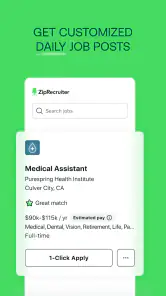
So, what's the big deal with Job Search by ZipRecruiter? Imagine having a personal job assistant that not only helps you find jobs but also matches you with the right ones. That's right! This app uses smart algorithms to line up opportunities that fit your profile like a glove. No more wasting time on irrelevant listings.
Easy to Navigate
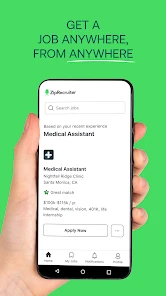
The first thing you'll notice is how user-friendly the app is. As soon as you open it, you're greeted with a clean interface that's easy on the eyes. The navigation is smooth, and everything is exactly where you expect it to be. It's like having a buddy guide you through the job search jungle.
Personalized Job Matches
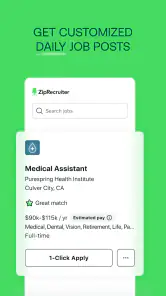
One of the standout features here is the personalized job matching. Instead of bombarding you with every job under the sun, ZipRecruiter zeroes in on roles that match your skills and preferences. It's like the app knows you better than you know yourself! You can adjust filters to fine-tune your search, making it incredibly efficient.
Real-Time Updates
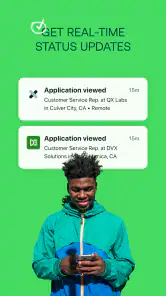
Another cool feature is the real-time updates. You'll get notifications as soon as a relevant job is posted. It's almost like having a job scout on the lookout for opportunities 24/7. No more missing out on potential dream jobs because you didn't see the listing in time.
Application Tracking Made Simple
Keeping track of your applications can be a nightmare, but not with this app. ZipRecruiter offers a simple yet effective way to track the jobs you've applied to. You can see the status of your applications and even get notifications when an employer views your resume. Talk about keeping you in the loop!
In conclusion, if you're on the hunt for a job and want a tool that feels more supportive than stressful, Job Search by ZipRecruiter should be your go-to. It's intuitive, personalized, and keeps you updated every step of the way. So why not give it a whirl and see how it transforms your job search experience?
Pros
- Intuitive user interface
- Wide range of job listings
- Customizable job alerts
- Easy resume upload
- Employer reviews available
Cons
- Limited advanced search filters
- Some outdated job listings
- Occasional app crashes
- Ads can be intrusive
- Requires account to apply

- Category
- Business
- Version
- 25.17.1











