iScanner - PDF Scanner App
- 4.80K
- 4.7
- Installs
- 10.00M
- Price
- Free

Screenshots
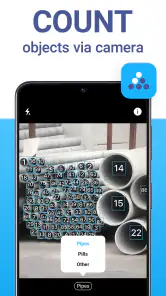
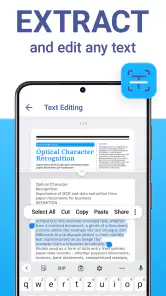
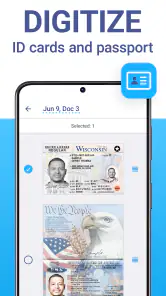
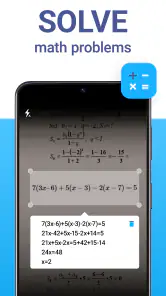
Analysis by Reviewed
Have you ever found yourself in a situation where you urgently needed to scan a document but had no scanner in sight? Well, that's where iScanner comes in handy. This nifty app turns your smartphone into a pocket-sized scanner, ready to save the day whenever you need it. Let me take you through my experience with it.
A Handy Tool for Everyday Needs
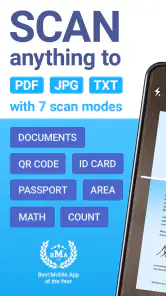
As soon as I installed iScanner, the first thing that struck me was its user-friendly interface. It’s incredibly intuitive, which means you don’t have to be a tech wizard to navigate through it. With just a few taps, you can transform any physical document into a high-quality PDF or JPEG. The app supports various file formats, making it versatile enough for all your scanning needs.
Easy to Use Features
One of the standout features is the automatic edge detection. It’s super smart and saves you the hassle of manually cropping each document. Just point your phone camera at the document, and it does the rest. This feature ensures that your scans are neat and professional-looking, which is especially important if you're using these scans for business purposes.
Another cool feature is the batch scanning option, where you can scan multiple pages in one go. It’s a real time-saver, especially when dealing with lengthy contracts or multi-page documents. Plus, the app also allows for easy organization of your files, with options to sort and store them in customized folders.
Quality and Accessibility
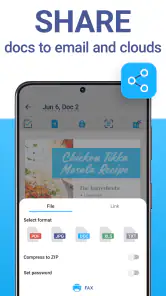
What I appreciate most about iScanner is the quality of the scans. The app enhances the images to improve readability and clarity. Whether it's a colored document or a black-and-white text, the results are consistently impressive. And the best part? You can access your scanned documents from anywhere, as the app provides seamless integration with cloud services like Google Drive and Dropbox.
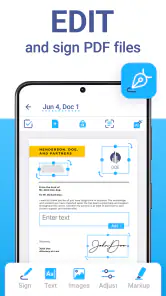
Additionally, iScanner offers some handy editing tools. You can annotate your scans, add signatures, or even fill out forms directly within the app. This makes it not just a scanner but a comprehensive tool for document management.
Final Thoughts
In conclusion, iScanner is a must-have app for anyone who regularly deals with documents. Whether you're a student, a business professional, or just someone who likes to stay organized, this app is definitely worth checking out. It’s reliable, efficient, and incredibly convenient. So, the next time you find yourself in a pinch needing a scanner, remember that your smartphone might just be the only tool you need.
Pros
- User-friendly interface
- Fast scanning process
- High-quality PDF output
- Supports multiple languages
- Secure document storage
Cons
- Premium features require subscription
- Occasional ads in free version
- Limited free storage space
- Requires internet for cloud sync
- Can drain battery quickly

- Category
- Business
- Version
- 5.84.5











