Invitation Maker
- 5.00
- 4.6
- Installs
- 500.00K
- Price
- Free

Screenshots







Analysis by Reviewed
Ever found yourself stuck on how to create the perfect invitation for your event? Whether it's a wedding, birthday, or just a casual get-together, you want something that stands out. I stumbled upon the Invitation Maker app, and let me just say, it’s been a game-changer for my party planning needs!
Getting Started with Ease
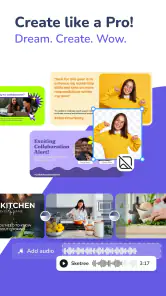
Downloading and setting up the Invitation Maker app was a breeze. Available on both Android and iOS, the app opens up with a user-friendly interface that welcomes you with a plethora of templates. From elegant to quirky, there's a design for every occasion. I was particularly impressed by how intuitive the navigation is. Even if you're not a tech-savvy person, you’ll find your way around the app with ease.
Design Like a Pro
One of the standout features of this app is the sheer variety of customization options it offers. You can start from scratch or tweak an existing template to suit your needs. Want to change the color scheme to match your party theme? No problem. Need to add a personal photo or a special quote? It's all possible with just a few taps. What I love most is the ability to use drag and drop features, which makes designing feel more like a fun activity rather than a chore.
Features That Wow
Beyond the basic editing tools, Invitation Maker boasts some advanced features that make it stand out. The app supports high-resolution exports, ensuring your invites look crisp and professional. Also, the integration with social media platforms is seamless, allowing you to share your creations directly with friends and family. Not to mention, the app frequently updates with new design trends, so your invitations are always in vogue.
Additionally, the app offers a handy feature for scheduling invites. You can plan your invitations in advance and set them to be sent out automatically. This is a lifesaver for organizing events where timing is crucial.
Is It Worth It?
So, is Invitation Maker worth adding to your toolkit? Absolutely! Whether you're planning a small family gathering or a big corporate event, this app provides all the tools you need to create stunning invitations with minimal effort. It's not just an app; it's your personal design assistant. Trust me, once you start using it, you'll wonder how you ever got along without it.
In conclusion, Invitation Maker is more than just a tool—it's an experience. It makes the art of invitation-making accessible to everyone, regardless of design expertise. If you’re looking to impress your guests even before the party starts, this app is definitely the way to go. Happy designing!
More From Our News Desk

Clash of Clans Is Won Between the Battles

Android Auto Makes the Case for Quieter Car Software

MobiOffice: Transforming Mobile Productivity with Seamless Integration

EA SPORTS FC™ Mobile Soccer: Redefining Mobile Sports Gaming

How Microsoft OneDrive Became a Mobile Productivity Giant

How Google Translate Breaks Language Barriers Effortlessly
Invitation Maker Frequently Asked Questions
What features does Invitation Maker offer for creating invitations?
Invitation Maker provides a wide array of features for crafting personalized invitations. Users can choose from thousands of templates, customize text, fonts, and colors, and even add personal photos. The app also offers thematic stickers and backgrounds to suit various occasions such as weddings, birthdays, and corporate events. Additionally, it supports high-resolution exports for print-ready invitations.
Is Invitation Maker user-friendly for beginners?
Yes, Invitation Maker is designed with user-friendliness in mind, especially for beginners. Its intuitive interface allows users to effortlessly navigate through templates and customization options. The drag-and-drop feature makes it easy to add elements to your invitation. Additionally, the app offers tutorials and tips to help new users create their first invitation without any hassle.
Can I share my created invitations directly from the app?
Absolutely, Invitation Maker allows users to share their creations directly from the app. Once your invitation is ready, you can instantly share it via email, social media platforms, or messaging apps. This feature ensures that your invitations reach your guests quickly and efficiently without needing to switch between different apps or services.
Does Invitation Maker offer any free templates and elements?
Yes, Invitation Maker offers a selection of free templates and design elements for users to get started. While the app has premium content available for purchase, many basic templates, fonts, and stickers are available at no cost. This makes it accessible for users who want to create beautiful invitations without any initial investment.
Is there customer support available if I encounter issues with Invitation Maker?
Yes, Invitation Maker provides customer support to assist users with any issues they may encounter. The app offers a help section with FAQs and troubleshooting tips. Additionally, users can contact the support team via email or through the app's contact form. Support is responsive and aims to resolve queries promptly, ensuring a smooth user experience.
Pros
- User-friendly interface for beginners.
- Wide range of templates available.
- Customizable text and graphics.
- Supports various file formats.
- Allows sharing directly from the app.
Cons
- Limited free version features.
- Occasional app crashes reported.
- Ads may interrupt workflow.
- Some templates require purchase.
- No offline mode available.

- Category
- Events
- Version
- 5.4.4