Imikimi Photo Frames & Effects
- 13.00
- 2.5
- Installs
- 1.00K
- Price
- $3.99

Screenshots
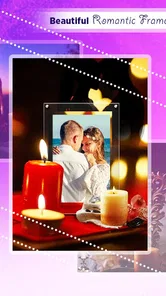
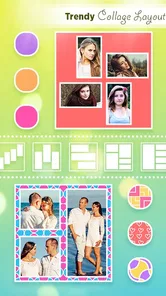




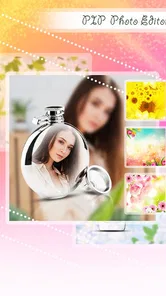
Analysis by Reviewed
I like to judge a photo editor by how quickly I can make a picture clearer or more personal without getting lost in menus. Imikimi Photo Frames & Effects is aimed at that simple, decorative kind of editing: choose a photo, give it a frame or effect, and make a small keepsake or shareable image. My main question is not whether it can replace a full editing suite, but whether its approach is comfortable and practical for different people and everyday situations.
A small project is the best first test
I’d start with a picture that is already bright and reasonably composed, then try one frame and one effect before adding anything else. That gives you a quick sense of whether the app’s decorative style suits your photos, without investing time in an elaborate design. It also makes the paid decision more concrete: the app costs $3.99, so I’d want to know that I enjoy its particular way of dressing up images rather than buying it on the assumption that it will also handle every kind of editing.
This first test is useful for another reason: frames can alter the apparent balance of a picture. A thick border may make a face feel smaller, while a busy design can pull attention away from the person or object you meant to feature. I’d compare the original and decorated versions before saving, especially if the image is meant to be a personal greeting rather than just a playful experiment.
Getting Started with Imikimi
First things first, downloading and setting up Imikimi is a breeze. Available on both Android and iOS, it’s easily accessible for just about everyone. Once you’ve got it installed, you’re greeted with a user-friendly interface that’s straightforward and inviting.
Readability and finding your way
The appeal of a frame-focused editor is that the goal is easy to understand: pick an image, then add decoration. That can make it less daunting than editors built around layers, curves, and detailed adjustments. I’d still take a moment to look through the choices before editing an important photo. A frame may change the balance of the image, and a design that looks attractive in a thumbnail can compete with a busy background once applied.
Imikimi is an art and design app from Imikimi Apps. It is currently version 1.2.2, and its 2.5 average from 29 ratings suggests that experiences are mixed rather than universally smooth. I would treat that as a reason to test the workflow with a photo you can easily replace before spending time on a larger project. The app costs $3.99, so it makes sense to decide whether its frame-led style is what you want before committing.
Frames, effects, and a more careful workflow
What sets this app apart is the sheer variety of frames and effects available at your fingertips. From elegant and minimalistic to bold and funky, there’s something for every occasion. Planning a wedding album? Or perhaps a quirky birthday collage? Imikimi has you covered. The app even offers seasonal frames, ensuring your photos are always in style.
More From Our News Desk

 Gmail
Gmail in a Busy Inbox: Who Benefits Most?
From first account to crowded workday, Gmail earns its place through dependable search and flexible sorting—but its best fit depends on how much inbox maintenance you can tolerate.

 Prime Video
Switching to Prime Video: What Changes in Your Viewing Routine
Prime Video can make a compelling second home for streaming, but switching means learning a different catalog, rental layer, and route from browsing to playback.

 Universal TV Remote Control
 Works Best as a Reliable Backup
A phone remote earns its place through quick setup and reliable habits. Here is how to get more from Universal TV Remote Control—and where its limits show.

 Weather - By Xiaomi
Weather by Xiaomi Review: Clear at a Glance, Less Clear Up Close
Xiaomi’s weather app makes everyday forecasts quick to scan, but its calm surface can leave useful details and recovery paths harder to find than they should be.

 X
X Under Pressure: Can It Recover When Posting Goes Wrong?
A resilience-focused review of X, examining setup, mistaken posts, interruptions, weak connections, and the gaps that matter when recovery needs to be dependable.

 Clash of Clans
 Is Won Between the Battles
Its raids are quick; its community is a long-term project of coordination, teaching, rivalry, and shared responsibility—with all the friction that entails.
Latest News



One feature I particularly enjoyed is the customization options. You can adjust the frame size, add text, and even tweak the colors to your heart’s content. It’s like having a mini photo studio right on your phone. And the best part? Most of the features are free!
For a cleaner result, I’d start with a photo where the subject is already well separated from the background, then choose a frame that leaves the face or focal point room to breathe. If you add text, keep it short and check that it remains readable against the photo and decoration. This small sequence helps avoid the common frame-editor problem of piling on ornaments until the original image disappears.
Motor and sensory considerations
Now, let’s talk about usability. Imikimi is incredibly intuitive. Even if you’re not tech-savvy, you’ll find yourself navigating through the app with ease. The drag-and-drop functionality is smooth, and applying effects is as simple as tapping a button.
That kind of direct interaction can feel approachable for someone who prefers visual choices over technical controls. At the same time, dragging and making precise adjustments can be less comfortable for people who find touch gestures difficult. I’d work slowly, make one change at a time, and review the finished image at a larger view rather than assuming a quick tap has placed every element exactly where intended.
When and where it fits
The app runs smoothly without any noticeable lag, which is a huge plus. I’ve tried other photo editing apps that crash or freeze up, but Imikimi held up like a champ. Whether you’re using an older device or the latest model, performance remains consistent.
A realistic use is making a birthday greeting while waiting for a friend: choose a photo, add a festive frame, and use a short message rather than building a complicated collage. Imikimi’s 1K+ installs indicate a smaller audience than the major general-purpose editors, which may suit someone who wants a focused, decorative tool but is less reassuring for a person who depends on a large user community for tips. Its Everyone age rating makes it suitable for a broad audience, though the finished image still depends on the photo and wording you choose.
For basic cropping, exposure correction, or a natural-looking portrait, I’d reach for a conventional photo editor first. Those tools are usually a better fit when the image itself needs repair. Imikimi makes more sense when the picture is already usable and the goal is to add a themed border or playful treatment. That distinction matters: a frame can enhance a snapshot, but it cannot fix blur, poor lighting, or a composition that needs a substantial crop.
Making a greeting without overworking it
For a family birthday, I’d choose a photo that already tells the story, such as a candid snapshot from a shared outing, and treat the frame as a finishing touch. A short greeting is usually enough; a long caption has to compete with both the picture and the decoration. Before sending it, I’d view the image at the size it will appear on a phone, because fine lettering and small details can be harder to read once the image is no longer filling the editing screen.
This is also where a frame editor can be more convenient than a general-purpose design app. If all I want is a themed border around one photo, a broader tool may bring extra steps and controls I don’t need. But if the greeting needs several photos, carefully aligned text, or a consistent layout for a set of invitations, I’d prefer a design app built for arranging multiple elements. The trade-off is simplicity for a single decorated image versus more deliberate layout control.
Sharing and practical trade-offs
Aside from its functionality, what really makes Imikimi stand out is the community aspect. You can share your creations within the app’s community or on social media platforms. It’s a fantastic way to get feedback and inspire others with your creativity.
Before sharing, I’d check the image at its intended size and make sure any text is still legible on a phone screen. A design that looks polished while editing can feel crowded in a small preview. If the photo is personal, it’s also sensible to consider where you want it to appear before posting it to any community or social platform. For a quick private greeting, saving the finished image for direct sharing may be a better fit than seeking public feedback.
Imikimi also regularly updates its library with new frames and effects, so there’s always something fresh to explore. This keeps the app feeling new and exciting every time you use it.
What to check before you settle on a design
I’d treat the frame library as a set of visual starting points, not a reason to use decoration on every image. A useful test is to ask what the frame contributes: does it reinforce the occasion, bring focus toward the subject, or simply add visual noise? If the answer is mostly the last one, a plain photo may communicate better. That restraint is particularly helpful for pictures with detailed backgrounds, where a strong border and a patterned scene can compete for attention.
Text deserves its own check. Choose wording that still makes sense if someone sees the image without any explanation, and avoid placing important words over a face or a high-contrast part of the photograph. If the result is intended for a keepsake, I’d keep an undecorated copy too. That gives you the option to revisit the image later without being locked into the first creative choice.
Who should choose it
I’d recommend this style of app to someone who enjoys themed photo borders, wants to make occasional greetings, or prefers decorating an image over learning detailed editing controls. The version supports Android 5.0 and later, which gives it a practical range of compatibility for Android users. If you mainly want precise retouching, a clean professional finish, or extensive control over image adjustments, a more traditional editor is likely the better choice.
It is also a better match for people who are happy to judge a design visually and make a few simple choices, rather than fine-tune every pixel. Someone making a quick seasonal card or a playful image for a family chat may get more from its focused approach than a person who edits photos every day for work. Conversely, if you need dependable, repeatable layouts across a batch of images, detailed accessibility controls, or a workflow built around careful image correction, I would compare other tools before deciding.
My inclusive verdict
My recommendation is more measured: Imikimi is worth considering when frames and effects are the point, not when you need a complete photo-editing toolkit. Its visual, direct approach may be comfortable for casual edits, but careful placement and small text can still create friction for some users. I’d try a simple project first and judge whether the controls, choices, and final image work for your own needs. That is a fairer test than expecting one editor to suit every ability, screen, or editing style.
Imikimi Photo Frames & Effects Frequently Asked Questions
What devices and operating systems can run Imikimi Photo Frames & Effects?
Imikimi Photo Frames & Effects is an Android app in the Art & Design category, intended for devices running Android 5.0 or later. Before downloading, check your device’s operating-system version and available storage. The app is developed by Imikimi Apps, and its Everyone content rating makes it suitable for a broad audience.
What is Imikimi Photo Frames & Effects and how does it work?
Imikimi Photo Frames & Effects is an app that allows users to enhance their photos with a variety of frames and effects. Users can choose from a large selection of artistic frames, apply creative effects, and personalize their images. The app provides tools to adjust colors, add text, and share the edited photos directly on social media platforms. It’s designed to be user-friendly, offering both novice and experienced users the ability to create stunning visual content.
Is Imikimi Photo Frames & Effects free to use, or does it offer in-app purchases?
Imikimi Photo Frames & Effects has a listed price of $3.99. The earlier description of optional purchases for premium frames and editing tools may be relevant to how its content is offered, so check the purchase details shown on your device before proceeding. Consider whether the price and any optional purchases fit your budget before downloading.
What are the key features of Imikimi Photo Frames & Effects?
Imikimi Photo Frames & Effects offers a wide range of features to enhance your photo editing experience. Key features include a large library of customizable frames, a variety of artistic effects, text overlay options, and intuitive editing tools such as cropping and color adjustments. The app also supports direct sharing to social media, making it easy to showcase your creations. Its user-friendly interface ensures that both beginners and advanced users can enjoy the creative process.
Can I use Imikimi Photo Frames & Effects offline?
While some features of Imikimi Photo Frames & Effects may be available offline, the app generally requires an internet connection to access its full library of frames and effects, as well as to share your edited photos online. It's recommended to have a stable internet connection to fully utilize all the features and keep the app updated with the latest content.
Pros
- Intuitive and easy-to-use interface.
- Wide variety of frames and effects.
- Regular updates with new features.
- High-quality graphics and designs.
- Free basic version available.
Cons
- Contains in-app purchases.
- Occasional ads can be intrusive.
- Limited features in free version.
- Requires internet for full functionality.
- Some effects may appear outdated.