Hype AI - AI Photo & Video
- 209.00
- 4.4
- Installs
- 1.00M
- Price
- Free

Screenshots
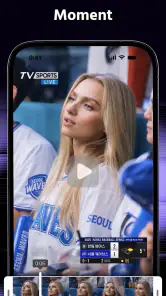
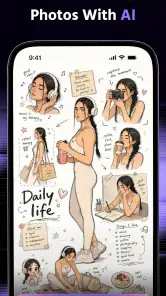
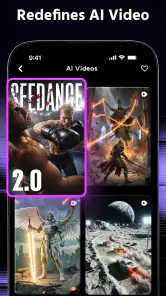
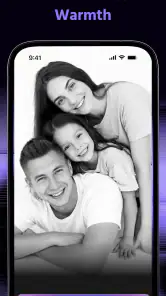
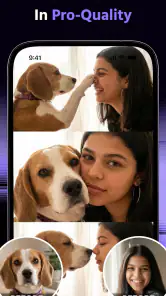
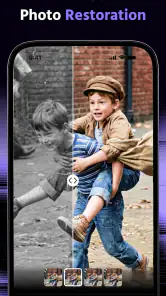
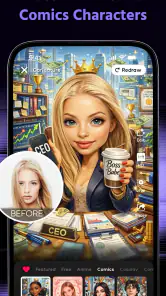
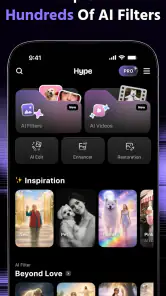
Analysis by Reviewed
I approached Hype AI - AI Photo & Video as a photography app for people who want more than a quick filter. Its purpose is to help turn ordinary photos and videos into attention-grabbing edits, but what interested me most was how comfortably that idea fits different abilities, devices, and everyday situations. An effect can look impressive and still be frustrating if the controls are hard to read, the workflow demands precise gestures, or the result only works in perfect lighting.
My overall impression is that this is a playful, visually focused tool rather than a complete replacement for a traditional photo editor. It is free to install, comes from ORIGO Game, and has built a sizeable audience, with over a million installs and an average rating of 4.4 from around 8,600 ratings. Those figures suggest that the central appeal is easy to understand: people want a fast way to give social photos and short clips a stronger visual identity.
How Hype AI fits into real-world use
Readability and navigation matter more than flashy effects
The first thing I look for in an AI photo app is whether I can understand the editing path without having to guess. Hype AI is built around a direct creative idea: choose an image or video, apply an AI-driven treatment, and judge the result. That makes it more approachable than a conventional editor filled with adjustment panels, curves, masks, and technical terminology.
That simplicity is especially useful for someone who is new to editing or who does not want to learn a full creative suite. If I am preparing a birthday picture, a profile image, or a quick clip for a group chat, I would rather explore a few strong visual directions than spend time tuning dozens of sliders. The app’s photography focus gives the experience a clear purpose instead of making me decide where to begin in a large toolbox.
There is a trade-off, though. A highly visual interface can be less comfortable for people who prefer text-led navigation or who need a clear explanation before committing to an effect. AI editing often involves previewing several possibilities, and previews can communicate mood better than they communicate exactly what will change. I found that this kind of workflow rewards experimentation, but it may feel less predictable than a standard crop, exposure, or color-control editor.
For better readability, I would use the app with a carefully chosen source image rather than importing a whole camera roll at once. That reduces visual clutter and makes it easier to compare the original with the edited version. It also creates a more manageable routine for anyone who becomes tired when faced with too many thumbnails, moving previews, or similarly named styles.
The current version is 7.0.6, which is useful context for anyone comparing instructions or interface impressions found elsewhere. App layouts can change over time, so I would not rely on an old tutorial to explain every button. In practical terms, the best approach is to open one image, test one transformation, and learn the controls from the result instead of trying to memorize the entire interface first.
Motor and sensory considerations during editing
AI-assisted editing can remove a lot of fine manual work. I do not need to trace a subject carefully, paint over every area, or make a series of tiny corrections just to create a noticeable change. That is a meaningful advantage for users who find precise touch gestures uncomfortable, tiring, or unreliable. The creative decision becomes more about choosing a direction and evaluating the outcome.
At the same time, less manual work does not automatically mean effortless access. Browsing visual options may still require repeated taps, scrolling, and quick comparisons. A person with limited dexterity may prefer to pause between choices rather than rapidly cycle through effects. I would also avoid editing when holding the phone in an unstable position; a table or stand makes the process less physically demanding and reduces accidental selections.
People who are sensitive to intense colors, rapid visual changes, or high-contrast effects should approach the app selectively. The whole point is to create images with a strong visual impact, so some results may be more stimulating than a natural photograph. I would preview effects at a comfortable brightness and take breaks instead of judging a long sequence of animated options in one sitting.
For users with low vision, the practical question is not only whether text is legible but whether the edited image remains understandable. Dramatic transformations can add texture, contrast, or visual noise that makes faces and important details harder to distinguish. I would keep the original photo available and compare it with the result before sharing, especially when the image includes a person’s face, an object someone needs to recognize, or text captured from a sign.
That comparison is one of my more important tips for this type of app: treat the AI result as a creative proposal, not an automatic improvement. An effect can be exciting on a large preview and less useful once it is viewed as a small profile image or compressed video. Checking the final image at the size where people will actually see it prevents a lot of disappointment.
Situational access: when the app is genuinely useful
Hype AI makes the most sense when I need a noticeable result without building an edit from the ground up. Imagine taking a casual evening portrait at a friend’s gathering. The lighting is uneven, the background is ordinary, and there is no time to sit at a computer. A quick AI treatment can give the picture a more deliberate style before I send it to friends or use it in a social post.
It can also help someone who has ideas for a visual mood but lacks the technical confidence to create one manually. A teenager making a short montage, a small shop owner preparing a product image, or a traveler turning phone clips into a memorable post may benefit from a guided, effect-first workflow. In each case, the value is speed and experimentation rather than pixel-level control.
The app is less suitable when the image has to remain accurate. I would not choose a dramatic AI treatment for a document, a formal record, a product listing where color must be faithful, or a photograph that needs to preserve fine detail. A conventional editor is usually better for straightening, exact cropping, exposure correction, and other tasks where the goal is clarity rather than style.
It is also worth considering the environment in which editing takes place. On a crowded train, in bright sunlight, or while wearing gloves, a visual app can become inconvenient even if its basic workflow is simple. In those situations, I would prepare the source media first and do the creative work later, when I can hold the device securely and inspect the preview properly.
For users who rely on spoken guidance, switch access, magnification, or other device-level tools, the experience will depend heavily on how the app’s controls interact with the operating system. I would test a small, nonessential image before committing to a larger project. That is a sensible habit with any visually rich editor because a workflow that feels fine for one tap may become tiring when repeated across many choices.
Where it differs from ordinary photo editors
The usual alternative is a traditional mobile photo editor. Those apps tend to be stronger when I want control: precise brightness changes, selective color adjustments, perspective correction, retouching, and predictable exports. They also require more decisions. I have to know what is wrong with the image before I can fix it, and I may spend several minutes reaching a result that still looks subtle.
Hype AI takes the opposite route. It is better for discovering a look than for repairing every technical problem. The app can be a useful first stage: I can create an expressive version, decide whether the idea works, and then use a more conventional editor for small corrections. That two-step workflow is more efficient than expecting one app to handle both bold experimentation and careful finishing.
Compared with a basic social-media filter, the appeal is also different. A simple filter is quick and familiar, but it often changes the overall color or mood in a fairly predictable way. Hype AI is aimed at a more noticeable transformation, which is helpful when I want the image to feel designed rather than merely tinted. The cost is that the result may be less natural and less appropriate for situations where authenticity matters.
There is a financial consideration as well. The app is free, but it includes in-app purchases ranging from $0.99 to $99.99 per item. I would treat the free starting point as an opportunity to test the workflow, not as a promise that every creative option will remain available without payment. Anyone sharing a device with children or managing a tight budget should review purchase controls before exploring deeply.
Remaining barriers and practical workarounds
The mature age classification of 17+ is an important part of deciding whether this app belongs on a shared family device. I would not assume that a photography tool is automatically suitable for every household simply because its basic purpose is creative. Parents and guardians should consider the age label before allowing younger users to install or explore it.
The same rating can affect situational access in workplaces, schools, or public devices where mature-rated apps are restricted. That does not make the app unsuitable for adults, but it does mean that access may depend on the rules of the device or organization. If I were planning a collaborative project, I would check those restrictions before making Hype AI part of the workflow.
Cost can become another barrier when experimentation encourages repeated purchases. The broad range of optional item prices means I would decide in advance what I am willing to spend and avoid treating every appealing effect as necessary. A good personal rule is to keep the original files, try the free experience first, and only pay when a specific result solves a real creative need.
There is also a quality-control barrier that appears in many AI-based creative tools: the strongest-looking preview is not always the most usable final image. Faces, hands, fine patterns, and small background details deserve a close inspection. If the result is for a client, a public announcement, or a memory I care about preserving, I would review it at full size and keep an untouched original beside it.
Another limitation is the app’s likely dependence on visual judgment. Someone who cannot easily distinguish subtle changes may find it difficult to compare similar effects, while someone with attention or fatigue-related challenges may find an endless stream of options overwhelming. My workaround is to define the goal first: “make this portrait feel warmer,” “give this clip a poster-like mood,” or “create a playful profile image.” A clear goal narrows the search and makes the app more manageable.
I would also skip it if my priority is a calm, minimal editing session. Hype AI is designed around impact and discovery, so it is not the right match for someone who wants only a clean crop, a restrained color correction, or a highly technical workflow. In those cases, the usual camera editor or a manual photography app will probably feel more transparent and less distracting.
Who will get the most from it
I think the strongest audience is made up of casual creators who want their photos and videos to look distinctive without studying editing techniques. It is a good fit for social posts, personal projects, invitations, mood boards, and quick visual experiments. It can also suit people who have limited time or who find detailed manual editing difficult because the app shifts much of the transformation work away from precise gestures.
It is less convincing for professional retouching, documentary work, accessibility-critical communication, or any project where the original appearance must remain dependable. A photographer who needs repeatable settings and fine control will likely prefer a dedicated editor. Someone creating instructional material may also be better served by tools that prioritize legibility over visual drama.
One useful workflow is to separate creation from selection. I would make a small number of versions, leave them for a few minutes, and then choose the one that still communicates clearly rather than the one that looks most intense at first glance. This is particularly helpful when accessibility matters, because a slightly calmer edit may be easier for more people to view and understand.
For video, I would keep the same discipline. Short clips are easier to inspect than a long sequence, and a strong effect can become tiring when it continues for too long. I would watch the entire result before sharing it, paying attention to whether the subject remains recognizable and whether the visual treatment distracts from the moment I actually wanted to show.
My inclusive verdict
After using Hype AI as a photography tool rather than treating it as a complete editing studio, I see its main strength clearly: it lowers the technical barrier to making a bold visual change. The focused, AI-led approach can be more approachable than manual editing, especially for users who dislike tiny controls or do not know which adjustment to make first.
Its accessibility is not universal, however. Strong effects can create sensory overload, visual browsing can be tiring, and the app is not the best choice when accuracy or precise correction is more important than style. The mature 17+ classification and optional purchases also deserve attention before it is used on a shared device or recommended to a younger person.
My recommendation is to try it with a specific, low-pressure project: one portrait, one short clip, or one image that would benefit from a more expressive treatment. Keep the original, inspect the result at its real viewing size, and stop when the edit improves the message instead of merely increasing intensity. With that approach, Hype AI - AI Photo & Video becomes a useful creative shortcut for adults who want distinctive results quickly, while traditional editors remain the better choice for careful correction, predictable control, and maximum clarity.
Pros
- Creates polished AI photos and videos with minimal editing effort.
- Offers creative styles for social posts
- avatars
- and profile pictures.
- Simple interface makes the main tools easy to find and use.
- Previewing results is generally quick on compatible devices.
- Useful for experimenting with trends without advanced editing skills.
Cons
- Many attractive styles may require a subscription or extra credits.
- AI results can sometimes look artificial or distort facial details.
- Processing quality and speed depend on your device and connection.
- Generated images may not always match the prompt or reference closely.
- Privacy concerns may arise when uploading personal photos to the service.
- Category
- Photography
- Version
- 7.0.6











