Goonite
- 63.00
- 4.4
- Installs
- 1.00M
- Price
- Free

Screenshots




Analysis by Reviewed
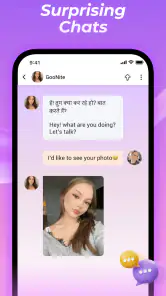
I approached Goonite as a social video-chat app rather than another feed to scroll through. Its main appeal is direct conversation with people around the world, with automatic translation intended to make language differences less awkward. That focus gives it a clearer purpose than many social networks, although it also means the quality of the experience depends heavily on who you meet, how carefully you use the controls, and how comfortable you are with live interaction.
After spending time with the app, I found the basic idea easy to understand: open a conversation, communicate by video, and use translation as support when both people do not share the same language. It is free to install, but optional purchases range from $0.99 to $99.99 per item, so I would approach the paid side carefully rather than assuming every useful interaction is included. The app comes from MGODIN LLC and is aimed at mature users, with a 17+ content rating that should be taken seriously.
How I would use Goonite in an ordinary day
My preferred starting routine is simple. I would first make sure I am somewhere private enough for a video conversation, check the camera framing and microphone, and decide what kind of interaction I actually want before opening a chat. That small preparation matters more here than it would in a text-based social app because live video leaves less time to rethink a response.
For example, imagine having a quiet evening after work and wanting to practice casual conversation with someone from another country. Instead of opening a language-learning lesson, I could use Goonite for a more natural exchange: introduce myself, explain that I am comfortable using translation, and keep the first conversation focused on ordinary subjects such as food, music, travel or daily routines. The translation feature can help bridge gaps, but I would treat it as a safety net rather than a replacement for patience.
That distinction is important. Automatic translation can make a conversation possible, but it may not preserve humor, slang, tone or cultural context perfectly. I found that short, clear sentences are a better habit than sending a long explanation and expecting the translated version to sound natural. Asking the other person to clarify is not a failure; it is part of using the app well.
The same workflow can suit people who simply want international social contact, not formal language practice. Someone moving to a new country might use the app to become more comfortable hearing another language. A traveler could use it to learn how people describe their local routines before a trip. Someone who dislikes public comment sections may prefer a direct conversation, provided they are willing to manage the personal boundaries that come with video chat.
I would not recommend starting with the assumption that every match will become a meaningful friendship. The better mindset is to treat each conversation as a short social encounter. If it develops naturally, that is a bonus. If it feels forced, confusing or uncomfortable, ending it quickly is the sensible choice.
You May Like

Clash of Clans Is Won Between the Battles

Android Auto Makes the Case for Quieter Car Software

MobiOffice: Transforming Mobile Productivity with Seamless Integration

EA SPORTS FC™ Mobile Soccer: Redefining Mobile Sports Gaming

How Microsoft OneDrive Became a Mobile Productivity Giant

How Google Translate Breaks Language Barriers Effortlessly
First checks that make the experience smoother
Before relying on Goonite for an important conversation, I would test the practical basics with a low-pressure session. A stable connection, a visible face and a quiet room can make a larger difference than any clever conversation technique. Translation also deserves a quick trial so I know how the app presents translated messages or speech in the moment.
I would keep personal details general at first. There is no good reason to share a home address, workplace location, private contact information or financial details with a stranger during an initial chat. The mature rating tells me this is not an app I would hand to a child, and it also reminds me that adult social spaces require adult judgement.
Another useful habit is deciding in advance what I will do if a conversation becomes inappropriate. I would leave rather than argue, and I would use any available report or blocking controls when necessary. Even when an app makes global communication easy, it cannot remove the human risks of meeting unknown people online.
Settings and choices worth reviewing
Goonite is easier to enjoy when I treat its settings as part of the experience rather than something to ignore. I would review notification behavior first. Video-chat apps can become distracting if every invitation or conversation alert interrupts the day, so I prefer notifications that match the times I genuinely want to be available.
I would also check the app’s access to the camera and microphone through the phone’s system controls. Giving access when I want to chat and removing it when I am finished is a practical way to stay aware of what the app can use. This is especially worthwhile for anyone who installs social apps temporarily or shares a device with family members.
Translation deserves its own attention. When possible, I would choose the language I am most comfortable reading and avoid switching repeatedly during a conversation. A consistent setup reduces confusion, particularly when both participants are already relying on translated wording. I would also pause before sending a message that looks ambiguous; rewriting it in simpler language is often faster than repairing a misunderstanding afterward.
Because purchases are available, I would inspect the purchase flow before tapping anything that appears to unlock extra interaction. Individual items can cost as little as $0.99 or as much as $99.99, which is a wide range. I would never buy something merely because a conversation feels urgent or because another person pressures me to do so. If I decide to spend, I would do it deliberately and keep track of the transaction through the platform’s normal account controls.
The current version is 1.1.4, and the app supports Android 7.0 and later. That makes it accessible to people using older Android devices, but compatibility alone does not guarantee a smooth video experience. Older phones may struggle more with camera quality, battery use or multitasking, so I would close unnecessary apps and keep the device charged before a longer session.
Repeatable habits for faster, better conversations
Experienced use is less about finding a secret button and more about repeating a reliable routine. I would prepare a few opening questions before starting: where the person is from, what they enjoy doing locally, and what kind of conversation they are looking for. Having these ready prevents the first minute from becoming an awkward exchange of “hello” and “what do you do?”
I would also use a three-stage rhythm. First, establish whether the audio and translation are working. Second, keep the subject concrete and easy to translate. Third, decide whether the conversation is worth continuing. This approach saves time and avoids spending ten minutes in a chat that is technically connected but socially uncomfortable.
A useful translation habit is to send one idea at a time. Instead of combining a question, a joke and a personal story into one complicated sentence, I would separate them. That gives the other person a better chance to understand the meaning and makes it easier to identify which part caused confusion.
I would keep a small mental list of subjects that travel well across cultures. Food, weather, hobbies, local transport, films and everyday routines usually offer more room for genuine exchange than arguments about politics or highly personal questions. This is not about making every conversation bland; it is about building enough understanding before moving into subjects where tone matters more.
Another efficient pattern is to end while the conversation is still pleasant. A short, positive goodbye is better than forcing the exchange until both people run out of things to say. If I want to speak again, I can make that clear without promising more than I mean. This habit protects my time and keeps social contact from feeling like an obligation.
I would be cautious about moving a conversation to another service too quickly. Goonite’s value is that it provides a contained place for the interaction. Sharing outside contact details may be convenient later, but I would wait until trust has developed and I would never let another user make me feel rushed.
Where Goonite is stronger than familiar alternatives
Compared with a conventional social network, Goonite puts the conversation ahead of the public profile or endless content stream. That can be refreshing if I am tired of posting, reacting and waiting for replies. The live format encourages a more immediate human exchange, while automatic translation gives it an international angle that ordinary video calls do not provide by themselves.
Compared with dedicated language-learning apps, it appears more spontaneous and less structured. I would choose a language-learning platform when I need lessons, correction, vocabulary tracking or a planned curriculum. I would choose Goonite when I want to practice the unpredictable parts of conversation: hesitation, accents, informal questions and the challenge of keeping an exchange alive.
Compared with familiar messaging apps, the advantage is discovery and direct video contact. The trade-off is control. With people I already know, I understand the relationship and can usually predict the tone. With strangers, I have to spend more effort deciding whether the interaction is respectful and worth my attention.
This makes the app particularly suitable for socially confident adults who enjoy meeting unfamiliar people and can leave a conversation without feeling guilty. It is less suitable for anyone seeking a tightly moderated professional networking space, a private family messenger or a formal educational tool.
Limits I would keep in mind
The biggest limitation is inherent in the format: video chat with strangers can be unpredictable. Translation may reduce language friction, but it cannot solve incompatible personalities, poor manners or unwanted advances. I would not mistake the presence of a translation tool for a guarantee that every exchange will be comfortable.
Live video also demands more attention than text. I cannot casually multitask while trying to follow facial expressions, translated wording and the flow of a conversation. If I am tired, busy or in a noisy environment, I would postpone the session rather than blame the app for a poor interaction.
There is also a financial boundary to consider. The free entry point is appealing, but the broad in-app purchase range means I would want a clear personal limit. A social conversation should never become a reason to spend impulsively. Users who prefer apps with no purchase pressure may find a standard messaging service easier to manage.
Privacy is another reason to be selective. A camera-based conversation reveals more than a text message, even when I say very little. I would avoid showing documents, screens, personal rooms or identifiable locations in the background. Turning the camera toward a neutral wall or using a simple background is a small but worthwhile improvement.
Finally, the app is not the right choice for children or younger teens. Its Mature 17+ rating is consistent with the reality of open social video interaction, where users need to understand consent, boundaries, reporting and financial caution.
Who will get the most from it
I see the strongest fit for adults who want international conversation without committing to a formal course. It can also work for travelers, language learners who already know the basics, people curious about everyday life in other countries, and users who prefer speaking over writing.
The app is less convincing for someone who wants guaranteed compatibility, carefully organized communities or long-form discussion. It may also frustrate people who dislike being on camera or who need complete control over who can contact them. In those cases, text-first communities or established messaging groups are likely to be a better match.
Its audience is already substantial, with more than a million installs and an average score of 4.4 from roughly twenty-two thousand ratings. I read that as evidence that the central concept appeals to many users, not as proof that every conversation will be good. Social apps are judged one interaction at a time, and my experience would depend as much on my habits as on the software.
My considered verdict after building a routine
Goonite works best when I use it intentionally. I would open it with a clear reason, keep my first conversations short, use translation in simple steps, and protect my privacy from the beginning. Those habits turn the app from a random video-chat experiment into a more manageable way to meet people across language barriers.
I like the combination of direct video and automatic translation because it creates opportunities that a normal social feed does not. At the same time, I would not oversell it as a substitute for language education, a private messenger or a guaranteed friendship service. Its strengths are immediacy and international reach; its weaknesses are the uncertainty of strangers, the demands of live video and the possibility of paid extras becoming distracting.
For an adult who understands those trade-offs, the free download makes it reasonable to try. I would recommend starting slowly, checking the camera and microphone permissions, reviewing notifications and purchase prompts, and leaving any conversation that crosses a boundary. Used with that level of care, Goonite is most valuable as a practical doorway to real-time international contact, not as a promise that every contact will become meaningful.
MGODIN LLC has kept the concept straightforward, and that simplicity is part of its appeal. My final recommendation is positive but selective: try it if you genuinely want spontaneous video conversations with people from other places, and skip it if you prefer predictable contacts, structured lessons or completely private communication.
Goonite Frequently Asked Questions
Can I use Goonite to talk with people who speak other languages?
Goonite’s store description highlights worldwide video chat with auto-translate, making it suited to people who want to connect across language differences. Translation may help conversations feel more accessible, though it does not replace clear communication or guarantee that every phrase will be understood perfectly. A stable internet connection and comfort with live video are also worth considering before you start.
What does Goonite’s age rating mean for families?
Goonite is rated Mature 17+, so it is intended for adults and older teens rather than younger children. Families should take that rating seriously when deciding whether it belongs on a shared device or a younger person’s account. Device-level parental controls can help manage downloads, while conversations with a younger user about online video chat can set clearer expectations around privacy and boundaries.
What kind of experience does Goonite offer?
Goonite is a social app for video chat worldwide, with auto-translate intended to help people connect across languages. It may appeal to users looking for conversations with people beyond their local community. Because video chat involves interacting with other people, consider whether you are comfortable sharing a live video connection before downloading and using it.
Who is Goonite intended for, and is there an age restriction?
Goonite is intended for mature audiences and is rated for users aged 17 and older. That age rating is an important consideration for families and anyone deciding whether the app is appropriate for them. Review the app’s age rating in the store before installing, and use any available device or account-level controls if you manage downloads for a younger user.
What is Goonite and what can I use it for?
Goonite is a mobile app designed to provide users with access to its specific digital services and features through an Android or iOS device. Before downloading, it is worth checking the app’s current store description because available tools, supported regions, and account requirements may change. The overall experience depends on your device, internet connection, and whether the service is available in your country.
Pros
- Simple interface makes core features easy to find.
- Useful for users seeking a focused
- no-frills experience.
- Runs smoothly on many modern Android and iOS devices.
- Setup is generally quick and requires little technical knowledge.
- Regular use can make everyday tasks more convenient.
Cons
- Some advanced options may feel limited for experienced users.
- The app may require permissions that privacy-conscious users dislike.
- Performance can vary depending on device and operating-system version.
- Certain features or content may depend on an active internet connection.
- Updates may change the interface or feature availability unexpectedly.

- Category
- Social
- Version
- 1.1.4











