Good Lock
- 202.00
- 3.7
- Installs
- 1.00M
- Price
- Free

Screenshots
Analysis by Reviewed
Ever stumbled upon an app that makes you wonder how you ever coped without it? Enter Good Lock, the ultimate customization toolkit for Samsung Galaxy devices. If you're like me and love to tinker with your phone settings, you're in for a treat. Let's dive into what makes this app a game-changer for Samsung users.
The Magic of Personalization
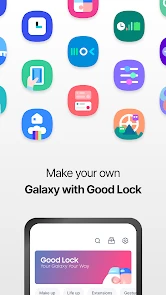
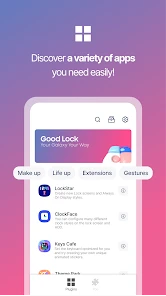
The first thing you'll notice about Good Lock is its knack for personalization. This app isn't just about changing your wallpaper or adding a widget. Oh no, it's much deeper than that. With modules like LockStar, Task Changer, and ClockFace, you're getting a full suite of tools to tweak almost every aspect of your device. It's like having a Swiss Army knife for your phone!
LockStar: Your Lock Screen, Your Rules
Let's talk about LockStar for a second. Ever wanted to rearrange your lock screen elements or add your own personal flair? Now you can. With LockStar, you're not stuck with the default lock screen layout. Move the clock, add shortcuts, or even change the way notifications are displayed. It's your screen, make it yours!
MultiStar: Multitasking Made Easy
Next up, we have MultiStar. If you're a multitasker like me, you'll appreciate what this module brings to the table. MultiStar enhances the multitasking experience by allowing you to open multiple apps in pop-up view or split-screen. This is especially handy when you're juggling work emails while watching a YouTube tutorial. Efficiency at its finest!
Theme Park: A Theme for Every Mood
Feeling a bit artsy? Theme Park lets you create your own themes. Choose your colors, icons, and wallpapers to match your mood or the season. Whether you're feeling vibrant or minimalistic, Theme Park has got you covered. And the best part? You can switch themes as often as you like without any hassle.
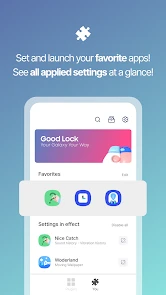
Honestly, I was blown away by how much control Good Lock gives you over your device. It's not just about aesthetics; it's about making your phone work for you, the way you want it. Each module is designed with the user in mind, providing flexibility and customization options that go beyond the typical settings menu.
One thing to note, though, is that Good Lock is exclusive to Samsung Galaxy devices. So, if you're not part of the Galaxy family, you might feel a bit left out. But for those of us who are, it's like having a secret weapon that takes your phone experience to a whole new level.
In conclusion, if you're looking to transform your Samsung device into a personalized powerhouse, Good Lock is the way to go. Its comprehensive suite of tools is perfect for anyone who wants to break free from the ordinary and enjoy a truly customized phone experience. So, what are you waiting for? Dive into Good Lock and unleash the potential of your Galaxy device!
Pros
- Highly customizable interface options.
- Enhances overall system performance.
- Improves multitasking capabilities.
- Offers unique lock screen features.
- Regular updates with new features.
Cons
- Limited to Samsung devices only.
- Can be complex for beginners.
- Some features are region-locked.
- Consumes additional battery life.
- Occasional compatibility issues.

- Category
- Tools
- Version
- 3.0.14.2











